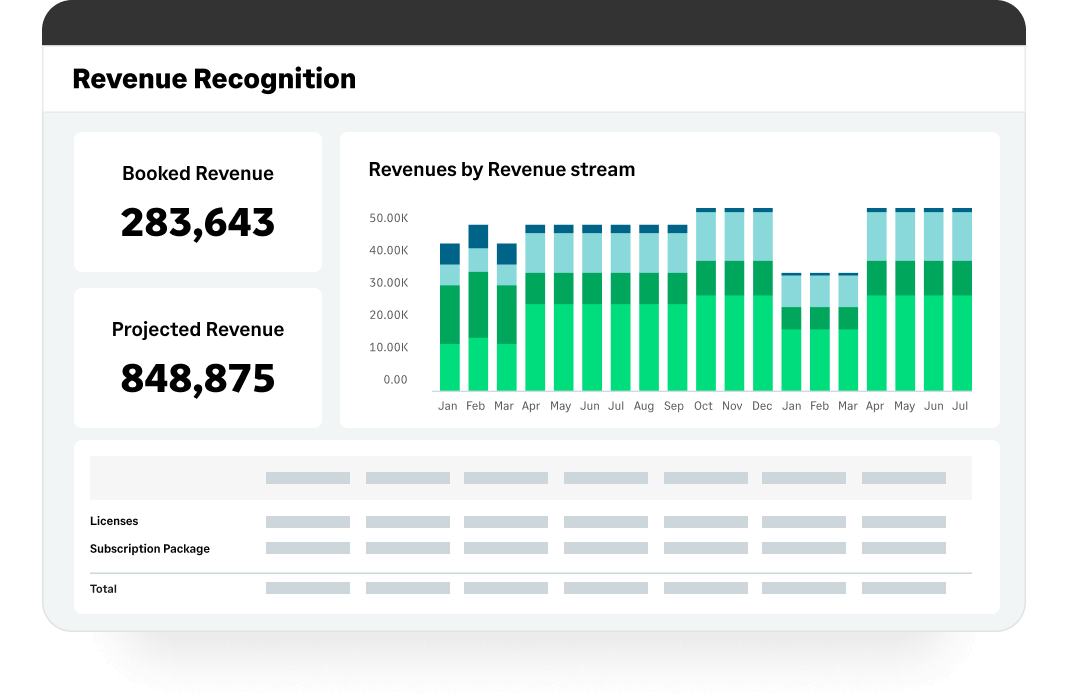
Sage Intacct is a cloud ERP system targeted at high-growth small and medium-sized businesses. Intacct includes applications for core financials and accounting, purchasing, order management, and financial reporting and business intelligence. It also integrates with 3rd party software like Salesforce.
N/A
Sage 100 Contractor
Score5.2 out of 10
N/A
Sage 100 Contractor is a construction accounting and project management software. It is intended to provide primary accounting and other management capabilities across a construction project lifecycle, including estimating, service management, and reporting.
A de minimis incentive was given to thank the reviewer for their time. The incentive was not used to bias or drive a particular response, nor was the incentive contingent on a positive endorsement. TR verified that a representative sample of customers was invited. More Info
Verified User
Chose Sage Intacct
Sage 100 is the previous system used. It tended to crash and was slow to create certain reports needed for financials like Profit & Loss. Attachments had to be saved as a separate PDF along with the original Journal Entry. it created a lot of tedious manual work that took up a …
A de minimis incentive was given to thank the reviewer for their time. The incentive was not used to bias or drive a particular response, nor was the incentive contingent on a positive endorsement. More Info
A de minimis incentive was given to thank the reviewer for their time. The incentive was not used to bias or drive a particular response, nor was the incentive contingent on a positive endorsement. More Info
Verified User
Chose Sage Intacct
Sage is better suited to handle our business and has most of the 'wants' we had listed!
A de minimis incentive was given to thank the reviewer for their time. The incentive was not used to bias or drive a particular response, nor was the incentive contingent on a positive endorsement. TR verified that a representative sample of customers was invited. More Info
Verified User
Chose Sage Intacct
We made the switch as Sage 100 was no longer scalable for our business. There are still some things that Sage 100 did better than Intacct - see prior comments regarding joint checks and overall project summaries. However, i am hoping with time those issues will be corrected in …
A de minimis incentive was given to thank the reviewer for their time. The incentive was not used to bias or drive a particular response, nor was the incentive contingent on a positive endorsement. TR verified that a representative sample of customers was invited. More Info
It is well-suited for nonprofit accounting with its ability to track expenses and revenues by both department and funding source. It is easy to set up vendors and customers for invoices and bill payments. It is less appropriate for proper budget management and purchasing with multiple approvers, particularly when edits are required.
A de minimis incentive was given to thank the reviewer for their time. The incentive was not used to bias or drive a particular response, nor was the incentive contingent on a positive endorsement. TR verified that a representative sample of customers was invited. More Info
If you want a SQL-based ERP, this is a great solution. You can host it locally or on a cloud-based SQL instance. If you want a more modern, browser and cloud-based system, Sage 100 Contractor will not work.
A de minimis incentive was given to thank the reviewer for their time. The incentive was not used to bias or drive a particular response, nor was the incentive contingent on a positive endorsement. More Info
Custom, real-time financial reporting. I am able to streamline my reporting to pull in various account groups and calculations which save me time from having to do it in Excel.
Out of the box standard reports for clients who don't require as custom of reporting or even as a great starting point to build out reports.
Integrations with other platforms, such as Airbase, various banks, Rippling, etc.
The dashboard module is extremely helpful in my monthly review of various entities.
A de minimis incentive was given to thank the reviewer for their time. The incentive was not used to bias or drive a particular response, nor was the incentive contingent on a positive endorsement. TR verified that a representative sample of customers was invited. More Info
Sage integrates very well with our field time tracking software called Exaktime. We import the start/end time card data that includes job costs directly to the PR module which greatly reduces the time it takes to process payroll.
Sage 100 C payroll calculations and WC/GL overhead calculations are easy to use and understand. The WC/GL overhead calculations are posted to project costs in real-time allowing for accurate total cost reporting of the project.
A de minimis incentive was given to thank the reviewer for their time. The incentive was not used to bias or drive a particular response, nor was the incentive contingent on a positive endorsement. More Info
A de minimis incentive was given to thank the reviewer for their time. The incentive was not used to bias or drive a particular response, nor was the incentive contingent on a positive endorsement. TR verified that a representative sample of customers was invited. More Info
A de minimis incentive was given to thank the reviewer for their time. The incentive was not used to bias or drive a particular response, nor was the incentive contingent on a positive endorsement. More Info
Sage Intacct is continuously evolving and increasing it's functionalities. I am excited to attend conferences to learn what is in the roadmap for future releases. Additionally, using Sage Intacct allows me grow as a professional, I am really enjoy the knowledge that I have within the product to be able to share my experiences.
A de minimis incentive was given to thank the reviewer for their time. The incentive was not used to bias or drive a particular response, nor was the incentive contingent on a positive endorsement. More Info
The cost of Sage 100 Contractor software is relatively inexpensive compared to some higher-priced options like Foundation and Microsoft Dynamics GP. But more importantly, the cost of implementing new software is costly. Implementation costs include testing and training. There are also risks involved with switching software such as missing data after conversion. Plus, there are always some unknown downsides to switching that are not apparent until the switch is made such as perceived capabilities that really don't exist. For these reasons, we will likely stay with Sage 100 Contractor for a long time. If we grow (say double) in size, we would consider other options.
A de minimis incentive was given to thank the reviewer for their time. The incentive was not used to bias or drive a particular response, nor was the incentive contingent on a positive endorsement. More Info
The ease of use as a seasoned user is wonderful; however, new users struggle to adapt to the program efficiently. Better training videos--all in one location--would be beneficial. The use of a "sandbox" environment is a great tool for new employees or for the fiscal department to test certain journal entries or other transactions to verify accuracy of data.
A de minimis incentive was given to thank the reviewer for their time. The incentive was not used to bias or drive a particular response, nor was the incentive contingent on a positive endorsement. TR verified that a representative sample of customers was invited. More Info
In the end there are tons of other products that are much better. Time cards don't work, we needed an external software to track this for employees. Estimation is cumbersome, we just used Excel. Payroll was ok, but didn't do employee taxes correctly when they make a certain amount for some reason. Overall, it's a bad product.
A de minimis incentive was given to thank the reviewer for their time. The incentive was not used to bias or drive a particular response, nor was the incentive contingent on a positive endorsement. More Info
There has only been one occurrence where Sage Intacct was not available to me, however I had already been working a number of hours trying to get a project completed. It honestly allowed me to step back and take a much needed break.
A de minimis incentive was given to thank the reviewer for their time. The incentive was not used to bias or drive a particular response, nor was the incentive contingent on a positive endorsement. More Info
As fas as integration is concerned I don't feel this slows Sage Intacct down at all. However, sometimes I do feel it takes some larger reports more time to load due to all the detail. As well as, I "move very fast" in my motions so sometimes I double click on fuctions too quickly and the system seems to think that I have a duplicate request.
A de minimis incentive was given to thank the reviewer for their time. The incentive was not used to bias or drive a particular response, nor was the incentive contingent on a positive endorsement. More Info
Only a few times have we had to reach out to support, and every time we did, we received a relatively quick response and a solution was found fairly quickly. Only once was there an issue that took longer than a week to resolve, but it still did eventually get solved.
A de minimis incentive was given to thank the reviewer for their time. The incentive was not used to bias or drive a particular response, nor was the incentive contingent on a positive endorsement. TR verified that a representative sample of customers was invited. More Info
If we ever have issues with Sage 100, the live chat is an awesome tool. However, most of our live chat inquiries are not because of the issues we have, but more for us to better understand how we are supposed to use the software. Sometimes we ask ourselves "what if we" and if we need guidance, the live chat will provide us with the answers or resources to figure out what we need. They always follow up to ensure the problems we encounter have been fixed. If our issue is an indicator of an upgrade that could be made, Sage 100 C offers a way to submit the idea for review and improvement of the software.
A de minimis incentive was given to thank the reviewer for their time. The incentive was not used to bias or drive a particular response, nor was the incentive contingent on a positive endorsement. More Info
I have taken in person training classes at several of the annual Sage Intacct user conferences. It is very interactive and the trainers are very easy to follow and understand. They are great at getting everyone in the class involved. They also make sure everyone has learned to task before moving to a new one.
A de minimis incentive was given to thank the reviewer for their time. The incentive was not used to bias or drive a particular response, nor was the incentive contingent on a positive endorsement. More Info
The free training is very minimal. For what we pay for the service, I would like more training. We end up training new users in-house because the provided free training is not nearly comprehensive enough. That being said, the training provided, for the material covered, was adequate and relevant for the given topics.
A de minimis incentive was given to thank the reviewer for their time. The incentive was not used to bias or drive a particular response, nor was the incentive contingent on a positive endorsement. TR verified that a representative sample of customers was invited. More Info
I would not use a thrid party administrator to implement your system, especially if you are going to be modifying the system at all. Use Intacct implementors as they will be able to better support you on any issues that come up after you go live.
A de minimis incentive was given to thank the reviewer for their time. The incentive was not used to bias or drive a particular response, nor was the incentive contingent on a positive endorsement. More Info
As a CPA in public accounting, I was exposed to many systems. I was in on the ground floor with the implementation of NetSuite for a client; it was clunky, the reporting was ugly, and it wasn’t user friendly. Sage Intacct is a great option for mid-size organizations who have outgrown Quickbooks.
I have use Sage 50, Sage 90, Peachtree Quantum, QuickBooks, Great Plains. They are all good for what they can do. Sage 100 Contractor is the best at what it does. It's a good fit.
A de minimis incentive was given to thank the reviewer for their time. The incentive was not used to bias or drive a particular response, nor was the incentive contingent on a positive endorsement. More Info
A de minimis incentive was given to thank the reviewer for their time. The incentive was not used to bias or drive a particular response, nor was the incentive contingent on a positive endorsement. More Info
Sage Intacct has made a very positive impact to our business objectives; it has provided strong ROI through automation features that reduce manual data input and associated risk of error, enhancing accuracy and operational efficiency.
It empowers us to make data-driven decisions that further refine our strategic plan by bettering the process of financial close with real-time and detailed reporting.
This also extends to multi-entity management, which eased consolidation and thus supported growth and scaling. This feature-rich software finally serves to drive productivity further and facilitate resource usage.
A de minimis incentive was given to thank the reviewer for their time. The incentive was not used to bias or drive a particular response, nor was the incentive contingent on a positive endorsement. More Info
A de minimis incentive was given to thank the reviewer for their time. The incentive was not used to bias or drive a particular response, nor was the incentive contingent on a positive endorsement. More Info