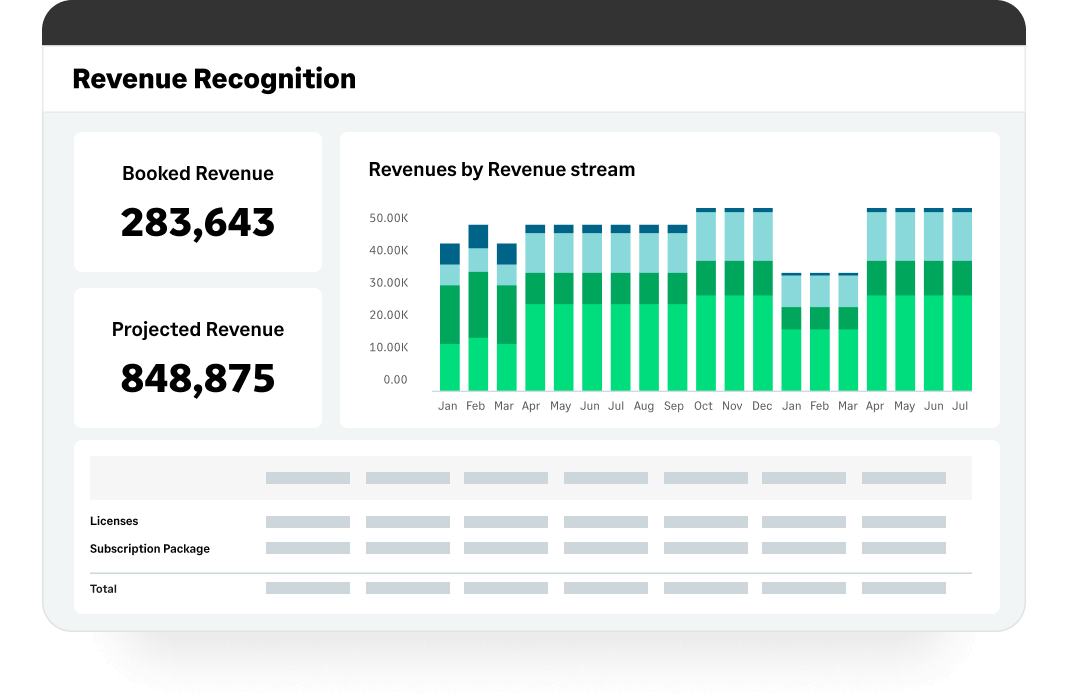
Sage Intacct is a cloud ERP system targeted at high-growth small and medium-sized businesses. Intacct includes applications for core financials and accounting, purchasing, order management, and financial reporting and business intelligence. It also integrates with 3rd party software like Salesforce.
N/A
Microsoft Dynamics GP
Score6.8 out of 10
N/A
Microsoft Dynamics GP is an ERP software with accounting capabilities. It includes various packs for customizability and features tailored to specific industries’ needs. GP is offered as a perpetual license or subscription.
Controller in Finance and Accounting at Elevate Women's Health (Hospital & Health Care, 11-50 employees)
Chose Sage Intacct
Sage Intacct and Microsoft Dynamics GP are both accounting systems for small to mid-sized companies. I would say Microsoft Dynamics GP is a more robust system that can support a larger company and the Sage Intacct is a less involved system most suited for a company on the …
A de minimis incentive was given to thank the reviewer for their time. The incentive was not used to bias or drive a particular response, nor was the incentive contingent on a positive endorsement. More Info
Accounting Director in Finance and Accounting at Surgical Affiliates Management Group, Inc. (Health, Wellness and Fitness, 51-200 employees)
Chose Sage Intacct
Microsoft Dynamics GP and SL are both very antiquated systems. They are rigid and do not offer much customization. Quickbooks is affordable but lacks in its reporting functionalities for a mid-sized business. Xero is a decent system but is not as powerful as Sage Intacct.
A de minimis incentive was given to thank the reviewer for their time. The incentive was not used to bias or drive a particular response, nor was the incentive contingent on a positive endorsement. More Info
CFO (Chief Financial Officer) in Corporate at Andy B's Management Company LLC (Entertainment, 201-500 employees)
Chose Sage Intacct
Intacct is MUCH better than QuickBooks at handling complicated transactions and providing customized reporting. (QuickBooks was very good at doing lots of stuff well right out of the box, but did not handle multi-entity transactions or multi-user functionality well.) It has …
A de minimis incentive was given to thank the reviewer for their time. The incentive was not used to bias or drive a particular response, nor was the incentive contingent on a positive endorsement. TR verified that a representative sample of customers was invited. More Info
CFO (Chief Financial Officer) in Finance and Accounting at Myrtle Beach Area Chamber of Commerce (Non-profit Organization Management, 51-200 employees)
Chose Sage Intacct
I hated Great Plains - it did not have integrated financial reporting. It also reminded me of accounting software for a manufacturing plant. As a nonprofit, it had way too much "stuff" that was not relevant to nonprofit accounting. I never could understand why it had completely …
A de minimis incentive was given to thank the reviewer for their time. The incentive was not used to bias or drive a particular response, nor was the incentive contingent on a positive endorsement. TR verified that a representative sample of customers was invited. More Info
Verified User
Chose Sage Intacct
Sage intact is miles ahead of GP. I think the biggest difference is the ability to customize it to a high level, and it is also much more modern. We particularly like the ability to copy journal entries, which has proven helpful in training new employees. We also like the …
A de minimis incentive was given to thank the reviewer for their time. The incentive was not used to bias or drive a particular response, nor was the incentive contingent on a positive endorsement. TR verified that a representative sample of customers was invited. More Info
A de minimis incentive was given to thank the reviewer for their time. The incentive was not used to bias or drive a particular response, nor was the incentive contingent on a positive endorsement. TR verified that a representative sample of customers was invited. More Info
Senior Project Accountant in Finance and Accounting at CSDC (Education Management, 11-50 employees)
Chose Sage Intacct
Sage Intacct is superior for full-cycle accounting and reporting. It is the most user friendly accounting software I have used and is a powerful tool for accounting and reporting.
A de minimis incentive was given to thank the reviewer for their time. The incentive was not used to bias or drive a particular response, nor was the incentive contingent on a positive endorsement. More Info
A de minimis incentive was given to thank the reviewer for their time. The incentive was not used to bias or drive a particular response, nor was the incentive contingent on a positive endorsement. TR verified that a representative sample of customers was invited. More Info
Verified User
Chose Sage Intacct
For our small company, it was mainly about price. However, a cloud based service was also necessary for worldwide ease of use and live data.
A de minimis incentive was given to thank the reviewer for their time. The incentive was not used to bias or drive a particular response, nor was the incentive contingent on a positive endorsement. TR verified that a representative sample of customers was invited. More Info
A de minimis incentive was given to thank the reviewer for their time. The incentive was not used to bias or drive a particular response, nor was the incentive contingent on a positive endorsement. TR verified that a representative sample of customers was invited. More Info
A de minimis incentive was given to thank the reviewer for their time. The incentive was not used to bias or drive a particular response, nor was the incentive contingent on a positive endorsement. More Info
Verified User
Chose Sage Intacct
Intacct won because it had the capability to use multiple books without much thought. Our organization needs both a cash and accrual set of books and Intacct supported that out of the box. No other system did.
A de minimis incentive was given to thank the reviewer for their time. The incentive was not used to bias or drive a particular response, nor was the incentive contingent on a positive endorsement. TR verified that a representative sample of customers was invited. More Info
Verified User
Chose Sage Intacct
I didn't help select Sage Intacct. Dynamics GP was more user friendly. The reports were easier to use with filtering and formatting. The amount of time changing reports to a new year is horrible. Editing and formatting reports is horrible in Sage.
A de minimis incentive was given to thank the reviewer for their time. The incentive was not used to bias or drive a particular response, nor was the incentive contingent on a positive endorsement. TR verified that a representative sample of customers was invited. More Info
A de minimis incentive was given to thank the reviewer for their time. The incentive was not used to bias or drive a particular response, nor was the incentive contingent on a positive endorsement. TR verified that a representative sample of customers was invited. More Info
Assistant Controller in Finance and Accounting at The Joint Chiropractic (Health, Wellness and Fitness, 201-500 employees)
Chose Sage Intacct
Out of all the above and against Sage, Sage is by far my favorite. It was easy to learn as it was quite intuitive like QB Online, but it also had depth with its capabilities of allowing to be more than just a GL system and more an enterprise system if needed, or at the least …
A de minimis incentive was given to thank the reviewer for their time. The incentive was not used to bias or drive a particular response, nor was the incentive contingent on a positive endorsement. TR verified that a representative sample of customers was invited. More Info
Controller in Finance and Accounting at Fundamental Labor Strategies, Inc (Transportation/Trucking/Railroad, 11-50 employees)
Chose Sage Intacct
The Microsoft products seem to be stuck in the last century. Intacct's GUI is cleaner, more intuitive for the non-accounting user, and allows for more reporting customization.
A de minimis incentive was given to thank the reviewer for their time. The incentive was not used to bias or drive a particular response, nor was the incentive contingent on a positive endorsement. TR verified that a representative sample of customers was invited. More Info
Verified User
Chose Sage Intacct
Intacct offers immensely better integrations than many competitors, and their modules interact seamlessly with each other. The time savings and visibility that Intacct offers surpasses many other systems. The user interface and customer support are entirely unmatched by any …
A de minimis incentive was given to thank the reviewer for their time. The incentive was not used to bias or drive a particular response, nor was the incentive contingent on a positive endorsement. TR verified that a representative sample of customers was invited. More Info
A de minimis incentive was given to thank the reviewer for their time. The incentive was not used to bias or drive a particular response, nor was the incentive contingent on a positive endorsement. TR verified that a representative sample of customers was invited. More Info
A de minimis incentive was given to thank the reviewer for their time. The incentive was not used to bias or drive a particular response, nor was the incentive contingent on a positive endorsement. TR verified that a representative sample of customers was invited. More Info
A de minimis incentive was given to thank the reviewer for their time. The incentive was not used to bias or drive a particular response, nor was the incentive contingent on a positive endorsement. TR verified that a representative sample of customers was invited. More Info
Accounting and Customer Relations Manager in Finance and Accounting at Trinity School for Children (Non-Profit Organization Management, 51-200 employees)
Chose Sage Intacct
The user interface is much more friendly. I also feel like the navigation throughout Intacct flows seamlessly.
A de minimis incentive was given to thank the reviewer for their time. The incentive was not used to bias or drive a particular response, nor was the incentive contingent on a positive endorsement. More Info
A de minimis incentive was given to thank the reviewer for their time. The incentive was not used to bias or drive a particular response, nor was the incentive contingent on a positive endorsement. More Info
Microsoft
Verified User
Chose Microsoft Dynamics GP
The only product with have shopped was Sage Intacct. It is somewhat unfair to compare the two solutions, because Sage Intacct is a cloud-based solution. That said, Intacct appears to advertise better reporting/business intelligence capabilities. MS Dynamics GP should be aware …
A de minimis incentive was given to thank the reviewer for their time. The incentive was not used to bias or drive a particular response, nor was the incentive contingent on a positive endorsement. More Info
It is well-suited for nonprofit accounting with its ability to track expenses and revenues by both department and funding source. It is easy to set up vendors and customers for invoices and bill payments. It is less appropriate for proper budget management and purchasing with multiple approvers, particularly when edits are required.
A de minimis incentive was given to thank the reviewer for their time. The incentive was not used to bias or drive a particular response, nor was the incentive contingent on a positive endorsement. TR verified that a representative sample of customers was invited. More Info
A large company where users have one function- for instance, where someone only receives or works in payables. That minimizes the number of windows they need. A smaller company where one user does multiple functions will require a lot more training and user knowledge to navigate, and it makes it harder to secure users. You also have to understand that GP started life as Great Plains, designed for accountants. The other modules were added on after Microsoft bought Great Plains, which means that modules like Manufacturing are red-headed step children with much smaller support ecosystems. So, if you're starting fresh, you may want to look at something built for the mobile world. D365 and Business Central are a lot more money, buggy, and hard to customize and essentially still vaporware. Microsoft is heavily investing there, leading to the previously mentioned question about the future of GP. If I was starting today I would be hard pressed to justify jumping into GP in a world where Salesforce ties in with so many programs. GP has MRP but it is limited so it's hard to justify a manufacturer starting with GP today.
A de minimis incentive was given to thank the reviewer for their time. The incentive was not used to bias or drive a particular response, nor was the incentive contingent on a positive endorsement. More Info
Custom, real-time financial reporting. I am able to streamline my reporting to pull in various account groups and calculations which save me time from having to do it in Excel.
Out of the box standard reports for clients who don't require as custom of reporting or even as a great starting point to build out reports.
Integrations with other platforms, such as Airbase, various banks, Rippling, etc.
The dashboard module is extremely helpful in my monthly review of various entities.
A de minimis incentive was given to thank the reviewer for their time. The incentive was not used to bias or drive a particular response, nor was the incentive contingent on a positive endorsement. TR verified that a representative sample of customers was invited. More Info
Able to be extended into multiple areas of your business
One feature we have been using for a few years is EFT for payables - it has significantly reduced the time spent paying vendors and reduced our check printing and mailing costs. It is very easy to setup and use.
A de minimis incentive was given to thank the reviewer for their time. The incentive was not used to bias or drive a particular response, nor was the incentive contingent on a positive endorsement. More Info
A de minimis incentive was given to thank the reviewer for their time. The incentive was not used to bias or drive a particular response, nor was the incentive contingent on a positive endorsement. TR verified that a representative sample of customers was invited. More Info
With respect to the allocations, once the expense is entered into the allocation account, you lose the ability to run any detail on just the total of the expense. It would be nice if you could run a trial balance on the allocation accounts the same way you can with regular accounts.
I've always thought security set up could be a bit simpler. It actually has gotten better through the years. Specifically, with eight separate entities, it would be nice to have a "master" setup where you could call up one group entity, assign the users rights, and then be finished. Currently, whenever I have a new user, I have to call up each individual entity and select all of the features I want the user to have. That means I have to do eight steps for each user.
A de minimis incentive was given to thank the reviewer for their time. The incentive was not used to bias or drive a particular response, nor was the incentive contingent on a positive endorsement. More Info
Sage Intacct is continuously evolving and increasing it's functionalities. I am excited to attend conferences to learn what is in the roadmap for future releases. Additionally, using Sage Intacct allows me grow as a professional, I am really enjoy the knowledge that I have within the product to be able to share my experiences.
A de minimis incentive was given to thank the reviewer for their time. The incentive was not used to bias or drive a particular response, nor was the incentive contingent on a positive endorsement. More Info
Due the economic challenges that Puerto Rico is having, the company has had to merge some companies in order to be more efficient. It has been easy in GP to process those merges, even thought we had to spend days to accomplish that the process was smooth and accurate. In addition we were able to streamline the purchasing and sales process and the organization is confident to keep renewing GP for the future versions.
A de minimis incentive was given to thank the reviewer for their time. The incentive was not used to bias or drive a particular response, nor was the incentive contingent on a positive endorsement. More Info
The ease of use as a seasoned user is wonderful; however, new users struggle to adapt to the program efficiently. Better training videos--all in one location--would be beneficial. The use of a "sandbox" environment is a great tool for new employees or for the fiscal department to test certain journal entries or other transactions to verify accuracy of data.
A de minimis incentive was given to thank the reviewer for their time. The incentive was not used to bias or drive a particular response, nor was the incentive contingent on a positive endorsement. TR verified that a representative sample of customers was invited. More Info
Though it is a basic accounting package, I believe some users do not find the old style menus and navigation options intuitive. There is also a great lack of training resources in the market, so users have to learn the product without guidance a lot, resulting in inefficient workflows and misuse or misunderstanding of many features.
A de minimis incentive was given to thank the reviewer for their time. The incentive was not used to bias or drive a particular response, nor was the incentive contingent on a positive endorsement. More Info
There has only been one occurrence where Sage Intacct was not available to me, however I had already been working a number of hours trying to get a project completed. It honestly allowed me to step back and take a much needed break.
A de minimis incentive was given to thank the reviewer for their time. The incentive was not used to bias or drive a particular response, nor was the incentive contingent on a positive endorsement. More Info
As fas as integration is concerned I don't feel this slows Sage Intacct down at all. However, sometimes I do feel it takes some larger reports more time to load due to all the detail. As well as, I "move very fast" in my motions so sometimes I double click on fuctions too quickly and the system seems to think that I have a duplicate request.
A de minimis incentive was given to thank the reviewer for their time. The incentive was not used to bias or drive a particular response, nor was the incentive contingent on a positive endorsement. More Info
Only a few times have we had to reach out to support, and every time we did, we received a relatively quick response and a solution was found fairly quickly. Only once was there an issue that took longer than a week to resolve, but it still did eventually get solved.
A de minimis incentive was given to thank the reviewer for their time. The incentive was not used to bias or drive a particular response, nor was the incentive contingent on a positive endorsement. TR verified that a representative sample of customers was invited. More Info
A de minimis incentive was given to thank the reviewer for their time. The incentive was not used to bias or drive a particular response, nor was the incentive contingent on a positive endorsement. More Info
I have taken in person training classes at several of the annual Sage Intacct user conferences. It is very interactive and the trainers are very easy to follow and understand. They are great at getting everyone in the class involved. They also make sure everyone has learned to task before moving to a new one.
A de minimis incentive was given to thank the reviewer for their time. The incentive was not used to bias or drive a particular response, nor was the incentive contingent on a positive endorsement. More Info
The free training is very minimal. For what we pay for the service, I would like more training. We end up training new users in-house because the provided free training is not nearly comprehensive enough. That being said, the training provided, for the material covered, was adequate and relevant for the given topics.
A de minimis incentive was given to thank the reviewer for their time. The incentive was not used to bias or drive a particular response, nor was the incentive contingent on a positive endorsement. TR verified that a representative sample of customers was invited. More Info
I would not use a thrid party administrator to implement your system, especially if you are going to be modifying the system at all. Use Intacct implementors as they will be able to better support you on any issues that come up after you go live.
A de minimis incentive was given to thank the reviewer for their time. The incentive was not used to bias or drive a particular response, nor was the incentive contingent on a positive endorsement. More Info
Basically the challenge with this implementation was the Business Portal, too many errors and even the aplication is up and running the users are still having issues. We will start planning the migraton to GP 2015 soon.
A de minimis incentive was given to thank the reviewer for their time. The incentive was not used to bias or drive a particular response, nor was the incentive contingent on a positive endorsement. More Info
As a CPA in public accounting, I was exposed to many systems. I was in on the ground floor with the implementation of NetSuite for a client; it was clunky, the reporting was ugly, and it wasn’t user friendly. Sage Intacct is a great option for mid-size organizations who have outgrown Quickbooks.
I come from a strong background of using SAP. SAP doesn't have the flexibility of GP, an example would be SAP doesn't allow core mods, if they catch you, you lose support. Microsoft doesn't really care about mods, but they will be quick to have the vendor you used support your issue if it is caused by those mods. With SAP your company adapts to the software, where with GP you adapt the software to you.
A de minimis incentive was given to thank the reviewer for their time. The incentive was not used to bias or drive a particular response, nor was the incentive contingent on a positive endorsement. More Info
A de minimis incentive was given to thank the reviewer for their time. The incentive was not used to bias or drive a particular response, nor was the incentive contingent on a positive endorsement. More Info
A de minimis incentive was given to thank the reviewer for their time. The incentive was not used to bias or drive a particular response, nor was the incentive contingent on a positive endorsement. More Info
Sage Intacct has made a very positive impact to our business objectives; it has provided strong ROI through automation features that reduce manual data input and associated risk of error, enhancing accuracy and operational efficiency.
It empowers us to make data-driven decisions that further refine our strategic plan by bettering the process of financial close with real-time and detailed reporting.
This also extends to multi-entity management, which eased consolidation and thus supported growth and scaling. This feature-rich software finally serves to drive productivity further and facilitate resource usage.
A de minimis incentive was given to thank the reviewer for their time. The incentive was not used to bias or drive a particular response, nor was the incentive contingent on a positive endorsement. More Info
Microsoft Dynamics GP allows my clients to move from a paper or spreadsheet based company to an integrated, electronic, streamlined business. I love being able to help clients gain efficiencies through the use of Microsoft Dynamics GP.
Microsoft Dynamics GP allows for better customer service because everything is at our fingertips. If someone calls questioning an invoice, we can easily look it up. If someone calls stating they paid an invoice with a certain check number, we can quickly run a query to find that particular check number to see where it was applied.
Having everything on a single platform provides ease of use for upgrades, backups and end user training. There is only one software to learn!
A de minimis incentive was given to thank the reviewer for their time. The incentive was not used to bias or drive a particular response, nor was the incentive contingent on a positive endorsement. More Info