InEight's modular project controls software connects complex project data to improve visibility and delivery in capital construction.
N/A
ProContractor
Score 5.0 out of 10
N/A
ProContractor is a Cloud-Based Solution for Estimating, Project Management, and Accounting. Designed to improve visibility and profitability across construction businesses, ProContractor™ by Viewpoint is a cloud-based software solution for estimating, project management, and accounting. The user can manage the entire project lifecycle from bid to cash in a single solution. Built to be flexible and scalable, ProContractor allows users to go all-in-one, or build a complete solution…
N/A
Pricing
InEight
Viewpoint ProContractor
Editions & Modules
No answers on this topic
No answers on this topic
Offerings
Pricing Offerings
InEight
ProContractor
Free Trial
No
No
Free/Freemium Version
No
No
Premium Consulting/Integration Services
No
No
Entry-level Setup Fee
No setup fee
No setup fee
Additional Details
InEight offers a modular, integrated project controls platform. Because the InEight platform covers the entire construction lifecycle, customers purchase the software based on their specific needs – purchasing stand-alone products, a bundle of products, or the entire platform. As a result, the pricing will vary depending on the specific product, number of users and length of contract. Once InEight has identified the highest impact areas, they offer potential customers a custom proposal. The options they consider include:
Per user pricing: typically annual subscriptions.
Revenue-based: using a percentage of the customer’s revenue.
Project-based: software use dedicated to a specific project or program of work.
—
More Pricing Information
Community Pulse
InEight
Viewpoint ProContractor
Features
InEight
Viewpoint ProContractor
Reporting & Analytics
Comparison of Reporting & Analytics features of Product A and Product B
InEight
7.0
Ratings
8% below category average
Viewpoint ProContractor
6.8
Ratings
11% below category average
Dashboards
7.40 Ratings
9.10 Ratings
Standard reports
6.30 Ratings
7.00 Ratings
Custom reports
6.20 Ratings
5.00 Ratings
Data exportability
8.10 Ratings
6.00 Ratings
Construction Project & Field Management
Comparison of Construction Project & Field Management features of Product A and Product B
InEight
6.9
Ratings
9% below category average
Viewpoint ProContractor
7.2
Ratings
5% below category average
Plan distribution & viewing
7.20 Ratings
6.50 Ratings
Plan markups & sharing
7.20 Ratings
6.50 Ratings
Issue tracking & punchlists
7.90 Ratings
7.80 Ratings
Photo documentation
7.50 Ratings
7.80 Ratings
Jobsite reports
8.00 Ratings
5.00 Ratings
Document sharing
5.70 Ratings
2.10 Ratings
RFI tools
4.80 Ratings
7.80 Ratings
Collaboration & approvals
7.40 Ratings
7.40 Ratings
As-built drawings
6.30 Ratings
9.10 Ratings
Mobile app
7.60 Ratings
7.80 Ratings
Submittal design and management
6.40 Ratings
9.10 Ratings
Checklists
7.50 Ratings
7.80 Ratings
Meeting Minutes
6.90 Ratings
7.80 Ratings
Specifications
6.40 Ratings
9.10 Ratings
Change orders
5.90 Ratings
7.00 Ratings
Estimating
Comparison of Estimating features of Product A and Product B
InEight
8.3
Ratings
4% above category average
Viewpoint ProContractor
7.3
Ratings
9% below category average
Takeoff tools
6.80 Ratings
7.20 Ratings
Job costing
8.80 Ratings
6.00 Ratings
Cost databases
8.50 Ratings
7.00 Ratings
Cost calculator
8.80 Ratings
7.00 Ratings
Bid creation
8.50 Ratings
9.00 Ratings
Human Resource Management
Comparison of Human Resource Management features of Product A and Product B
InEight
-
Ratings
Viewpoint ProContractor
9.1
Ratings
17% above category average
Employee demographic data
00 Ratings
10.00 Ratings
Employment history
00 Ratings
10.00 Ratings
Job profiles and administration
00 Ratings
10.00 Ratings
Workflow for transfers, promotions, pay raises, etc.
00 Ratings
7.80 Ratings
Organizational charting
00 Ratings
9.10 Ratings
Organization and location management
00 Ratings
7.80 Ratings
Compliance data (COBRA, OSHA, etc.)
00 Ratings
9.10 Ratings
Payroll Management
Comparison of Payroll Management features of Product A and Product B
InEight
-
Ratings
Viewpoint ProContractor
8.7
Ratings
13% above category average
Pay calculation
00 Ratings
9.00 Ratings
Support for external payroll vendors
00 Ratings
6.00 Ratings
Off-cycle/On-Demand payment
00 Ratings
7.80 Ratings
Benefit plan administration
00 Ratings
8.00 Ratings
Direct deposit files
00 Ratings
10.00 Ratings
Salary revision and increment management
00 Ratings
10.00 Ratings
Reimbursement management
00 Ratings
10.00 Ratings
Asset Management
Comparison of Asset Management features of Product A and Product B
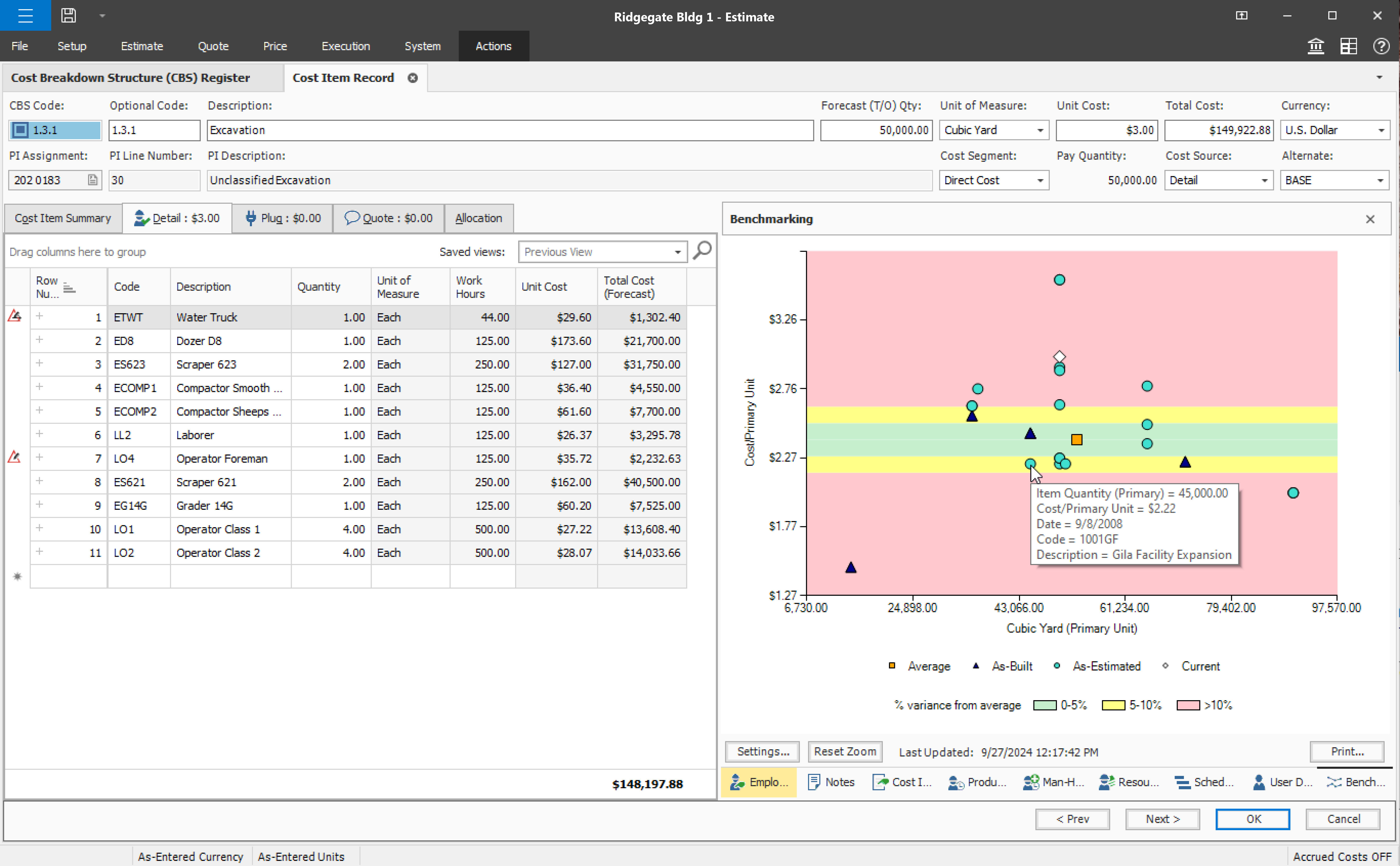
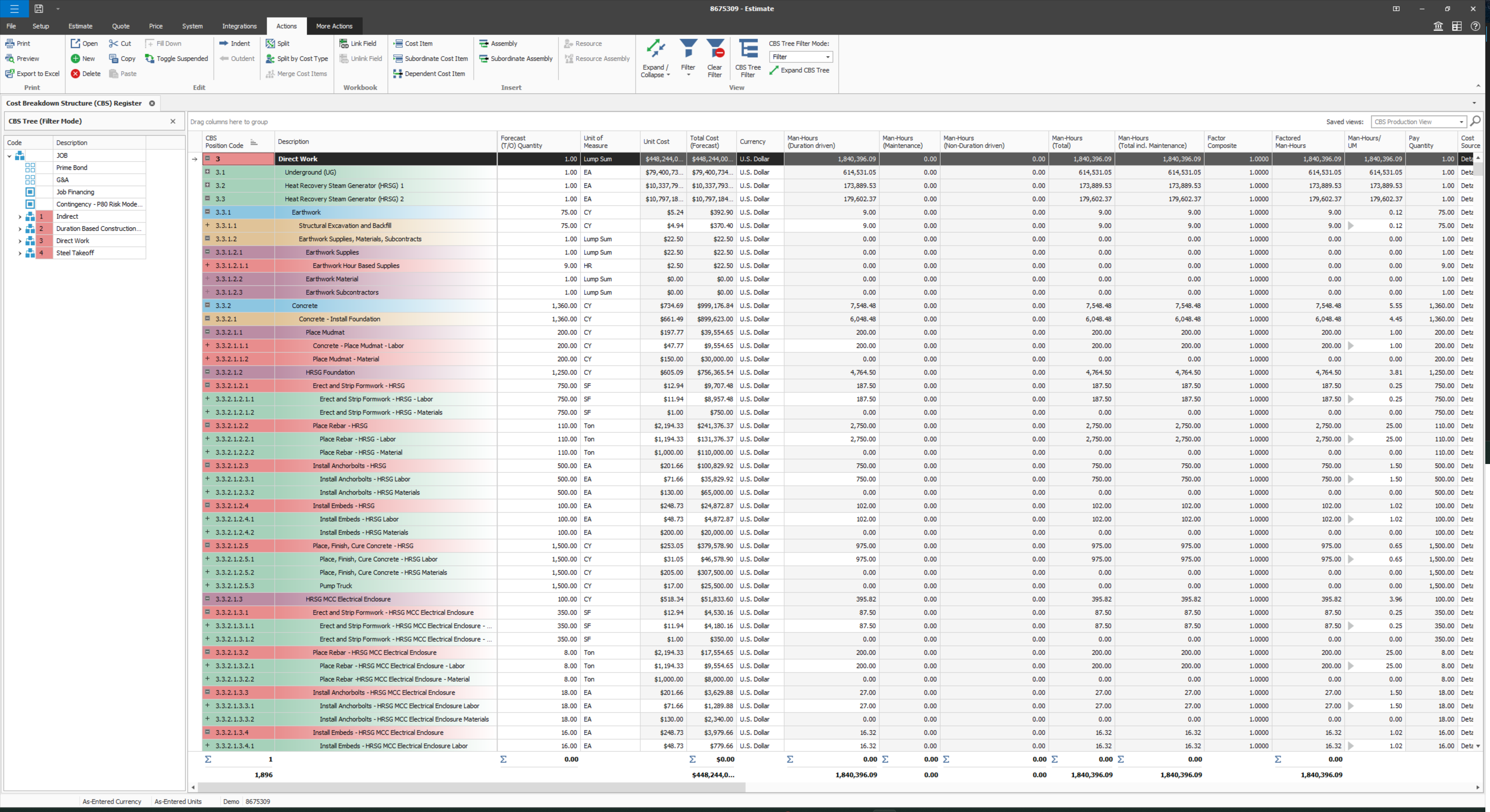
Compared to other Estimating software I have used, InEight has superior capabilities and features. The ability to use a line item or an assembly to create an estimate is an outstanding feature of the program. The ability to create crew rates and use them in the estimate is a handy feature, especially when estimating construction projects.
ProContractor is a great fit if you are looking to make the jump to an ERP (accounting) system that offers a higher level of complexity and controls than what QuickBooks or Xero have to offer. However, some of those increased features of accounting controls, vendor compliance management, project contracting and documentation, come at the cost of lost integrations. ProContractor is completely siloed and does not openly communicate with other platforms (project management, bank accounts, etc).
Some features with InEight's TeamBinder are worthy of single use, however the review feature and subsequent revision and version numbering could be improved. We will be aiming to roll out the package to encompass our internal documentation in the near future and will be in a better position to judge the usability after that point in time.
I would give it an 8 out of 10 because the software can be a bit cumbersome to new users. It also takes a long time to set up the library and input all of your companies needs so that the software will provide the level of service required to estimate projects. However, once the software is set up it is a powerful tool. We only use a portion of what the software is capable of delivering
I give Viewpoint ProContractor a 10 out of 10. This system is user friendly to help keep me organized on a daily basis. I can find everything I need daily with this system. I am able to look up our subcontactors, vendors and clients I need to find quickly. I am able to see bills that I need to pay as well as invoices that I need to send out.
Every time I have contacted support, they have gotten back to [me] quickly and with a few solutions. I like that they seem to be US-based, so there is no language barrier when I try to communicate my problem. For the few times, they did not have a solution ready, they told me they would respond later after further research, and they actually followed up! Better than most support I have used in the past with other software.
When something isn't working, you can contact support who will gladly remote into your system and try and work out a solution. Though several of the issues we encountered, they were not able to fix and had to submit for further review. While some were eventually rectified in updates, it takes time for these to be addressed and implemented.
Since the original inception, I have been required to overhaul the system so that it is more user friendly and combines both aspects of our business, documentation and drawings. Being able to control revision and version numbering has been a key struggle that only staff training has been able to mark this as complete.
I've used SAP for more than 10 years before my current job in this company. The best thing in SAP, is exactly what I have commented before, it's a single one tool, that does all what InEight do. Here at CCC, we have COINS for cost management, and I don't know exactly if InEight would be able to do whatever that COINS does, but what I'm trying to say is that, for systems, as much less external communication, better. InEight is covering a great portion on planning, we will see schedule and estimate, it will definitely improve, so, waiting on that to see.
Previously our company used QuickBooks. We loved the ease of use, however we needed something with a certified payroll module. We have looked at migrating to Vista however the expense is quite large and the support we may or may not receive from Viewpoint is questionable. I say that becuase when Viewpoint stop servicing Viewpoint for Projects it was a very difficult time to even receive a hard drive with all of our documents that were stored within the service
InEight is a good system that has scaled nicely as the company has grown. the tools are still readily available and applicable for our larger scope of work. It has kept up with the growth of the company very nicely