InEight's modular project controls software connects complex project data to improve visibility and delivery in capital construction.
N/A
Trimble GC WinEst
Score5 out of 10
N/A
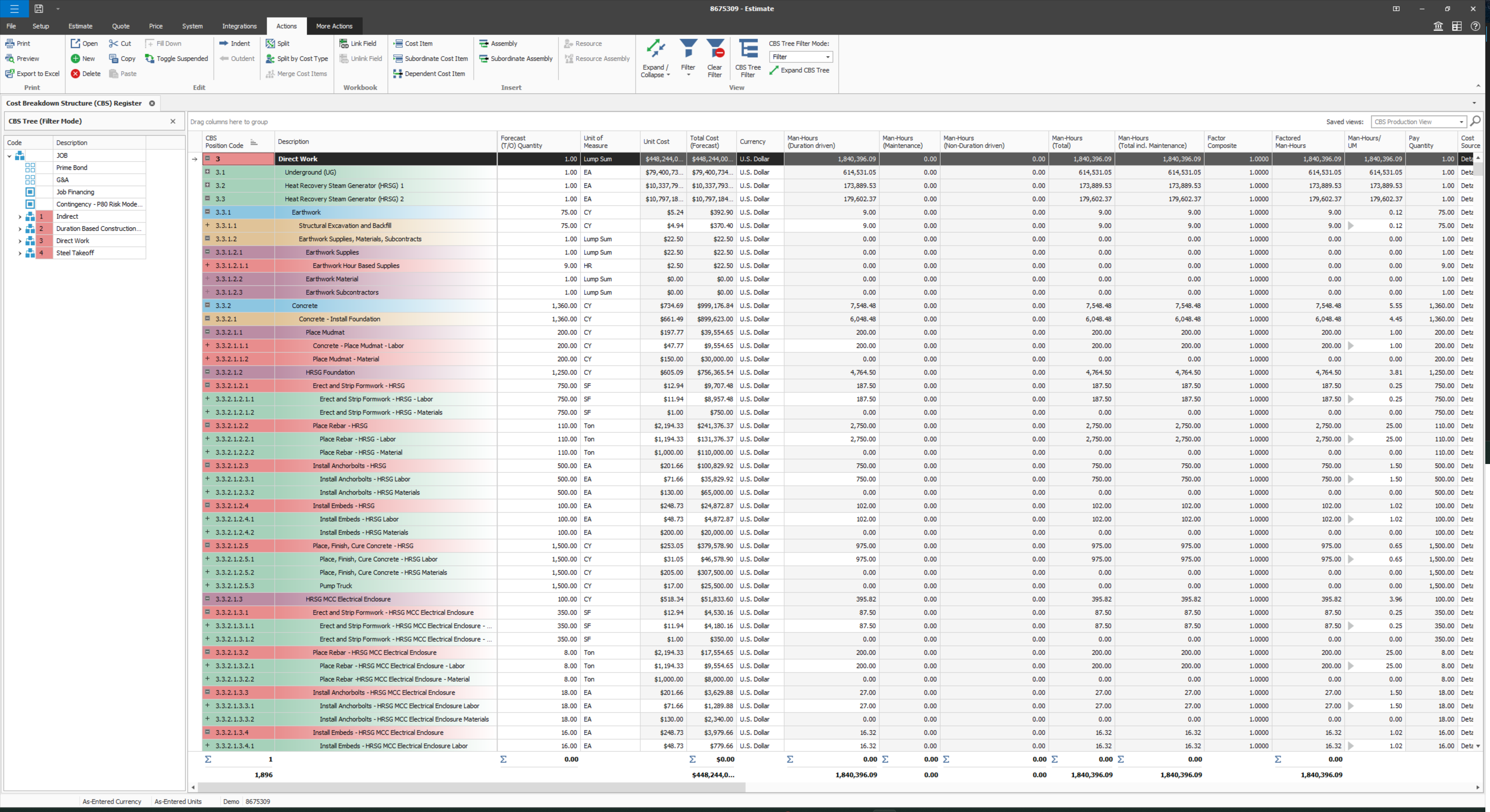
With thousands of users world-wide, WinEst estimating from Trimble GC is a database-driven construction project management solutions on the market. It looks and feels just like Excel with familiar Windows navigation, including drop-down menus and ribbon bars. Behind the covers is a database with multiple work-breakdown structures (WBS) and filters that can be customized to the user's preferences so that estimating data can be sliced and diced and presented in different ways. WinEst…
N/A
Pricing
InEight
Trimble GC WinEst
Editions & Modules
No answers on this topic
No answers on this topic
Offerings
Pricing Offerings
InEight
Trimble GC WinEst
Free Trial
No
No
Free/Freemium Version
No
No
Premium Consulting/Integration Services
No
No
Entry-level Setup Fee
No setup fee
No setup fee
Additional Details
InEight offers a modular, integrated project controls platform. Because the InEight platform covers the entire construction lifecycle, customers purchase the software based on their specific needs – purchasing stand-alone products, a bundle of products, or the entire platform. As a result, the pricing will vary depending on the specific product, number of users and length of contract. Once InEight has identified the highest impact areas, they offer potential customers a custom proposal. The options they consider include:
Per user pricing: typically annual subscriptions.
Revenue-based: using a percentage of the customer’s revenue.
Project-based: software use dedicated to a specific project or program of work.
—
More Pricing Information
Features
InEight
Trimble GC WinEst
Reporting & Analytics
Comparison of Reporting & Analytics features of InEight and Trimble GC WinEst
Feature
InEight
7.0
15 Ratings
8% below category average
Trimble GC WinEst
-
Ratings
Dashboards
7.412 Ratings
00 Ratings
Standard reports
6.414 Ratings
00 Ratings
Custom reports
6.314 Ratings
00 Ratings
Data exportability
8.114 Ratings
00 Ratings
Construction Project & Field Management
Comparison of Construction Project & Field Management features of InEight and Trimble GC WinEst
Feature
InEight
6.8
16 Ratings
12% below category average
Trimble GC WinEst
-
Ratings
Plan distribution & viewing
7.214 Ratings
00 Ratings
Plan markups & sharing
7.215 Ratings
00 Ratings
Issue tracking & punchlists
7.913 Ratings
00 Ratings
Photo documentation
7.512 Ratings
00 Ratings
Jobsite reports
8.06 Ratings
00 Ratings
Document sharing
5.616 Ratings
00 Ratings
RFI tools
4.713 Ratings
00 Ratings
Collaboration & approvals
7.414 Ratings
00 Ratings
As-built drawings
6.314 Ratings
00 Ratings
Mobile app
7.610 Ratings
00 Ratings
Submittal design and management
6.310 Ratings
00 Ratings
Checklists
7.49 Ratings
00 Ratings
Meeting Minutes
6.810 Ratings
00 Ratings
Specifications
6.39 Ratings
00 Ratings
Change orders
5.79 Ratings
00 Ratings
Estimating
Comparison of Estimating features of InEight and Trimble GC WinEst
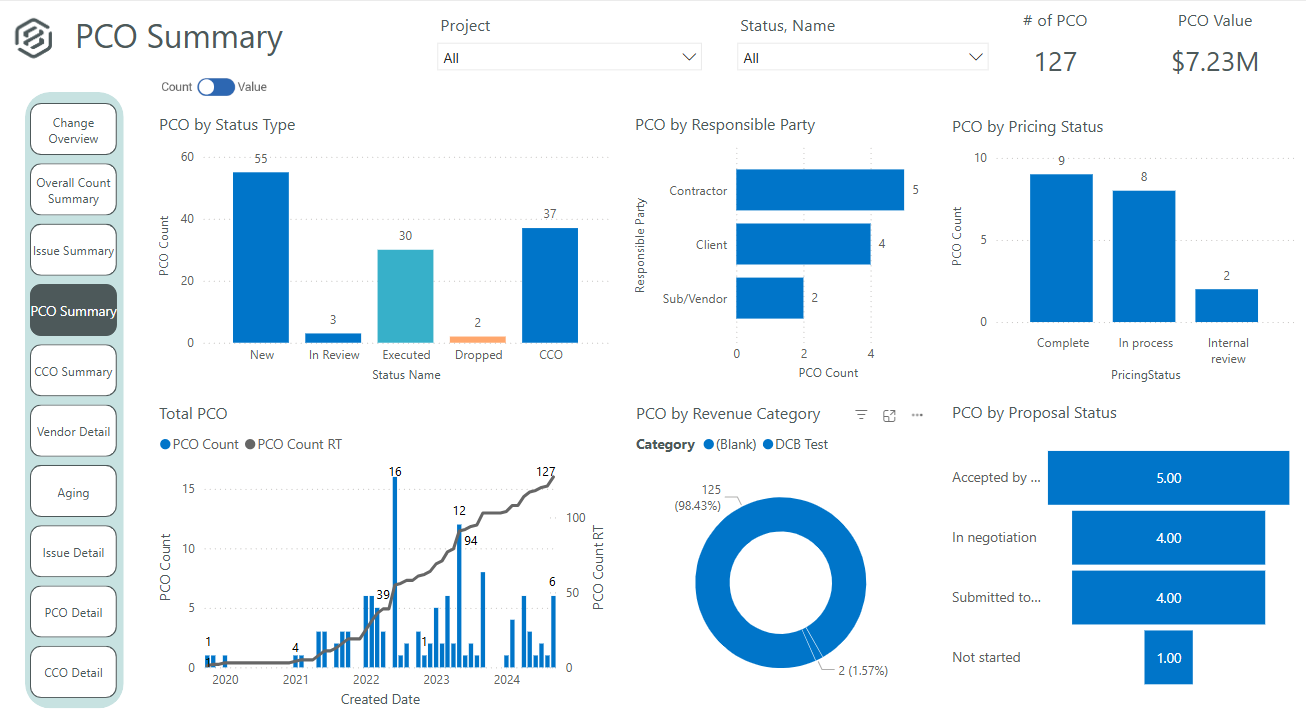
It's definitely a good tool for progress tracking, as well as time tracking. The ability to forecast quantities provide an even better scenario, closer to the reality, supporting even change management. The change management is also a good method, besides the fact of rework if you think in the whole process of issue creation, promoting to PCO, promote to CCO, execute the issue, move to change in controls, and so on... just now I think having all in a single place would minimize the manual work and maybe increase the engagement on it. About a negative point, I'd use a feature that appears to be in all modules. It's pretty much a cosmetic, but it impact in the productivity, a lot. For all fields you will fill with information, whenever your mouse hover over it, a tooltip appears, impeding you to continue, so you have to walk around, click in a place that's not being covered by that tooltip, go back to your keyboard and continue... again, it's a cosmetic, but having this in a Monday, with a full job to plan, claim quantities, and whatever else, it's annoying.
A de minimis incentive was given to thank the reviewer for their time. The incentive was not used to bias or drive a particular response, nor was the incentive contingent on a positive endorsement. More Info
WinEst is truly built for everyone. Their assemblies/database linking is perfect for self perform and subcontractors while their database management and custom reporting is perfect for GCs. While Excel set the bar, WinEst is on another planet. With the immediacy required by today's markets, WinEst allows you to deliver a superior product while being more accurate.
A de minimis incentive was given to thank the reviewer for their time. The incentive was not used to bias or drive a particular response, nor was the incentive contingent on a positive endorsement. More Info
User defined views and descriptions for all screens.
Customizable ribbons to provide an efficient use of the software.
Multiple layers/dependents to allow for an extreme drill down of the work and the ability to roll up to a more useful level for upper management review.
You can bid the work as you would build it, in detail.
A de minimis incentive was given to thank the reviewer for their time. The incentive was not used to bias or drive a particular response, nor was the incentive contingent on a positive endorsement. More Info
It's very flexible when building an estimate and selecting items to include. You can either click your way to the datebase or quickly copy and paste similar items.
The numerous ways to view and estimate whether it's by CSI, Uniformat, Master Format, or any view you'd like to see. One of ours is by program area, i.e. Sitework, Tower, Parking Deck, etc. After that, you can sort by Bid Package, CSI, etc. Quick buttons can be created far all the views you'd need which allows changing between views a breeze.
The visual interface is pleasing and easy to read.
It's easy to create your own database using Excel. Once you tag an item with unit costs, sort codes, etc., Winest will import it. You can also build it manually within the program but Excel was faster.
A de minimis incentive was given to thank the reviewer for their time. The incentive was not used to bias or drive a particular response, nor was the incentive contingent on a positive endorsement. More Info
Provide a simpler version (cliff notes) of the knowledge database
Offer versions of InEight for smaller companies, i.e. less than 20 emplyees, under $5M in revenue
When an estimate is complete, offer a dialog box to ask if the job was won, lost, or still in progress. We tend to leave most of our estimates in the bidding column. This is a user error, but the prompt would be helpful.
A de minimis incentive was given to thank the reviewer for their time. The incentive was not used to bias or drive a particular response, nor was the incentive contingent on a positive endorsement. More Info
At times, WinEst controls feel counter intuitive. Also the tools available for actually developing the database can feel clunky. This means that if you do not take the time to create a robust import file, you will spend a serious amount of time fixing your errors.
WinEst is also an object based database which means that it is difficult to do mass dumps of information (mainly takeoff) into the program. While this is great for ensuring that everything is done purposefully, it does lead to extended hours of data entry
It takes hours upon hours of use before you begin to realize the true potential. The sheer number of tools is overwhelming and their help resources are very basic and only explain how to correctly enter the data but not the feature's best use cases.
A de minimis incentive was given to thank the reviewer for their time. The incentive was not used to bias or drive a particular response, nor was the incentive contingent on a positive endorsement. More Info
Some features with InEight's TeamBinder are worthy of single use, however the review feature and subsequent revision and version numbering could be improved. We will be aiming to roll out the package to encompass our internal documentation in the near future and will be in a better position to judge the usability after that point in time.
A de minimis incentive was given to thank the reviewer for their time. The incentive was not used to bias or drive a particular response, nor was the incentive contingent on a positive endorsement. More Info
I would give it an 8 out of 10 because the software can be a bit cumbersome to new users. It also takes a long time to set up the library and input all of your companies needs so that the software will provide the level of service required to estimate projects. However, once the software is set up it is a powerful tool. We only use a portion of what the software is capable of delivering
A de minimis incentive was given to thank the reviewer for their time. The incentive was not used to bias or drive a particular response, nor was the incentive contingent on a positive endorsement. More Info
We are new to the use of the system, and so far, we have not reached out for any support. The only support we have requested so far is the development of a training program that involves other staff - some are to learn the use of the program, and some are for informational purposes in understanding the capabilities of InEight.
A de minimis incentive was given to thank the reviewer for their time. The incentive was not used to bias or drive a particular response, nor was the incentive contingent on a positive endorsement. More Info
Doug Quinn was our trainer and travels all over the country. Whenever I have an issue I shoot him an email and he quickly responds as soon as his training gets a break.
A de minimis incentive was given to thank the reviewer for their time. The incentive was not used to bias or drive a particular response, nor was the incentive contingent on a positive endorsement. More Info
Since the original inception, I have been required to overhaul the system so that it is more user friendly and combines both aspects of our business, documentation and drawings. Being able to control revision and version numbering has been a key struggle that only staff training has been able to mark this as complete.
A de minimis incentive was given to thank the reviewer for their time. The incentive was not used to bias or drive a particular response, nor was the incentive contingent on a positive endorsement. More Info
We looked at HCSS and Bid 2 Win but chose Ineight due to the fact that it seemed more user friendly, plus I had used it at a former company when it was available from the Grantlun Corporation and was very familiar with it in its ease of use and reliability.
A de minimis incentive was given to thank the reviewer for their time. The incentive was not used to bias or drive a particular response, nor was the incentive contingent on a positive endorsement. More Info
WinEst simply blows excel and Timberline out of the water. The shear depth of functionality is unparalleled. Not only does WinEst deliver a better product, it also shortens the amount of man hours required for each bid, alternate, pricing exercise, etc. On top of this, it has a number of redundant safeguards for catching errors that the others don't have.
A de minimis incentive was given to thank the reviewer for their time. The incentive was not used to bias or drive a particular response, nor was the incentive contingent on a positive endorsement. More Info
InEight is a good system that has scaled nicely as the company has grown. the tools are still readily available and applicable for our larger scope of work. It has kept up with the growth of the company very nicely
A de minimis incentive was given to thank the reviewer for their time. The incentive was not used to bias or drive a particular response, nor was the incentive contingent on a positive endorsement. More Info
A de minimis incentive was given to thank the reviewer for their time. The incentive was not used to bias or drive a particular response, nor was the incentive contingent on a positive endorsement. More Info
A de minimis incentive was given to thank the reviewer for their time. The incentive was not used to bias or drive a particular response, nor was the incentive contingent on a positive endorsement. More Info