Ideagen's Enterprise Risk Management (ERM) software solution (formerly known as Pentana Risk) fully integrates risk management processes, from identifying and assessing risk business-wide, to assigning and monitoring mitigation plans, all the way through to reporting and defining a long-term strategy for enhanced performance.
N/A
Rencore Code (SPCAF)
Score8.8 out of 10
Enterprise companies (1,001+ employees)
Many organizations that use Office 365 are exposed to security risks that they are unaware of. As they extend SharePoint to meet their business needs, they build applications using technologies that range from end-user Microsoft Flow to developer-focused SharePoint Framework. Unfortunately, all of these custom applications are capable of circumventing the security measures organizations have in place exposing the organization and its data to security…
N/A
Pricing
Ideagen Risk Management
Rencore Code (SPCAF)
Editions & Modules
No answers on this topic
No answers on this topic
Offerings
Pricing Offerings
Ideagen Risk Management
Rencore Code (SPCAF)
Free Trial
No
Yes
Free/Freemium Version
No
No
Premium Consulting/Integration Services
Yes
Yes
Entry-level Setup Fee
Optional
Optional
Additional Details
—
—
More Pricing Information
Features
Ideagen Risk Management
Rencore Code (SPCAF)
Governance, Risk & Compliance
Comparison of Governance, Risk & Compliance features of Ideagen Risk Management and Rencore Code (SPCAF)
Pentana is great for monitoring PIs and risks. We find it less helpful for monitoring projects (with the Actions module); it isn't quite flexible enough for our needs, though the support team have been very helpful in adding custom fields for us.
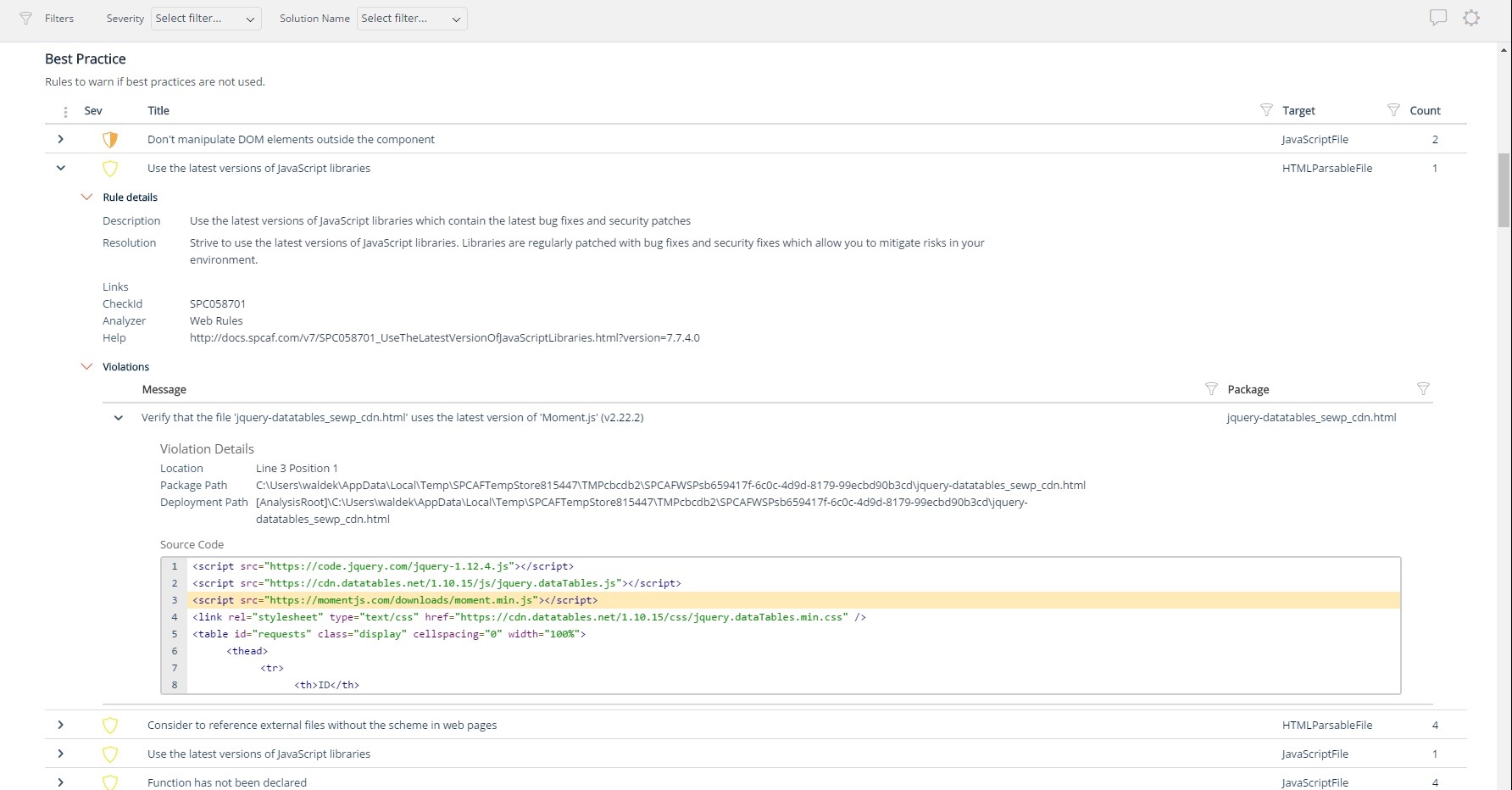
For Microsoft shops that are doing custom development on the Microsoft cloud platform in Office 365 and Azure, the Rencore toolset is an absolute must, especially if you are involved in converting farm solutions to cloud, or just moving into cloud development for the first time.
Pentana is excellent for monitoring, recording and reporting on PIs. Very easy to use the PI module.
Pentana is excellent for monitoring risks at various levels (service, strategic etc.). Risks are displayed very clearly in a tree structure and the module is relatively easy to use.
Unique expert knowledge of their target platforms. Not many companies have such a unique position in their target market. Their employees have a deep understanding of SharePoint, Office 365 and Azure and also regularly advise Microsoft on these matters.
Community involvement and contribution to open source projects. Key employees at Rencore are considered thought leaders in their area of expertise and contribute to high profile Microsoft open source initiatives.
Rencore's unique position when it comes to code quality analysis in the SharePoint space sets it apart. There's really no alternative.
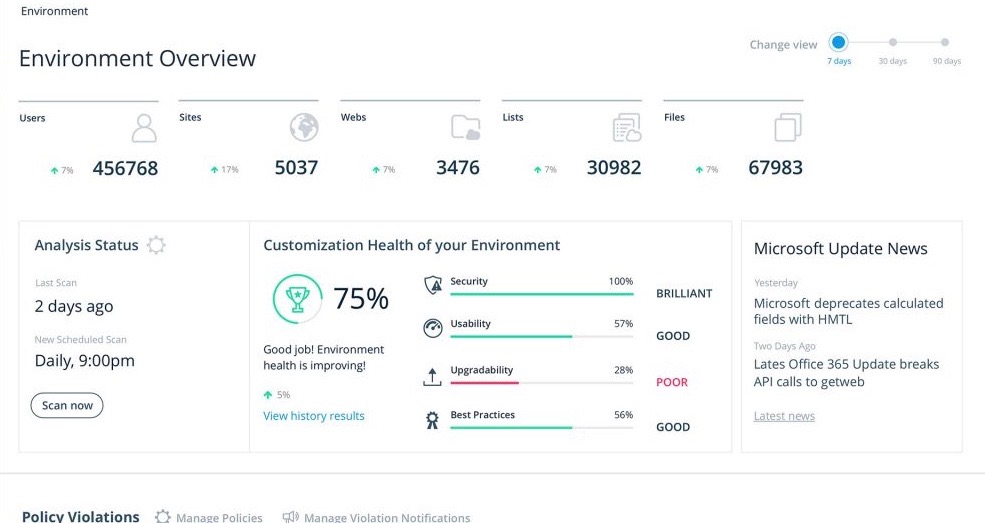
Platform governance is another Rencore strength. No other product provides the insights into your SharePoint Online environment with full auditing of not only configuration changes but also who changed which code where and when. Again no alternatives exist.
Pentana could improve the free Documents module that comes with Pentana Risk. At the moment documents have to be linked to an action in order to display query results (such as how many documents are due for review) - this can be confusing for users who don't understand why there is an action linked. There is also no easy way for users to see the documents that are assigned to them.
We would like to use the Actions module fully in order to monitor our corporate projects, but it a bit confusing for users and not very flexible when a project doesn't mirror Pentana's way of monitoring actions.
Rencore's product line is of course still a bit of a niche: SharePoint code quality is not something every organization on the planet is concerned with - although Rencore does much more than that.
We feel Rencore's marketing efforts are mainly targeted at technologists. There's a lot of other potential, especially for their platform governance product.
Some modules are more user-friendly than others. It's sometimes not obvious where to click to update the fields (or even that field titles can be clicked on). We have written 'Howdys' to help users. There can also seem to be a lot of steps/clicks to updating risks and actions. The Reports module on Pentana classic is certainly not user-friendly, particularly the Report Layout and Charts modules - we were told these would be integrated into the web version but this hasn't happened yet.
We selected Pentana because our neighbouring authorities are users and had spoken highly of the product and given us demonstrations; some of our staff were also familiar with Pentana when it was called Covalent. It seemed to be the best product on the market for monitoring risks, PIs and projects.
I don't know of any products that compete in the space and if there were any, they would not stand a chance against Rencore. Behind any good product is a team of highly skilled individuals, who all have the same goal, who are passionate what they do and lastly, are in it for the betterment of where they started; As Developers themselves. You can't buy that
Pentana Risk has allowed my team to focus on other areas of work whereas before we would be manually chasing for updates on PIs and risk. Pentana Risk does the chasing for us!
We are able to produce reports for audit purposes very easily, rather than sending spreadsheets which is what we used to do.
New managers can easily inherit risks, projects and PIs and see all of this on a custom portal, saving them time when they start.
The clear impact was the amount of time saved code reviewing or going through lines of code marked off by other tools that are not relevant. We cannot put a number on it since the project started off with the tool in place but based on the rules applied it could be as high as 20% of the project time.