IBM Engineering Lifecycle Management (ELM) is an end-to-end engineering solution used to manage system requirements to design, workflow, and test management, extending the functionality of ALM tools for better complex-systems development.
N/A
Teamcenter
Score 8.1 out of 10
N/A
Teamcenter is a product lifecycle management system designed to help organizations integrate and standardize product development processes across functional silos.
While working on a complex project it is important all the needed change requests are handled in an effective manner, this tool helps us do exactly the same, it had great features to manage those change management tickets, making sure to merge the change with existing workflow, prioritize the requests centrally so there are no duplicates. Easy to collaborate across different teams and colleagues across the aisle.
Teamcenter is perfect for working in large-scale projects related to manufacturing and engineering where collaboration and management of data are crucial. It is evident where the complexity of the products is high such as in automobile and aerospace industries. Some of its features may seem too elaborate for the small business with a less complex process and therefore too expensive. It is less useful in organizations that do not have complex PLM needs or have less IT capacity to implement the system.
There are a couple of areas where IBM Rational DOORS is quite strong. First, it is part of the IBM CLM solution so the artifacts developed in this module can be easily available for other functions like development and QA. They can link with their stories and test cases and team leads and managers can use traceability matrix to find out where there are gaps in coverage.
Comprehensive configuration management functionality (concept of multiple streams and global configuration) is available, which can be helpful if you need to implement configuration management scenarios for your product or project. For example, a certain version of a requirement can be linked with one story and another version of same requirement can be linked with another story. This is the unique feature which other current tools in the market don't provide.
It's highly customizable so you can configure the project areas based on your need. You can have your own requirement types, and you can define templates to speed up the process. Comprehensive review functionality is there as well.
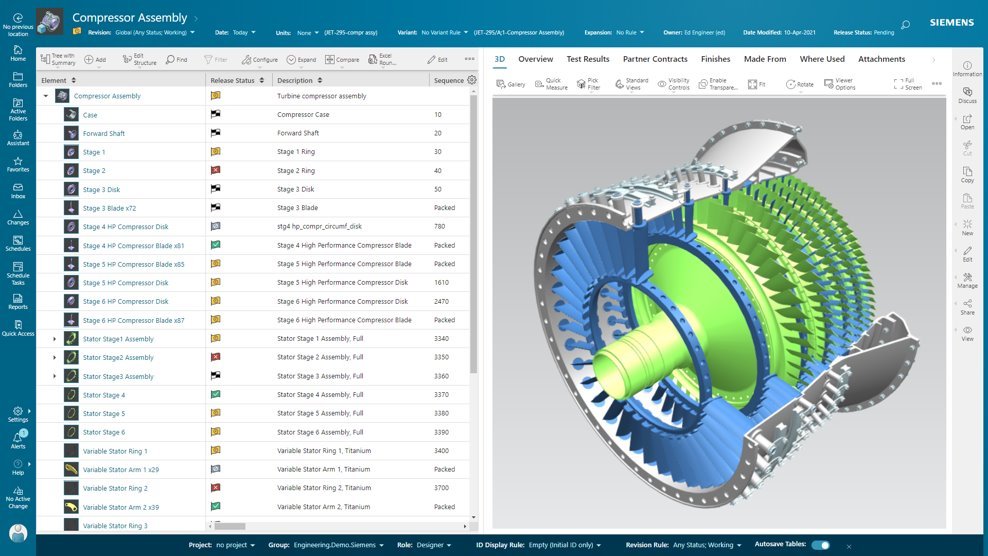
Data Management: your Parts divided into Item Types.
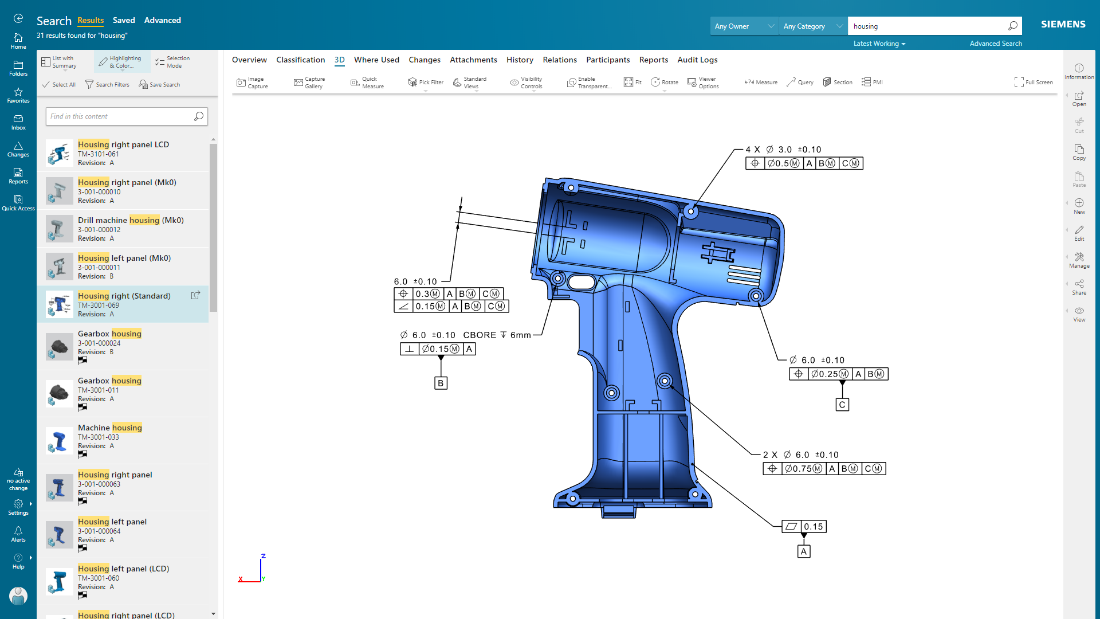
Data Management: You can easily add pseudo folders to segregate data inside. You don't have to look for anything now.
Change Management: Use the built-in or customize it. Now, you have workflows and can decide who is responsible for every task. It's done automatically.
Project Management - built-in MS Project, can manage tasks and still have a Gantt chart from it.
CAD integration - a lot of time saved when single source of true.
Too complex for projects or businesses that don't really need the detail. It is basically overkill.
If you are new to IBM Rational tools, it may be a medium learning curve. You'd also need lots of training from your people, since, as usual, this tool shouldn't be managed alone.
It may seem old fashion compared to Jira and the current control tools used in IT industry.
I'm going to be a little blunt here. So the way how MPP and bombs are getting separated out, that is creating some issues when we want to implement end-to-end processes. The bomb team, the manufacturing or the sector manager kind of team, tries to give various features for the materials and bombs related to them, but all of those features are not available for BOP. For example, solution variant creation. When we have a variant based structure, I can create a solution variant for bombs, but I cannot create a solution variant for BOPs and this is, I would say something of a gap that Siemens should address and get it fixed. We have to do customization, but if the product is itself giving us then this is an elegant way to push it further. This is what I would say is the issue.
One of the downsides for us was the capabilities of the native build tools were lacking. The project management and work item tracking capabilities are great and I would recommend the tool to anyone. There is a definite learning curve with RTC as a source control system, and the streams are a concept unique to the product
Because of our current customer needs, we will most likely maintain use of Siemens PLM products for some time. Aside from the initial software cost, we pay for yearly maintenance. Maintaining our yearly maintenance licensing with Siemens, we receive access to all of the latest software releases, as well as premier technical support
The UI is terrible and not intuitive. Users need training in order to complete tasks. Much like SAP, it's not the clearest tool. The tracing feature is especially complicated because you must write the scripts yourself. There is a learning curve. Also, even the setup, installation, and logging in each time takes a considerable amount of time.
As previously mentioned, due to the intense amount of features and modules present in the software, the usability of the software suffers greatly. Many of the features are not used in our context, and many of the modules are not purchased, but the options are still present on the interface leading to a lot of clutter, much of which is never used. The interfaces suffer from a lack of design and tend to feel like a conglomerate of Windows 98 elements.
It does a basic job and has the potential to complete some robust reporting tasks, however, it really is a clunky piece of software with a terrible user interface that makes using it routinely quite unpleasant. Many of our legacy and maintenance projects still use DOORS but our department and company use many alternatives and are looking for better tools.
In the time that we have used Teamcenter we have received a good response from the support team, they have great customer service, we have solved the problems that have arisen very quickly, and they are attentive and answer us if we have any questions.
The established experience contained in most IBM Rational DOORS installations is only compensated by the high flexibility of Atlassian JIRA. The markets state that Jira is less expensive in the setup. There are many manufacturers that support IBM Rational DOORS to have the big tiers as their customers. Jira has problems in that growth. Jira has more features compared to IBM Rational DOORS. For example in cloud support, IBM Rational DOORS relies on improved external services while Jira abstracts in the most modern way. Jira experts have a different professional background compared to that of IBM Rational DOORS. They are indeed from different engineering generations. There is little interchange in personal and ideas.
Earlier, some of the companies acquired by my organization were using PTC Windchill, but the overall stability, user experience and depth of functionality which are provided by Teamcenter doesn't match with any other PLM software and thus, all the acquired companies which were earlier using PTC Windchill has now slowly started into moving towards Teamcenter.
Teamcenter is easily on the best scalable solution. The single source of product information allows us to collaborate more effectively on the product lifecycle. Also, being a cloud solution, it is pretty straightforward to scale as the maintenance required is quite low . In addition, the overall cost is also easily manageable for businesses like ours.
RTC helps automate incident management workflow which improves our work efficiency. With the integration with Geneos and GSD, we can one click create RTC incident tickets from Geneos with most of the information copied from Geneos automatically and then link the details to GSD for privilege account management if needed.
RTC provides a holistic view on ad hoc production activities. We use RTC for production management. Whoever needs to get access to production due to non-planned activities (planned change is managed in GSD) has to raise an incident ticket or service request ticket in RTC so as to get production privilege accounts.
RTC is also being used to review and approve the usage of privilege account which help us to meet audit requirements. For example, if a user made some database change using privilege account under incident number xxx, an entry will be added in RTC and sent to account owner or production support manager to review and approve.
We chose Teamcenter because of its cost-effectiveness, and we can say that it has lived up to our expectations because we have been able to save in other more expensive tools to do what we can do in this one. The ROI has been over 40% because we have integrated it across multiple teams and it has allowed us to reduce the amount of errors in our processes and create a more centralized environment.