HotSchedules is a cloud-based scheduling, labor and communication management software solution serving the restaurant and hospitality industry. According to the vendor, key benefits include: Build & Communicate Schedules The scheduling and labor management software reduces the time it takes managers to create and communicate schedules. All scheduling and employee information is stored in one central location, so managers have access to time-off requests,…
$2
per month per employee
Novatime (discontinued)
Score 5.6 out of 10
N/A
From Ascentis, NOVAtime was a set of workforce management solutions providing timekeeping, payroll, leave management, and employee scheduling needs. Ascentis was acquired by UKG in March of 2022, and along with NOVAtime, will be discontinued.
HotSchedules can be implemented in any organization that has to staff a store with varying hours. I have recommended this to my colleague who has 8 employees, yet he has seen great results with the shift swaps and availability tracking/time off requests. I do wish we could see some more attention to general staffing and training VS. the heavy emphasis on restaurant businesses. It feels HotSchedules has grown into many more areas and should work away from marketing so directly to restaurant businesses. Some training programs for other business would be a welcome sight.
NOVAtime is an excellent choice for employers who need a timekeeping solution with an easy-to-use and understand user interface, great user experience, and great support from the Ascentis user support teams.
All the information needed for your employees can all be found in one place. From the availability of an employee to their pay rate to their phone number. It's all just a click away. Before HotSchedules all of this information was kept in different places and the managers would need to open several documents and contact lists to find what they were looking for about a single employee.
Control over how indepth you use the product. The possibilities of this service are seemingly endless. However if you are solely looking for a specific feature HotSchedules offers you have the ability to soley use that feature. HotSchedules can simply schedule, or it can automatically schedule, or you can assign a specific job to a specific person on a specific day. For us, we have employees who are doing a specific job/task one week and then they are needed for a different job/task the next week. HotSchedules allowed us to narrow down our options starting with department, moving to location, moving down to the job they would be preforming for that scheduled day.
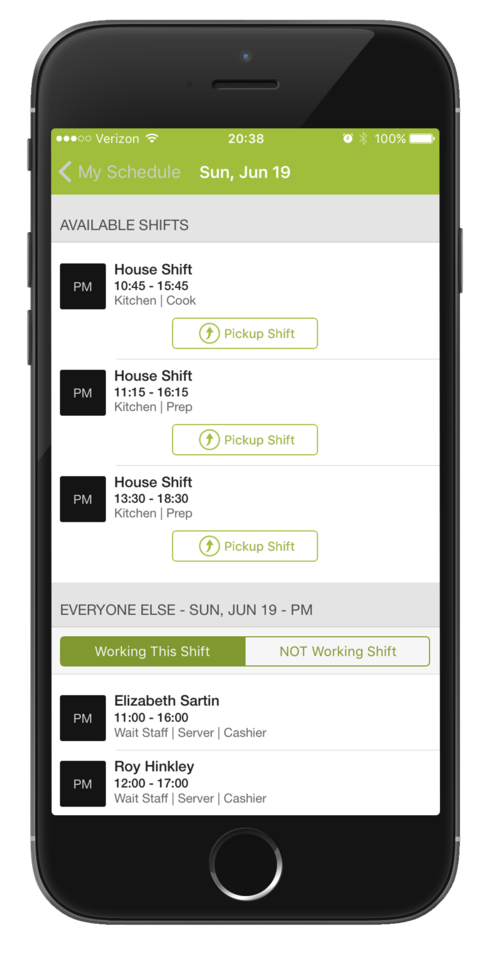
The ease of changing/releasing shifts. If an employee wants more hours they can go in and select shifts that are up for grabs or request to work on a specific day at a specific time. The opposite is also true. If an employee is worried they will have too many hours that week, they can release their shift and put it up for grabs by a different employee. And of course, all of this is fairly customizable to what you want your employees to have the ability to do, with or without your intervention and approval. In our case, if a shift lead releases a shift we only want other shift leads to be able to pick up the shift. HotSchedules allows us to do just that.
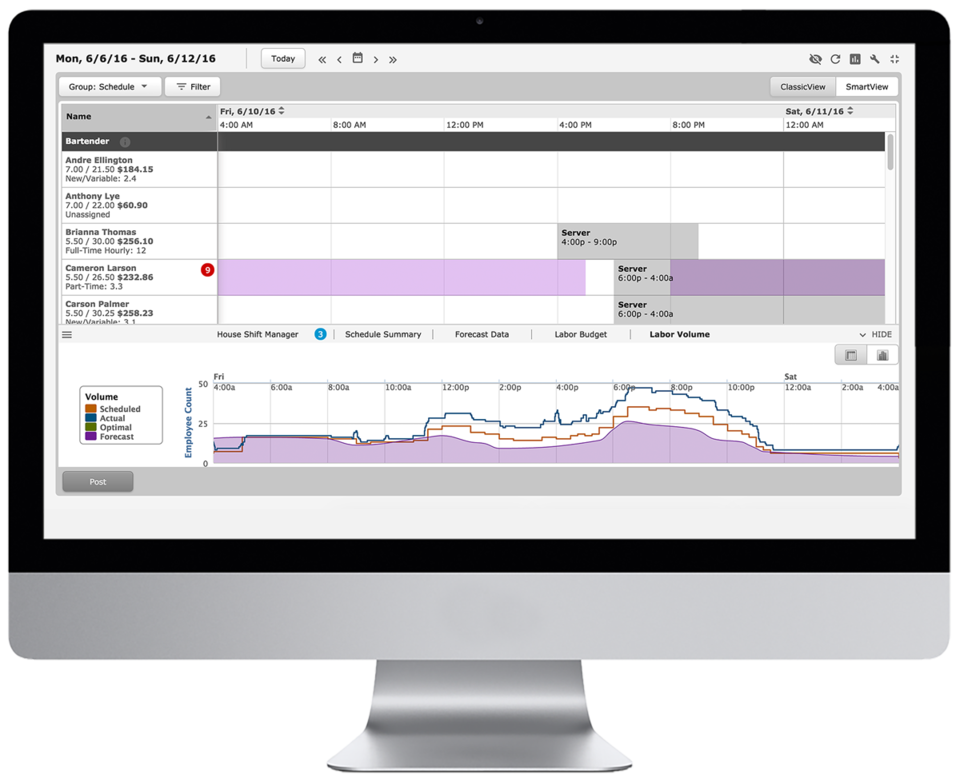
It has some really nice scheduling features that allow managers to see the difference between hours expected to work and actual hours worked as well as overtime, absences, and non-scheduled shifts.
There are easy ways you can transfer a manager's caseload/employees to another manager temporarily if that person is going to be out of the office for an extended period of time without giving away too much personal information - just what would be needed for payroll or time off requests (this can be customized by your administrator).
The program itself can be customized in many different ways to meet the needs of the company/organization that it is working with.
The charts/graphs on the new homepage are somewhat helpful and link to useful information.
The overall satisfaction within the organization has been luke warm, at best. The software may be more conducive for a hospital but I believe there is a reason why we are the lone baseball team utilizing it.
6 Years of Experience provides me the insight on the upgrades and changes that HotSchedules has done to improve the experience of its users. There are so many features that we still have not started or used to the fullest, but we believe that we are currently getting a strong value out of the money that is paid for this product.
On the employee's side of things, Novatime is pretty intuitive and fairly easy to use. All they have to do is either press a button to punch in or punch out. If they are entering in their hours, all they have to do is type in the number of hours per day. On the manager's side of things, Novatime is also fairly easy to use. It highlights in red any missed punches and in green any OT that the employee has. There are links on the homepage of the manager's page that will lead them to a list of all their employees' missed punches for a pay period and they can fix them all before payroll is due. Novatime becomes a bit more complicated on the administrator's side. The issues I have run into with Novatime normally come after updates/upgrades to their system. They have been getting better, but the administrator's side is still a bit clunky and takes a while to find what you are looking for. It is not as intuitive as the other sides and takes a bit of computer knowledge to figure it out.
Always cheerful, informative, and educated staff. Each person seems to want to find a way to help us with any issues or questions we have. I love that all the staff is friendly and in a good mood when you call, I have never had a rep be unhelpful or short tempered, or ever less than accommodating to our needs!
The program itself can be customized in many different ways to meet the needs of the company/organization that it is working with. The charts/graphs on the new homepage are somewhat helpful and link to useful information. It has some really nice scheduling features that allow managers to see the difference between hours expected to work and actual hours worked as well as overtime, absences, and non-scheduled shifts. Processing payroll is quite simple. PTO request off is straightforward.
HotSchedules was the first to tie into a POS to control clocking in and out for employees compared to a canned product from major POS providers. HotSchedules is more widely used by hourly employees in the industry, so there is less of a training curve.
They actually ended up joining forces to make one platform for all timekeeping solutions. With Novatime and all other modules we have from Ascentis, everything flows very easily.
Saving time on scheduling means our managers can focus more on guest experience, managing the floor and other areas that contribute to the success of our business.