Help Desk Migration vs. VirtaMove

Overview
ProductRatingMost Used ByProduct SummaryStarting Price
Help Desk Migration
Score 0.0 out of 10
Mid-Size Companies (51-1,000 employees)
Help Desk Migration is a tool used to transfer data from one platform to another securely, accurately, and with no downtime.N/A
VirtaMove
Score 10.0 out of 10
N/A
VirtaMove (formerly AppZero), offers the eponymous VirtaMove Migration Intelligence Suite allowing the user to move legacy apps to modern, secure servers.N/A
Pricing
Help Desk MigrationVirtaMove
Editions & Modules
No answers on this topic
Offerings
Pricing Offerings
Help Desk MigrationVirtaMove
Free Trial
NoNo
Free/Freemium Version
YesNo
Premium Consulting/Integration Services
NoNo
Entry-level Setup FeeNo setup feeNo setup fee
Additional Details
More Pricing Information
Community Pulse
Help Desk MigrationVirtaMove
Best Alternatives
Help Desk MigrationVirtaMove
Small Businesses
HYCU
HYCU
Score 9.0 out of 10
HYCU
HYCU
Score 9.0 out of 10
Medium-sized Companies
Matillion
Matillion
Score 7.9 out of 10
Matillion
Matillion
Score 7.9 out of 10
Enterprises
Oracle GoldenGate
Oracle GoldenGate
Score 8.7 out of 10
Oracle GoldenGate
Oracle GoldenGate
Score 8.7 out of 10
All AlternativesView all alternativesView all alternatives
User Ratings
Help Desk MigrationVirtaMove
Likelihood to Recommend
-
(0 ratings)
8.0
(0 ratings)
User Testimonials
Help Desk MigrationVirtaMove
Likelihood to Recommend
Thanks to the quick response from the support team, I was able to maintain an ongoing dialogue and get questions answered promptly throughout the project. Their responsiveness made it easy to request and implement specific changes, such as disabling comments on all migrated articles, without delaying our migration timeline.
Read full review
Best suited for applications where installing from scratch is not an option or a very difficult one. Migrating applications that you are familiar with, you have support for or have done in the past, via AppZero, in my experience, may become more time/resource consuming. In my environment it makes little sense for example to migrate an Office Suite via AppZero. Good at collapsing tiers (e.g. old application whose demand has waned and it no longer needs to serve large number of users). The score is awarded is a bit misleading, AppZero is invaluable when you have no other choice but for mainstream applications its value drops.
Read full review
Pros
  • Very responsive support team.
  • Great step by step instructions.
  • Ability to rerun the migration.
Read full review
  • When documentation regarding the implementation of an application is missing (e.g. old versions and support is prohibitive to obtain, or in case of homegrown applications) it becomes the tool available to perform the migration.
  • There is always a back-out option, and different approaches/attempts can be made.
  • Will provide you insight on what otherwise would be a "blackbox" application.
  • Allows you to consolidated multi-tiered applications into fewer/single tiers.
Read full review
Cons
  • There is little room for improvement in the GUI
Read full review
  • I'd like to see a more streamlined migration of applications relying on SQL.
  • I'd like to see better documentation, or perhaps labs/examples available.
Read full review
Usability
It was very simple to use.
Read full review
No answers on this topic
Alternatives Considered
No answers on this topic
I have not use any other application for this purpose. I've selected AppZero based on peer recommendation and found it to fulfill the functionality I was looking for.
Read full review
Return on Investment
  • Tool consolidation
  • Cost reduction
  • Ease of maintenance
Read full review
  • It has certainly proved to be a worthwhile investment. There were cases where to migrate an application several versions behind with lapsed support would've been a many zeroes expense. Done via AppZero, it was a LOT cheaper.
Read full review
ScreenShots

Help Desk Migration Screenshots

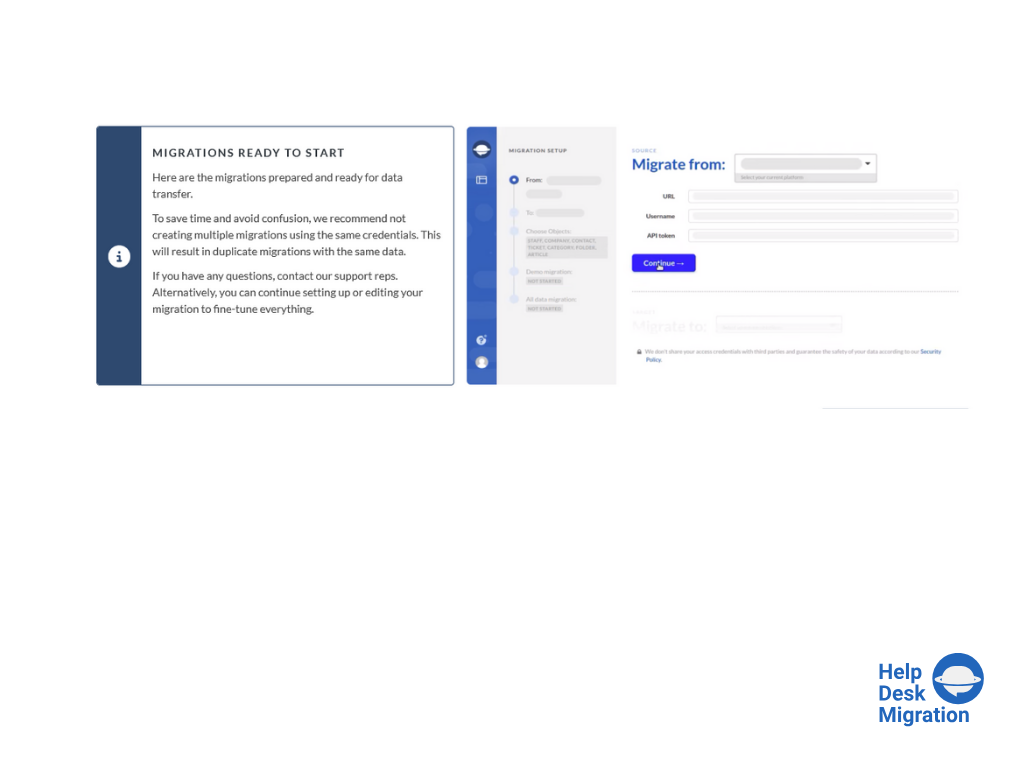
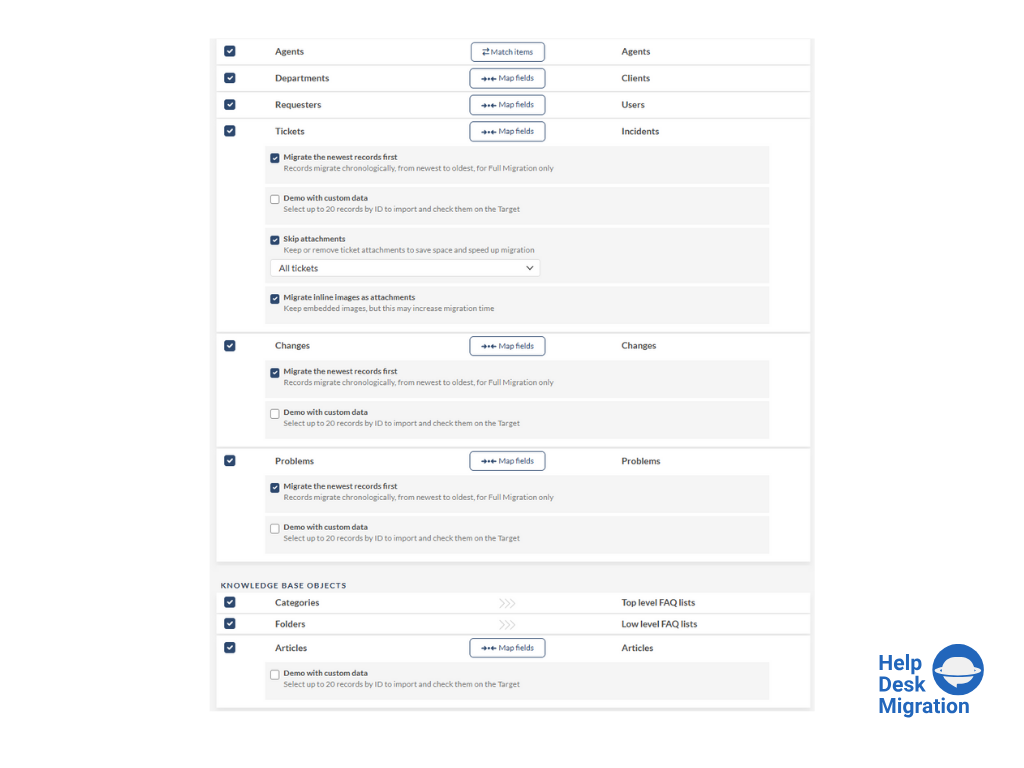
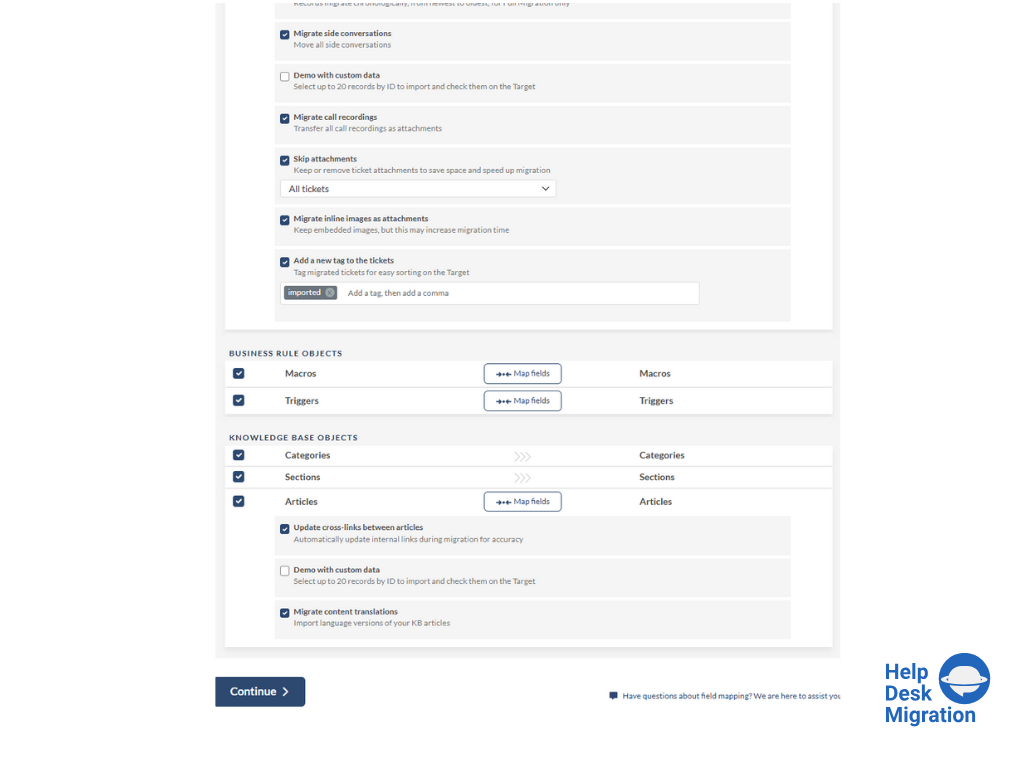
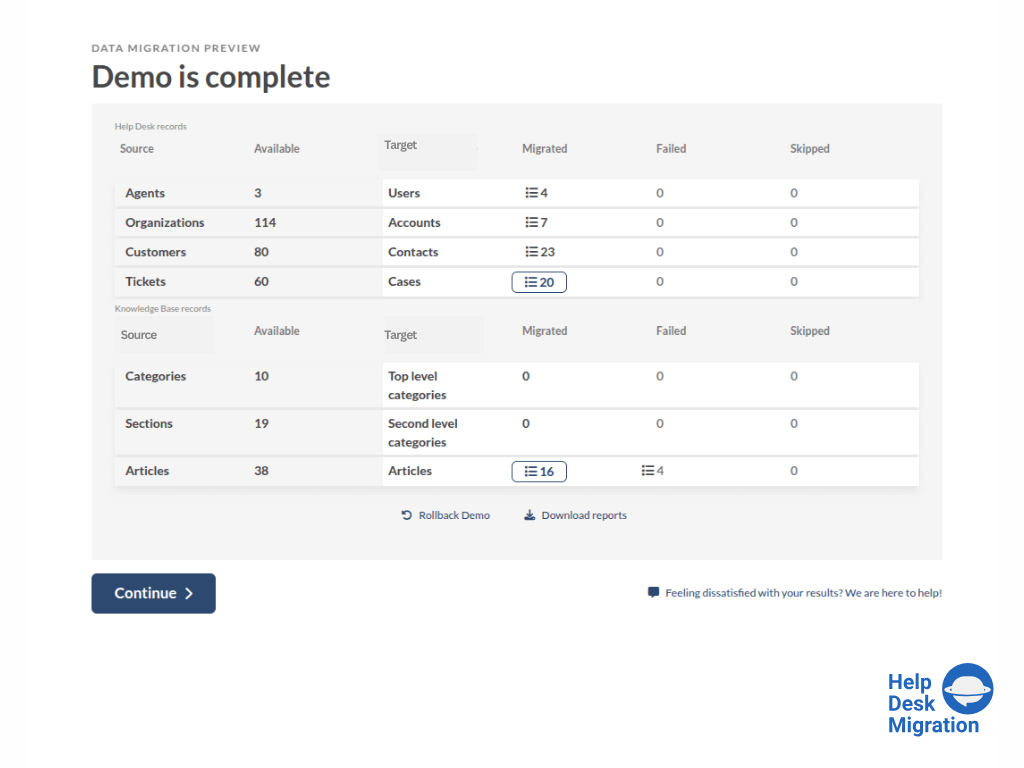
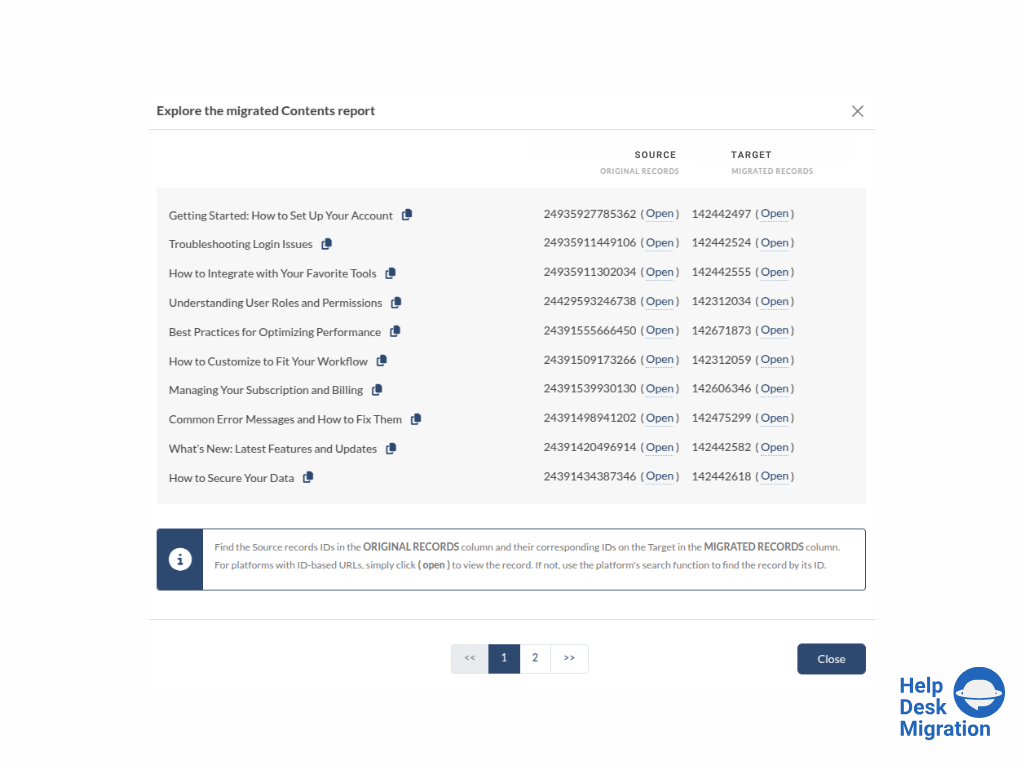
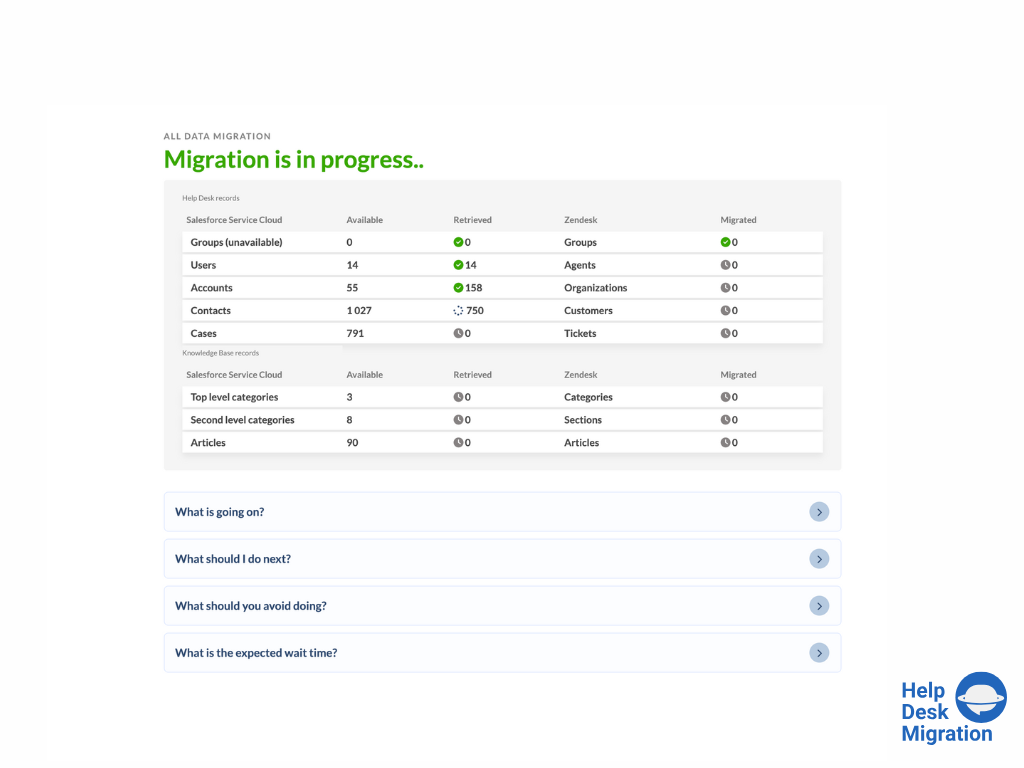
Screenshot of selecting the source and target platforms.Screenshot of mapping data for an accurate migration process.Screenshot of running the Demo Migration, which includes transferring 20 tickets and 20 articles.Screenshot of reviewing the demo migration results.Screenshot of adjusting the mapping and refining the data migration path.Screenshot of the migration progress — duration depends on the number of records being migrated.