Fivetran vs. Help Desk Migration

Overview
ProductRatingMost Used ByProduct SummaryStarting Price
Fivetran
Score 8.4 out of 10
N/A
Fivetran replicates applications, databases, events and files into a high-performance data warehouse, after a five minute setup. The vendor says their standardized cloud pipelines are fully managed and zero-maintenance. The vendor says Fivetran began with a realization: For modern companies using cloud-based software and storage, traditional ETL tools badly underperformed, and the complicated configurations they required often led to project failures. To streamline and accelerate…
$0.01
Help Desk Migration
Score 0.0 out of 10
Mid-Size Companies (51-1,000 employees)
Help Desk Migration is a tool used to transfer data from one platform to another securely, accurately, and with no downtime.N/A
Pricing
FivetranHelp Desk Migration
Editions & Modules
Starter
$0.01
per credit
Standard
$0.01
per credit
Enterprise
$0.01
per credit
No answers on this topic
Offerings
Pricing Offerings
FivetranHelp Desk Migration
Free Trial
YesNo
Free/Freemium Version
NoYes
Premium Consulting/Integration Services
NoNo
Entry-level Setup FeeOptionalNo setup fee
Additional Details
More Pricing Information
Community Pulse
FivetranHelp Desk Migration
Features
FivetranHelp Desk Migration
Data Source Connection
Comparison of Data Source Connection features of Product A and Product B
Fivetran
10.0
8 Ratings
18% above category average
Help Desk Migration
-
Ratings
Connect to traditional data sources10.08 Ratings00 Ratings
Connecto to Big Data and NoSQL10.06 Ratings00 Ratings
Data Transformations
Comparison of Data Transformations features of Product A and Product B
Fivetran
7.3
7 Ratings
11% below category average
Help Desk Migration
-
Ratings
Simple transformations7.47 Ratings00 Ratings
Complex transformations7.25 Ratings00 Ratings
Data Modeling
Comparison of Data Modeling features of Product A and Product B
Fivetran
6.2
8 Ratings
25% below category average
Help Desk Migration
-
Ratings
Data model creation2.06 Ratings00 Ratings
Metadata management4.04 Ratings00 Ratings
Business rules and workflow8.06 Ratings00 Ratings
Collaboration7.85 Ratings00 Ratings
Testing and debugging9.04 Ratings00 Ratings
Data Governance
Comparison of Data Governance features of Product A and Product B
Fivetran
8.4
7 Ratings
3% above category average
Help Desk Migration
-
Ratings
Integration with data quality tools8.46 Ratings00 Ratings
Integration with MDM tools8.44 Ratings00 Ratings
Best Alternatives
FivetranHelp Desk Migration
Small Businesses
Skyvia
Skyvia
Score 9.9 out of 10
HYCU
HYCU
Score 8.9 out of 10
Medium-sized Companies
IBM InfoSphere Information Server
Score 8.0 out of 10
Matillion
Matillion
Score 7.6 out of 10
Enterprises
IBM InfoSphere Information Server
Score 8.0 out of 10
Oracle GoldenGate
Oracle GoldenGate
Score 8.7 out of 10
All AlternativesView all alternativesView all alternatives
User Ratings
FivetranHelp Desk Migration
Likelihood to Recommend
8.2
(9 ratings)
-
(0 ratings)
Usability
9.0
(2 ratings)
-
(0 ratings)
Performance
8.0
(1 ratings)
-
(0 ratings)
User Testimonials
FivetranHelp Desk Migration
Likelihood to Recommend
Fivetran
Fivetran's business model justifies the use-case where we require data from a single source basically a lot of data but if the requirement is not on the heavier side, Fivetran comes to costly operation when compared to its peers. Otherwise, I'll recommend Fivetran for stability and update and seamless service provider.
Read full review
Help Desk Migration
Thanks to the quick response from the support team, I was able to maintain an ongoing dialogue and get questions answered promptly throughout the project. Their responsiveness made it easy to request and implement specific changes, such as disabling comments on all migrated articles, without delaying our migration timeline.
Read full review
Pros
Fivetran
  • Easily connects to source data using delivered connectors
  • Transforms data into standard models and schemas
  • Has very good documentation to help quickly setup connectors
Read full review
Help Desk Migration
  • Listening and gathering information
  • Transitioning work among their staff - we talked to 4 different people during the project, and ever single person was up to speed on the work and status
  • Reasonably priced
Read full review
Cons
Fivetran
  • Very difficult to get connectors enhanced if a specific needed object is not supported by them
  • Depending on the edition needed and the data volumes, can get quite expensive
Read full review
Help Desk Migration
  • I think the field map could be a little more entuitive with better explanations of what each field is for.
Read full review
Usability
Fivetran
Very easy and intuitive to setup and maintain as there usually are not that many options. Very well documented (e.g. how to setup each connector, how the schema looks like, any specific features of this connector etc.). Also the operation is intuitive, e.g. you have status pages, log pages, configuration pages etc. for each connector.
Read full review
Help Desk Migration
Both their demo and full migrations are pretty easy to use
Read full review
Performance
Fivetran
It runs pretty well and gets our data from point A to point cluster quickly enough. Honestly, it's not something I think about unless it breaks and that's pretty rare.
Read full review
Help Desk Migration
No answers on this topic
Alternatives Considered
Fivetran
We never seriously considered using anything else. Our data engineers had used Fivetran extensively in previous roles so when it came time to make a decision, there wasn't much of a process. They gladly signed the contract with Fivetran pretty quickly.
Read full review
Help Desk Migration
No answers on this topic
Return on Investment
Fivetran
  • It has been very positive in serving BI team with new source requests
  • It has been OK at scaling to match as data volumes as source data size grows
Read full review
Help Desk Migration
  • In terms of time spent, Help Desk Migration cut our time down to just a fraction of what it would have been had we migrated the articles ourselves. This saved us a tremendous amount of time, manpower, and overtime.
Read full review
ScreenShots

Help Desk Migration Screenshots

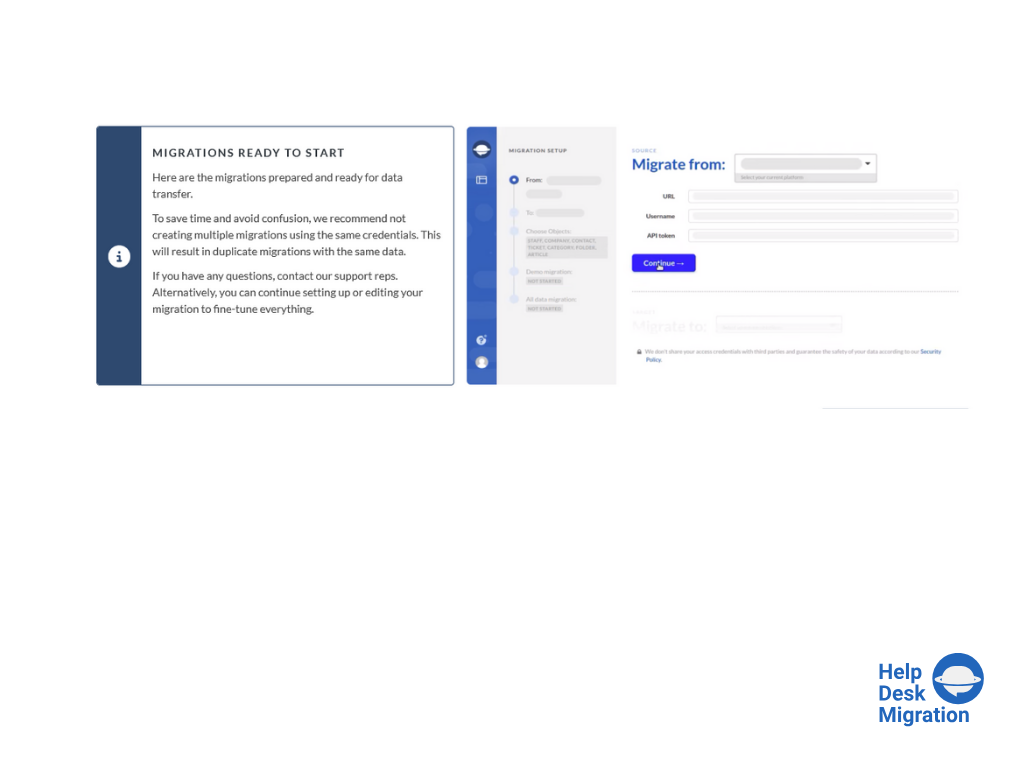
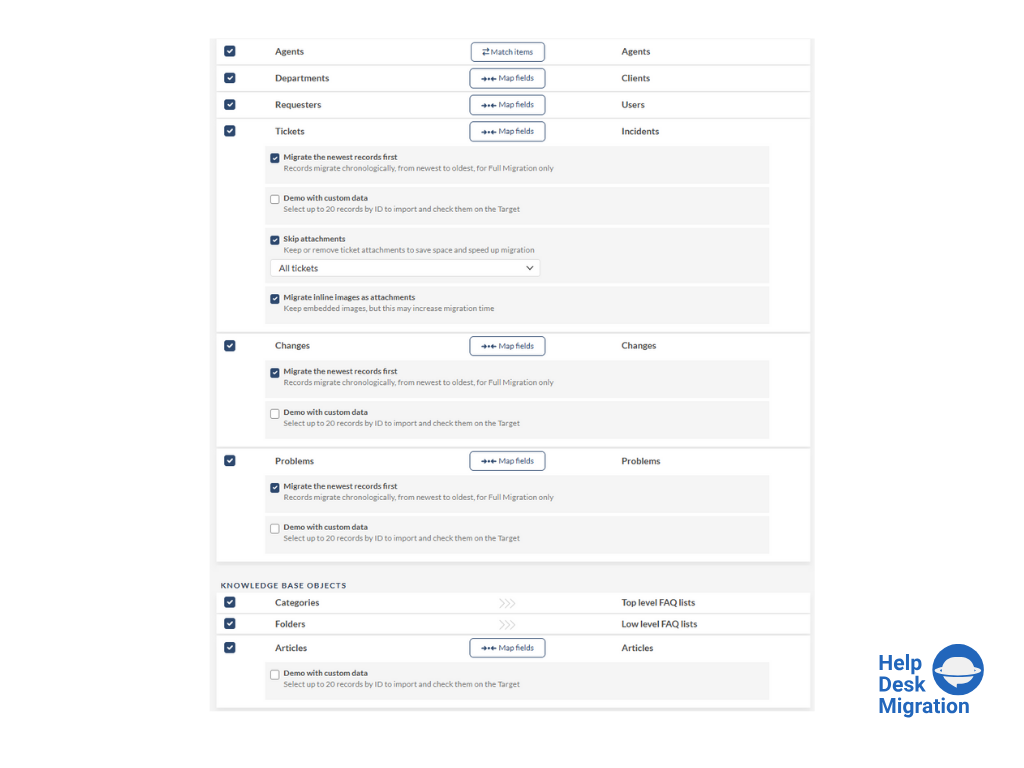
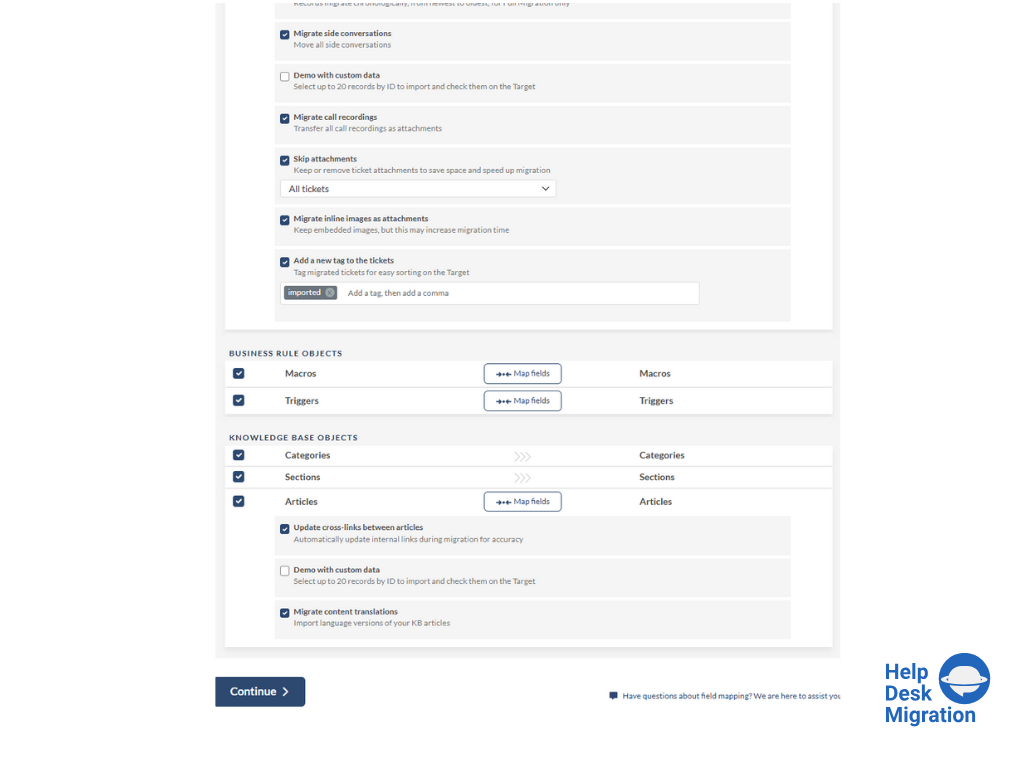
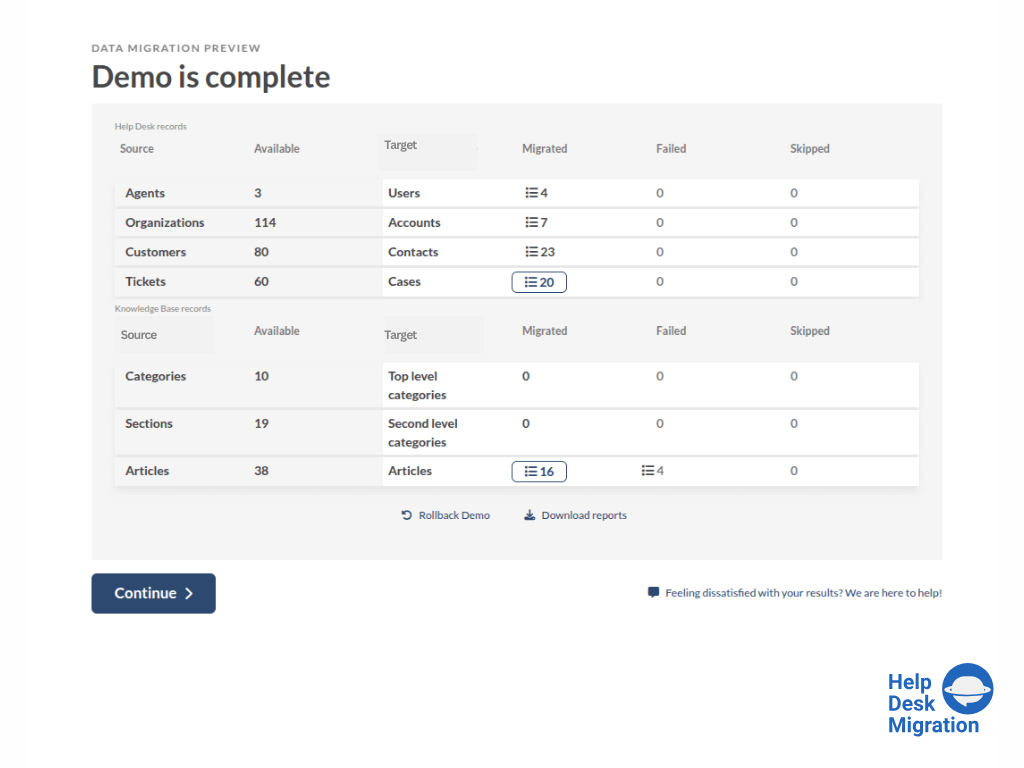
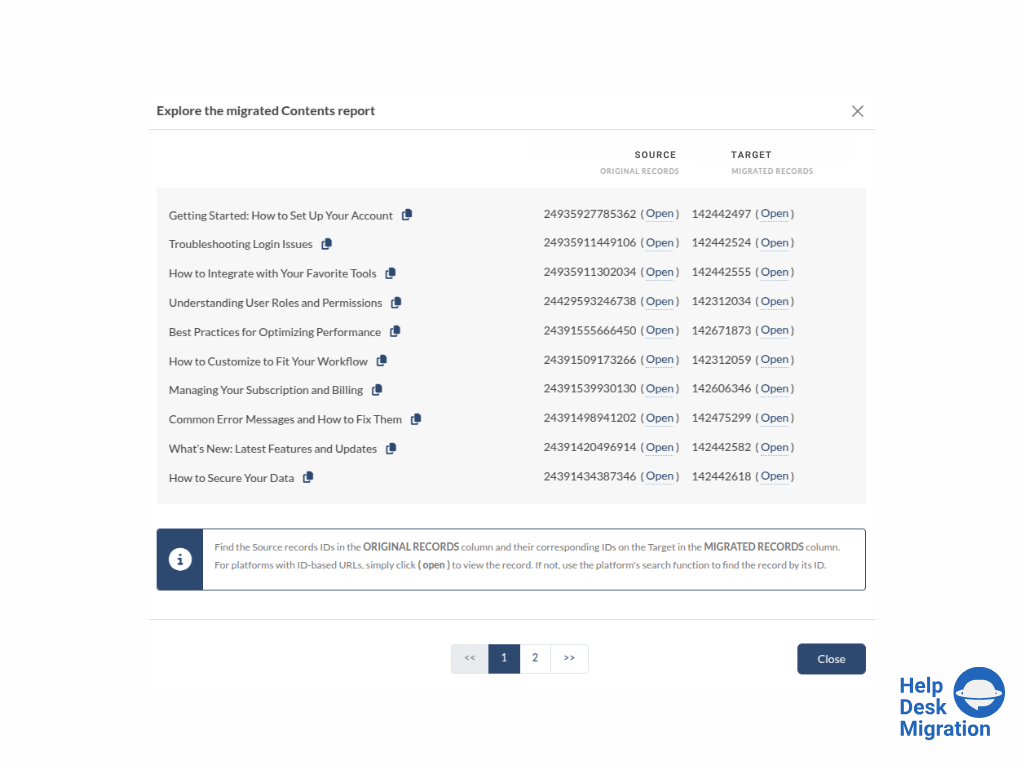
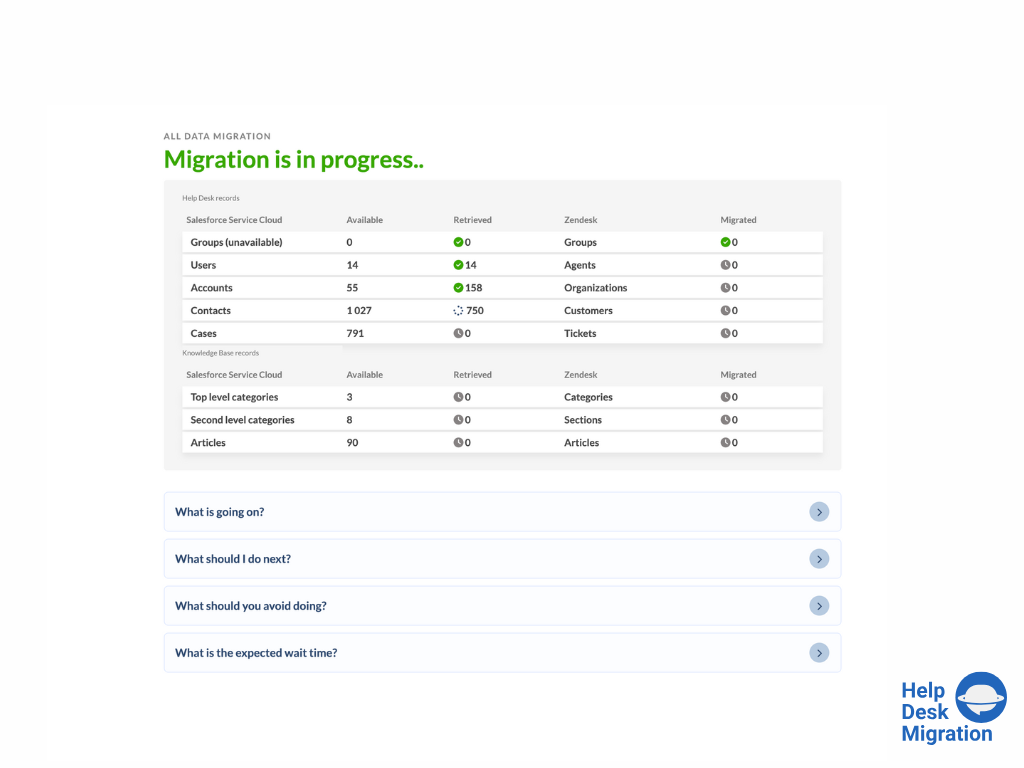
Screenshot of selecting the source and target platforms.Screenshot of mapping data for an accurate migration process.Screenshot of running the Demo Migration, which includes transferring 20 tickets and 20 articles.Screenshot of reviewing the demo migration results.Screenshot of adjusting the mapping and refining the data migration path.Screenshot of the migration progress — duration depends on the number of records being migrated.