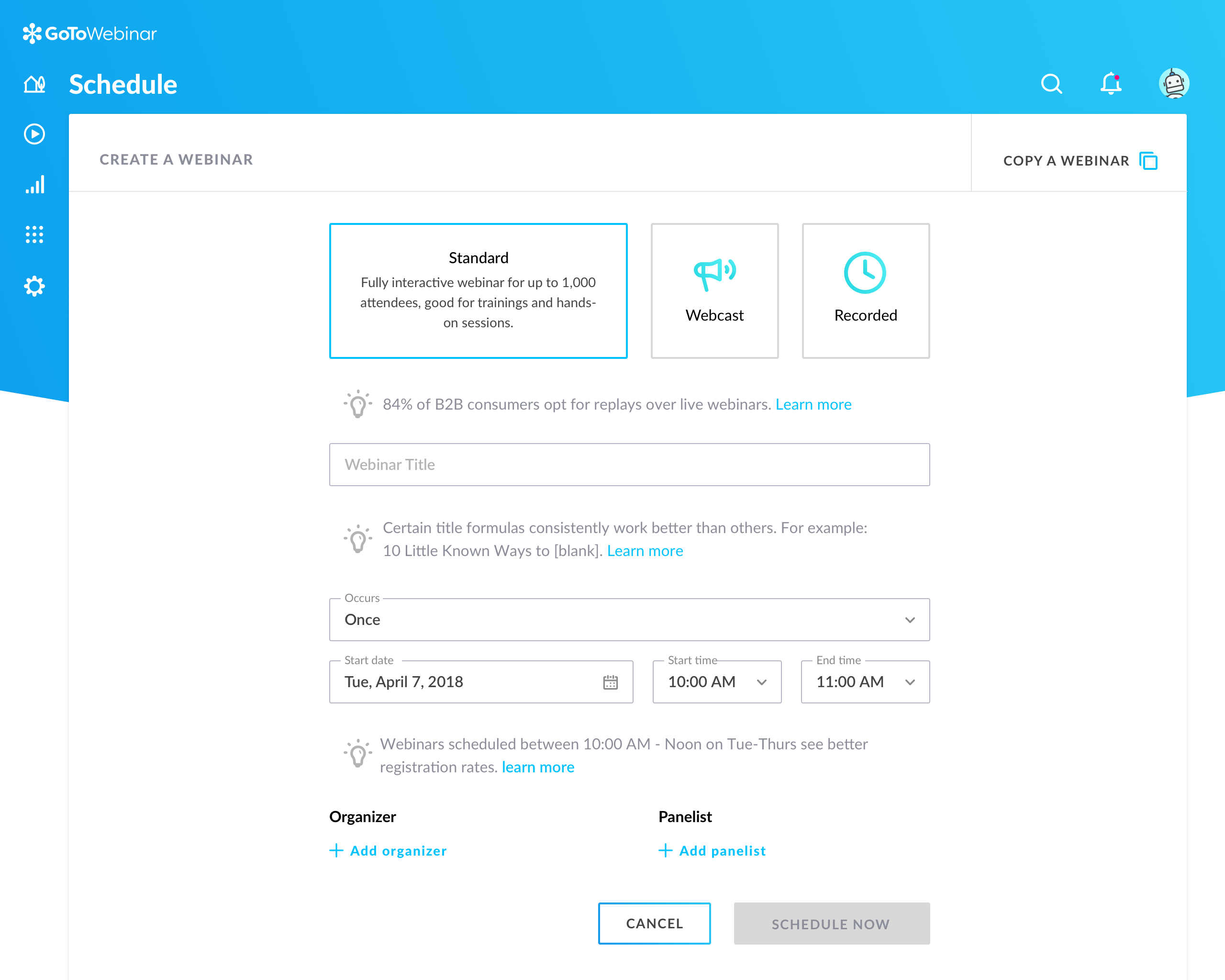
GoToWebinar is GoTo’s webinar and online conferencing solution, and offers features like audience polling and Q&A, flexible scheduling experiences, and webinar templates. It offers CRM integrations and reporting & analytics tools to help engage clients’ audiences.
$49
per month per organizer
Hubilo
Score 7.9 out of 10
N/A
Hubilo is an end-to-end webinar platform for marketers and enterprises, used to host interactive webinars to scale their marketing efforts and generate revenue. From thought leadership to product demos to ABM to customer advocacy - Hubilo Webinar+ is a blank canvas that can be customized to any exact needs. Webinar+ can be used for demand generation, field marketing, or customer success. Hubilo's marketing and engagement features include: Drag-and-drop Landing Page Builder…
N/A
Pricing
GoTo Webinar
Hubilo
Editions & Modules
Lite
$49/month
per month per organizer
Standard
$99/month
per month per organizer
Pro
$199/month
per month per organizer
Enterprise
$399/month
per month per organizer
No answers on this topic
Offerings
Pricing Offerings
GoTo Webinar
Hubilo
Free Trial
Yes
No
Free/Freemium Version
Yes
No
Premium Consulting/Integration Services
No
No
Entry-level Setup Fee
No setup fee
Optional
Additional Details
—
—
More Pricing Information
Community Pulse
GoTo Webinar
Hubilo
Features
GoTo Webinar
Hubilo
Reporting & Analytics
Comparison of Reporting & Analytics features of Product A and Product B
GoTo Webinar
7.2
Ratings
4% below category average
Hubilo
7.9
Ratings
5% above category average
Dashboards
7.20 Ratings
8.00 Ratings
Data exportability
7.10 Ratings
7.80 Ratings
Performance & Compatibility of Online Events Software
Comparison of Performance & Compatibility of Online Events Software features of Product A and Product B
GoTo Webinar
7.6
Ratings
5% below category average
Hubilo
7.7
Ratings
4% below category average
High quality audio
8.20 Ratings
8.20 Ratings
Mobile support
7.60 Ratings
7.20 Ratings
Online Meetings / Events
Comparison of Online Meetings / Events features of Product A and Product B
GoTo Webinar
7.2
Ratings
11% below category average
Hubilo
7.8
Ratings
3% below category average
Calendar integration
7.70 Ratings
7.90 Ratings
Record meetings / events
8.40 Ratings
7.10 Ratings
Slideshows
8.50 Ratings
7.30 Ratings
Event registration
8.60 Ratings
8.70 Ratings
Online Events Collaboration
Comparison of Online Events Collaboration features of Product A and Product B
GoTo Webinar
8.2
Ratings
1% below category average
Hubilo
8.0
Ratings
4% below category average
Audience polling
7.90 Ratings
8.10 Ratings
Q&A
8.60 Ratings
7.90 Ratings
Online Events Security
Comparison of Online Events Security features of Product A and Product B
GoTo Webinar
7.9
Ratings
4% below category average
Hubilo
8.7
Ratings
6% above category average
Participant roles & permissions
7.70 Ratings
8.70 Ratings
Confidential attendee list
8.00 Ratings
8.70 Ratings
Online Events Marketing
Comparison of Online Events Marketing features of Product A and Product B
It is great for big events like training or product demos. It's good for marketing webinars with features like polls and Q&A. It's not ideal for small, casual meetings. It can be too expensive for some businesses. For smaller events, other tools might be better.
It is well suited when you do not care much about the UI and have a great internet connection and you need a wide variety of content on a wide number of topics provided by high value CEOs, Tech heads and entrepreneurs. Be ready, though, to face some minor bugs and small lag issues and bad video quality on low internet bandwidth
Dashboard for control are mostly intuitive but in some menus like the webcasting section can be cluttered
The current polling and survey capabilities are too simple. More advanced features, such as branching logic and real-time results, would make engagement more dynamic and insightful.
Although it's easy for organiser to use goto webinar, users have reported issues and long wait time on their end and they don't have much control over the session
GoTo Webinar is not boring at all. Its design is extremely intuitive and specific for what its name serves. It is a great software for webinars which have become the trend of "continuous learning". I like the way we can manage participants in the webinars, interacting with them while they cannot disturb the flow of the speech by intruding with the mic.
GoTo Webinar's User Interface is simple and straightforward, which is what I, as an end user, prefer to interact with when I only use a software once or twice a month; I don't want to have to remember extra steps just to attend a webinar.
As I mentioned before, good content overall. Gets very laggy and buggy at times. Several issues with limited or low internet connectivity, can get almost unbearable at times. Could do a lot better with its UI and QnA functionality. Good content overall and great people to learn and seek guidance from
I rated GoTo Webinar a 9 out of 10 for availability because it generally performs reliably, with minimal application errors or unplanned outages. The platform’s high uptime ensures that it’s usually accessible when needed, supporting a seamless experience for scheduling and conducting webinars. While occasional minor issues may arise, they are infrequent and typically well-managed, contributing to a strong overall rating for availability.
I rated GoTo Webinar an 8 out of 10 for performance due to its generally robust capabilities. Pages load quickly, and reports are generated efficiently, even for complex data sets. The platform’s integration with other systems typically doesn’t introduce significant latency or performance issues. However, during peak usage times or when handling very large data volumes, there can be occasional slowdowns. Despite these instances, GoTo Webinar consistently provides strong performance and reliability in its core functions.
I was always able to get someone on the phone when I needed to. They were very thorough and ensuring my questions were answered. And if I was asking for a solution or request that they didn't offer, they told me so I could at least stop trying to search for it.
I didn't participate in the implementation nor did my company. As far as I know we have an IT office running alla these projects and we just use the final products for our educational purposes. I also didn't notice implementation at any level while using the desktop interface, but would immediately recognize it, if so.
Zoom scores well above GoTo and ON24 in brand recognition across mid to large enterprises. But GoTo scores well in SMBs. Regarding value for money and ROI, it's better than ON24. We selected GoTo because of the price point and to ensure that our partner-sourced SMB stacks do not end up not engaging with us because of a lack of a proper medium.
In all ways, Hubilo was a better value for our organization in features, cost per attendee, and support provided. Launching the platform, personalization and set up for events seemed easier than demonstrations of other products with more customization (at no extra costs) and user experience seemed similar if not better in some areas than the higher priced alternatives.
I rated GoTo Webinar an 8 out of 10 for scalability because it effectively supports deployment across multiple departments and sites with its flexible features. It allows for easy management of large-scale webinars and integration with various systems, accommodating a growing number of users and sessions. However, some users might find limitations in advanced customization or specific integration needs as their requirements become more complex. Overall, its robust capabilities and adaptability make it a strong choice for scalable webinar solutions.
Good: We've been able to keep various client teams trained up on our product
Good: It helps us automate communication about the webinars, as well as follow-ups
Bad: There is a time suck that shouldn't exist surrounding the recurring scheduler which needs to be rethought and retooled with more than the most basic real world use cases in mind