RSMeans data, from Gordian (formerly Costworks) is a construction and estimation software offering acquired by the Gordian Group in 2014. It includes cost books and construction project estimating software tools.
N/A
InEight
Score8.3 out of 10
N/A
InEight's modular project controls software connects complex project data to improve visibility and delivery in capital construction.
N/A
Pricing
RSMeans data, from Gordian (Costworks)
InEight
Editions & Modules
No answers on this topic
No answers on this topic
Offerings
Pricing Offerings
RSMeans data, from Gordian (Costworks)
InEight
Free Trial
No
No
Free/Freemium Version
No
No
Premium Consulting/Integration Services
No
No
Entry-level Setup Fee
No setup fee
No setup fee
Additional Details
—
InEight offers a modular, integrated project controls platform. Because the InEight platform covers the entire construction lifecycle, customers purchase the software based on their specific needs – purchasing stand-alone products, a bundle of products, or the entire platform. As a result, the pricing will vary depending on the specific product, number of users and length of contract. Once InEight has identified the highest impact areas, they offer potential customers a custom proposal. The options they consider include:
Per user pricing: typically annual subscriptions.
Revenue-based: using a percentage of the customer’s revenue.
Project-based: software use dedicated to a specific project or program of work.
More Pricing Information
Features
RSMeans data, from Gordian (Costworks)
InEight
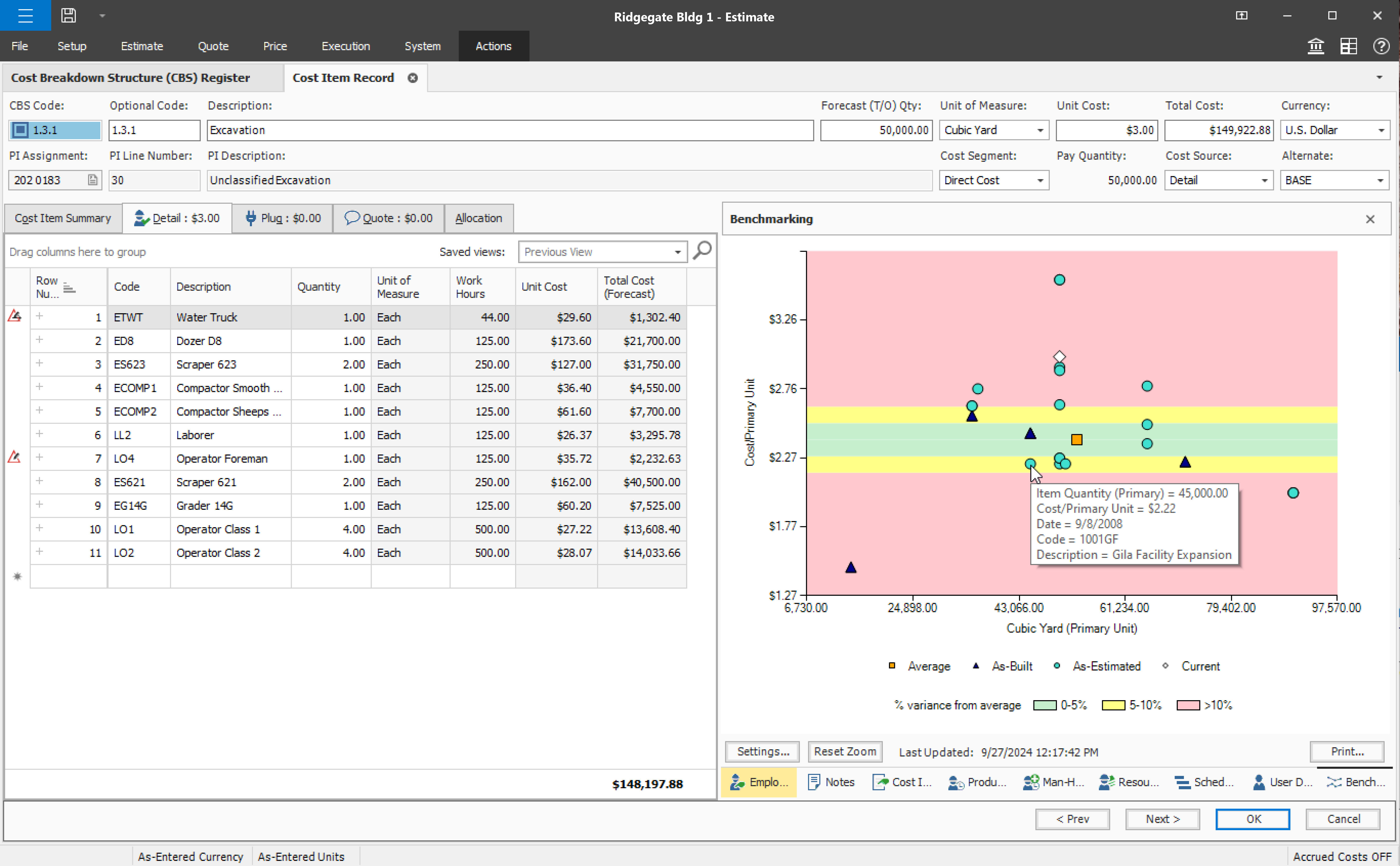
Estimating
Comparison of Estimating features of RSMeans data, from Gordian (Costworks) and InEight
Feature
RSMeans data, from Gordian (Costworks)
7.8
1 Ratings
3% below category average
InEight
8.3
16 Ratings
4% above category average
Takeoff tools
6.01 Ratings
6.84 Ratings
Job costing
9.01 Ratings
8.814 Ratings
Cost databases
9.01 Ratings
8.54 Ratings
Cost calculator
8.01 Ratings
8.816 Ratings
Bid creation
7.01 Ratings
8.516 Ratings
Reporting & Analytics
Comparison of Reporting & Analytics features of RSMeans data, from Gordian (Costworks) and InEight
Feature
RSMeans data, from Gordian (Costworks)
-
Ratings
InEight
7.0
15 Ratings
8% below category average
Dashboards
00 Ratings
7.412 Ratings
Standard reports
00 Ratings
6.414 Ratings
Custom reports
00 Ratings
6.314 Ratings
Data exportability
00 Ratings
8.114 Ratings
Construction Project & Field Management
Comparison of Construction Project & Field Management features of RSMeans data, from Gordian (Costworks) and InEight
Well Suited: Construction cost estimates for new larger projects where the construction will start within the next 6-9 months. Budgetary estimates for future buildings through its square foot models. Not Well Suited: Not accurate enough on small projects where labor, travel to sites, and OH&P are a higher percentage of unit costs than on larger projects where these costs are spread out across more units.
A de minimis incentive was given to thank the reviewer for their time. The incentive was not used to bias or drive a particular response, nor was the incentive contingent on a positive endorsement. More Info
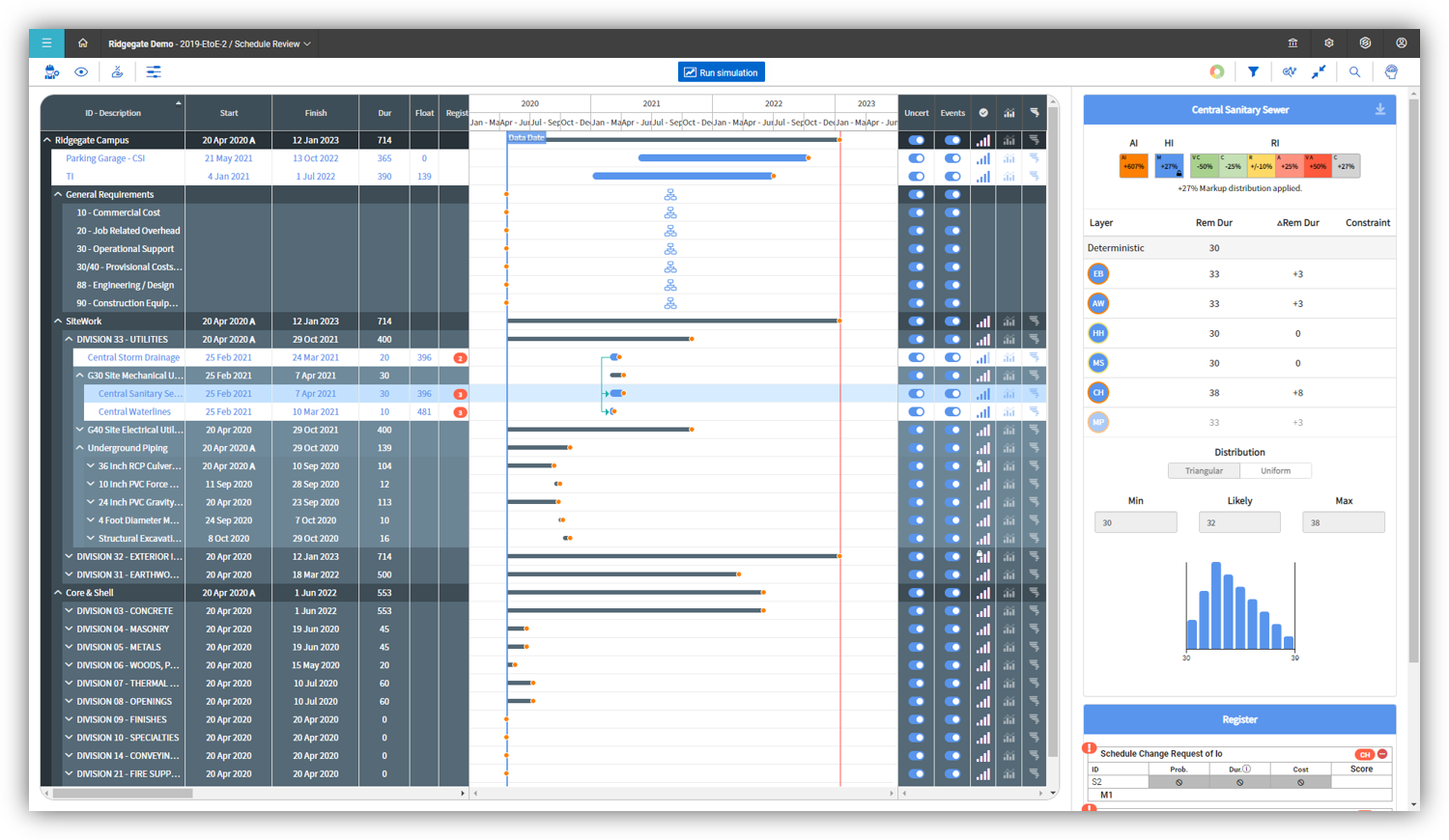
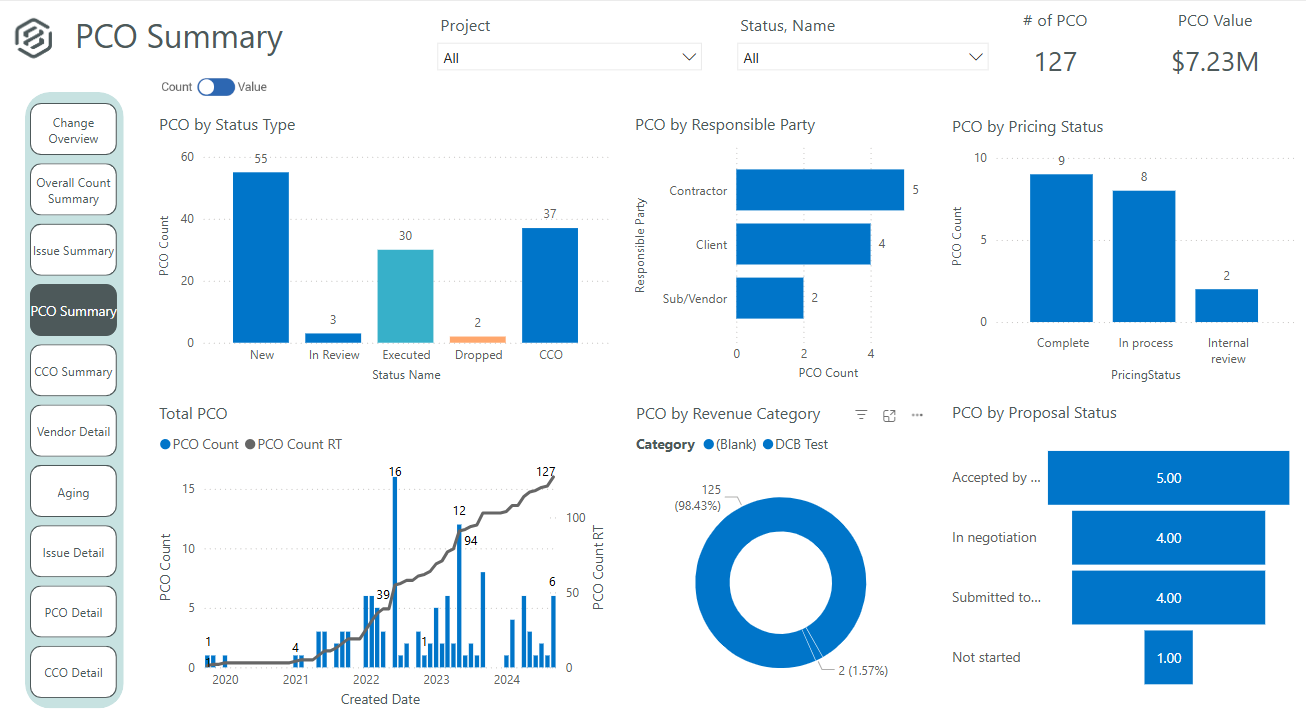
It's definitely a good tool for progress tracking, as well as time tracking. The ability to forecast quantities provide an even better scenario, closer to the reality, supporting even change management. The change management is also a good method, besides the fact of rework if you think in the whole process of issue creation, promoting to PCO, promote to CCO, execute the issue, move to change in controls, and so on... just now I think having all in a single place would minimize the manual work and maybe increase the engagement on it. About a negative point, I'd use a feature that appears to be in all modules. It's pretty much a cosmetic, but it impact in the productivity, a lot. For all fields you will fill with information, whenever your mouse hover over it, a tooltip appears, impeding you to continue, so you have to walk around, click in a place that's not being covered by that tooltip, go back to your keyboard and continue... again, it's a cosmetic, but having this in a Monday, with a full job to plan, claim quantities, and whatever else, it's annoying.
A de minimis incentive was given to thank the reviewer for their time. The incentive was not used to bias or drive a particular response, nor was the incentive contingent on a positive endorsement. More Info
CostWorks is very good at generating quick and valid estimates for standardized facilities such as office buildings, schools, etc. It allows you to validate other cost estimates at the UniFormat level when doing an estimate validation.
CostWorks' database of detailed line-items is a very resourceful asset when it comes to finding a very specific line-item. Sometimes, when using Success or MII, I will have CostWorks open on the other screen so I can find an item that the other softwares just don't have and build it into the other software from the CostWorks entry.
CostWorks does a very good job of generating reports that are both well-developed and have enough detail at the summary level to be able to sit with a client or a project manager and have them follow along and understand without being overwhelmed with detail and numbers.
A de minimis incentive was given to thank the reviewer for their time. The incentive was not used to bias or drive a particular response, nor was the incentive contingent on a positive endorsement. More Info
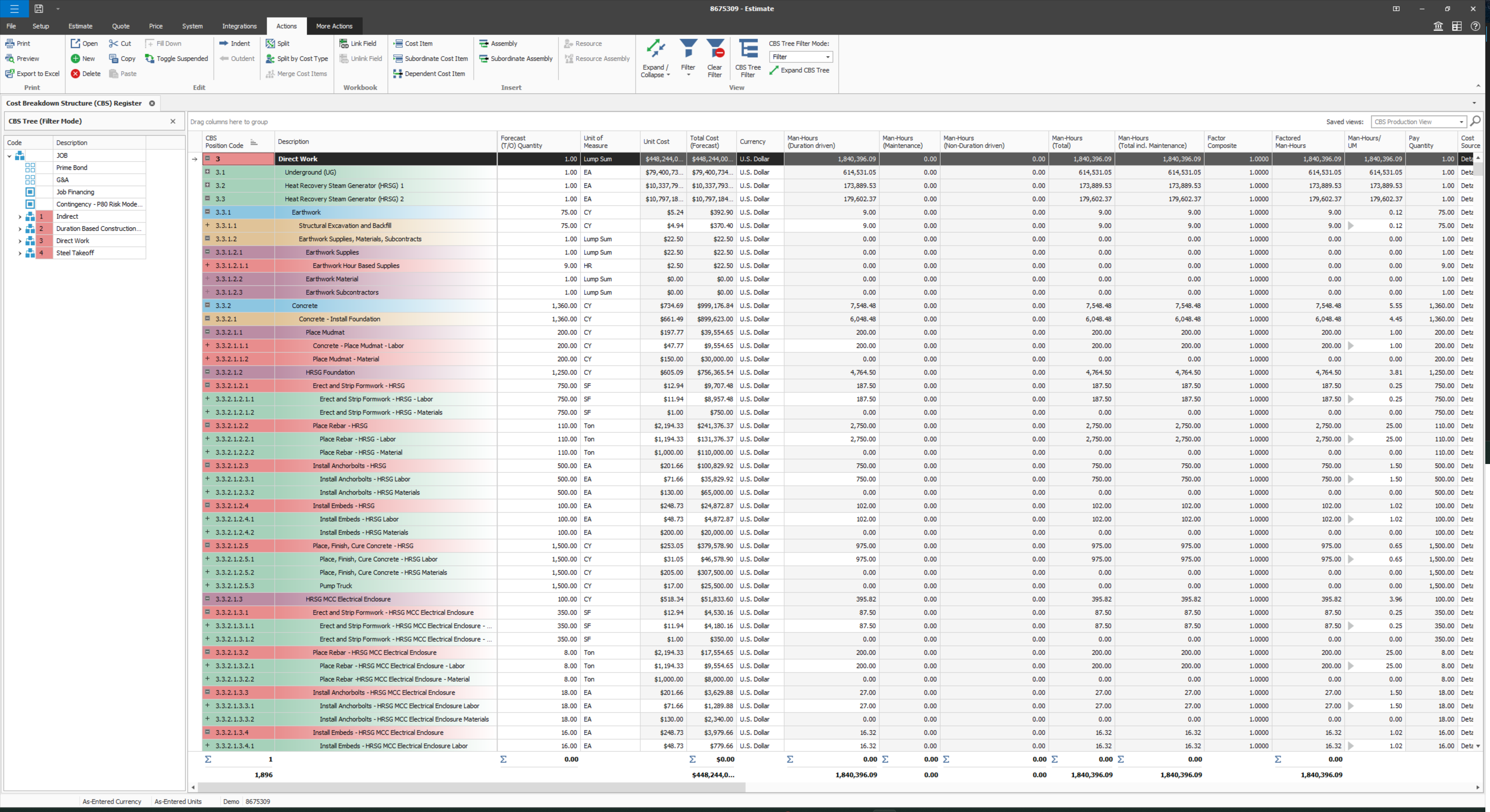
User defined views and descriptions for all screens.
Customizable ribbons to provide an efficient use of the software.
Multiple layers/dependents to allow for an extreme drill down of the work and the ability to roll up to a more useful level for upper management review.
You can bid the work as you would build it, in detail.
A de minimis incentive was given to thank the reviewer for their time. The incentive was not used to bias or drive a particular response, nor was the incentive contingent on a positive endorsement. More Info
A de minimis incentive was given to thank the reviewer for their time. The incentive was not used to bias or drive a particular response, nor was the incentive contingent on a positive endorsement. More Info
Provide a simpler version (cliff notes) of the knowledge database
Offer versions of InEight for smaller companies, i.e. less than 20 emplyees, under $5M in revenue
When an estimate is complete, offer a dialog box to ask if the job was won, lost, or still in progress. We tend to leave most of our estimates in the bidding column. This is a user error, but the prompt would be helpful.
A de minimis incentive was given to thank the reviewer for their time. The incentive was not used to bias or drive a particular response, nor was the incentive contingent on a positive endorsement. More Info
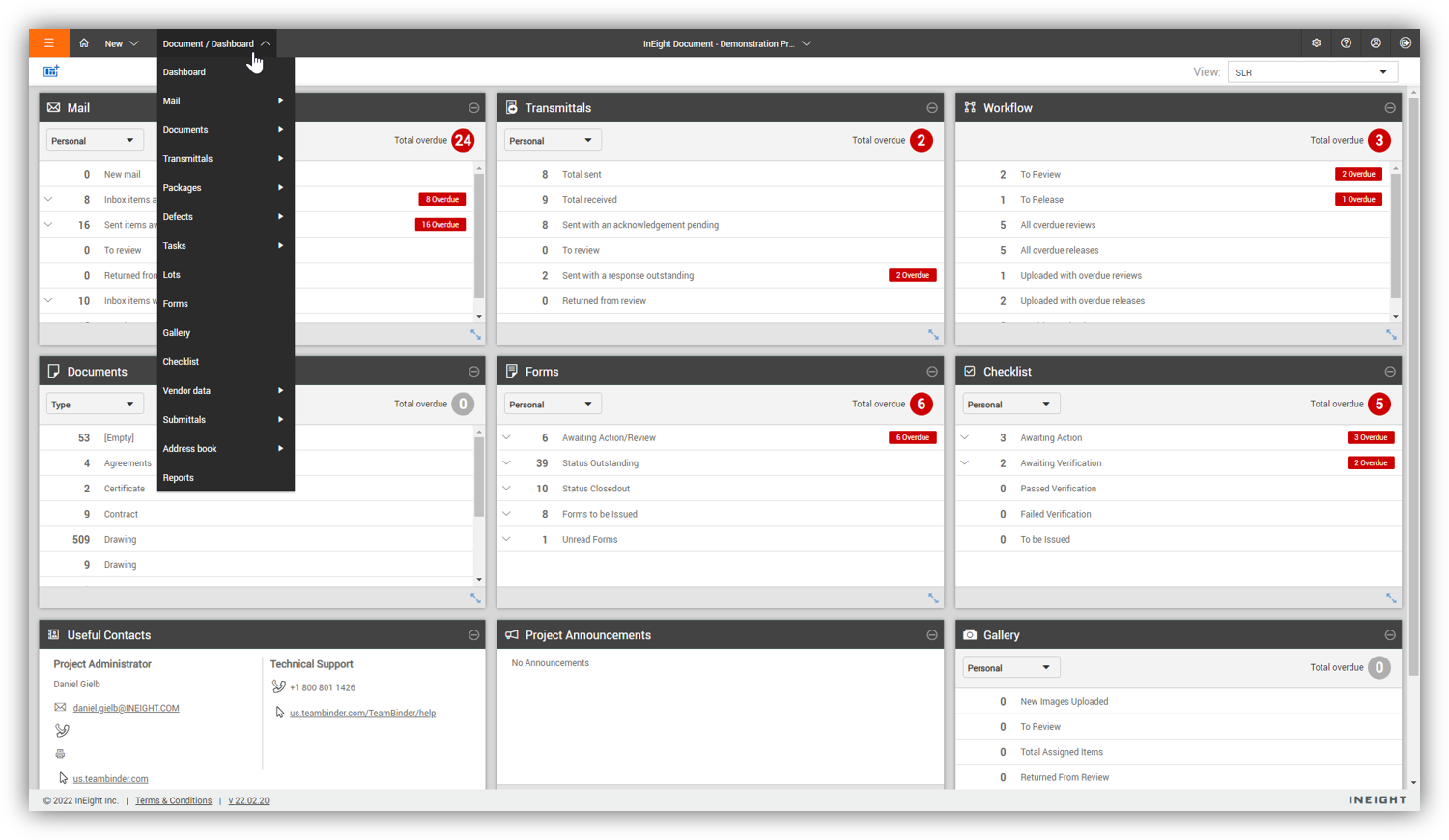
Some features with InEight's TeamBinder are worthy of single use, however the review feature and subsequent revision and version numbering could be improved. We will be aiming to roll out the package to encompass our internal documentation in the near future and will be in a better position to judge the usability after that point in time.
A de minimis incentive was given to thank the reviewer for their time. The incentive was not used to bias or drive a particular response, nor was the incentive contingent on a positive endorsement. More Info
I would give it an 8 out of 10 because the software can be a bit cumbersome to new users. It also takes a long time to set up the library and input all of your companies needs so that the software will provide the level of service required to estimate projects. However, once the software is set up it is a powerful tool. We only use a portion of what the software is capable of delivering
A de minimis incentive was given to thank the reviewer for their time. The incentive was not used to bias or drive a particular response, nor was the incentive contingent on a positive endorsement. More Info
A de minimis incentive was given to thank the reviewer for their time. The incentive was not used to bias or drive a particular response, nor was the incentive contingent on a positive endorsement. More Info
We are new to the use of the system, and so far, we have not reached out for any support. The only support we have requested so far is the development of a training program that involves other staff - some are to learn the use of the program, and some are for informational purposes in understanding the capabilities of InEight.
A de minimis incentive was given to thank the reviewer for their time. The incentive was not used to bias or drive a particular response, nor was the incentive contingent on a positive endorsement. More Info
Since the original inception, I have been required to overhaul the system so that it is more user friendly and combines both aspects of our business, documentation and drawings. Being able to control revision and version numbering has been a key struggle that only staff training has been able to mark this as complete.
A de minimis incentive was given to thank the reviewer for their time. The incentive was not used to bias or drive a particular response, nor was the incentive contingent on a positive endorsement. More Info
CostWorks is a unique software for estimating as compared to the other softwares I have listed above. PACES is mostly used for federal modeling and really cannot be compared to Costworks. It has its own developed modeling database and has its own quirkiness and issues. MII has been developed for the USACE and utilized a user-developed folder structure and RS Means Database. I use CostWorks along side this software to find line-items that are not in the MII RS Means Database. Success has been developed for NAVFAC and again, utilizes a user-developed folder structure and RS Means Database. When I use this software, I ALWAYS have CostWorks open on the other screen as Success' RS Means database is extremely lacking when it comes to the number of detail line-items. Timberline is by SAGE and I use it mostly for DOS and FAA work. Of the 3 RS Means Database softwares, this one has the most detailed database for reference, however, there are times when I do have to look up an item that Timberline does not have and the first software I open is CostWorks.
A de minimis incentive was given to thank the reviewer for their time. The incentive was not used to bias or drive a particular response, nor was the incentive contingent on a positive endorsement. More Info
We looked at HCSS and Bid 2 Win but chose Ineight due to the fact that it seemed more user friendly, plus I had used it at a former company when it was available from the Grantlun Corporation and was very familiar with it in its ease of use and reliability.
A de minimis incentive was given to thank the reviewer for their time. The incentive was not used to bias or drive a particular response, nor was the incentive contingent on a positive endorsement. More Info
InEight is a good system that has scaled nicely as the company has grown. the tools are still readily available and applicable for our larger scope of work. It has kept up with the growth of the company very nicely
A de minimis incentive was given to thank the reviewer for their time. The incentive was not used to bias or drive a particular response, nor was the incentive contingent on a positive endorsement. More Info
I don't really see any "negative" impacts on my business or my ROI by purchasing CostWorks. It's a valuable tool that we use, however, some of my colleagues do not use it or use it very infrequently.
I find it well worth the cost even though we don't develop complete estimates in CostWorks due to client dictated softwares.
It has provided very quickly-built estimating models that let our team and project managers know that the RFP or the task that they are contemplating bidding on or starting to work on is actually feasible to construction given the budget and directive.
A de minimis incentive was given to thank the reviewer for their time. The incentive was not used to bias or drive a particular response, nor was the incentive contingent on a positive endorsement. More Info
A de minimis incentive was given to thank the reviewer for their time. The incentive was not used to bias or drive a particular response, nor was the incentive contingent on a positive endorsement. More Info