
Google Keep vs. Workflowy
| Product | Rating | Most Used By | Product Summary | Starting Price |
|---|---|---|---|---|
 Google Keep | Score9.9 out of 10 | N/A | Google Keep is a note-taking app launched by Google in 2013 and available free, providing a tool to capture text, images, video, etc. | N/A |
 Workflowy | Score9.6 out of 10 | N/A | Workflowy is a note-taking and organizational tool designed to help users manage their tasks, notes, and projects. Its simplicity and features make it a choice for individuals and teams looking to streamline their workflow. Infinite Nesting Structure: Workflowy allows users to create lists within lists to an infinite degree, enabling a detailed and structured way to organize information Global Search: Its search function is used to search through all their… | $8.99 per month per user |
| Google Keep | Workflowy | |||||||||||||||
|---|---|---|---|---|---|---|---|---|---|---|---|---|---|---|---|---|
| Editions & Modules | No answers on this topic |
| ||||||||||||||
| Offerings |
| |||||||||||||||
| Entry-level Setup Fee | No setup fee | No setup fee | ||||||||||||||
| Additional Details | — | — | ||||||||||||||
| More Pricing Information | ||||||||||||||||
| Google Keep | Workflowy | |
|---|---|---|
| Considered Both Products | No answer on this topic | No answer on this topic |
| Key User Insights | ||
| Would buy again | ||
100% Would buy again 12 Answers | No answers on this topic | |
| Delivers good value for the price | ||
100% Delivers good value for the price 11 Answers | No answers on this topic | |
| Happy with the feature set | ||
92% Happy with the feature set 11 Answers | No answers on this topic | |
| Lived up to sales and marketing promises | ||
100% Lived up to sales and marketing promises 8 Answers | No answers on this topic | |
| Implementation went as expected | ||
100% Implementation went as expected 10 Answers | No answers on this topic | |
| Google Keep | Workflowy | ||||||||||||||||||||||||||||
|---|---|---|---|---|---|---|---|---|---|---|---|---|---|---|---|---|---|---|---|---|---|---|---|---|---|---|---|---|---|
| Project Management |
| ||||||||||||||||||||||||||||
| Communication |
| ||||||||||||||||||||||||||||
| File Sharing & Management |
| ||||||||||||||||||||||||||||
| Google Keep | Workflowy | |
|---|---|---|
| Small Businesses |  Flock Score9.1 out of 10 | Flock Score9.1 out of 10 |
| Medium-sized Companies |  Microsoft Viva Engage Score7.9 out of 10 | Microsoft Viva Engage Score7.9 out of 10 |
| Enterprises |  Cisco Business Edition 7000 (discontinued) Score9 out of 10 | Google Keep Score9.9 out of 10 |
| All Alternatives | View all alternatives | View all alternatives |
| Google Keep | Workflowy | |
|---|---|---|
| Likelihood to Recommend | 10.0 | 9.1 |
| Likelihood to Renew | 10.0 | - |
| Usability | 9.0 | 8.2 |
| Support Rating | 7.9 | - |
| Google Keep | Workflowy | |
|---|---|---|
| Likelihood to Recommend |
|
|
| Pros |
|
|
| Cons |
|
|
| Likelihood to Renew |
| No answers on this topic |
| Usability |
|
|
| Support Rating |
| No answers on this topic |
| Alternatives Considered |
|
|
| Return on Investment |
|
|
| ScreenShots | Workflowy Screenshots    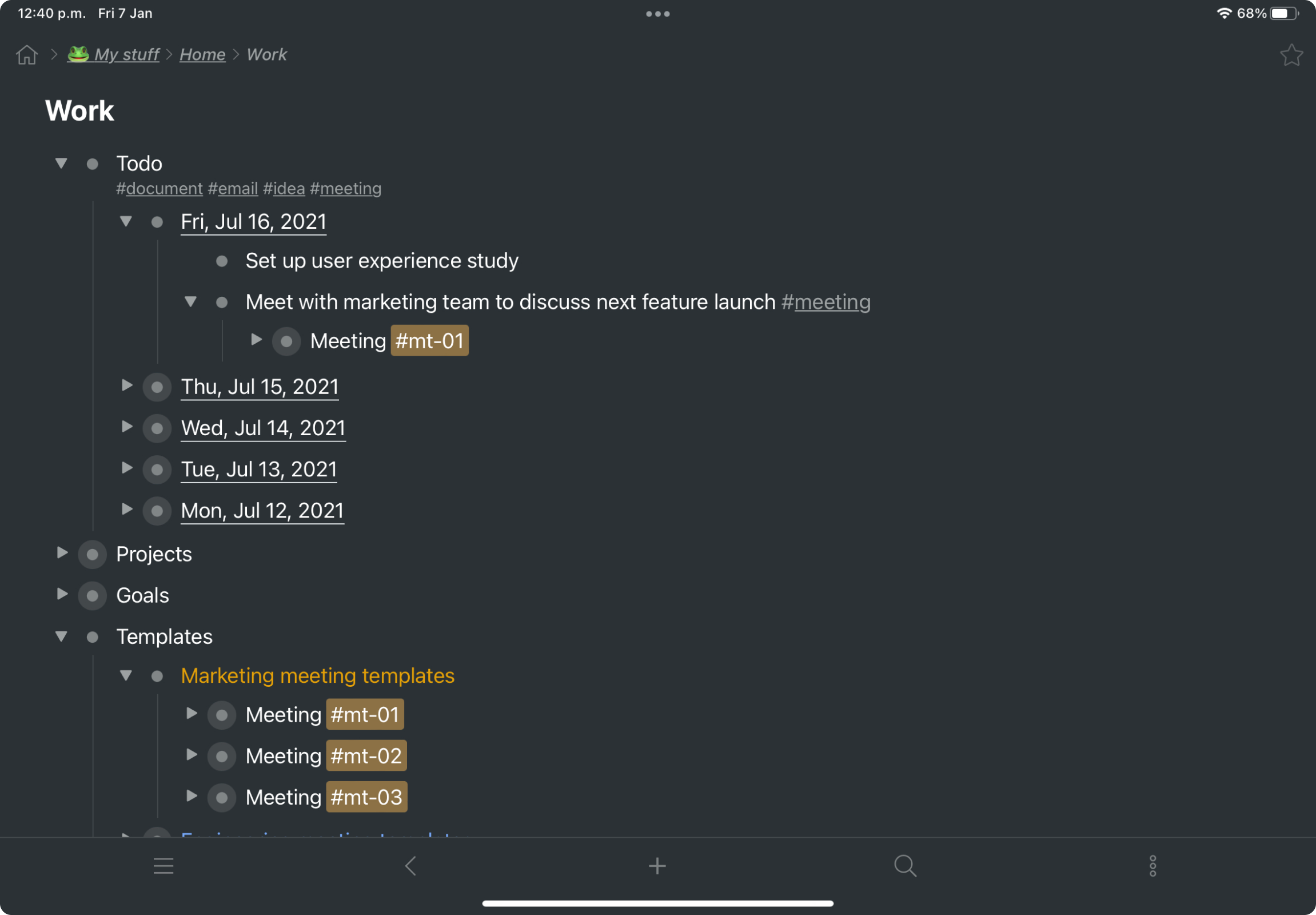 |




