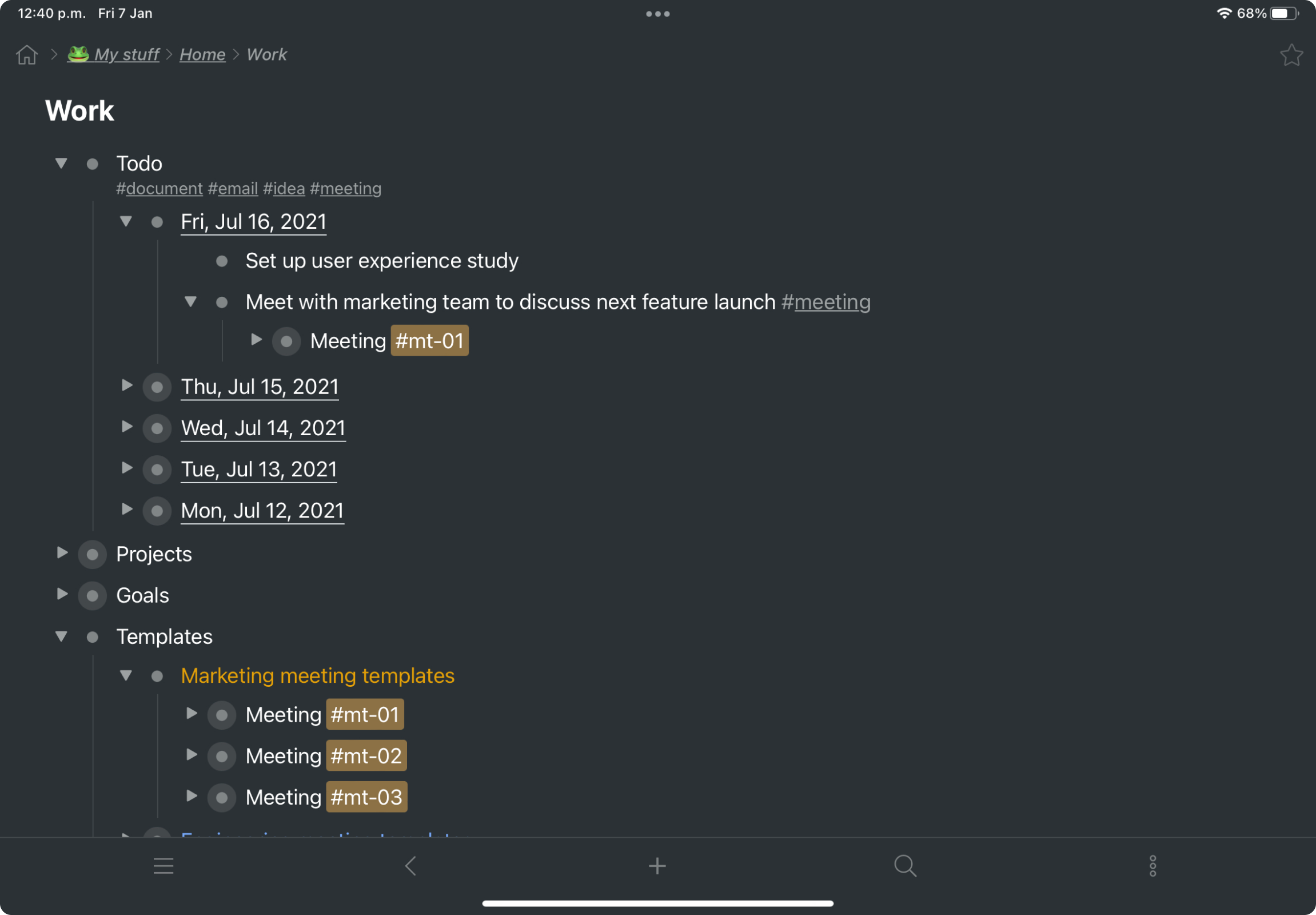
Workflowy is a note-taking and organizational tool designed to help users manage their tasks, notes, and projects. Its simplicity and features make it a choice for individuals and teams looking to streamline their workflow. Infinite Nesting Structure: Workflowy allows users to create lists within lists to an infinite degree, enabling a detailed and structured way to organize information Global Search: Its search function is used to search through all their…
A de minimis incentive was given to thank the reviewer for their time. The incentive was not used to bias or drive a particular response, nor was the incentive contingent on a positive endorsement. More Info
Independent Contractor in Marketing at Freelancer (Marketing & Advertising, 1-10 employees)
Chose Workflowy
There is also IndiGrid and Calculist. Workflowy outshines them all with it's various layouts, which other apps do not have (except maybe Todoist). Did I mention the ability to keep my hands on the keyboard while I can think and create without interruption?
A de minimis incentive was given to thank the reviewer for their time. The incentive was not used to bias or drive a particular response, nor was the incentive contingent on a positive endorsement. More Info
Key User Insights
Would buy again
No answers on this topic
Delivers good value for the price
No answers on this topic
Happy with the feature set
No answers on this topic
Lived up to sales and marketing promises
No answers on this topic
Implementation went as expected
No answers on this topic
Features
Workflowy
Project Management
Comparison of Project Management features of Workflowy
Feature
Workflowy
7.3
1 Ratings
5% below category average
Task Management
6.41 Ratings
Mobile Access
6.41 Ratings
Search
9.11 Ratings
File Sharing & Management
Comparison of File Sharing & Management features of Workflowy
For my money, it is best to use Workflowy for all areas of focus in my daily life. When I start to separate information, notes, convo's that's when I run into trouble. By using Workflowy for everything, I keep my sanity and my effectiveness. I cannot think of any environment where the Workflowy app would not work out extremely well!
I now have 12+ years of notes stored in Workflowy - everything from song lyrics to book outlines to classroom notes. It makes it VERY easy to find, VERY easy to sort, and VERY easy to organize.
I estimate that Workflowy easily saves me 1.5 - 2 hours each day in streamlined productivity. That calculates, for my organization approximaely $500.00 a month!