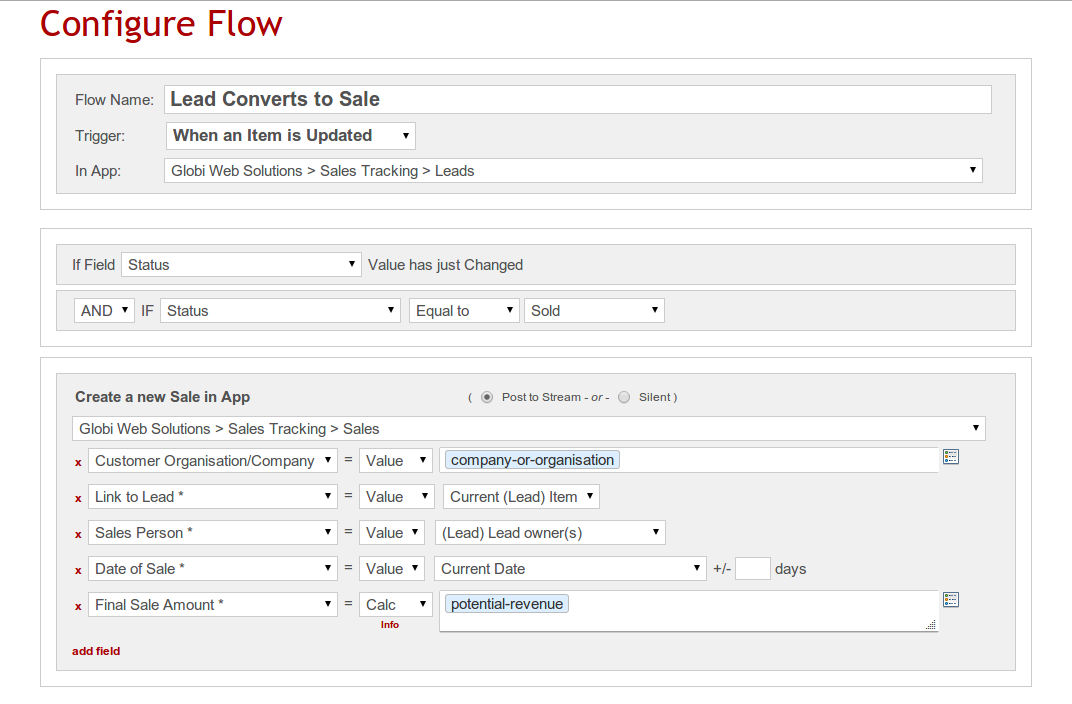
GlobiFlow for Podio is a workflow automation and data visualization solution for Citrix Podio.
N/A
Alfresco
Score9.9 out of 10
N/A
The Alfresco platform, from Hyland, delivers comprehensive cloud-native content services. It is used to intelligently activate processes and content to accelerate the flow of business.
N/A
Pricing
GlobiFlow for Podio
Alfresco
Editions & Modules
No answers on this topic
No answers on this topic
Offerings
Pricing Offerings
GlobiFlow for Podio
Alfresco
Free Trial
No
Yes
Free/Freemium Version
No
Yes
Premium Consulting/Integration Services
No
No
Entry-level Setup Fee
No setup fee
No setup fee
Additional Details
—
—
More Pricing Information
Features
GlobiFlow for Podio
Alfresco
Reporting & Analytics
Comparison of Reporting & Analytics features of GlobiFlow for Podio and Alfresco
Feature
GlobiFlow for Podio
8.0
1 Ratings
2% below category average
Alfresco
-
Ratings
Custom reports
8.01 Ratings
00 Ratings
Process Engine
Comparison of Process Engine features of GlobiFlow for Podio and Alfresco
Feature
GlobiFlow for Podio
8.3
1 Ratings
1% below category average
Alfresco
-
Ratings
Process simulation
8.01 Ratings
00 Ratings
Business rules engine
9.01 Ratings
00 Ratings
Model execution
8.01 Ratings
00 Ratings
Collaboration
Comparison of Collaboration features of GlobiFlow for Podio and Alfresco
Feature
GlobiFlow for Podio
8.0
1 Ratings
5% below category average
Alfresco
-
Ratings
Social collaboration tools
8.01 Ratings
00 Ratings
Enterprise Content Management
Comparison of Enterprise Content Management features of GlobiFlow for Podio and Alfresco
Feature
GlobiFlow for Podio
-
Ratings
Alfresco
8.0
6 Ratings
1% above category average
Content capture & imaging
00 Ratings
3.14 Ratings
File sync, storage & archiving
00 Ratings
9.05 Ratings
Document management
00 Ratings
10.06 Ratings
Records management
00 Ratings
8.05 Ratings
Content search & retrieval
00 Ratings
10.06 Ratings
Enterprise content collaboration
00 Ratings
8.06 Ratings
Content publishing & creation
00 Ratings
8.04 Ratings
Security, risk management & information governance
GlobiFlow should be considered advanced software for a limited number of employees. If users of GlobiFlow don't work together, they could easily create processes that cancel out other work. GlobiFlow works very well when one person understands the program well and uses it to help coworkers think through processes. The most helpful way we've used it is in automating our hiring process somewhat. Instead of receiving hundreds of emails with job applications, we set up an app in Podio and used Globiflow to notify supervisors when applications were received through our website. As a candidate moves through the hiring process, GlobiFlow processes provide triggers to help us remember what needs to happen at each step along the way by automatically generating tasks, emails, and items in other apps.
A de minimis incentive was given to thank the reviewer for their time. The incentive was not used to bias or drive a particular response, nor was the incentive contingent on a positive endorsement. More Info
Easy integration with the external APIs Workflows can be invoked via REST call Wonderful swagger documentation for process REST APIs REST, MULE, CAMEL, Google Drive, and Box features are available with Alfresco Process Services The micro-service version deployment should be well documented and needs improvement
A de minimis incentive was given to thank the reviewer for their time. The incentive was not used to bias or drive a particular response, nor was the incentive contingent on a positive endorsement. TR verified that a representative sample of customers was invited. More Info
GlobiFlow allows one event to prompt a task or notification automatically, which greatly improves workflows and internal communications.
GlobiFlow makes it possible to automate some interactions we have with people outside the agency, for example, responding immediately to an application when it is received, creating a Sharefile folder to collect submitted documents all in one secure location, etc.
GlobiFlow suggests new ways of setting up workflows that makes us think through and improve our processes.
GlobiFlow helps us keep track of events in new and improved ways. For example, when a leave request is approved GlobiFlow automates the process for putting that date on an agency-wide calendar.
GlobiFlow helps us use Podio and Sharefile better so we communicate with employees in other offices and out in the field more effectively.
A de minimis incentive was given to thank the reviewer for their time. The incentive was not used to bias or drive a particular response, nor was the incentive contingent on a positive endorsement. More Info
A de minimis incentive was given to thank the reviewer for their time. The incentive was not used to bias or drive a particular response, nor was the incentive contingent on a positive endorsement. More Info
There is a steep learning curve for your typical PC user. I've used GlobiFlow for over a year but there are many things I still don't understand about it. The help pages are somewhat helpful, but there is a whole vocabulary associated with GlobiFlow that is a bit mysterious at the front end.
Any limitations in Podio are repeated in GlobiFlow.
Setting up processes in GlobiFlow is somewhat complicated, which makes it a little tedious when employees change and responsibilities shift, as they often do in a growing organization. Naming your processes well is important so you can go back and find places where changes need to be made.
A de minimis incentive was given to thank the reviewer for their time. The incentive was not used to bias or drive a particular response, nor was the incentive contingent on a positive endorsement. More Info
Alfresco Process Services and Alfresco Application Development Framework integration makes for best functionality/application of ECM.
Use case alignment - Marketing content and documentation of specific business requirements and user stories being available as reference material/documentation.
A de minimis incentive was given to thank the reviewer for their time. The incentive was not used to bias or drive a particular response, nor was the incentive contingent on a positive endorsement. More Info
As per the current market and the line of products that are available for content and document management system, Alfresco is a very good option compared to other systems in terms of features and cost. Plus the community support is great. Also since the product is open source, it can be extended or understood in a better way.
A de minimis incentive was given to thank the reviewer for their time. The incentive was not used to bias or drive a particular response, nor was the incentive contingent on a positive endorsement. More Info
A de minimis incentive was given to thank the reviewer for their time. The incentive was not used to bias or drive a particular response, nor was the incentive contingent on a positive endorsement. More Info
I am not big fan of Alfresco Content Services' support; it works on its own speed and sometimes it becomes challenging to achieve business needs. However, I appreciate regular delivery of security patches and updates
A de minimis incentive was given to thank the reviewer for their time. The incentive was not used to bias or drive a particular response, nor was the incentive contingent on a positive endorsement. More Info
Process was relatively smooth and overall, downtime minimal. MSI was very responsive to our needs and made the transition easier than it otherwise might have been.
A de minimis incentive was given to thank the reviewer for their time. The incentive was not used to bias or drive a particular response, nor was the incentive contingent on a positive endorsement. More Info
We acquired GlobiFlow at the same time that we GlobiFlow Podio and ShareFile. GlobiFlow helped us use both Podio and ShareFile more efficiently. Podio has an internal automation function that performs some of the same tasks as GlobiFlow but is far more limited, which is why we decided to go ahead and learn how to implement GlobiFlow.
A de minimis incentive was given to thank the reviewer for their time. The incentive was not used to bias or drive a particular response, nor was the incentive contingent on a positive endorsement. More Info
All software has some pros and some cons. Alfresco has some good pluses, and suits our environment very well. It fit perfectly in the place that we are working on. That is why we decided to go with this software. Overall, the kind of content management that needs to be done in an organization is what would determine which software to use.
A de minimis incentive was given to thank the reviewer for their time. The incentive was not used to bias or drive a particular response, nor was the incentive contingent on a positive endorsement. More Info
A de minimis incentive was given to thank the reviewer for their time. The incentive was not used to bias or drive a particular response, nor was the incentive contingent on a positive endorsement. More Info
A de minimis incentive was given to thank the reviewer for their time. The incentive was not used to bias or drive a particular response, nor was the incentive contingent on a positive endorsement. More Info