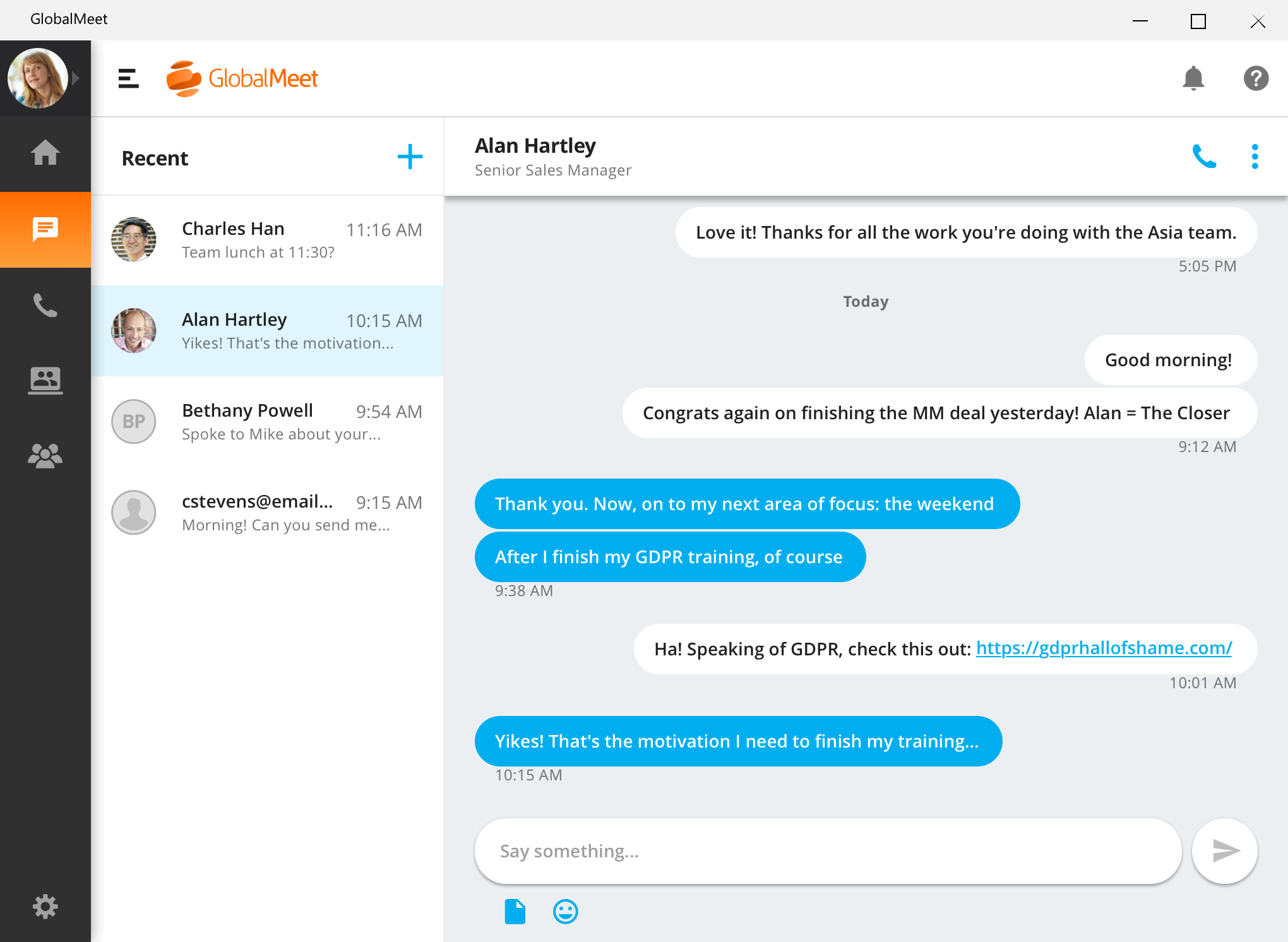
GlobalMeet Collaborationiwas an audio, web and video conferencing solution that is designed to make global communication easy from anywhere using any device. As of 2023 the product has reached EOL and will no longer be sold.
N/A
Microsoft Teams
Score7.7 out of 10
N/A
Microsoft Teams combines video conferencing software with team collaboration tools. The communications platform allows MS Office users to conduct conference calls and share files via SharePoint, and join or initiate a group chat.
$4.80
per month per user
Pricing
GlobalMeet Collaboration (discontinued)
Microsoft Teams
Editions & Modules
No answers on this topic
Microsoft Teams Essentials
$4.80
per month per user
Microsoft Teams Enterprise
$5.25
per month (paid yearly) per user
Microsoft Teams Enterprise
$5.25
per month per user
Microsoft 365 Business Basic
$7.20
per month per user
Microsoft 365 Business Standard
$15
per month per user
Offerings
Pricing Offerings
GlobalMeet Collaboration (discontinued)
Microsoft Teams
Free Trial
No
Yes
Free/Freemium Version
Yes
Yes
Premium Consulting/Integration Services
No
No
Entry-level Setup Fee
Optional
No setup fee
Additional Details
—
Discounts are available for non profit organizations.
More Pricing Information
Community Pulse
GlobalMeet Collaboration (discontinued)
Microsoft Teams
Considered Both Products
Discontinued Products
Verified User
Chose GlobalMeet Collaboration (discontinued)
Similar platform between the two. I'm familiar with GlobalMeet so it maybe easier for me to use. I do like the ability to keep chat, documents, etc. in Microsoft Teams so that all can go back and review or edit. This feature might be available on GlobalMeet but I'm not aware of …
A de minimis incentive was given to thank the reviewer for their time. The incentive was not used to bias or drive a particular response, nor was the incentive contingent on a positive endorsement. More Info
Verified User
Chose GlobalMeet Collaboration (discontinued)
I was not involved in the purchasing decision, but choose GlobalMeet over Skype in some situations since not all organizations permit their colleagues to join other Skype environments. WebEx is not widely deployed in the organization. I have just started using Teams, and I am …
A de minimis incentive was given to thank the reviewer for their time. The incentive was not used to bias or drive a particular response, nor was the incentive contingent on a positive endorsement. More Info
Verified User
Chose GlobalMeet Collaboration (discontinued)
I use all of these solutions and it depends on what the other side is most comfortable/familiar with.
A de minimis incentive was given to thank the reviewer for their time. The incentive was not used to bias or drive a particular response, nor was the incentive contingent on a positive endorsement. More Info
A de minimis incentive was given to thank the reviewer for their time. The incentive was not used to bias or drive a particular response, nor was the incentive contingent on a positive endorsement. More Info
Verified User
Chose GlobalMeet Collaboration (discontinued)
We haven't transitioned fully to GlobalMeet for webinars yet, so we are continuing to use GoToMeeting for webinars. However, we use GlobalMeet on a limited basis for our larger conference calls.
A de minimis incentive was given to thank the reviewer for their time. The incentive was not used to bias or drive a particular response, nor was the incentive contingent on a positive endorsement. TR verified that a representative sample of customers was invited. More Info
Verified User
Chose GlobalMeet Collaboration (discontinued)
GlobalMeet Collaboration was here before I was, however, it is a total piece of junk. It was selected as our tool because it was cheap and their parent organization is a board company. Their upgrades remove features instead of adding them. They keep saying things are going to …
A de minimis incentive was given to thank the reviewer for their time. The incentive was not used to bias or drive a particular response, nor was the incentive contingent on a positive endorsement. TR verified that a representative sample of customers was invited. More Info
GlobalMeet Collaboration is great for giving product trainings, presentations and webinars over the phone to a wide number of users remotely. It is well suited for meetings where screens and documents need to be shared live during a conference call for easy collaboration
A de minimis incentive was given to thank the reviewer for their time. The incentive was not used to bias or drive a particular response, nor was the incentive contingent on a positive endorsement. More Info
Positive: The virtual workspace created for a work team within the same company, for the resemblance of information and communications in one place.Negative: The access for members of a non-profit organization who have external emails from the host but need the same access as an internal person since their volunteer work is part of the very core of the federation.
A de minimis incentive was given to thank the reviewer for their time. The incentive was not used to bias or drive a particular response, nor was the incentive contingent on a positive endorsement. More Info
Something that GlobalMeet does well is distributing a meeting to users. The system integrates well with our Outlook system and allows easy meeting distributions.
GlobalMeet is good at providing an easy way to record web meetings. The feature works well and is easy to download after.
A de minimis incentive was given to thank the reviewer for their time. The incentive was not used to bias or drive a particular response, nor was the incentive contingent on a positive endorsement. More Info
A de minimis incentive was given to thank the reviewer for their time. The incentive was not used to bias or drive a particular response, nor was the incentive contingent on a positive endorsement. TR verified that a representative sample of customers was invited. More Info
There is a cost for the conferencing services unlike competitors like FreeConferenceCall.com or Skype which have free options. However, you pay for what you get and the audio/connection quality can and has been an issue for us with other vendors.
There are a lot of shortcuts that can be used on the line to mute/unmute lines, record the audio, request operator assistance, etc. However, these are difficult to memorize so we end up forgetting or relying on a print-out of the shortcuts that we keep near our desks. I wish there was an easier way to use these such as voice commands.
In the post-conference email recaps you get the phone numbers of those who dialed in. However, it can be difficult to know who these numbers belong to unless you remember the direct #s for the participants. I wish there was a way to save contact info for certain phone numbers within the system and let GlobalMeet add the names to the numbers for all future post-conference emails.
The feature of notifications in the mobile application could be improved. Sometimes notifications of different teams are not visible and are only visible when the application is opened.
It uses lots of computational resources while running and thus, slows down the system sometimes.
It allows a few channels per team. The number of channels could be increased for better productivity.
A de minimis incentive was given to thank the reviewer for their time. The incentive was not used to bias or drive a particular response, nor was the incentive contingent on a positive endorsement. More Info
GlobalMeet is not a very good tool. There are better web meeting platforms available in the marketplace. The system is clunky, not intuitive, and experiences often technical issues. They have made updates recently but it is too little too late. It may be a good platform for smaller organizations with tighter budgets.
A de minimis incentive was given to thank the reviewer for their time. The incentive was not used to bias or drive a particular response, nor was the incentive contingent on a positive endorsement. More Info
Microsoft Teams is included with our Office 365 subscription and we have no intention of migrating off of Office 365 and Microsoft products. Since Microsoft Teams is included for free with our Office 365 subscription, and since we enjoy all the features, benefits, and functionality, there is no question that our team will continue to use the product
A de minimis incentive was given to thank the reviewer for their time. The incentive was not used to bias or drive a particular response, nor was the incentive contingent on a positive endorsement. More Info
I have provided such a high rating because setting up the meeting only requires a few clicks. Within a couple minutes of telling my team that I will set up a meeting and send an invite, that invitation is already sitting in their inbox. I move at a fast pace and GlobalMeet is keeping up
A de minimis incentive was given to thank the reviewer for their time. The incentive was not used to bias or drive a particular response, nor was the incentive contingent on a positive endorsement. More Info
User experience has been much better than the previous Skype for Business app. It has an easy-to-use interface with persistent chats. The search feature is very fast and useful. MS Teams has mostly focused on Collaboration and team building features which are very useful for organizational communications. Since Teams is accessible from multiple platforms like Laptop, Desktop, Mobile phones, etc it has been very convenient from a Mobility perspective.
A de minimis incentive was given to thank the reviewer for their time. The incentive was not used to bias or drive a particular response, nor was the incentive contingent on a positive endorsement. More Info
A de minimis incentive was given to thank the reviewer for their time. The incentive was not used to bias or drive a particular response, nor was the incentive contingent on a positive endorsement. More Info
A de minimis incentive was given to thank the reviewer for their time. The incentive was not used to bias or drive a particular response, nor was the incentive contingent on a positive endorsement. More Info
For the most part GlobalMeet loaded everything quickly. The only problem that we had was when the whole company was on a training at one time, we had a hard time with screen sharing and the pages loading in a timely manner. Everything seemed to slow down when lots of people were on the system at once
A de minimis incentive was given to thank the reviewer for their time. The incentive was not used to bias or drive a particular response, nor was the incentive contingent on a positive endorsement. More Info
A de minimis incentive was given to thank the reviewer for their time. The incentive was not used to bias or drive a particular response, nor was the incentive contingent on a positive endorsement. More Info
As previously mentioned, I was in charge of facilitating a weekly meeting with 60 attendees. I had major issues with the screenshare crashing repeatedly during the meeting. I got in contact with a GlobalMeet Technician immediately. He was extremely responsive and worked with my technician to resolve all of the issues quickly. After his intervention, I never had the same issue again.
A de minimis incentive was given to thank the reviewer for their time. The incentive was not used to bias or drive a particular response, nor was the incentive contingent on a positive endorsement. TR verified that a representative sample of customers was invited. More Info
Using Microsoft Teams has resulted in much faster business communications with both co-workers and consultants. There has been little need for support with this software as the interface is very intuitive and the product is overall very well designed. We did encounter an issue with the built-in phone service, however, this was quickly resolved by the support team.
A de minimis incentive was given to thank the reviewer for their time. The incentive was not used to bias or drive a particular response, nor was the incentive contingent on a positive endorsement. More Info
A de minimis incentive was given to thank the reviewer for their time. The incentive was not used to bias or drive a particular response, nor was the incentive contingent on a positive endorsement. TR verified that a representative sample of customers was invited. More Info
Our small non-profit organization appreciates the ease of use of the platform for conference call needs. Other platforms can be much more complicated for users unfamiliar with conference call technology. We use it several times a month for committee meetings, regional rep check ins, and meetings with our board of directors.
A de minimis incentive was given to thank the reviewer for their time. The incentive was not used to bias or drive a particular response, nor was the incentive contingent on a positive endorsement. More Info
Our company and IT department previously used Skype for our communication needs. Skype was not dependable in my opinion, because it seems each time I used it during a call and/or a meeting, I and several other team members would get disconnected more than once. This caused a great interruption of our meeting, caused team members to have to ask others to repeat themselves and caused a general lack of interest in employee attendance during meetings.
Honestly, this tool is worth every penny. Yes, it's not free and you pay for the quality of services and the license. But the ROI and the benefits are all there. Also, the renewal, negotiation, and contract terms are all very well explained by our Microsoft account manager, and she's a charm.
A de minimis incentive was given to thank the reviewer for their time. The incentive was not used to bias or drive a particular response, nor was the incentive contingent on a positive endorsement. More Info
A de minimis incentive was given to thank the reviewer for their time. The incentive was not used to bias or drive a particular response, nor was the incentive contingent on a positive endorsement. More Info
I used Skype for Business to take calls, hold conferences, and provide remote assistance to users. Microsoft Teams, on the other hand, is superior to Skype for Business in my opinion. My job entails a lot of screen sharing.
The price for webinar for GlobalMeet is quite pricey compared to other similar vendors.
GlobalMeet can be used for unlimited free calls and video conferencing, hence in our company with extensive global calls this platform is very cost-effective.
Unlike most conferencing software. Other users don't have to download GlobalMeet App and therefore it is easy to send meeting invite to clients.
Attentively support system that responds fast to queries and this saves time for us.
A de minimis incentive was given to thank the reviewer for their time. The incentive was not used to bias or drive a particular response, nor was the incentive contingent on a positive endorsement. More Info
A de minimis incentive was given to thank the reviewer for their time. The incentive was not used to bias or drive a particular response, nor was the incentive contingent on a positive endorsement. More Info