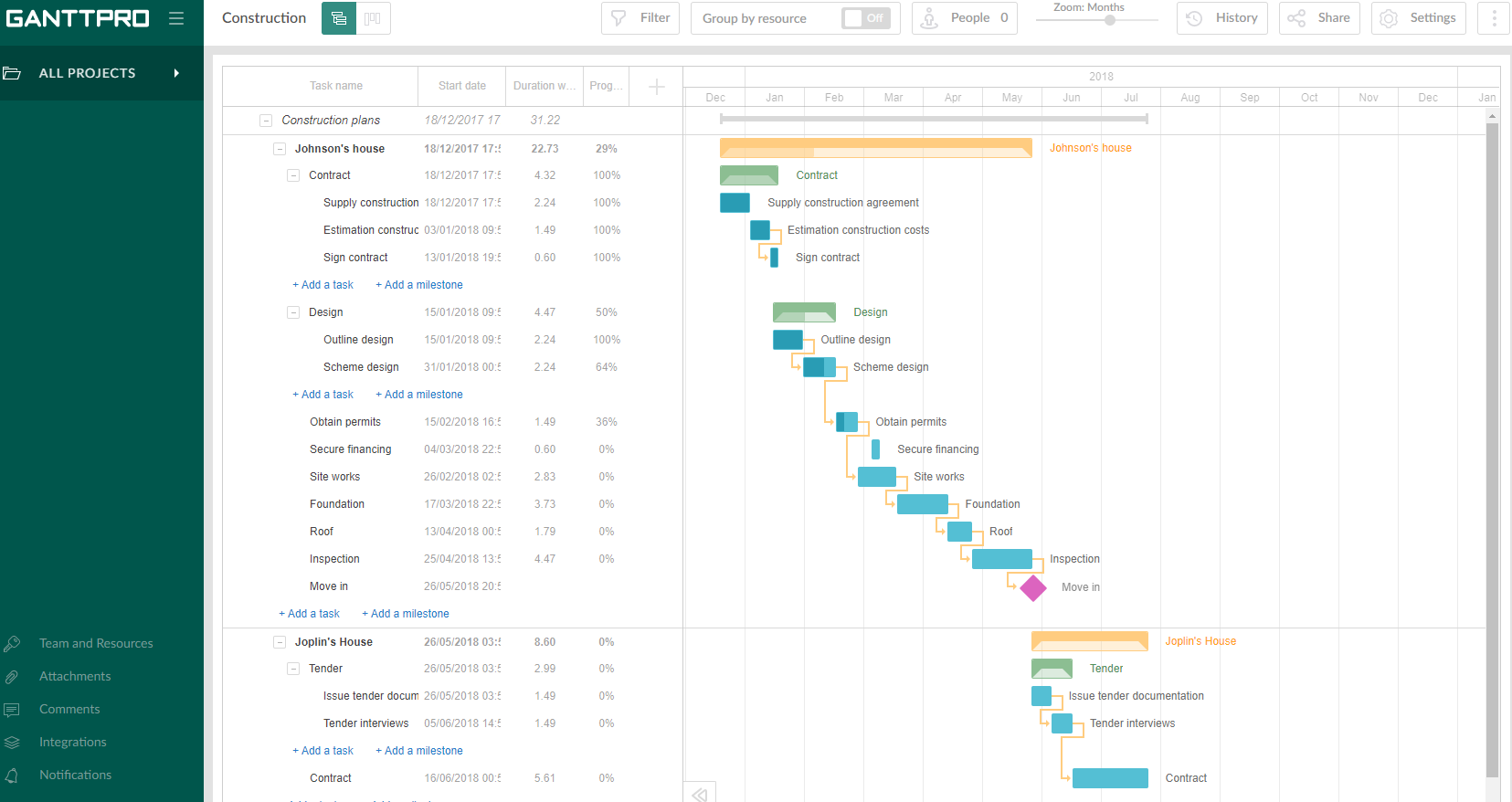
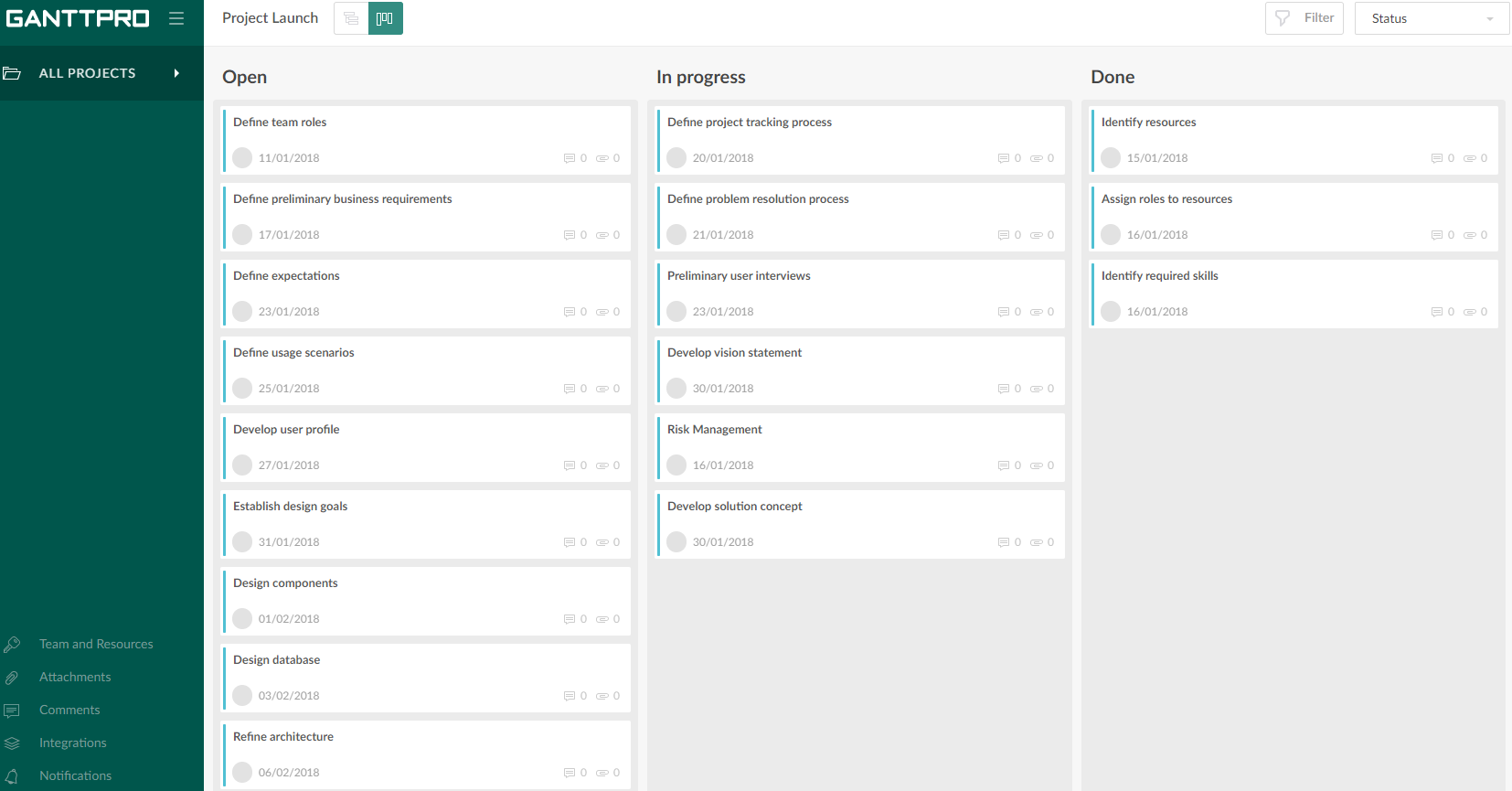
GanttPRO is a project planning tool based on a Gantt chart approach. It visualizes all tasks along a timeline, and it supports resource management, collaboration within teams, and importing and exporting projects onto 3rd party programs.
$8.90
per user per month
TeamGantt
Score8.1 out of 10
N/A
TeamGantt is a project management solution built to provide users with gantt chart software through online deployment.
A de minimis incentive was given to thank the reviewer for their time. The incentive was not used to bias or drive a particular response, nor was the incentive contingent on a positive endorsement. More Info
Luge Crew in Sales at Student (Leisure, Travel & Tourism, 11-50 employees)
Chose GanttPRO
I chose GanttPro over Team Gantt as I was not able to get the layout I desired on Team Gantt. Once I had a bit of practice on GanttPro, I also found it slightly more user-friendly than Team Gantt, which helps a lot when you are new to this!
A de minimis incentive was given to thank the reviewer for their time. The incentive was not used to bias or drive a particular response, nor was the incentive contingent on a positive endorsement. More Info
A de minimis incentive was given to thank the reviewer for their time. The incentive was not used to bias or drive a particular response, nor was the incentive contingent on a positive endorsement. More Info
Verified User
Chose GanttPRO
GanttPro is free and offers a 1-year free deal to students. This is extremely helpful for this scenario.
A de minimis incentive was given to thank the reviewer for their time. The incentive was not used to bias or drive a particular response, nor was the incentive contingent on a positive endorsement. More Info
Verified User
Chose GanttPRO
The other tools had trouble automatically adjusting the schedule when an earlier task is changed or had very limited options in defining dependencies between tasks. These were really important features for us to visualize the schedule for a year.
A de minimis incentive was given to thank the reviewer for their time. The incentive was not used to bias or drive a particular response, nor was the incentive contingent on a positive endorsement. More Info
Director of Software Development in Information Technology at Museum of the Bible (Museums & Institutions, 201-500 employees)
Chose TeamGantt
TeamGantt is geared towards creating a project, tasks and timelines. It literally took me just a few hours to create an entire project the first time I used it. I found it much more user-friendly than other online tools such as Smartsheet (which is a one-size fits all type of …
A de minimis incentive was given to thank the reviewer for their time. The incentive was not used to bias or drive a particular response, nor was the incentive contingent on a positive endorsement. More Info
Verified User
Chose TeamGantt
We have used products like Gantter as well as the two above and they all do basically the same thing. Cost was the biggest determining factor for us. They all looked pretty, functioned the same, and some had better integration... however we determined that for our team size, …
A de minimis incentive was given to thank the reviewer for their time. The incentive was not used to bias or drive a particular response, nor was the incentive contingent on a positive endorsement. More Info
Projects are a lot easier to set up with GanttPRO than most tools that support a WBS, so although I've used GanttPRO for very simple projects, it's great for projects with complex WBS' and/or dynamic backlogs (using Agile methodologies). I've used it for long-running projects with multiple phases, where I needed to set up high-level plans for downstream phases (for budgeting) that got updated and modified based on outcomes from upstream phases.
TeamGantt is wonderful for organizing long and short term projects that have lots of tasks and or people involved. I love that it's "in the cloud" so I can manage no matter where I am or what device I'm using. There is a mobile app that is quite easy to use and sized nicely for people who have trouble reading small/fine print. I find it to be a well-suited tool for ongoing projects where the tasks change weekly - I use it for my newsletter planning. You can assign and label tasks which is super convenient for me and my Team. All through the week we are making changes and suggestions in TeamGantt and as we get closer to publication day we mark the stories and objects as done so we know we will finish everything before our deadline.
A de minimis incentive was given to thank the reviewer for their time. The incentive was not used to bias or drive a particular response, nor was the incentive contingent on a positive endorsement. More Info
A de minimis incentive was given to thank the reviewer for their time. The incentive was not used to bias or drive a particular response, nor was the incentive contingent on a positive endorsement. More Info
In TeamGantt, clients can remark on any undertaking and keep their visits inside the errands.
Reports can likewise be connected to any undertaking. Clients can channel the errands by the due date and what their identity is relegated to, and they can change over Gantt graphs into PDFs.
The arrangement is accessible for each client each month's membership premise and offers support using telephone and email.
A de minimis incentive was given to thank the reviewer for their time. The incentive was not used to bias or drive a particular response, nor was the incentive contingent on a positive endorsement. More Info
A de minimis incentive was given to thank the reviewer for their time. The incentive was not used to bias or drive a particular response, nor was the incentive contingent on a positive endorsement. More Info
A de minimis incentive was given to thank the reviewer for their time. The incentive was not used to bias or drive a particular response, nor was the incentive contingent on a positive endorsement. More Info
Intuitive interface, clean, and nice design. As an online app, the data can be viewed on Windows PCs, Macs, and tablets. It saves the data very quickly (depending on the Internet speed) as if it is a locally installed application. Training is minimal, plus there is an extensive range of learning videos and topics in the GanttPRO learning center.
A de minimis incentive was given to thank the reviewer for their time. The incentive was not used to bias or drive a particular response, nor was the incentive contingent on a positive endorsement. More Info
The support for GanttPro is very good. I have no troubles reaching out for their customer support whenever I have questions, they respond almost instantly. I just hope that they will have live chat support for a real-time support experience on the user-end and can answer the questions in real-time.
I never interacted with them. That, in itself, I feel represents their quality. They made the resources available to me so that when I started to have a question, the answer was either right there for me, or easy to figure out without any trouble. So, I never felt the need!
A de minimis incentive was given to thank the reviewer for their time. The incentive was not used to bias or drive a particular response, nor was the incentive contingent on a positive endorsement. More Info
GanttPRO is easy to use and just works. If you need to do something quickly or do a small project then GanttPro is a great tool to use. If you are managing a large project then I would consider using Microsoft Project even though it is a more substantial investment overtime.
A de minimis incentive was given to thank the reviewer for their time. The incentive was not used to bias or drive a particular response, nor was the incentive contingent on a positive endorsement. More Info
Our team uses ClickUp for task management. ClickUp has a Gantt chart feature, but it's based solely on the tasks we create in ClickUp, so in order to create a client-facing chart, we'd have to completely change the way we assign tasks to our internal team. We use TeamGantt for the sole purpose of creating project plans and viewing project statuses at-a-glance. You might be able to use it for task management, but we don't.
A de minimis incentive was given to thank the reviewer for their time. The incentive was not used to bias or drive a particular response, nor was the incentive contingent on a positive endorsement. More Info
A de minimis incentive was given to thank the reviewer for their time. The incentive was not used to bias or drive a particular response, nor was the incentive contingent on a positive endorsement. More Info
A de minimis incentive was given to thank the reviewer for their time. The incentive was not used to bias or drive a particular response, nor was the incentive contingent on a positive endorsement. More Info