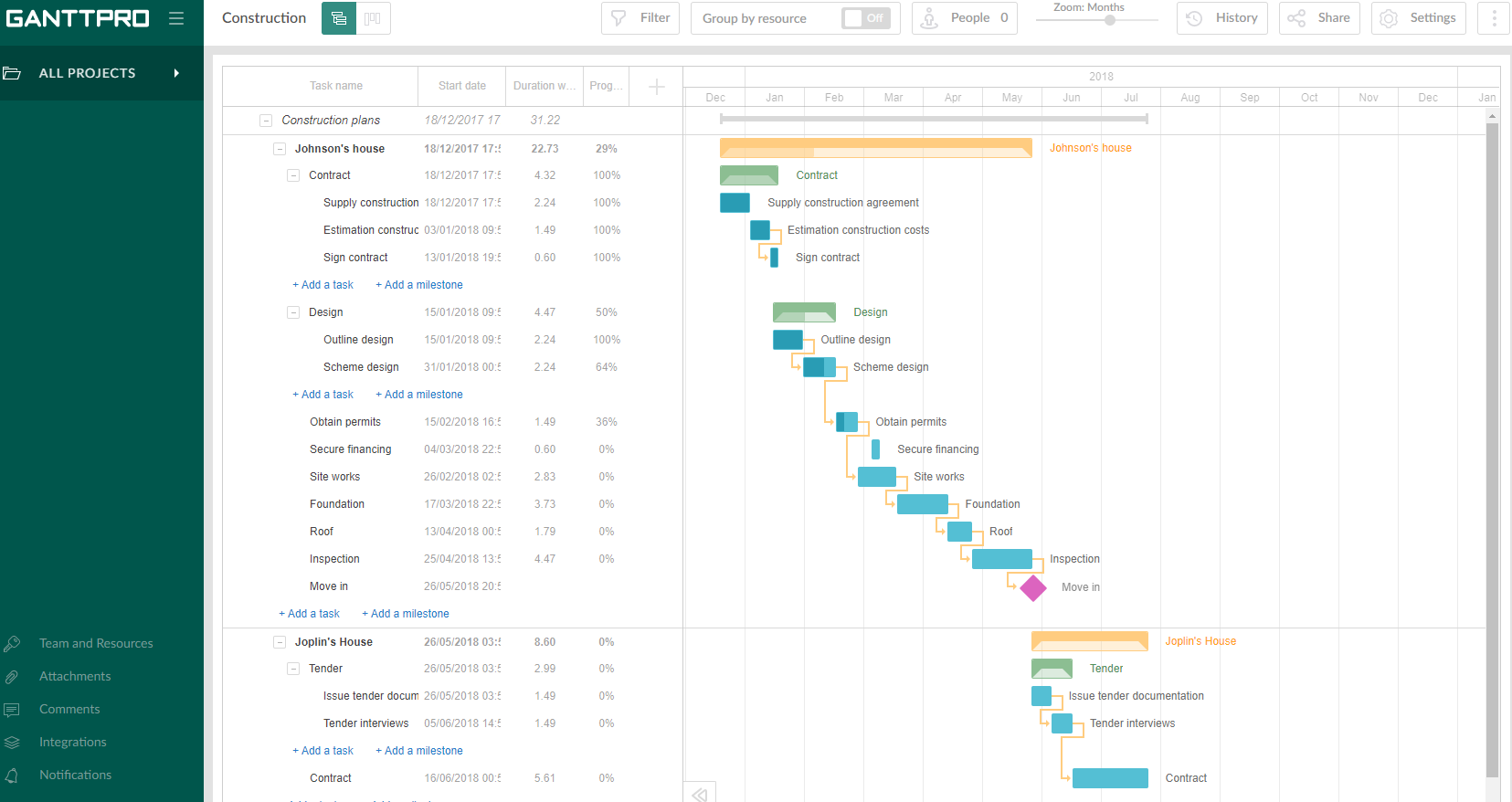
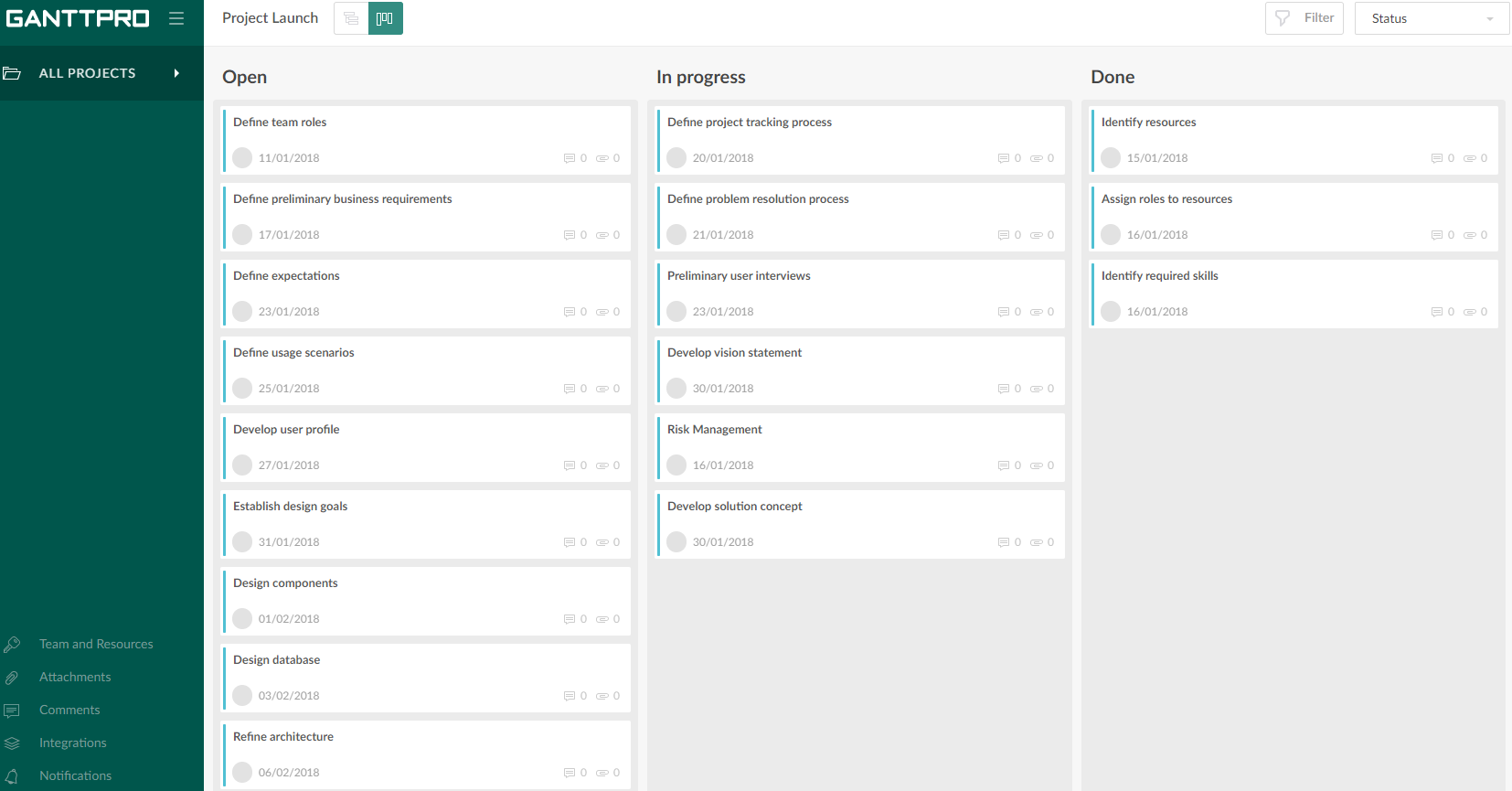
GanttPRO is a project planning tool based on a Gantt chart approach. It visualizes all tasks along a timeline, and it supports resource management, collaboration within teams, and importing and exporting projects onto 3rd party programs.
A de minimis incentive was given to thank the reviewer for their time. The incentive was not used to bias or drive a particular response, nor was the incentive contingent on a positive endorsement. More Info
Verified User
Chose GanttPRO
I have used several different tools before, such as Wrike, Asana, Ayoa, Microsoft Project, and many of those were clunky or cumbersome and I didn't feel like they were meeting my needs. I find that GanttPRO is much easier to use and it is very self-explanatory. I had to watch …
A de minimis incentive was given to thank the reviewer for their time. The incentive was not used to bias or drive a particular response, nor was the incentive contingent on a positive endorsement. More Info
A de minimis incentive was given to thank the reviewer for their time. The incentive was not used to bias or drive a particular response, nor was the incentive contingent on a positive endorsement. More Info
A de minimis incentive was given to thank the reviewer for their time. The incentive was not used to bias or drive a particular response, nor was the incentive contingent on a positive endorsement. More Info
A de minimis incentive was given to thank the reviewer for their time. The incentive was not used to bias or drive a particular response, nor was the incentive contingent on a positive endorsement. More Info
Senior Business Developer at Nicholas Naclerio (Construction, 1-10 employees)
Chose GanttPRO
GanttPRO is just simple, easy and straightforward. It's one of the easiest programs to use as opposed to other gantt chart software. The interface is so easy to use. It is incomparable to other similar options.
A de minimis incentive was given to thank the reviewer for their time. The incentive was not used to bias or drive a particular response, nor was the incentive contingent on a positive endorsement. More Info
Verified User
Chose GanttPRO
GanttPRO had a trial version that was easier to use then Microsoft Project.
A de minimis incentive was given to thank the reviewer for their time. The incentive was not used to bias or drive a particular response, nor was the incentive contingent on a positive endorsement. More Info
A de minimis incentive was given to thank the reviewer for their time. The incentive was not used to bias or drive a particular response, nor was the incentive contingent on a positive endorsement. More Info
PHP Developer in Information Technology at SoftBir Technologies (Computer Software, 1-10 employees)
Chose GanttPRO
I think it doesn't have any competition right now as GanttPro is the best out there that I've personally used. If there are any, there is none that I know of. I also think that it will last long in this status and will surely last a long time holding the top 1 spot on my list.
A de minimis incentive was given to thank the reviewer for their time. The incentive was not used to bias or drive a particular response, nor was the incentive contingent on a positive endorsement. More Info
Undergraduate student in Engineering at University of Southampton (Mechanical or Industrial Engineering, 1-10 employees)
Chose GanttPRO
Previously I used this software but the Gantt chart function of this one is not easy to use and they do not supply the time management feature. At the same time, their supplying team is not quite good. In the end, when I want to cancel the monthly subscribe, I even can not find …
A de minimis incentive was given to thank the reviewer for their time. The incentive was not used to bias or drive a particular response, nor was the incentive contingent on a positive endorsement. More Info
Verified User
Chose GanttPRO
We've really only had experience with Microsoft Office and making our Gantt charts in Excel. Excel was clunky and not well-suited for Gantt chart making. With GanttPRO, the whole process was more clear and streamlined.
A de minimis incentive was given to thank the reviewer for their time. The incentive was not used to bias or drive a particular response, nor was the incentive contingent on a positive endorsement. More Info
Luge Crew in Sales at Student (Leisure, Travel & Tourism, 11-50 employees)
Chose GanttPRO
I chose GanttPro over Team Gantt as I was not able to get the layout I desired on Team Gantt. Once I had a bit of practice on GanttPro, I also found it slightly more user-friendly than Team Gantt, which helps a lot when you are new to this!
A de minimis incentive was given to thank the reviewer for their time. The incentive was not used to bias or drive a particular response, nor was the incentive contingent on a positive endorsement. More Info
Student in Engineering at University Of Southern Indiana (Higher Education, 10,001+ employees)
Chose GanttPRO
The software suggested by my class was not compatible with my MacBook, so I turned to GanttPro. The software is web-based so I am able to use it anywhere and on any device that I would like.
A de minimis incentive was given to thank the reviewer for their time. The incentive was not used to bias or drive a particular response, nor was the incentive contingent on a positive endorsement. More Info
Student in Engineering at UNSW Sydney (Research, 11-50 employees)
Chose GanttPRO
GanttPRO is a far superior product, as it is easier to use, it produces a much slicker and professional output, and it enables drag and drop rearranging of tasks and links between tasks to speed things up. It saves time and money and effort and pain and suffering. I would …
A de minimis incentive was given to thank the reviewer for their time. The incentive was not used to bias or drive a particular response, nor was the incentive contingent on a positive endorsement. More Info
A de minimis incentive was given to thank the reviewer for their time. The incentive was not used to bias or drive a particular response, nor was the incentive contingent on a positive endorsement. More Info
Verified User
Chose GanttPRO
I, while trying to find out a resource to help me with my "Production and Operations Management" assignment, found several resources for making Gantt charts.
These included Excel templates (open source, and the ones you get from the Microsoft Corporation, as part of Office 365). …
A de minimis incentive was given to thank the reviewer for their time. The incentive was not used to bias or drive a particular response, nor was the incentive contingent on a positive endorsement. More Info
A de minimis incentive was given to thank the reviewer for their time. The incentive was not used to bias or drive a particular response, nor was the incentive contingent on a positive endorsement. More Info
Verified User
Chose GanttPRO
Worked within company standards and the web tool was quicker in use.
A de minimis incentive was given to thank the reviewer for their time. The incentive was not used to bias or drive a particular response, nor was the incentive contingent on a positive endorsement. More Info
Verified User
Chose GanttPRO
GanttPRO is easy to use and just works. If you need to do something quickly or do a small project then GanttPro is a great tool to use. If you are managing a large project then I would consider using Microsoft Project even though it is a more substantial investment overtime.
A de minimis incentive was given to thank the reviewer for their time. The incentive was not used to bias or drive a particular response, nor was the incentive contingent on a positive endorsement. More Info
Gerente de TI in Information Technology at Radio E Tv Difusora Do Maranhao (Mídia de difusão, 51-200 employees)
Chose GanttPRO
In addition to offering the same features of desktop tools. GanttPRO brings online features that allow us to collaborate. No complications regarding access.
A de minimis incentive was given to thank the reviewer for their time. The incentive was not used to bias or drive a particular response, nor was the incentive contingent on a positive endorsement. More Info
Verified User
Chose GanttPRO
GanttPro is free and offers a 1-year free deal to students. This is extremely helpful for this scenario.
A de minimis incentive was given to thank the reviewer for their time. The incentive was not used to bias or drive a particular response, nor was the incentive contingent on a positive endorsement. More Info
Program Manager and Student in Information Technology at Advanced Voice Research Labs (Computer Software, 11-50 employees)
Chose GanttPRO
All of the other platforms I tried were too complex and were very confusing from the moment I logged in. It was unclear as to where you even start, or how the platform was set up. With GanttPRO, I was creating everything I needed for my school projects in moments.
A de minimis incentive was given to thank the reviewer for their time. The incentive was not used to bias or drive a particular response, nor was the incentive contingent on a positive endorsement. More Info
A de minimis incentive was given to thank the reviewer for their time. The incentive was not used to bias or drive a particular response, nor was the incentive contingent on a positive endorsement. More Info
A de minimis incentive was given to thank the reviewer for their time. The incentive was not used to bias or drive a particular response, nor was the incentive contingent on a positive endorsement. More Info
Verified User
Chose GanttPRO
The other tools had trouble automatically adjusting the schedule when an earlier task is changed or had very limited options in defining dependencies between tasks. These were really important features for us to visualize the schedule for a year.
A de minimis incentive was given to thank the reviewer for their time. The incentive was not used to bias or drive a particular response, nor was the incentive contingent on a positive endorsement. More Info
Projects are a lot easier to set up with GanttPRO than most tools that support a WBS, so although I've used GanttPRO for very simple projects, it's great for projects with complex WBS' and/or dynamic backlogs (using Agile methodologies). I've used it for long-running projects with multiple phases, where I needed to set up high-level plans for downstream phases (for budgeting) that got updated and modified based on outcomes from upstream phases.
A de minimis incentive was given to thank the reviewer for their time. The incentive was not used to bias or drive a particular response, nor was the incentive contingent on a positive endorsement. More Info
A de minimis incentive was given to thank the reviewer for their time. The incentive was not used to bias or drive a particular response, nor was the incentive contingent on a positive endorsement. More Info
Intuitive interface, clean, and nice design. As an online app, the data can be viewed on Windows PCs, Macs, and tablets. It saves the data very quickly (depending on the Internet speed) as if it is a locally installed application. Training is minimal, plus there is an extensive range of learning videos and topics in the GanttPRO learning center.
A de minimis incentive was given to thank the reviewer for their time. The incentive was not used to bias or drive a particular response, nor was the incentive contingent on a positive endorsement. More Info
The support for GanttPro is very good. I have no troubles reaching out for their customer support whenever I have questions, they respond almost instantly. I just hope that they will have live chat support for a real-time support experience on the user-end and can answer the questions in real-time.
GanttPRO is easy to use and just works. If you need to do something quickly or do a small project then GanttPro is a great tool to use. If you are managing a large project then I would consider using Microsoft Project even though it is a more substantial investment overtime.
A de minimis incentive was given to thank the reviewer for their time. The incentive was not used to bias or drive a particular response, nor was the incentive contingent on a positive endorsement. More Info
A de minimis incentive was given to thank the reviewer for their time. The incentive was not used to bias or drive a particular response, nor was the incentive contingent on a positive endorsement. More Info