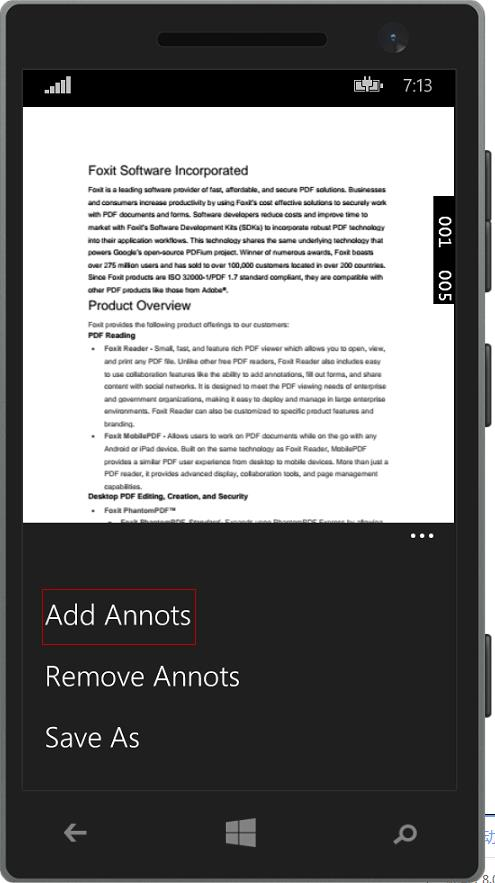
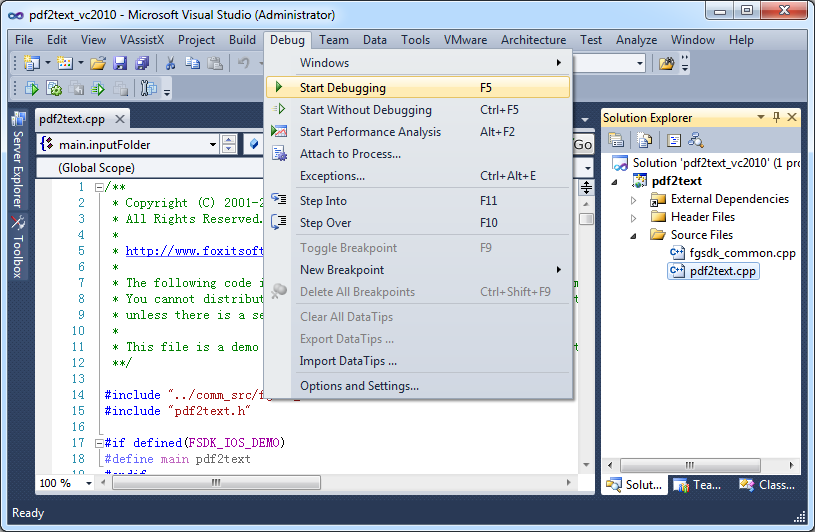
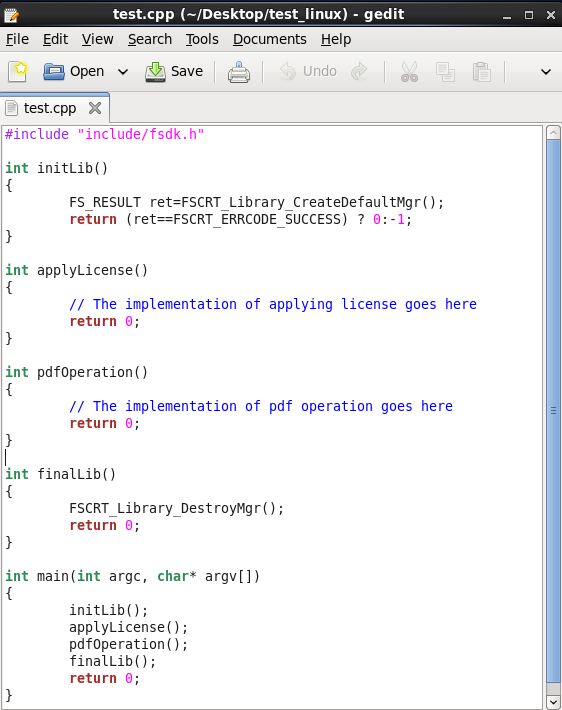
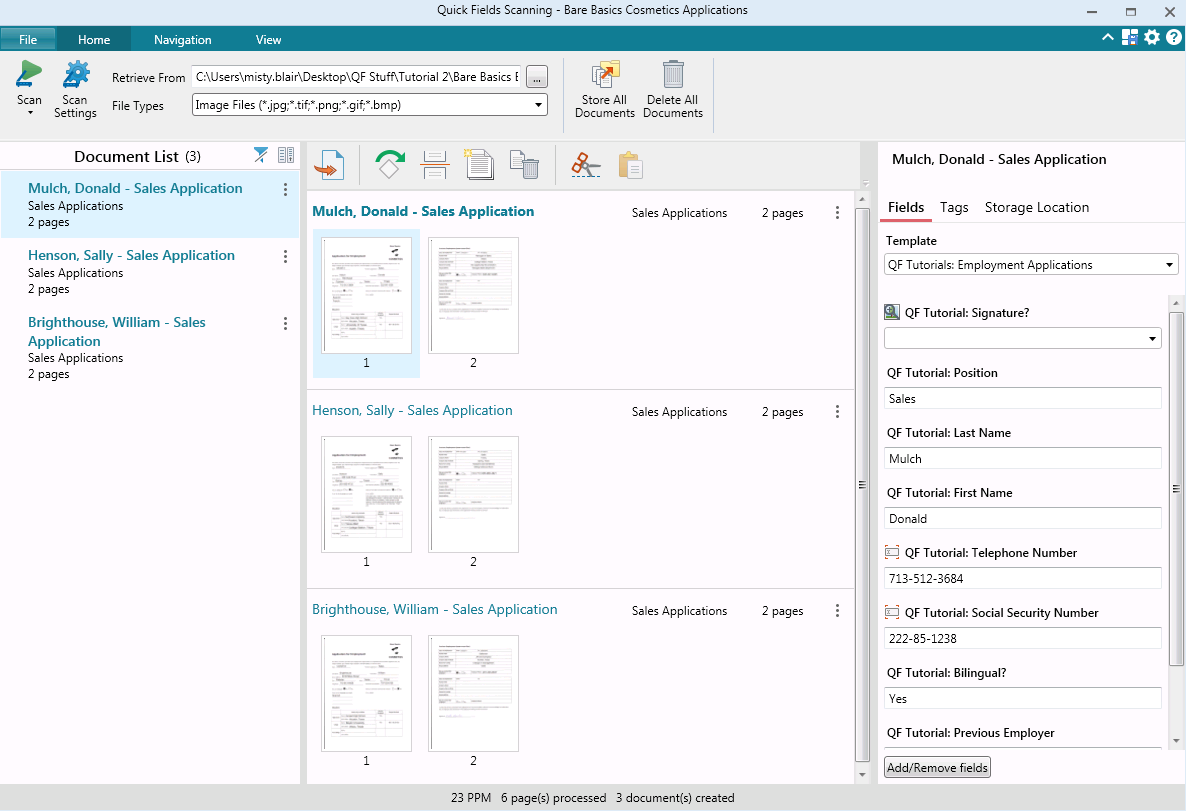
Foxit PDF SDK offers high performance pdf libraries to help developers build pdf technology. According to the vendor, key features include: Render PDFs: High performance PDF libraries to render PDF pages, page objects, annotations, and forms the way they were intended to be viewed: sharp, clear, accurate, and easy to read. Allows applications to view, zoom in, zoom out, and print PDF documents and forms. Reflow: PDF is a fixed-layout flat document format, it cannot…
$3,000
per platform/per year
Laserfiche
Score 8.2 out of 10
N/A
Laserfiche has two main editions: Rio and Avante: Laserfiche Rio is designed to meet the needs of large organizations that have more than 100 users. It combines content management functionality with business process management (BPM), security and auditing, unlimited servers and a thin-client interface. Add-ons include records management functionality, public Web portals and production-level document capture and processing.
Laserfiche Avante is an ECM suite for small to medium organizations with…
$540
per year per user
Pricing
Foxit PDF SDK
Laserfiche
Editions & Modules
Licensing PDF SDK
$3,000.00
per platform/per year
Foxit.NET PDF SDK
Contact sales team
Starter
$540
per year per user
Starter
$600
per year per user
Professional
$710
per year per user (starts at 10 users)
Professional
$830
per year per user (starting at 5 users)
Business
$830
per year per user (starts at 25 users)
Business
$950
per year per user (starting at 25 users)
Enterprise
Custom
Offerings
Pricing Offerings
Foxit PDF SDK
Laserfiche
Free Trial
Yes
Yes
Free/Freemium Version
No
No
Premium Consulting/Integration Services
No
No
Entry-level Setup Fee
Required
No setup fee
Additional Details
—
—
More Pricing Information
Community Pulse
Foxit PDF SDK
Laserfiche
Features
Foxit PDF SDK
Laserfiche
Enterprise Content Management
Comparison of Enterprise Content Management features of Product A and Product B
Foxit PDF SDK
-
Ratings
Laserfiche
8.5
Ratings
7% above category average
Content capture & imaging
00 Ratings
9.00 Ratings
File sync, storage & archiving
00 Ratings
8.00 Ratings
Document management
00 Ratings
8.50 Ratings
Records management
00 Ratings
9.00 Ratings
Content search & retrieval
00 Ratings
8.50 Ratings
Enterprise content collaboration
00 Ratings
8.00 Ratings
Content publishing & creation
00 Ratings
8.50 Ratings
Security, risk management & information governance
The issue with the application not re-opening previously opened files is a major one for me, therefore I docked a point for that . When editing documents, it usually works well, but there are a few idiosyncrasies, such as the ability to add an extra line when changing a block of text or the inability to define page margins on the left and right. These peculiarities do not bother me, although they might be improved.
Laserfiche is perfect for businesses that need a place to appropriately store their documents digitally and want an environment to grow from. Adding Laserfiche Forms helps grow a business' ability to process their work and reach their customers easier. Laserfiche could be used for all sizes of businesses but may not be as worth it for very small businesses.
It is a very cool development kit to integration different PDF functions.
It is user-friendly and convenient to work with.
It has great functionality for text. For example: adding quick markup, highlighting the text, underlining, and doing strikethrough, and adding signatures is pretty easy.
It offers to do encryption and add passwords for security.
Great search capability that helps finding the text without hassle.
It's very good at giving a wide range of options for importing and exporting data, the Windows Client software alone can pull files from a windows folder, has a software printer to print documents into Laserfiche instead of to paper, has Office integration, the ability to pull photos from cameras, and has a scanner component.
Laserfiche Workflow is an automation tool that is very flexible and powerful, and allows a wide range of options for automating document flows and procedures.
Laserfiche is very good at communicating with other systems, though some systems, like big iron minicomputers, take some extra work and effort. Setting up integrations with SQL server databases are as simple as any complex IT procedure can get.
In the C# SDK, which is a wrapper of native C++ code. We need to be extra careful in coding and protecting the calls, because it can be very easy to crash the application in case of errors.
We plan on renewing Laserfiche for the coming year but also have been considering a scanning and document management solution that can be purchased from our new accounting system company, we are implementing the accounting system this year. It will be a couple years before we make a decision to stay with Laserfiche or change.
Our whole takeoff department uses the Foxit PDF SDK. To read plan files, produce pdf files, and take notes, we utilize it in conjunction with other tools. We may utilize the Foxit PDF SDK to read, edit, markup, print, and produce PDF files for internal use or to distribute to clients. Some of our users adore the software, but others choose to use alternative programs because they believe Foxit PDF SDK is too restrictive.
It has an intuitive design that feels very natural to any user that has ever used Outlook or Windows Explorer. There are multiple ways to perform every action in order to help users with various software experiences find the shortcuts and actions they seek quickly and effectively.
I am very satisfied with Laserfiche. I have found that certain larger jobs may are slow. This may also be related to our infrastructure environment. We have been able to tune Laserfiche to increase performance on larger jobs.
I rated this software very high on performance because it is really very quick on my Windows system. It can create any type of PDF files in seconds. It also gives good upload speed when I try to modify my documents for inserting digital signature space. It also gives very good encryption speed to secure my documents.
Performance, of course, is largely dependent on the underlying environment. Laserfiche does its part with multi-threading, taking advantage of multi-core servers on scanning, workflows, and bots. A SQL-Server back-end is suitable for small to medium-sized company, but may not scale to large, where Oracle would be the better choice. Workflows can be poorly written and perform recursive work slowing down the system. It's better to run batch type workflows at night when possible.
I would give it this rating because I personally have never had to contact support regarding Foxit PDF SDK or anything I am trying to do within the program. As I mentioned before, it is very user-friendly and easy to navigate. I think the program in itself lends support to the user because it is so user-friendly and has an easy to use interface.
I have never had to wait for help from Laserfiche. If I cannot find the answer online, I can easily send an email to a customer support representative. I have always been helped the same day and my questions have always been resolved. The Empower conference is always a great learning opportunity and the online resources and webinars are top-notch.
Easily accessible 24/7 so am able to complete courseware whenever time allows: Commute to work; waiting for friends or family; at night while relaxing [with a delicious glass of wine!]; whenever and wherever time and circumstances permit. Courseware is well written and presented in an easy to follow and understand format.
Foxit PDF was cheaper from a licensing perspective. It was easy on the budget and will not be getting more expensive for enterprise licenses. FoxIt also came with the same features when compared to Adobe and it was much easier to install in our environment. Being that it was lightweight we are able to install, remove and update the client very easily. Also, the support with Foxit was better suited for our needs than Adobe.
Laserfiche is a much more focused product that simply and accurately fills our need for routine reporting and record keeping. By taking time to work on the design of the form you can anticipate the user's needs and possible areas where further explanation may be required. By prefilling the most likely/desired report responses you can greatly reduce the amount of time a user spends completing each report.
No negative impact but only positive and fruitful I would say. It is a part of our daily work routine and enhances our products. Things are done quickly and delays are very less. Hence, it has added to the overall growth and development of our business.
The centralized repository of digitized documents allows users from different departments to collaborate and use the same documents, effortlessly and seamlessly. This has been a tremendous value to organizational efficiency and accuracy.
Business Process Automation has increased the capacity of a fixed workforce. By reducing the workload of individuals on repetitive tasks, it allows them to work on higher-value tasks.
Business Process Automation increases accuracy as well by defining a clear process with forms, emails, and document routing on each step. This leads to greater worker productivity.