
Fortra’s Automate vs. Microsoft Power Automate
Fortra’s Automate vs. Microsoft Power Automate
| Product | Rating | Most Used By | Product Summary | Starting Price |
|---|---|---|---|---|
 Fortra’s Automate | N/A | Fortra's Automate (formerly HelpSystems Automate) is a robotic process automation platform for desktop applications. According to the vendor, it offers the ability to automate almost any business process, and no technical expertise is required—IT and business users alike can understand the drag-and-drop interface. | N/A | |
 Microsoft Power Automate | N/A | Microsoft Power Automate is an advanced automation platform offering a range of features, including AI-powered automation, robotic process automation (RPA), business process automation (BPA), digital process automation (DPA), and process/task mining. The platform aims to empower organizations to securely automate their operations at scale by leveraging low-code and AI technologies. | $15 per month per user |
| Fortra’s Automate | Microsoft Power Automate | |||||||||||||||
|---|---|---|---|---|---|---|---|---|---|---|---|---|---|---|---|---|
| Editions & Modules | No answers on this topic |
| ||||||||||||||
| Offerings |
| |||||||||||||||
| Entry-level Setup Fee | Optional | No setup fee | ||||||||||||||
| Additional Details | — | — | ||||||||||||||
| More Pricing Information | ||||||||||||||||
| Fortra’s Automate | Microsoft Power Automate |
|---|
| Fortra’s Automate | Microsoft Power Automate | |
|---|---|---|
| Small Businesses |  airSlate WorkFlow Score 7.5 out of 10 |  Stackby Score 9.0 out of 10 |
| Medium-sized Companies |  airSlate SignNow Score 9.1 out of 10 |  CMW Platform Score 8.9 out of 10 |
| Enterprises |  UiPath Automation Platform Score 8.7 out of 10 | CMW Platform Score 8.9 out of 10 |
| All Alternatives | View all alternatives | View all alternatives |
| Fortra’s Automate | Microsoft Power Automate | |
|---|---|---|
| Likelihood to Recommend | 10.0 (4 ratings) | 7.8 (82 ratings) |
| Likelihood to Renew | - (0 ratings) | 9.3 (9 ratings) |
| Usability | 10.0 (1 ratings) | 9.0 (7 ratings) |
| Support Rating | 10.0 (1 ratings) | 7.9 (12 ratings) |
| In-Person Training | - (0 ratings) | 9.0 (1 ratings) |
| Online Training | - (0 ratings) | 8.9 (2 ratings) |
| Implementation Rating | - (0 ratings) | 7.5 (36 ratings) |
| Configurability | - (0 ratings) | 9.0 (1 ratings) |
| Contract Terms and Pricing Model | - (0 ratings) | 10.0 (1 ratings) |
| Ease of integration | - (0 ratings) | 8.5 (2 ratings) |
| Professional Services | - (0 ratings) | 8.0 (1 ratings) |
| Vendor post-sale | - (0 ratings) | 9.0 (1 ratings) |
| Vendor pre-sale | - (0 ratings) | 10.0 (1 ratings) |
| Fortra’s Automate | Microsoft Power Automate | |
|---|---|---|
| Likelihood to Recommend |  Fortra
 Kwame H. Baptiste IT Dept. Manager | Microsoft
 Matt Aldridge L&D + Automation Lead |
| Pros | Fortra
| Microsoft
 Ankit Bilone Data Analyst |
| Cons | Fortra
 David Croney Operations Analyst Senior | Microsoft
|
| Likelihood to Renew | Fortra No answers on this topic | Microsoft
|
| Usability | Fortra
Kwame H. Baptiste IT Dept. Manager | Microsoft
 Dineshkumar Rajendran Applications Developer |
| Support Rating | Fortra
Kwame H. Baptiste IT Dept. Manager | Microsoft
|
| In-Person Training | Fortra No answers on this topic | Microsoft
|
| Online Training | Fortra No answers on this topic | Microsoft
|
| Implementation Rating | Fortra No answers on this topic | Microsoft
|
| Alternatives Considered | Fortra  Farjad Habib Senior Software Engineer | Microsoft
|
| Contract Terms and Pricing Model | Fortra No answers on this topic | Microsoft
Dineshkumar Rajendran Applications Developer |
| Professional Services | Fortra No answers on this topic | Microsoft
Dineshkumar Rajendran Applications Developer |
| Return on Investment | Fortra
| Microsoft
 Ikbal Miah Senior Digital Transformation Business Analyst |
| ScreenShots | Fortra’s Automate Screenshots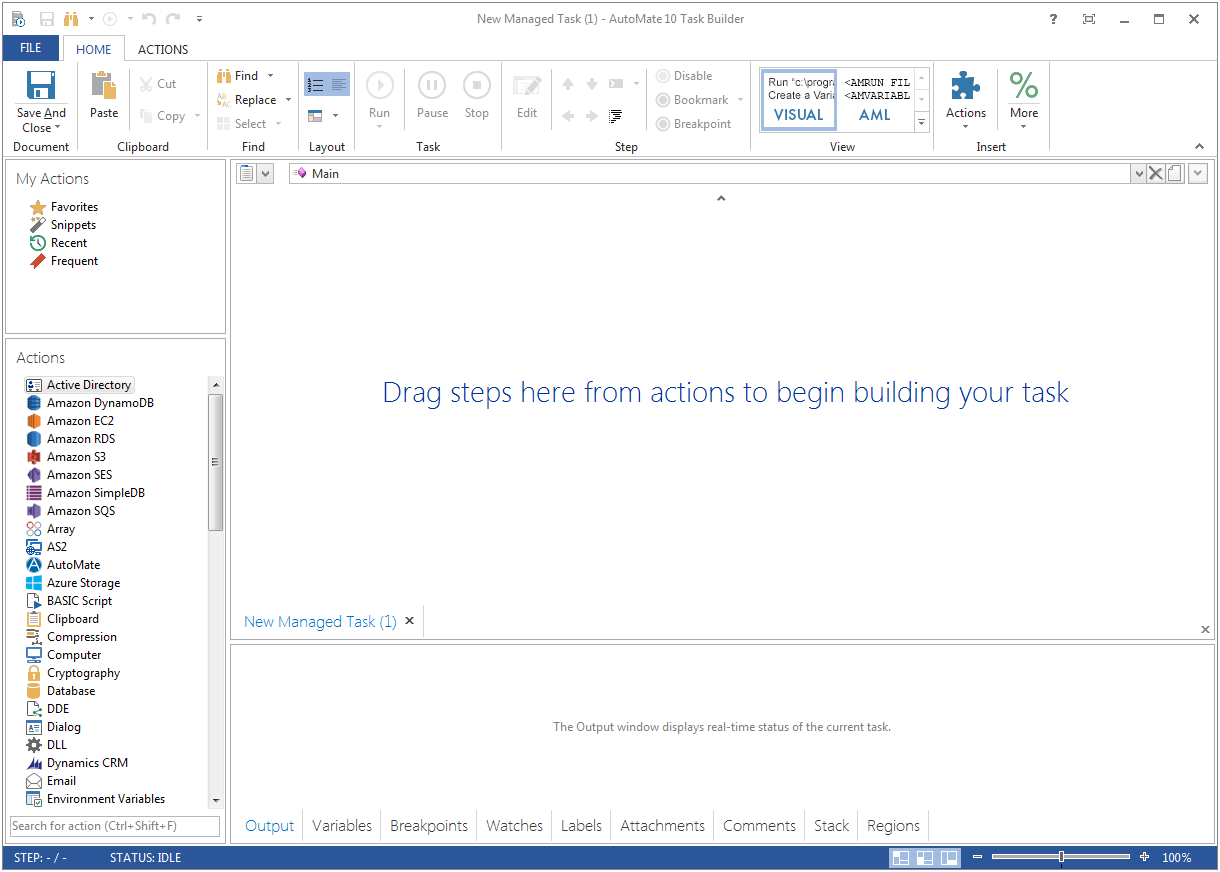  | Microsoft Power Automate Screenshots      |