FollowUp Power CRM for Construction is a CRM system for the construction industry. Features include lead tracking, sales pipeline analysis, closing ratios, quota management, project management, and dashboards. It can integrate with other marketing and accounting products.
N/A
OnePageCRM
Score10 out of 10
N/A
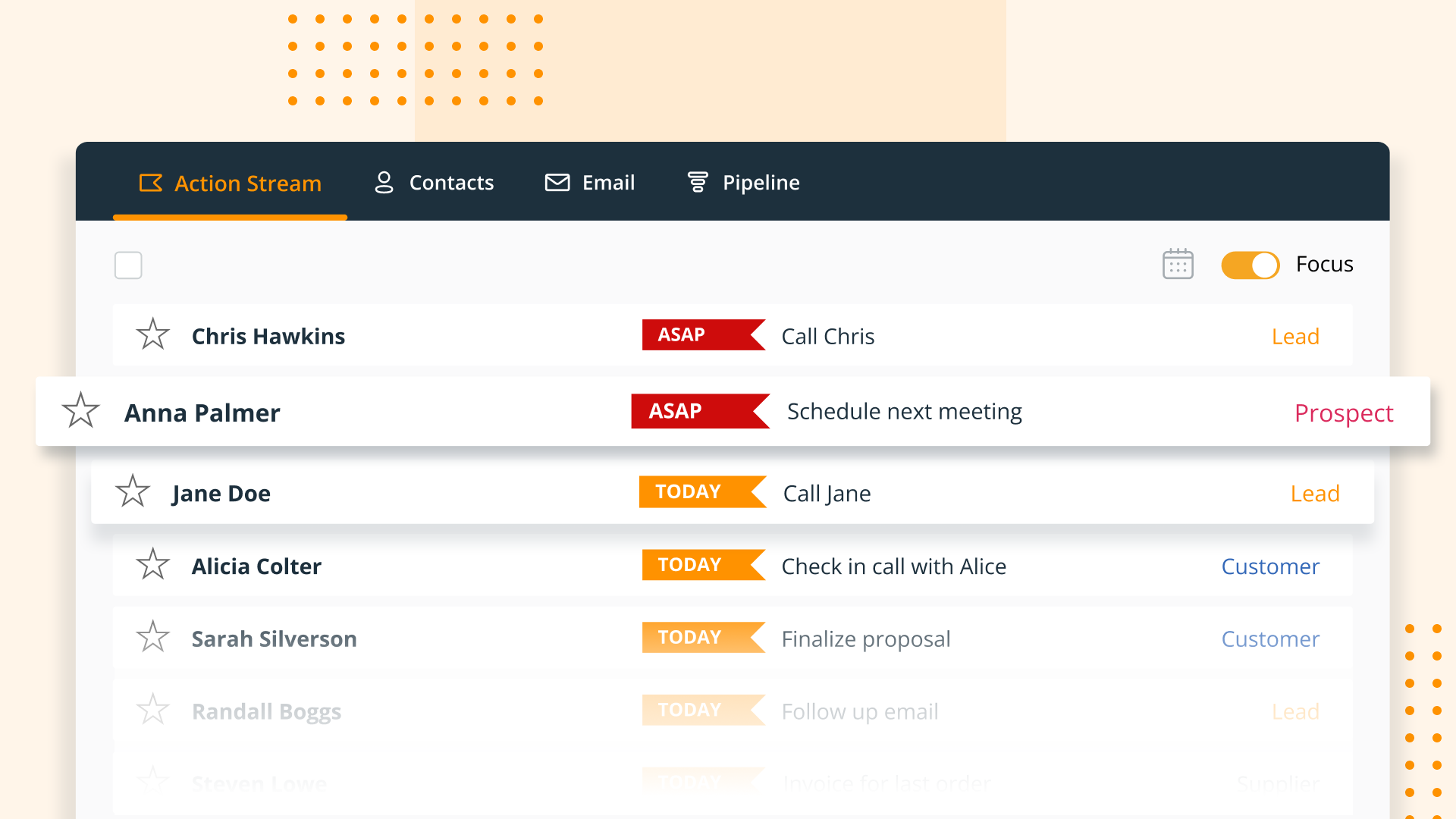
OnePageCRM aims to turn the complexity of a CRM into a simple to-do list. This action-focused CRM helps users interact with contacts by setting simple follow-up tasks. Just out of a promising sales call? Type the next action to "Send a quote", set a date, and move on to the next contact. Contacts will be sorted by task priority so the user can sell with focused attention to each prospect and client. OnePageCRM can be tried with a 21-day free trial today.
$9.95
per month per user
Pricing
FollowUp CRM
OnePageCRM
Editions & Modules
No answers on this topic
Professional Plan (Annually)
$9.95
per month per user
Professional Plan (Monthly)
$15
per month per user
Business Plan (Annually)
$19.95
per month per user
Business Plan (Monthly)
$29
per month per user
Offerings
Pricing Offerings
FollowUp CRM
OnePageCRM
Free Trial
No
Yes
Free/Freemium Version
No
No
Premium Consulting/Integration Services
No
No
Entry-level Setup Fee
No setup fee
No setup fee
Additional Details
—
OnePageCRM offers 4 months free in annual subscriptions.
More Pricing Information
Features
FollowUp CRM
OnePageCRM
Sales Force Automation
Comparison of Sales Force Automation features of Followup CRM and OnePageCRM
Feature
Followup CRM
9.1
12 Ratings
17% above category average
OnePageCRM
9.3
4 Ratings
19% above category average
Customer data management / contact management
10.012 Ratings
9.94 Ratings
Workflow management
10.010 Ratings
10.04 Ratings
Territory management
6.18 Ratings
10.02 Ratings
Opportunity management
10.010 Ratings
10.03 Ratings
Integration with email client (e.g., Outlook or Gmail)
10.08 Ratings
10.02 Ratings
Contract management
10.010 Ratings
5.43 Ratings
Quote & order management
8.96 Ratings
10.02 Ratings
Interaction tracking
10.09 Ratings
9.53 Ratings
Channel / partner relationship management
7.27 Ratings
9.22 Ratings
Customer Service & Support
Comparison of Customer Service & Support features of Followup CRM and OnePageCRM
Feature
Followup CRM
10.0
8 Ratings
28% above category average
OnePageCRM
9.9
3 Ratings
27% above category average
Case management
10.08 Ratings
9.93 Ratings
Call center management
10.05 Ratings
9.93 Ratings
Help desk management
10.06 Ratings
9.93 Ratings
Marketing Automation
Comparison of Marketing Automation features of Followup CRM and OnePageCRM
Feature
Followup CRM
10.0
8 Ratings
28% above category average
OnePageCRM
10.0
4 Ratings
28% above category average
Lead management
10.08 Ratings
10.04 Ratings
Email marketing
10.05 Ratings
10.03 Ratings
CRM Project Management
Comparison of CRM Project Management features of Followup CRM and OnePageCRM
Feature
Followup CRM
9.5
10 Ratings
22% above category average
OnePageCRM
10.0
4 Ratings
27% above category average
Task management
10.010 Ratings
10.04 Ratings
Billing and invoicing management
8.43 Ratings
00 Ratings
Reporting
10.09 Ratings
10.03 Ratings
CRM Reporting & Analytics
Comparison of CRM Reporting & Analytics features of Followup CRM and OnePageCRM
Feature
Followup CRM
9.7
11 Ratings
25% above category average
OnePageCRM
10.0
4 Ratings
28% above category average
Forecasting
9.06 Ratings
10.02 Ratings
Pipeline visualization
10.09 Ratings
9.94 Ratings
Customizable reports
10.09 Ratings
10.02 Ratings
Customization
Comparison of Customization features of Followup CRM and OnePageCRM
Feature
Followup CRM
9.8
7 Ratings
27% above category average
OnePageCRM
10.0
3 Ratings
29% above category average
Custom fields
10.07 Ratings
9.83 Ratings
Custom objects
9.04 Ratings
10.02 Ratings
Scripting environment
10.05 Ratings
10.02 Ratings
API for custom integration
10.04 Ratings
10.01 Ratings
Security
Comparison of Security features of Followup CRM and OnePageCRM
Feature
Followup CRM
10.0
10 Ratings
18% above category average
OnePageCRM
10.0
4 Ratings
18% above category average
Single sign-on capability
10.08 Ratings
9.94 Ratings
Role-based user permissions
10.07 Ratings
10.02 Ratings
Social CRM
Comparison of Social CRM features of Followup CRM and OnePageCRM
Feature
Followup CRM
10.0
3 Ratings
31% above category average
OnePageCRM
-
Ratings
Social data
10.03 Ratings
00 Ratings
Social engagement
10.02 Ratings
00 Ratings
Integrations with 3rd-party Software
Comparison of Integrations with 3rd-party Software features of Followup CRM and OnePageCRM
Feature
Followup CRM
7.7
3 Ratings
5% above category average
OnePageCRM
10.0
1 Ratings
31% above category average
Marketing automation
10.03 Ratings
10.01 Ratings
Compensation management
5.52 Ratings
00 Ratings
Platform
Comparison of Platform features of Followup CRM and OnePageCRM
One of the best things about FollowUp Power is that we can mark things for follow-up several months down the line, which we frequently have a need for since many of our clients are seasonal. For example, we'll get started working with them while they're here in Florida for the winter, then they'll head back north in the spring and not want to hear from us again until they return in the fall. With FollowUp Power, we can then mark them for follow up in the future rather than to have to somehow remember to contact them in the future.
A de minimis incentive was given to thank the reviewer for their time. The incentive was not used to bias or drive a particular response, nor was the incentive contingent on a positive endorsement. More Info
OnePage is great for any company with a sales team. Onepage is great for lead tracking, and showing all communication in one place. Its timeline is easy to use and understand. OnePage also makes it easy to manage a sales team. Their reporting capabilities are excellent and it is a great way to track deals.
A de minimis incentive was given to thank the reviewer for their time. The incentive was not used to bias or drive a particular response, nor was the incentive contingent on a positive endorsement. More Info
We love the dashboard feature. This is where we spend the majority of our time. The dashboard helps us avoid missing bid dates and deadlines.
The system is very intuitive and a new user will be up to speed within one hour after they start using the system. There is only one place to enter all data. This allows for ease of use and minimizes data entry mistakes.
Every task is date stamped to insure proper work flow and holds the team accountable to each other.
A de minimis incentive was given to thank the reviewer for their time. The incentive was not used to bias or drive a particular response, nor was the incentive contingent on a positive endorsement. More Info
It really needs to have the capability of listing numerous phone #s with a note beside each one ("his cell#", "her work#", "do not call before 9a.m.", etc.).
It really needs to have the capability of listing numerous e-mail addresses ("hers", "his", "her email address at work", etc.).
It would be nice to have a separate general information box where we could put comments in that would show every time we bring up the account (such as "her nickname is Bobbi", "their dogs name is Fido, "their son is currently stationed in France", "husband is going through chemotherapy", etc.), which would help us to remember personal details that are important to our clients.
A de minimis incentive was given to thank the reviewer for their time. The incentive was not used to bias or drive a particular response, nor was the incentive contingent on a positive endorsement. More Info
A de minimis incentive was given to thank the reviewer for their time. The incentive was not used to bias or drive a particular response, nor was the incentive contingent on a positive endorsement. More Info
My company had already implemented FollowUp Power CRM for Construction before I arrived. I have used other CRM programs in the past, and FollowUp Power is much more user friendly, and I have already seen a direct increase in my lead to customer conversion ratio as well as increased sales
We use all these software for task management and email marketing. OnePage doesn't send out mass emails and we needed a more robust task management system, so we use SharpSpring and Asana as well.
A de minimis incentive was given to thank the reviewer for their time. The incentive was not used to bias or drive a particular response, nor was the incentive contingent on a positive endorsement. More Info
I have seen a lot better tracking on my jobs when it comes to scheduling and staying on top of my jobs.
The dashboard is part of my daily routine it tells me exactly what I need to follow up on weather it is calling the customer or checking on the customer.
Payments or what the current status of the job is.
A de minimis incentive was given to thank the reviewer for their time. The incentive was not used to bias or drive a particular response, nor was the incentive contingent on a positive endorsement. TR verified that a representative sample of customers was invited. More Info
OnePage has helped with time efficiency for the sales team. Because OnePage is so easy to use and manage, our sales team can spend more time selling and less time working with the system.
OnePage is great for organization. It helps us track our daily schedules/tasks and shows all communication clearly in one place.
A de minimis incentive was given to thank the reviewer for their time. The incentive was not used to bias or drive a particular response, nor was the incentive contingent on a positive endorsement. More Info