Flow Technologies in British Columbia offers the Flow task management app, featuring a range of tools like kanban board, checklist, timeline, and other features for tracking projects from start to finish.
N/A
InEight
Score 8.3 out of 10
N/A
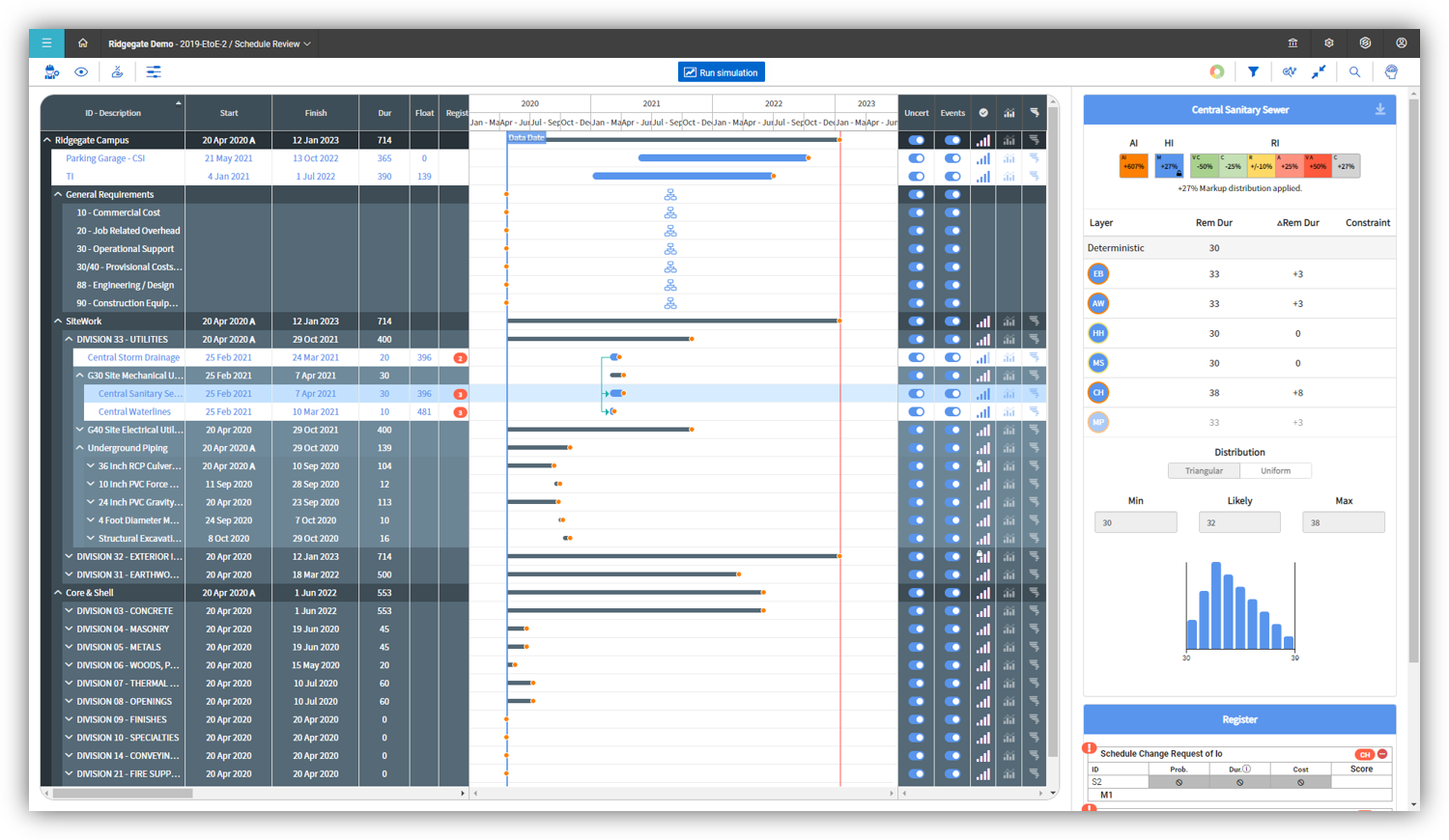
InEight's modular project controls software connects complex project data to improve visibility and delivery in capital construction.
N/A
Pricing
Flow
InEight
Editions & Modules
No answers on this topic
No answers on this topic
Offerings
Pricing Offerings
Flow
InEight
Free Trial
No
No
Free/Freemium Version
No
No
Premium Consulting/Integration Services
No
No
Entry-level Setup Fee
No setup fee
No setup fee
Additional Details
—
InEight offers a modular, integrated project controls platform. Because the InEight platform covers the entire construction lifecycle, customers purchase the software based on their specific needs – purchasing stand-alone products, a bundle of products, or the entire platform. As a result, the pricing will vary depending on the specific product, number of users and length of contract. Once InEight has identified the highest impact areas, they offer potential customers a custom proposal. The options they consider include:
Per user pricing: typically annual subscriptions.
Revenue-based: using a percentage of the customer’s revenue.
Project-based: software use dedicated to a specific project or program of work.
More Pricing Information
Community Pulse
Flow
InEight
Features
Flow
InEight
Project Management
Comparison of Project Management features of Product A and Product B
Flow
9.3
Ratings
19% above category average
InEight
-
Ratings
Task Management
9.30 Ratings
00 Ratings
Resource Management
10.00 Ratings
00 Ratings
Gantt Charts
10.00 Ratings
00 Ratings
Scheduling
10.00 Ratings
00 Ratings
Workflow Automation
10.00 Ratings
00 Ratings
Team Collaboration
10.00 Ratings
00 Ratings
Support for Agile Methodology
8.30 Ratings
00 Ratings
Support for Waterfall Methodology
7.40 Ratings
00 Ratings
Document Management
10.00 Ratings
00 Ratings
Email integration
10.00 Ratings
00 Ratings
Mobile Access
7.20 Ratings
00 Ratings
Timesheet Tracking
10.00 Ratings
00 Ratings
Change request and Case Management
10.00 Ratings
00 Ratings
Budget and Expense Management
7.70 Ratings
00 Ratings
Professional Services Automation
Comparison of Professional Services Automation features of Product A and Product B
Flow
9.8
Ratings
26% above category average
InEight
-
Ratings
Quotes/estimates
9.00 Ratings
00 Ratings
Invoicing
10.00 Ratings
00 Ratings
Project & financial reporting
10.00 Ratings
00 Ratings
Integration with accounting software
10.00 Ratings
00 Ratings
Reporting & Analytics
Comparison of Reporting & Analytics features of Product A and Product B
Flow
-
Ratings
InEight
7.0
Ratings
8% below category average
Dashboards
00 Ratings
7.40 Ratings
Standard reports
00 Ratings
6.30 Ratings
Custom reports
00 Ratings
6.20 Ratings
Data exportability
00 Ratings
8.10 Ratings
Construction Project & Field Management
Comparison of Construction Project & Field Management features of Product A and Product B
Flow
-
Ratings
InEight
6.9
Ratings
9% below category average
Plan distribution & viewing
00 Ratings
7.20 Ratings
Plan markups & sharing
00 Ratings
7.20 Ratings
Issue tracking & punchlists
00 Ratings
7.90 Ratings
Photo documentation
00 Ratings
7.50 Ratings
Jobsite reports
00 Ratings
8.00 Ratings
Document sharing
00 Ratings
5.70 Ratings
RFI tools
00 Ratings
4.80 Ratings
Collaboration & approvals
00 Ratings
7.40 Ratings
As-built drawings
00 Ratings
6.30 Ratings
Mobile app
00 Ratings
7.60 Ratings
Submittal design and management
00 Ratings
6.40 Ratings
Checklists
00 Ratings
7.50 Ratings
Meeting Minutes
00 Ratings
6.90 Ratings
Specifications
00 Ratings
6.40 Ratings
Change orders
00 Ratings
5.90 Ratings
Estimating
Comparison of Estimating features of Product A and Product B
Flow is great for a team that is managing many projects with a lot of different players involved. It lets people really drill down into the projects that they are a part of without getting distracted by everyone else's work. The features like "focus work" and muting notifications are great for a fast-paced workplace which creates distractions. It is too robust for smaller teams or individual work.
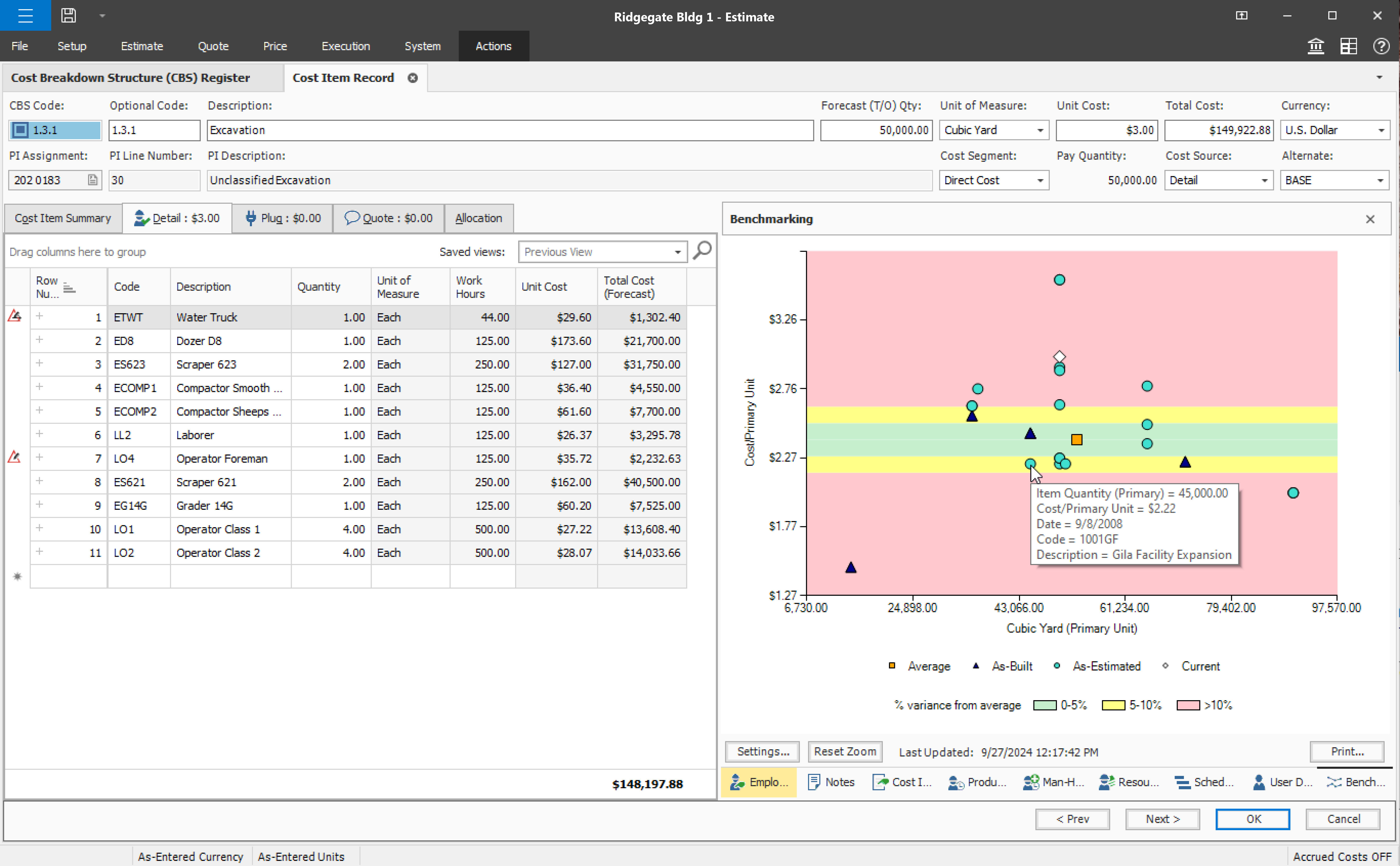
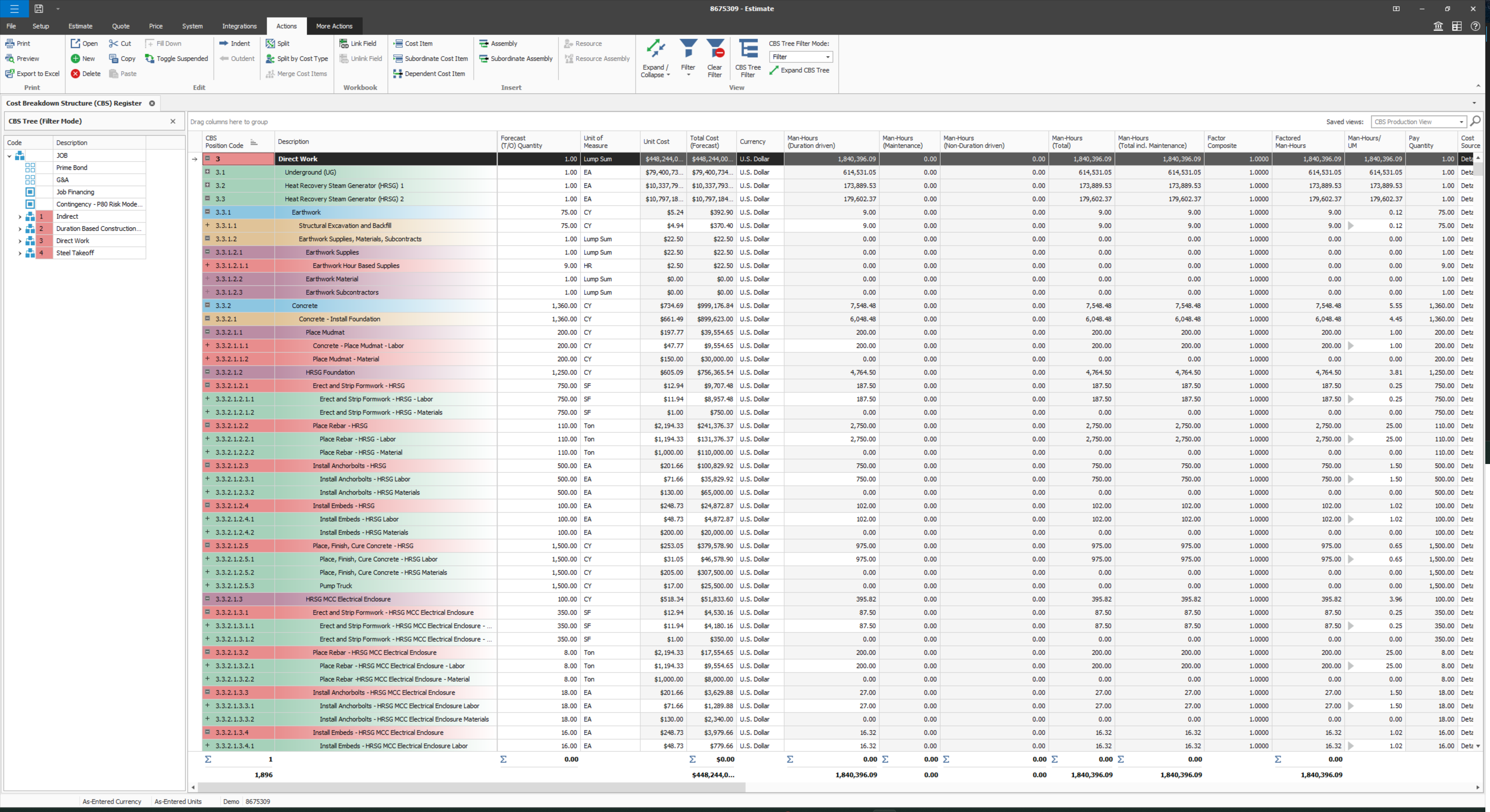
Compared to other Estimating software I have used, InEight has superior capabilities and features. The ability to use a line item or an assembly to create an estimate is an outstanding feature of the program. The ability to create crew rates and use them in the estimate is a handy feature, especially when estimating construction projects.
The “catch up” tab is especially helpful for staying up to date with all the projects you are part of.
Being able to overview all of the projects and their status within a team helps give our top-level leaders a snapshot of where we are at any given moment.
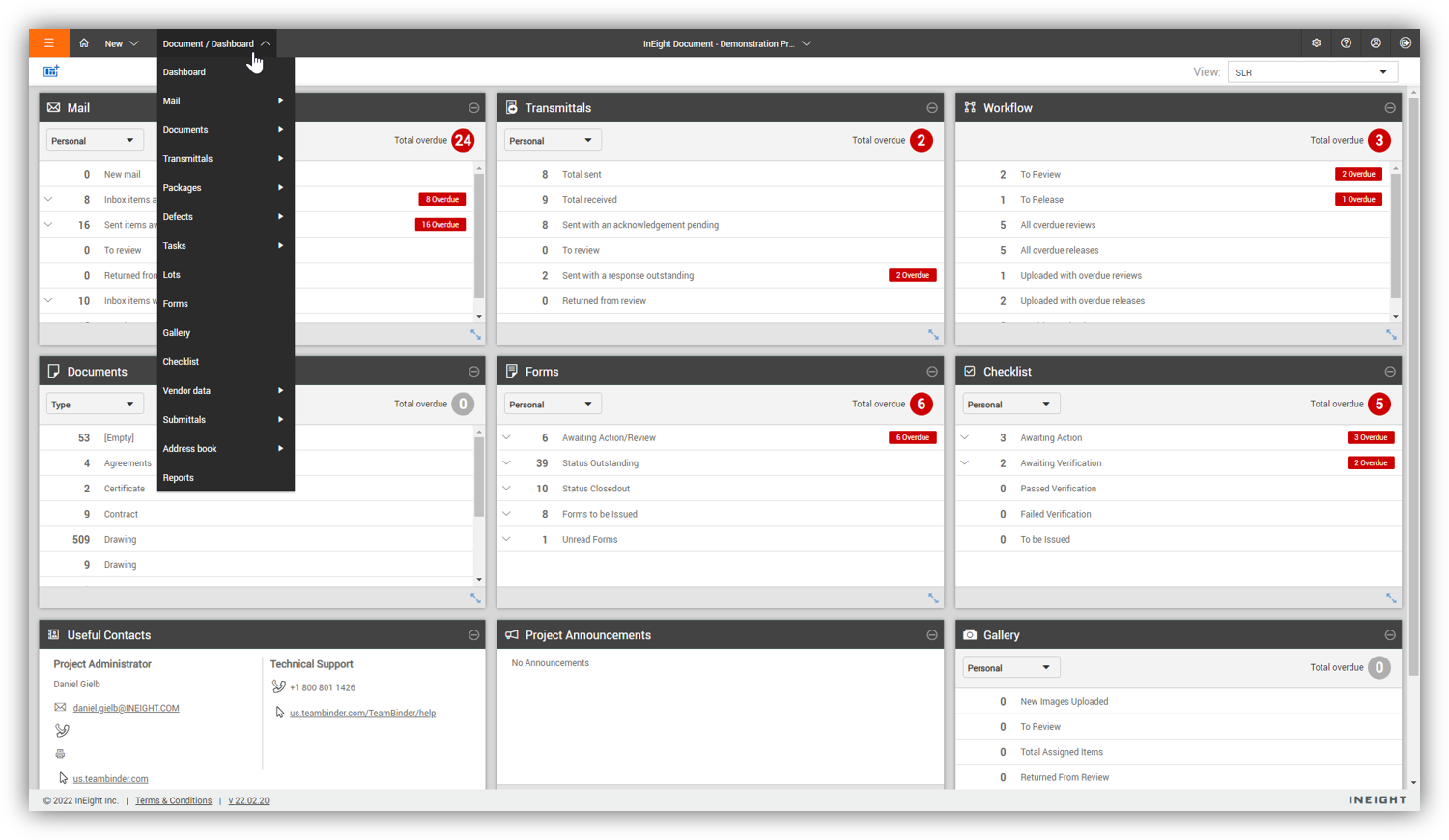
Some features with InEight's TeamBinder are worthy of single use, however the review feature and subsequent revision and version numbering could be improved. We will be aiming to roll out the package to encompass our internal documentation in the near future and will be in a better position to judge the usability after that point in time.
I would give it an 8 out of 10 because the software can be a bit cumbersome to new users. It also takes a long time to set up the library and input all of your companies needs so that the software will provide the level of service required to estimate projects. However, once the software is set up it is a powerful tool. We only use a portion of what the software is capable of delivering
Every time I have contacted support, they have gotten back to [me] quickly and with a few solutions. I like that they seem to be US-based, so there is no language barrier when I try to communicate my problem. For the few times, they did not have a solution ready, they told me they would respond later after further research, and they actually followed up! Better than most support I have used in the past with other software.
Since the original inception, I have been required to overhaul the system so that it is more user friendly and combines both aspects of our business, documentation and drawings. Being able to control revision and version numbering has been a key struggle that only staff training has been able to mark this as complete.
Asana and Freedcamp are similar, but I feel Flow is easier to hit the ground running with. Add a strong mobile component (apps) and great customer support I feel they are doing PM software the right way. However, Asana is huge and constantly adding features, so over time the big players may easily address their pain points. There are so many similar programs like this now.
I've used SAP for more than 10 years before my current job in this company. The best thing in SAP, is exactly what I have commented before, it's a single one tool, that does all what InEight do. Here at CCC, we have COINS for cost management, and I don't know exactly if InEight would be able to do whatever that COINS does, but what I'm trying to say is that, for systems, as much less external communication, better. InEight is covering a great portion on planning, we will see schedule and estimate, it will definitely improve, so, waiting on that to see.
InEight is a good system that has scaled nicely as the company has grown. the tools are still readily available and applicable for our larger scope of work. It has kept up with the growth of the company very nicely