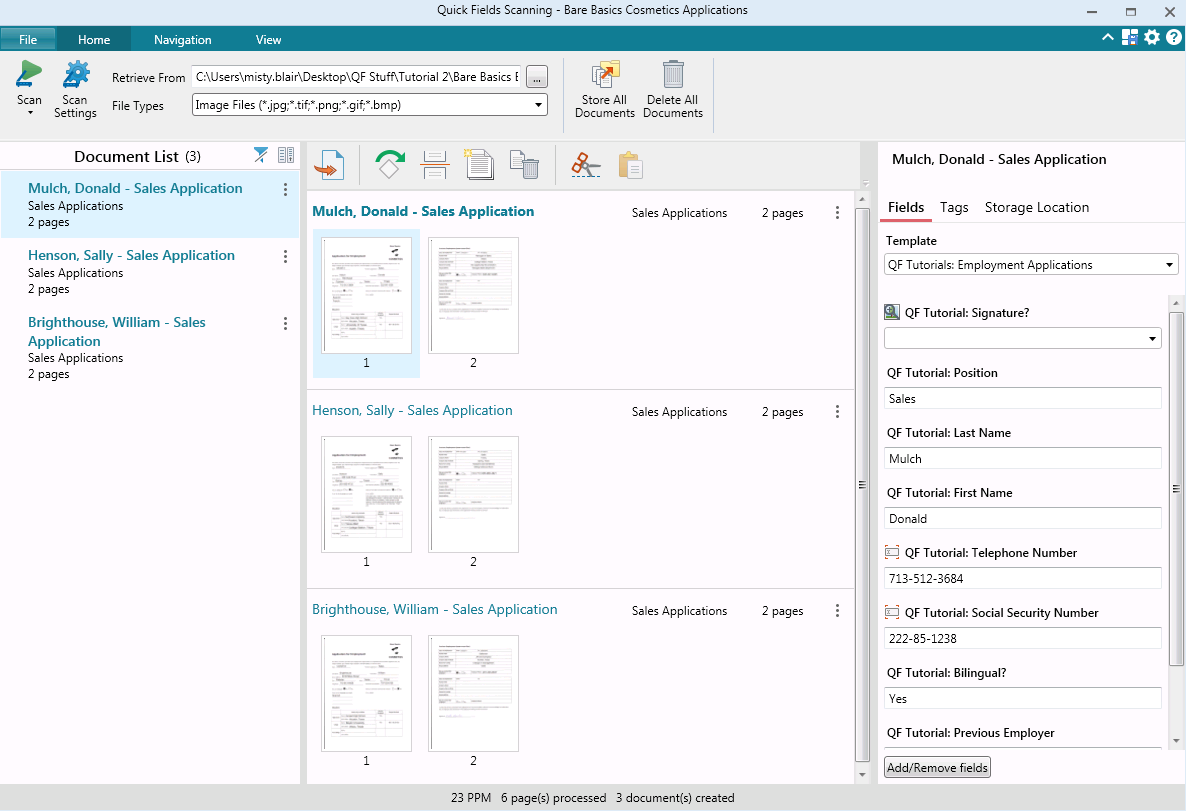
Upland FileBound is a document management system that enables reliable, user-friendly content workflow.
N/A
Laserfiche
Score8.3 out of 10
N/A
Laserfiche has two main editions: Rio and Avante: Laserfiche Rio is designed to meet the needs of large organizations that have more than 100 users. It combines content management functionality with business process management (BPM), security and auditing, unlimited servers and a thin-client interface. Add-ons include records management functionality, public Web portals and production-level document capture and processing.
Laserfiche Avante is an ECM suite for small to medium organizations with…
Provider & Plan Relations Representative- New Hire in Customer Service at DentalOne Partners Inc. (Banking, 5001-10,000 employees)
Chose Laserfiche
Laserfiche was better in the sense that it provided more options to search and locate stored data, unlike FileBound where searching for anything was impossible and inefficient.
A de minimis incentive was given to thank the reviewer for their time. The incentive was not used to bias or drive a particular response, nor was the incentive contingent on a positive endorsement. More Info
Filebound is great for documents that have been archived or not needed on a day to day basis. It serves it purpose as a storage/filing system to digitize any previous "hard copy" filing system. But for the day to day accessibility, I find other programs to be more responsive and quicker to use. Also, In order to use or edit any document uploaded to Filebound, you currently have to re-download the document onto your computer to edit. If the editing capabilities were streamlined for quicker response that would also be a plus.
A de minimis incentive was given to thank the reviewer for their time. The incentive was not used to bias or drive a particular response, nor was the incentive contingent on a positive endorsement. More Info
Laserfiche is well suited to the submission of simple routine reports to create a record repository. We use it for routine transport reports, audit reports, and anonymous citizen complaints. It creates a simple chronological record of routine events that can be reviewed and easily stored and recalled. Because the reports are in PDF format, it is not well suited to anything that needs to be imported into a common database or amended after submission.
A de minimis incentive was given to thank the reviewer for their time. The incentive was not used to bias or drive a particular response, nor was the incentive contingent on a positive endorsement. More Info
Filebound is easily to upload documents onto and file into the proper location. You can easily find a file on your computer and have it uploaded within seconds
Filebound gives you customization so you can create your own folders, criteria needed to file and search for uploaded documents. You have options of file types, names, certain fields of information to display when searching for files.
Filebound allows you to download and print your saved documents quickly for future access. There is no limit to how you can use your scanned documents
A de minimis incentive was given to thank the reviewer for their time. The incentive was not used to bias or drive a particular response, nor was the incentive contingent on a positive endorsement. More Info
A de minimis incentive was given to thank the reviewer for their time. The incentive was not used to bias or drive a particular response, nor was the incentive contingent on a positive endorsement. More Info
Searching for Documents. Filebound does not allow you to look in differing file types for a specific document. You have to search each file type individually. And we have found that spaces or symbols are needed in front of the entered search information in order for Filebound to do a more broad search.
You cannot move uploaded around, if you have more than one scan in a file. Once they are uploaded into a location, you cannot move it, you can only delete it and re-scan it into the proper file.
If it was possible to simply drag and drop a file into Filebound to start the upload process, that would save time.
A de minimis incentive was given to thank the reviewer for their time. The incentive was not used to bias or drive a particular response, nor was the incentive contingent on a positive endorsement. More Info
While Laserfiche has some powerful development tools, it is difficult to manage configurations while promoting code across environments. For example, SQL connections and other environment specific resources have to be manually configured in each environment.
Laserfiche forms are a newer addition to the product family and could use some product maturity. While easy to use for simple forms, once your forms become more complex, you need to accomplish tasks by heavy JavaScript coding.
A de minimis incentive was given to thank the reviewer for their time. The incentive was not used to bias or drive a particular response, nor was the incentive contingent on a positive endorsement. More Info
We plan on renewing Laserfiche for the coming year but also have been considering a scanning and document management solution that can be purchased from our new accounting system company, we are implementing the accounting system this year. It will be a couple years before we make a decision to stay with Laserfiche or change.
A de minimis incentive was given to thank the reviewer for their time. The incentive was not used to bias or drive a particular response, nor was the incentive contingent on a positive endorsement. More Info
It has an intuitive design that feels very natural to any user that has ever used Outlook or Windows Explorer. There are multiple ways to perform every action in order to help users with various software experiences find the shortcuts and actions they seek quickly and effectively.
A de minimis incentive was given to thank the reviewer for their time. The incentive was not used to bias or drive a particular response, nor was the incentive contingent on a positive endorsement. More Info
I am very satisfied with Laserfiche. I have found that certain larger jobs may are slow. This may also be related to our infrastructure environment. We have been able to tune Laserfiche to increase performance on larger jobs.
A de minimis incentive was given to thank the reviewer for their time. The incentive was not used to bias or drive a particular response, nor was the incentive contingent on a positive endorsement. More Info
Performance, of course, is largely dependent on the underlying environment. Laserfiche does its part with multi-threading, taking advantage of multi-core servers on scanning, workflows, and bots. A SQL-Server back-end is suitable for small to medium-sized company, but may not scale to large, where Oracle would be the better choice. Workflows can be poorly written and perform recursive work slowing down the system. It's better to run batch type workflows at night when possible.
A de minimis incentive was given to thank the reviewer for their time. The incentive was not used to bias or drive a particular response, nor was the incentive contingent on a positive endorsement. More Info
I have never had to wait for help from Laserfiche. If I cannot find the answer online, I can easily send an email to a customer support representative. I have always been helped the same day and my questions have always been resolved. The Empower conference is always a great learning opportunity and the online resources and webinars are top-notch.
A de minimis incentive was given to thank the reviewer for their time. The incentive was not used to bias or drive a particular response, nor was the incentive contingent on a positive endorsement. More Info
Easily accessible 24/7 so am able to complete courseware whenever time allows: Commute to work; waiting for friends or family; at night while relaxing [with a delicious glass of wine!]; whenever and wherever time and circumstances permit. Courseware is well written and presented in an easy to follow and understand format.
A de minimis incentive was given to thank the reviewer for their time. The incentive was not used to bias or drive a particular response, nor was the incentive contingent on a positive endorsement. More Info
The core infrastructure of Laserfiche, and the end user experience, is vastly superior. OnBase has a TERRIBLE UI and administration console by comparison. The core architecture of OnBase is also more scattered, while all Laserfiche processes go through a single service. Overall, the Laserfiche product is easier and more intuitive to install, maintain, and use.
A de minimis incentive was given to thank the reviewer for their time. The incentive was not used to bias or drive a particular response, nor was the incentive contingent on a positive endorsement. More Info
I don't have numbers, but our organization was able to go from having three large off-site and one on-site storage units to having none. This saved money on a monthly and yearly basis.
A de minimis incentive was given to thank the reviewer for their time. The incentive was not used to bias or drive a particular response, nor was the incentive contingent on a positive endorsement. More Info
Laserfiche has increased the efficiency of our sales reps by giving making all of the historical sales deal information very simple and fast to retrieve.
Laserfiche has increased our efficiency with our AP department and gave department heads the ability to approve invoices where ever they are.
I would say the biggest ROI came with the transparency of the order process for new deals. Before there would be numerous phone calls made daily to find out where an order was within the process, and now you can simply look at all deals at any time.
A de minimis incentive was given to thank the reviewer for their time. The incentive was not used to bias or drive a particular response, nor was the incentive contingent on a positive endorsement. More Info