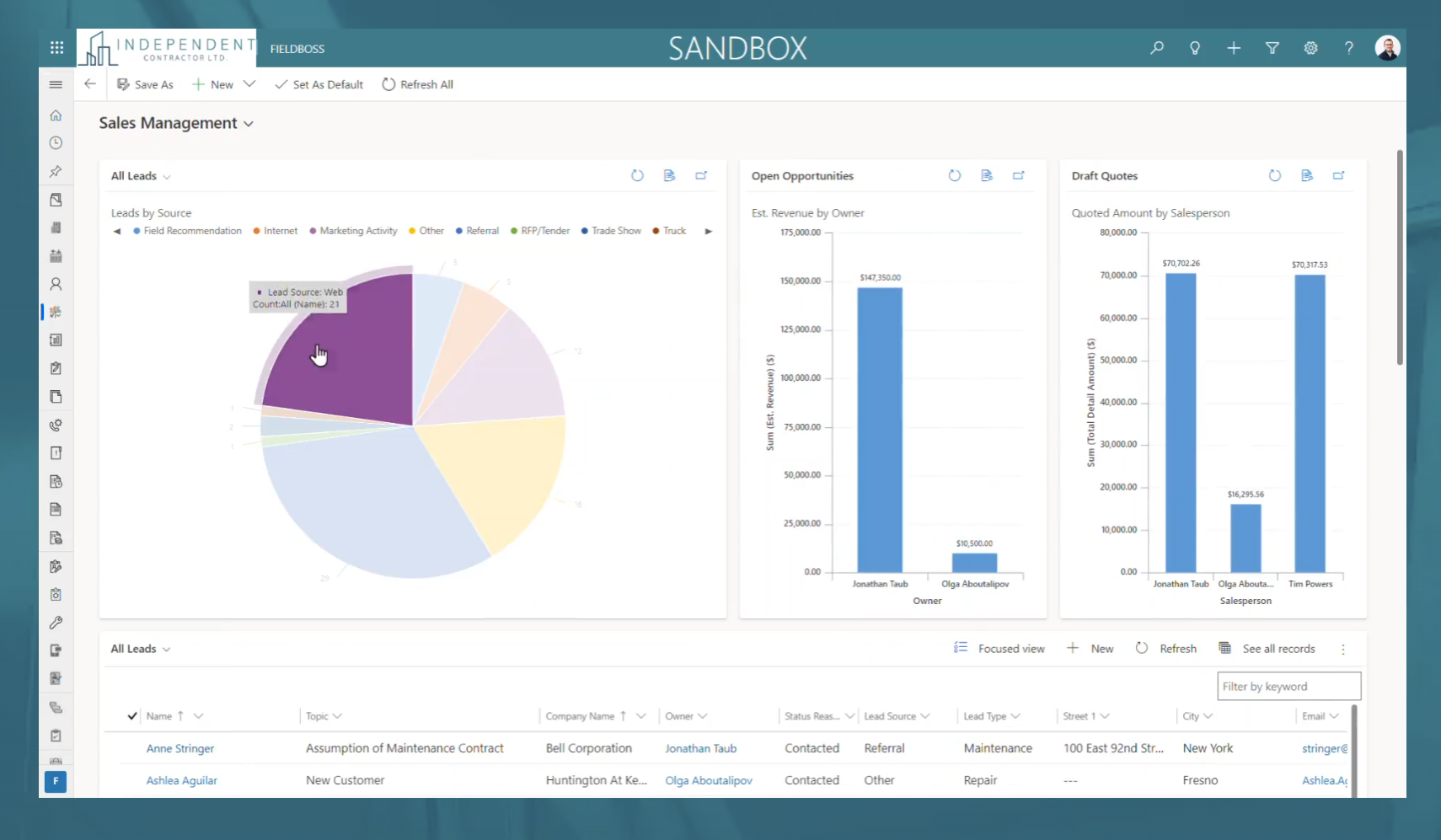
FIELDBOSS is a specialized Field Service Management (FSM) software solution built on the Microsoft Dynamics 365 ERP and hosted on the scalable Microsoft Azure cloud. Designed for field service businesses that require an end-to-end management platform, FIELDBOSS is designed to streamline operations, improve service efficiency, and enhance customer satisfaction. It provides businesses with a unified solution for scheduling, dispatching, work order management, asset tracking, and compliance…
N/A
Jobber
Score7.8 out of 10
N/A
Jobber is field service management software from the company of the same name in Edmonton, Alberta.
Being able to react to customers’ needs through real-time contact with our technicians has improved our customer experience and increased operational efficiencies. Having information at our fingertips, by using reporting and tracking allows us the visibility we need to identify potential problems and find quick solutions, thereby preventing or decreasing repeat visits and elevator downtime. We’ve increased workforce productivity with technician mobile access, using automated flows in processing multi-level tasks throughout the system, and our users having the ability to easily create custom views and reports to fit their needs.
The cost of Jobber is not suitable for a startup - even our company size is hard pressed to squeeze in other areas of business to afford the cost. Zenmaid or other maid-forward services may be better suited since Jobber seems to focus it's offerings on one-off as opposed to recurring services like ours. For business who do in-person estimates like ours, the streamlined estimate feature which causes increased conversion rates makes it worth the cost - as we anecdotally gain more business this way. However, if we switch to an online booking / instant booking model as opposed to in-person estimates, we may not require this feature. Zenmaid has a "gamified" residential booking page that was extremely high converting for us - we received sometimes 30+ inquiries per day due to the ease of use - MANY more completed inquiries than we receive now - but they didn't have a quoting and deposit collection tool - so here we are. If we used their instant booking feature we would have stayed due to the scheduling tool, gap finder, prevention of double booking employees, and cleaning service focus, as well as significantly reduced pricing.
A de minimis incentive was given to thank the reviewer for their time. The incentive was not used to bias or drive a particular response, nor was the incentive contingent on a positive endorsement. More Info
For us, sometimes doesn't save the data, just gone, especially terrible if you have a data interruption since it has zero offline capability.
I think the price is way high now, made the mistake of 'upgrading' and cannot go back.
In my experience, way too easy to create a duplicate entry of anything, then near impossible to clean up, unless you notice it immediately.
I found no merge functionality. Same client has two entries? Too bad.
In my experience, does not work with Xero accounting software, took a long time to figure that out especially since they advertise it and that was why we chose both of them, for the supposed integration. For us, Quickbooks was also a pain.
In my experience, the app is unusable, must use the web version on a mobile device.
In my experience, the integrated payment processing cannot accept debit in Canada, only credit cards.
The integration with Microsoft Dynamics 365 is optimal for any company, as any user that has used a Microsoft product finds the interface intuitive and allows them to navigate the system with ease. Users are able customize views and reports that are easily share with colleagues throughout your organization
Jobber is an easy-to-use and friendly software designed for efficiency. Its interface is well-organized, ensuring that each section is intuitive and accessible. Users can navigate smoothly through tasks, making project management simpler. Overall, Jobber enhances productivity and streamlines operations, making it a valuable tool for various projects.
There is hardly an app that covers it all while staying simple and wrapping up the process. From the filing of the request, everything goes smoothly following a natural progression. Reports are insightful, give you an instant overview and easy to understand. In addition, you can easily track any information from those on clients to expense tracking.
A de minimis incentive was given to thank the reviewer for their time. The incentive was not used to bias or drive a particular response, nor was the incentive contingent on a positive endorsement. More Info
Square only allows for scheduling to one person. And my team couldn’t see their schedules. As a cleaning company, I need to let cleaners know what their pay is without them seeing what I’m charging. That’s game changer about Kobber.