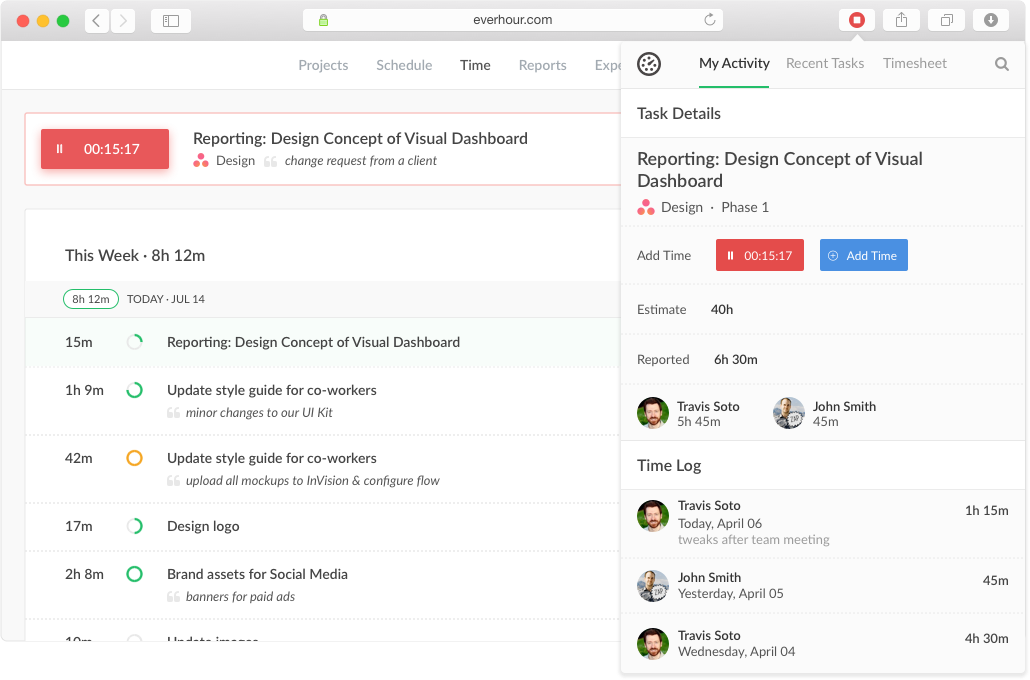
Everhour is a time tracker equipped with project & team management features. Everhour integrates with project management apps so users can track time on tasks right from its interface: Asana, Basecamp, Trello, Jira, ClickUp, Basecamp, Notion, Todoist, GitHub, GitLab, etc. Its time tracking features provide options for timekeeping and time management. It helps to facilitate a team's time tracking experience by adding reminders, auto stop timers, start and stop timers, and…
$0
Traqq
Score 9.1 out of 10
Small Businesses (1-50 employees)
Traqq leads the shift to ethical time tracking through non-invasive analytics. No screenshots. No screen recording. No micromanagement. Our lightweight desktop app respects privacy while delivering rich insights into team performance and productivity. You get intelligent analysis that tracks app usage, work patterns, and idle time - all while keeping your data secure. Traqq combines AI-powered time tracking with smart activity monitoring. The 2025 AI analytics upgrade brings…
$0
(up to 3 users)
Pricing
Everhour
Traqq
Editions & Modules
Free
$0
Lite
$6.00
per month per user
Team
$10.00
per month per user
Premium Starter
$0
(up to 3 users)
Premium Teams
$7
per month per user
Enterprise
Custom Plan
Offerings
Pricing Offerings
Everhour
Traqq
Free Trial
Yes
Yes
Free/Freemium Version
Yes
Yes
Premium Consulting/Integration Services
No
No
Entry-level Setup Fee
No setup fee
No setup fee
Additional Details
—
Discounts available for quarterly (10%) and annual (14%) pricing.
Everhour is useful in every environment where you need the measure of time for certain tasks. In most cases, this could be project management but it could also include trips or travels, conferences, congresses, or several other things that you need to take control of the time used. Its less appropriate if you are going to measure things in weeks or days, it's better to measure smaller pieces of time like minutes of hours, so you could have a more useful metrics to work with.
Traqq is a great system when you are in the field of education. In my experience, it has saved me countless hours of figuring out how to remember the timezone my employees and students are located in. I used to use a written spreadsheet of each employee's timezone and one of those random timezone calculators. Being able to modify Traqq based on my employees' timezone, my timezone, and our company's timezone (the technical "working hours") has been a game-changer.
It has a genius dashboard with all real-time traffic information of all team members. It is a very useful tool as well to track efficiency for both in-house and remote team members
It has well-done integration with Asana (and other task-managers) which allows you to track time on tasks without switching between apps or tools which it truly awesome
It has a scheduling tool which allows you to plan long term traffic of all your team members by using Asana projects and tasks so there is no need to copy and paste the same story points between different systems
It has flexible reporting system which allows you to build very custom project time tracking report based on your needs (any field or table type can be customized and you wish)
An integration with the desktop version of Asana would be useful, as many of our employees use that version.
A reminder when a task has been running for a while would be useful too, as the user could have forgotten to turn off the timer
Multiple tasks running simultaneously would be useful, as many times we solve some problems while we are reunited or complete some tasks while other processes are running.
Everhour's overall usability is definitely one of its key strengths. The UI is intuitive and clean, making time tracking feel less "technical" than other solutions we've tried. Our entire team, including less tech-savvy contractors, found it easy to use.
In the almost 2 1/2 years we have had to contact support 1 time and it really was for a feature request. Their support team responded quickly and told us that the feature was going to be added in the next few months. We have had no support issues ever. I have never had a time tracking solution that has had no issues until Everhour.
When evaluating other systems, we compared Everhour against Toggl Track and JIRA. Toggl Track offered robust reporting but felt too feature-heavy for our contractor management needs. It was also a bit more difficult to use. JIRA's time tracking, while powerful for development teams, was overly complex for us and had too much overhead.
So I have used Jibble and Time Doctor for time tracking, but none of these would reflect the reasons for low/high performance of the employees as Jibble is just a time clock, and the Time Doctor won't yet make reports and send them to superiors right away. Traqq solves it. Honestly, I have never come across any software competing with functionalities like Traqq yet.
Simplifies end-of-month billing processes and reduces manual entry
Quicker team onboarding due to consistent time tracking structure between Asana & Everhour
Improved productivity due to Asana integration as tasks can be reassigned and tracked by multiple team members, regardless of who is assigned to the task (good for collaboration between team members)
I've been able to get things done faster with Traqq. One of my clients made a comment a while back(I asked for her permission before posting this). She said, "I loved how I don't get to pay freelancers for doing nothing, now I pay employees according to the quality of work I receive". We both laughed about it though, but I believe that's a positive impact on her.
I've been able to write more, knowing that my clients can see my major moves. My main aim is to impress my employers to get good feedback in return and Traqq helps me greatly in that area.