etracker vs. Webtrends Optimize

Overview
ProductRatingMost Used ByProduct SummaryStarting Price
etracker
Score 9.0 out of 10
N/A
etracker is a web optimization solution.  The vendor says their customers use this solution for visitor statistics, usage analysis and gain information regarding visitor origin. This solution includes a set of website optimization tools that include: Web analysis and online marketing in real-time Satisfaction analysis through visitor surveys and feedback button Mouse tracking to uncover user experience obstacles App tracking for the assessment of the…N/A
Webtrends Optimize
Score 9.7 out of 10
N/A
Webtrends Optimize is a web optimization platform and is offered by the company of the same name. The product competes most often with Adobe Test and Target, Maxymiser, SiteSpect, and Optimizely.N/A
Pricing
etrackerWebtrends Optimize
Editions & Modules
No answers on this topic
Offerings
Pricing Offerings
etrackerWebtrends Optimize
Free Trial
NoYes
Free/Freemium Version
NoNo
Premium Consulting/Integration Services
NoNo
Entry-level Setup FeeNo setup feeNo setup fee
Additional DetailsThere is no tiering and no different prices for different tools. The entire feature set is available to all users as standard at one price, agreed up front.
More Pricing Information
Community Pulse
etrackerWebtrends Optimize
Features
etrackerWebtrends Optimize
Testing and Experimentation
Comparison of Testing and Experimentation features of Product A and Product B
etracker
8.8
Ratings
7% above category average
Webtrends Optimize
8.3
Ratings
1% above category average
a/b experiment testing9.00 Ratings9.10 Ratings
Split URL testing8.00 Ratings8.20 Ratings
Multivariate testing8.00 Ratings8.20 Ratings
Multi-page/funnel testing8.00 Ratings8.20 Ratings
Cross-browser testing8.00 Ratings8.20 Ratings
Test significance9.00 Ratings8.20 Ratings
Advanced code editor9.00 Ratings8.20 Ratings
Page surveys9.00 Ratings8.20 Ratings
Visitor recordings9.00 Ratings8.20 Ratings
Preview mode9.00 Ratings8.20 Ratings
Test duration calculator9.00 Ratings8.20 Ratings
Experiment scheduler9.00 Ratings8.20 Ratings
Experiment workflow and approval9.00 Ratings8.20 Ratings
Dynamic experiment activation9.00 Ratings8.20 Ratings
Server-side tests9.00 Ratings8.20 Ratings
Mutually exclusive tests9.00 Ratings8.20 Ratings
Mobile app testing00 Ratings8.20 Ratings
Visual / WYSIWYG editor00 Ratings8.20 Ratings
Client-side tests00 Ratings9.10 Ratings
Audience Segmentation & Targeting
Comparison of Audience Segmentation & Targeting features of Product A and Product B
etracker
9.0
Ratings
5% above category average
Webtrends Optimize
8.2
Ratings
4% below category average
Standard visitor segmentation9.00 Ratings9.10 Ratings
Behavioral visitor segmentation9.00 Ratings8.20 Ratings
Traffic allocation control9.00 Ratings7.30 Ratings
Website personalization9.00 Ratings8.20 Ratings
Results and Analysis
Comparison of Results and Analysis features of Product A and Product B
etracker
9.1
Ratings
8% above category average
Webtrends Optimize
8.1
Ratings
4% below category average
Heatmap tool9.00 Ratings00 Ratings
Click analytics9.00 Ratings9.10 Ratings
Scroll maps9.00 Ratings7.30 Ratings
Form fill analysis9.00 Ratings7.30 Ratings
Conversion tracking9.00 Ratings8.20 Ratings
Goal tracking9.00 Ratings8.20 Ratings
Test reporting9.00 Ratings8.20 Ratings
Results segmentation9.00 Ratings8.20 Ratings
CSV export10.00 Ratings8.20 Ratings
Experiments results dashboard9.00 Ratings8.20 Ratings
User Ratings
etrackerWebtrends Optimize
Likelihood to Recommend
9.0
(0 ratings)
7.4
(0 ratings)
Likelihood to Renew
6.0
(0 ratings)
5.3
(0 ratings)
Usability
-
(0 ratings)
7.0
(0 ratings)
Availability
-
(0 ratings)
10.0
(0 ratings)
Performance
-
(0 ratings)
10.0
(0 ratings)
Support Rating
-
(0 ratings)
9.1
(0 ratings)
Online Training
7.0
(0 ratings)
6.0
(0 ratings)
Implementation Rating
-
(0 ratings)
7.0
(0 ratings)
User Testimonials
etrackerWebtrends Optimize
Likelihood to Recommend
It is very helpful for a product development company as well as a software support team.
Read full review
There are certainly a few things to consider. If you're looking to run A/B/n or Multivariate tests with some basic segmentation or targeting then Webtrends Optimize is capable of providing that. If budget is a major consideration then that is another area where Optimize may be more attractive. However, based on both of these criteria it is my opinion that there are other tools out there that provide more value. For segmentation discovery, identification of user affinities, and execution of an effective targeting and personalization strategy then there are certainly other tools that should be considered.
Read full review
Pros
  • Web analytics
  • Reporting
  • Comparing segment/parts
Read full review
  • The Webtrends team are excellent at taking the time to understand and learn about our distinct business needs, and recommend suggestions in response.
  • The Webtrends platform has undergone several changes over the time I was using it. This illustrates the constant thrive to improve their service to users, something I greatly appreciated.
  • Webtrends Optimize enables the whole process to be simple with its handy instructional guides that can inform clients about using the service.
Read full review
Cons
  • Lesser fields to populate
Read full review
  • The cost is a factor. When you're trying to save money, particularly as a startup (a lot of our clients are up-and-comers) it has to be seen as an investment...but the cost to implement the system is fairly large.
  • There's a bit of a steep learning curve, you can't just dive into the program.
  • It's not impossible but it's not as easy as snapping your fingers to easily implement the program cross-platform.
Read full review
Likelihood to Renew
I would love to use and recommend this.
Read full review
Difficulty was getting business units to take the time and spend the money to test, and then implement, best options.
Read full review
Usability
No answers on this topic
Set up of basic tests that do not use segmentation or targeting is an intuitive experience that can be learned quickly by new users. However, as the need for segmentation and other more advanced capabilities arise, the experience begins to degrade.
Read full review
Reliability and Availability
No answers on this topic
zero complaints. I'm not aware of it ever failing.
Read full review
Performance
No answers on this topic
Zero complaints. It seemed to do its job quickly and accurately.
Read full review
Support Rating
No answers on this topic
The support from the team at Webtrends Optimize is unparalleled. There is always someone to consult should there be any issues.
Read full review
Online Training
No answers on this topic
Online training was ok. Because every test is a custom test, there's only so much that can be covered in a generic lesson.
Read full review
Implementation Rating
No answers on this topic
Implementation was pretty straightforward
Read full review
Alternatives Considered
I like etracker better than Bound. I feel the UI and info are easier and cleaner.
Read full review
Webtrends Optimize is one of the best solutions out there for digital marketers to improve their sales by providing a better experience for their customers' journey. With that said, it is also a costly solution in comparison to other services in the market today. The adage of you gets what you pay for is true as they are a market leader in the optimization space.
Read full review
Return on Investment
  • It gave us good insight into where people were going/clicking on website.
Read full review
  • So far we haven't seen an ROI that we can accurately measure due to only running a couple of tests that haven't resulted in direct, site wide changes. However, we have learnt a lot about how to set up the right processes and documentation.
Read full review
ScreenShots

Webtrends Optimize Screenshots

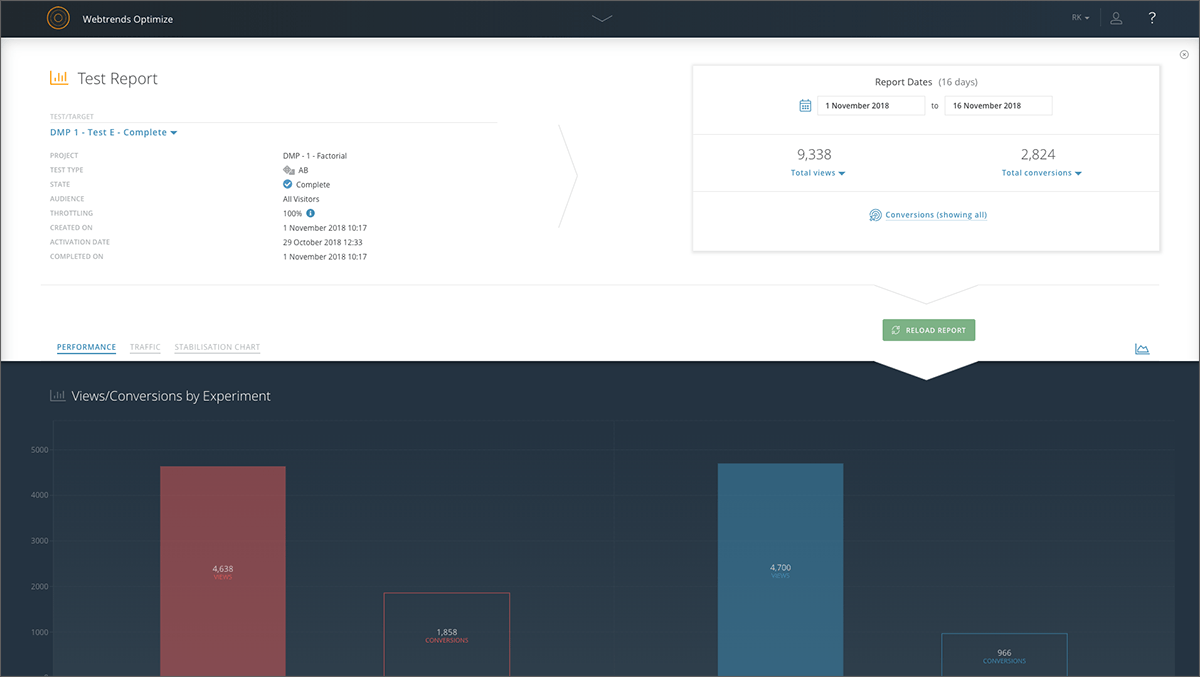
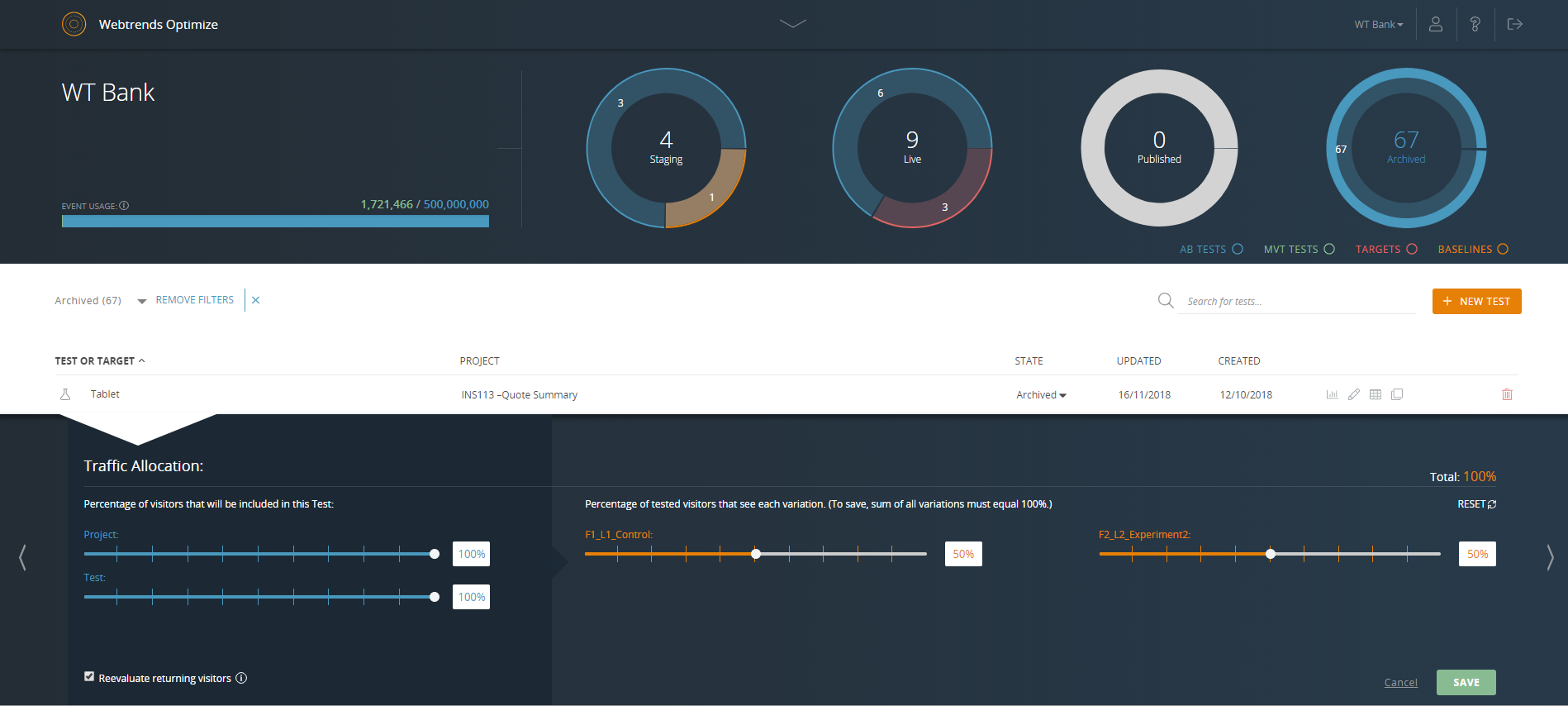
Screenshot of Reporting dashboard - default viewScreenshot of Specific experiment report - top level overviewScreenshot of Drag & drop segmentation moduleScreenshot of Point & click WYSIWYG Visual EditorScreenshot of Reporting dashboard - specific test or target overviewScreenshot of Reporting dashboard - specific test or target throttle settings