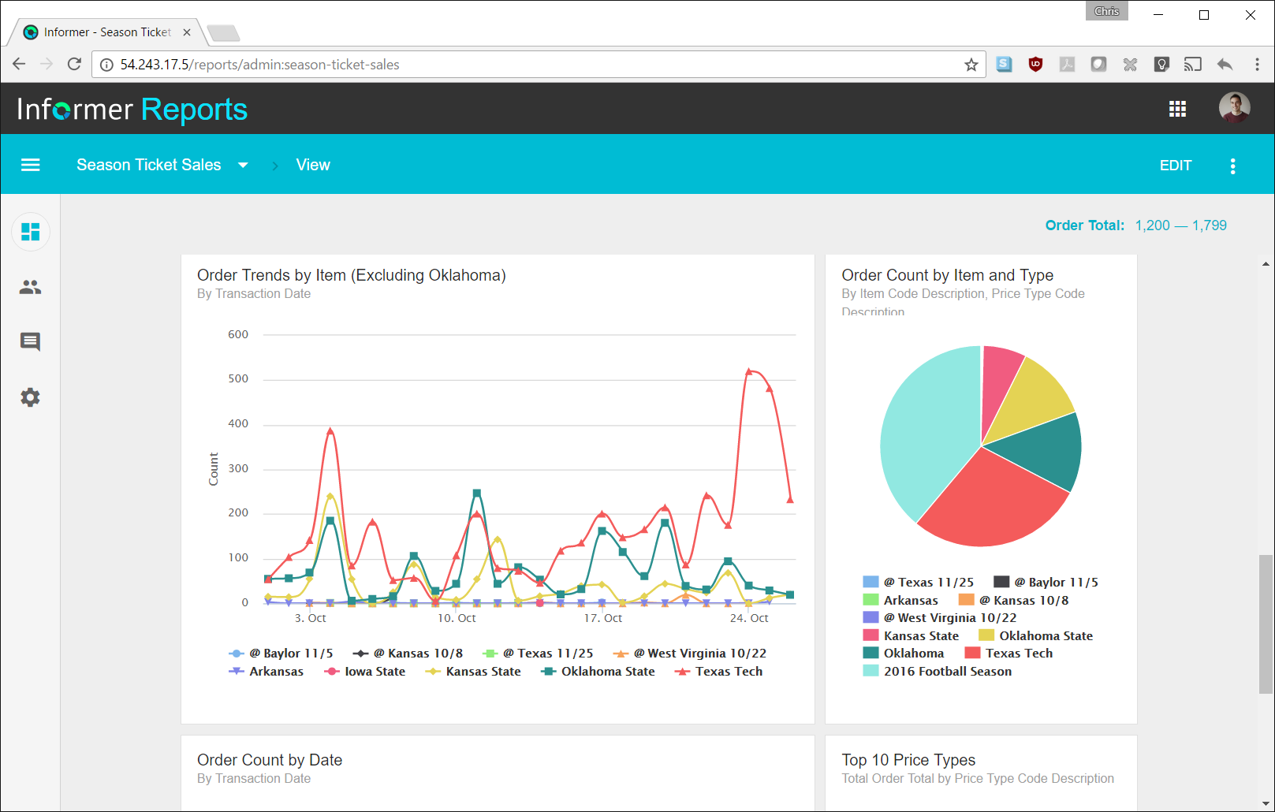
Entrinsik Informer is a web-based reporting and business intelligence application popular in the higher education vertical market. It helps organizations transform real-time data into actionable information by delivering ad-hoc reporting, data analysis, and interactive dashboards.
N/A
Sigma
Score 9.1 out of 10
N/A
Sigma Computing headquartered in San Francisco provides a suite of data services such as code free data modeling, data search and explorating, and related BI and data visualization services.
N/A
Pricing
Entrinsik Informer
Sigma Computing
Editions & Modules
No answers on this topic
No answers on this topic
Offerings
Pricing Offerings
Entrinsik Informer
Sigma
Free Trial
Yes
Yes
Free/Freemium Version
No
No
Premium Consulting/Integration Services
No
No
Entry-level Setup Fee
No setup fee
Optional
Additional Details
—
Contact us for pricing.
More Pricing Information
Community Pulse
Entrinsik Informer
Sigma Computing
Features
Entrinsik Informer
Sigma Computing
BI Standard Reporting
Comparison of BI Standard Reporting features of Product A and Product B
Entrinsik Informer
7.3
Ratings
11% below category average
Sigma Computing
8.9
Ratings
9% above category average
Pixel Perfect reports
5.50 Ratings
8.80 Ratings
Customizable dashboards
9.10 Ratings
9.20 Ratings
Report Formatting Templates
7.50 Ratings
8.70 Ratings
Ad-hoc Reporting
Comparison of Ad-hoc Reporting features of Product A and Product B
Entrinsik Informer
8.6
Ratings
7% above category average
Sigma Computing
8.6
Ratings
7% above category average
Drill-down analysis
9.10 Ratings
9.40 Ratings
Formatting capabilities
8.20 Ratings
8.30 Ratings
Integration with R or other statistical packages
8.20 Ratings
7.30 Ratings
Report sharing and collaboration
9.10 Ratings
9.40 Ratings
Report Output and Scheduling
Comparison of Report Output and Scheduling features of Product A and Product B
Entrinsik Informer
9.1
Ratings
9% above category average
Sigma Computing
9.1
Ratings
9% above category average
Publish to Web
9.10 Ratings
9.90 Ratings
Publish to PDF
9.10 Ratings
9.00 Ratings
Report Versioning
9.10 Ratings
9.90 Ratings
Report Delivery Scheduling
9.10 Ratings
9.80 Ratings
Delivery to Remote Servers
9.10 Ratings
7.00 Ratings
Data Discovery and Visualization
Comparison of Data Discovery and Visualization features of Product A and Product B
Most schools that use Colleague (the Student Information System) have either UniData or SQL Server as the back-end database. If a school is currently a UniData school but has plans to move to SQL Server in the relatively near future then I'd advise against moving forward with Informer until after the conversion to SQL Server. There is a tool that will convert some reports, but there are many instances where the tool won't successfully convert the report and it will need to be re-written.
Scenarios where Sigma Computing is well suited: - Data Reporting and Visualisation : It is suitable for dashboards that integrate data from multiple back-office systems - Search and Filtering Capabilities: It provides a robust platform for searching through datasets and visualisations. Scenarios where Sigma Computing is less appropriate: Handling of null values and dynamic table adjustments
Informer is pretty user-friendly. When teaching other employees how to use Informer, I typically don't have to repeat any steps or further explain how to do certain tasks because of how user-friendly it is.
Reports in Informer are kept in a list that can be filtered by user, specific tags, or even by how recent the report was made or run. This makes it very quick and easy to find and run a specific report.
Informer has many options for downloading the report output, including text (txt), comma separated values (csv), and even PDF.
Informer needs more predefined date formats in its Column Display Editor. The existing 5 do not meet everyone's needs.
It's a minor UI issue, but Informer's Edit Columns view stutters and displays empty space when scrolling left or right. It may be because I'm using Safari on Mac OS X, and Informer isn't designed for input devices that scroll with "momentum" (as Apple calls it).
The Reports Listing takes longer to load reports than I believe it should. At least a progress bar displays to tell you when it's complete.
Viewer level license is quite limited. These users can't download data or even add filters on datasets. Something to keep in mind.
Directly querying the underlying data warehouse will lead to increased usage. Not a big deal on something like Redshift, but your Snowflake consumption will increase, potentially by a lot.
Informer has been handily meeting most of our reporting needs, and we've created a library of hundreds of reports that are used every day. They have a terrific support service to help when you have questions, and I've found them to be great at listening to what customers would like and adding new features. They are a small company that really listens and really cares, and I've been very pleased over the past few years getting to know them.
Because we are very satisfied with the product and would most likely renew because of the services it provides. It is a tool that you bring into your organization and let it change the way you analyze your data, present your data and share you date within the Respective teams
Since I don't know code, there are sometimes calculations that are beyond my knowledge to create. It would also be great to be able to format multiple columns at once (center, for instance), rather than having to format them individually.
It has a clean and modern interface. However, it is not completely intuitive. I think it would be better and easier to navigate with more Windows style drop down menus and/or tabls. There is a significant learning curve, but that may be due in part to the technical nature of this type of software tool.
Always able to get acceptable solutions in reasonable time from friendly support staff. Initial contact is always with knowledgeable person - not someone reading from a script trying to screen calls. Thanks Entrinsik for being in tune with my needs.
They are very friendly and informative. They are quick in resolving our queries and help us understand very minute things as well. They are quick in creating feature tickets based on our custom requirements, and they would also create a bug ticket if there is any discrepancy and get that checked on time.
We bought the product on a Thursday morning, and we were writing reports on Friday afternoon. We did take about a month to manage the Mapping, Linking and Security to allow us to open it up across campus. We are now mapping from as many third-party vendors as we can to enable the creation of more ad-hoc reporting.
Our organization used to use the built in reporting tool for Datatel, but it required more knowledge about SQL so only a handful of users could actually use it. There was no customization of the output or ability to schedule the queries. If you wanted something more complex than what was available, then the programmers needed to write an extraction program to pull the data you needed
I am not an expert in any of these, though from my brief exposure to Looker it felt like a steeper learning curve, more appropriate to companies with dedicated and skilled BI engineers, whereas Sigma (and Tableau, and Looker Studio) offer a quicker and more intuitive interface for smaller companies like ours without dedicated BI resources on staff.
We have definitely improved customer service due to better reporting using Informer. All departments are better empowered to help our students in a more timely and accurate manner.
Using Informer has given us the ability to eliminate functionality within our ERP system and offload reporting to a data store instead of the transactional system. This has resulted in successfully upgrading our core systems and improved response times.
Monitoring health of cloud platform has allowed the company to anticipate issues before they affect customers – Sigma prompted us building a canary monitoring process that provides customer container health.
Customer success has used an activity report to discover customers running runaway processes that they were unaware of, creating an alert to contact the customer and prevent an embarrassing situation.
Customer success uses the activity report to prompt conversations regarding increases or declines in behavior that led to increasing contract limits or addressing churn concerns.