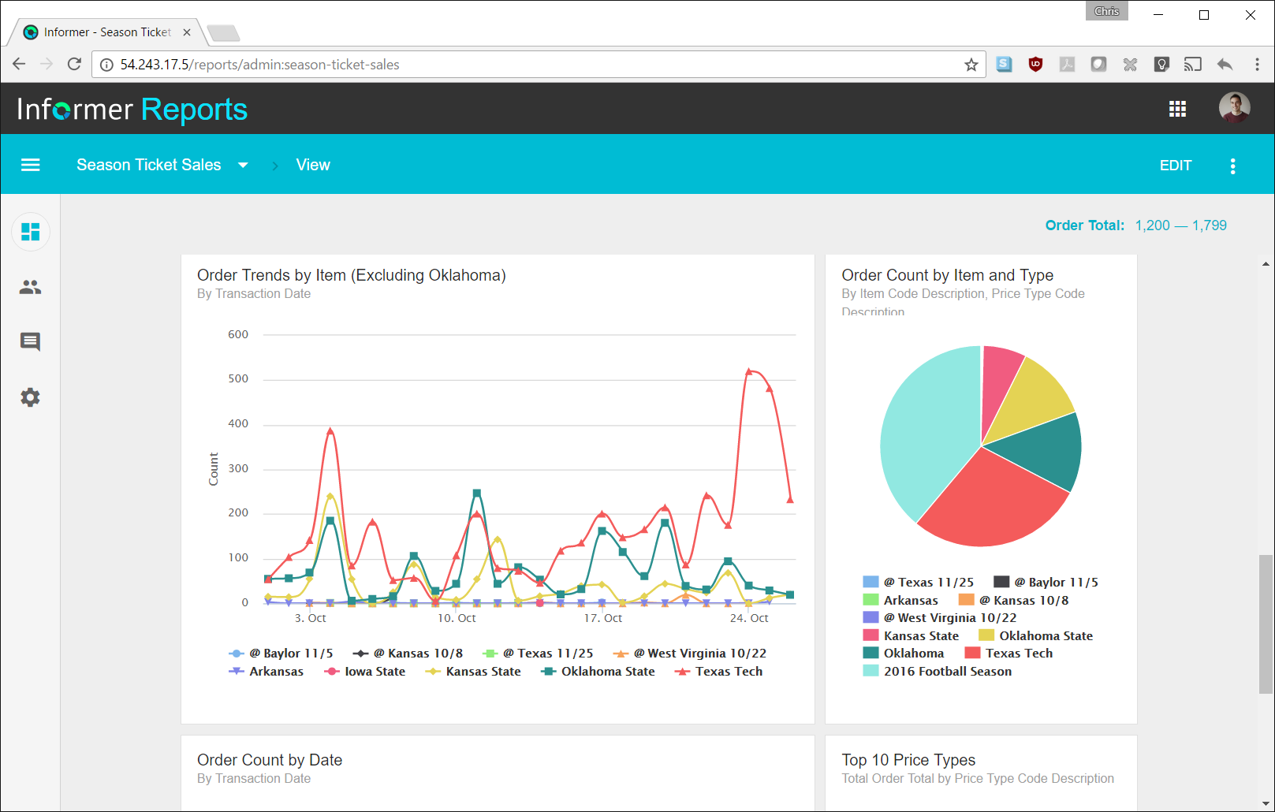
Entrinsik Informer is a web-based reporting and business intelligence application popular in the higher education vertical market. It helps organizations transform real-time data into actionable information by delivering ad-hoc reporting, data analysis, and interactive dashboards.
N/A
Looker Studio
Score 7.7 out of 10
N/A
Looker Studio is a data visualization platform that transforms data into meaningful presentations and dashboards with customized reporting tools.
$9
per month per user per project
Pricing
Entrinsik Informer
Looker Studio
Editions & Modules
No answers on this topic
Looker Studio Pro
$9
per month per user per project
Looker Studio
No charge
Offerings
Pricing Offerings
Entrinsik Informer
Looker Studio
Free Trial
Yes
No
Free/Freemium Version
No
Yes
Premium Consulting/Integration Services
No
No
Entry-level Setup Fee
No setup fee
No setup fee
Additional Details
—
—
More Pricing Information
Community Pulse
Entrinsik Informer
Looker Studio
Features
Entrinsik Informer
Looker Studio
BI Standard Reporting
Comparison of BI Standard Reporting features of Product A and Product B
Entrinsik Informer
7.3
Ratings
11% below category average
Looker Studio
8.0
Ratings
5% below category average
Pixel Perfect reports
5.50 Ratings
7.00 Ratings
Customizable dashboards
9.10 Ratings
8.50 Ratings
Report Formatting Templates
7.50 Ratings
8.40 Ratings
Ad-hoc Reporting
Comparison of Ad-hoc Reporting features of Product A and Product B
Entrinsik Informer
8.6
Ratings
7% above category average
Looker Studio
7.6
Ratings
5% below category average
Drill-down analysis
9.10 Ratings
9.50 Ratings
Formatting capabilities
8.20 Ratings
8.00 Ratings
Integration with R or other statistical packages
8.20 Ratings
4.00 Ratings
Report sharing and collaboration
9.10 Ratings
8.90 Ratings
Report Output and Scheduling
Comparison of Report Output and Scheduling features of Product A and Product B
Entrinsik Informer
9.1
Ratings
9% above category average
Looker Studio
8.2
Ratings
3% below category average
Publish to Web
9.10 Ratings
7.50 Ratings
Publish to PDF
9.10 Ratings
9.40 Ratings
Report Versioning
9.10 Ratings
8.00 Ratings
Report Delivery Scheduling
9.10 Ratings
7.40 Ratings
Delivery to Remote Servers
9.10 Ratings
8.80 Ratings
Data Discovery and Visualization
Comparison of Data Discovery and Visualization features of Product A and Product B
Most schools that use Colleague (the Student Information System) have either UniData or SQL Server as the back-end database. If a school is currently a UniData school but has plans to move to SQL Server in the relatively near future then I'd advise against moving forward with Informer until after the conversion to SQL Server. There is a tool that will convert some reports, but there are many instances where the tool won't successfully convert the report and it will need to be re-written.
Does great at open canvas editing and letting you fully customize without the need for a grid. It is democratizing self-service no-code analytics. You do not need to be a data or analytics engineer to get started, and you can go very far based on how intuitive and straightforward the UI is. Some of the biggest challenges with Looker Studio relate to user management/security, embedding options, and issue support. For a long time, every user needed to have a Gmail to invite them to view a dashboard via login, not sure if that has been improved yet. You can let any user view without logging in, but that is not always recommended due to security reasons. In terms of embedding, you can only iframe dashboards. More sophisticated BI tools let you embed elements via API or Javascript. Iframing dashboards also make drill downs and dashboard to dashboard navigation tricky/near impossible. There is also no ability to contact Google for support when bugs or outages happen. They point everyone to the Data Studio community. There is some ability to get in contact with Google if you have an enterprise-level contract with Google Cloud, but the path for support is very ad hoc and not always fruitful.
Informer is pretty user-friendly. When teaching other employees how to use Informer, I typically don't have to repeat any steps or further explain how to do certain tasks because of how user-friendly it is.
Reports in Informer are kept in a list that can be filtered by user, specific tags, or even by how recent the report was made or run. This makes it very quick and easy to find and run a specific report.
Informer has many options for downloading the report output, including text (txt), comma separated values (csv), and even PDF.
Informer needs more predefined date formats in its Column Display Editor. The existing 5 do not meet everyone's needs.
It's a minor UI issue, but Informer's Edit Columns view stutters and displays empty space when scrolling left or right. It may be because I'm using Safari on Mac OS X, and Informer isn't designed for input devices that scroll with "momentum" (as Apple calls it).
The Reports Listing takes longer to load reports than I believe it should. At least a progress bar displays to tell you when it's complete.
Informer has been handily meeting most of our reporting needs, and we've created a library of hundreds of reports that are used every day. They have a terrific support service to help when you have questions, and I've found them to be great at listening to what customers would like and adding new features. They are a small company that really listens and really cares, and I've been very pleased over the past few years getting to know them.
It is the simplest and least expensive way for us to automate our reporting at this time. I like the ability to customize literally everything about each report, and the ability to send out reports automatically in emails. The only issue we have been having recently is a technical glitch in the automatic email report. Sadly, there is almost no support for this tool from Google, but is also free, so that is important to take into consideration
Since I don't know code, there are sometimes calculations that are beyond my knowledge to create. It would also be great to be able to format multiple columns at once (center, for instance), rather than having to format them individually.
It is not ideal and requires time and dedication to understand how to work with it. Also, it has a lot of limitations around data it can accept. But in most cases, this tool is sufficient for everyday tasks of product and marketing departments. I wouldn't say that the interface is very user-friendly, but for people who regularly work with analytical tools, it must be ok.
Always able to get acceptable solutions in reasonable time from friendly support staff. Initial contact is always with knowledgeable person - not someone reading from a script trying to screen calls. Thanks Entrinsik for being in tune with my needs.
I give it a lower support rating because it seems like our Dev team hasn't gotten the support they need to set up our database to connect. Seems like we hit a roadblock and the project got put on pause for dev. That sucks for me because it is harder to get the dev team to focus on it if they don't get the help they need to set it up.
We bought the product on a Thursday morning, and we were writing reports on Friday afternoon. We did take about a month to manage the Mapping, Linking and Security to allow us to open it up across campus. We are now mapping from as many third-party vendors as we can to enable the creation of more ad-hoc reporting.
Our organization used to use the built in reporting tool for Datatel, but it required more knowledge about SQL so only a handful of users could actually use it. There was no customization of the output or ability to schedule the queries. If you wanted something more complex than what was available, then the programmers needed to write an extraction program to pull the data you needed
Looker Studio is far easier to implement, stand up, and learn. The interface is simpler and user-friendly for various levels of data visualization/analysis knowledge and experience. The biggest benefit of Looker Studio, however, is its ease of connection to GA data and speed. Furthermore, since it is an online program/tool, it requires less CPU/battery/storage on the user's device.
We have definitely improved customer service due to better reporting using Informer. All departments are better empowered to help our students in a more timely and accurate manner.
Using Informer has given us the ability to eliminate functionality within our ERP system and offload reporting to a data store instead of the transactional system. This has resulted in successfully upgrading our core systems and improved response times.