Egnyte provides a unified content security and governance solution for collaboration, data security, compliance, and threat detection for multicloud businesses. More than 16,000 organizations trust Egnyte to reduce risks and IT complexity, prevent ransomware and IP theft, and boost employee productivity on any app, any cloud, anywhere.
$10
per employee/per month
KCM GRC Platform
Score 7.3 out of 10
N/A
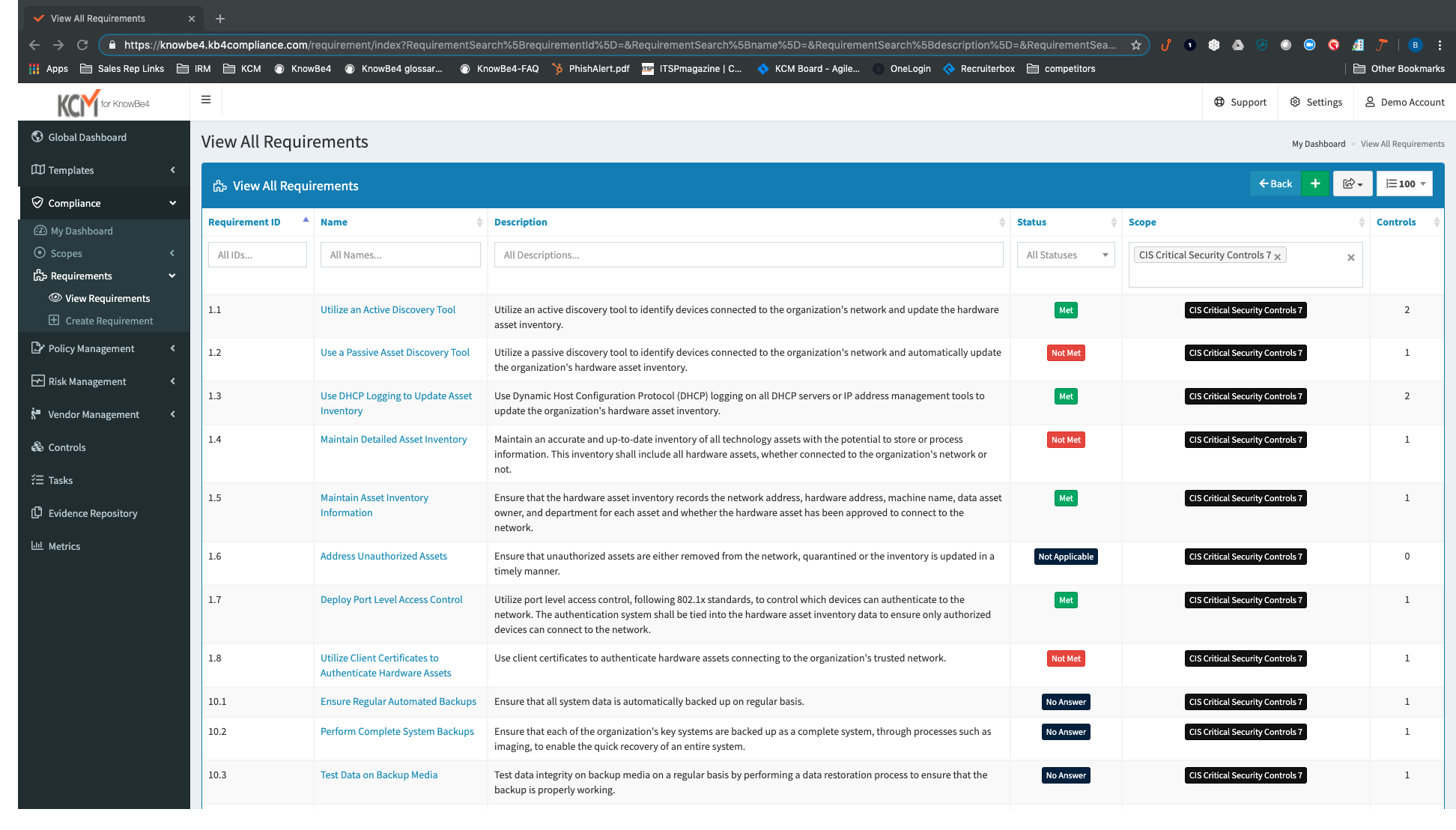
KnowBe4 headquartered in Clearwater offers their governance, risk, compliance platform, the KCM GRC Platform.
N/A
Pricing
Egnyte
KnowBe4 KCM GRC Platform (discontinued)
Editions & Modules
Team (1-10 employees)
$10
per employee/per month
Business (10-100 employees)
$20
per employee/per month
Enterprise (50+ employees)
Contact sales team
No answers on this topic
Offerings
Pricing Offerings
Egnyte
KCM GRC Platform
Free Trial
Yes
No
Free/Freemium Version
No
No
Premium Consulting/Integration Services
No
No
Entry-level Setup Fee
No setup fee
No setup fee
Additional Details
—
—
More Pricing Information
Community Pulse
Egnyte
KnowBe4 KCM GRC Platform (discontinued)
Features
Egnyte
KnowBe4 KCM GRC Platform (discontinued)
File Sharing & Management
Comparison of File Sharing & Management features of Product A and Product B
Egnyte
8.8
Ratings
5% above category average
KnowBe4 KCM GRC Platform (discontinued)
-
Ratings
Versioning
10.00 Ratings
00 Ratings
Video files
7.60 Ratings
00 Ratings
Audio files
7.60 Ratings
00 Ratings
Document collaboration
9.50 Ratings
00 Ratings
Access control
10.00 Ratings
00 Ratings
File search
9.50 Ratings
00 Ratings
Device sync
7.60 Ratings
00 Ratings
Cloud Storage Security & Administration
Comparison of Cloud Storage Security & Administration features of Product A and Product B
Egnyte
10.0
Ratings
14% above category average
KnowBe4 KCM GRC Platform (discontinued)
-
Ratings
User and role management
10.00 Ratings
00 Ratings
File organization
10.00 Ratings
00 Ratings
Device management
10.00 Ratings
00 Ratings
Cloud Storage Platform
Comparison of Cloud Storage Platform features of Product A and Product B
Egnyte
10.0
Ratings
16% above category average
KnowBe4 KCM GRC Platform (discontinued)
-
Ratings
Performance
10.00 Ratings
00 Ratings
Reliability
10.00 Ratings
00 Ratings
Storage Reports
10.00 Ratings
00 Ratings
Governance, Risk & Compliance
Comparison of Governance, Risk & Compliance features of Product A and Product B
If you're simply sharing and syncing across devices and don't care about granular security permissions, this is an easy win. If you're needing more control over the ability to restrict users from deleting folders, sharing folders, and allowing only certain groups to be able to view a folder, this can work but will ultimately give you arthritis as you'll end up having to perform a multitude of clicks for a task that should be able to be done in a fraction of the action. Have a folder template that allows for the first two levels of folders to be view only and the third level allowing file/folder creation and deletion? Have fun setting each of the third level folder's permissions-- they should give out free wrist braces. When discussed with their engineers about this function, a suggested $28,000 custom script was suggested. I don't believe them when they say that they haven't heard of other customers wishing to assign rights to multiple folders-- Something any sort of real admin would require. It simply isn't important to them, which is fine. The current ability
KnowBe4 KCM GRC Platform is well suited for a company that knows what they're doing compliance wise and needs to save time doing it. It won't be something you can spend a few hours on and then put on autopilot. It was made to create a rhythm within your own team, and you'll need to have the buy-in. It's useful for IT and Legal teams that already have a vendor risk management process, but want to have a better handle on it. Giving an outside auditor read-only access to a scope is also a huge time saver.
Vendor management has a few kinks to work out. We want to be able to do internal questionnaires for vendors as a compliance checklist before we sign off on a contract. Nothing in the works yet, but there are a few workarounds.
The navigation between different tasks in scope is clunky, and it's easy to lose your place, and it forces you back to the main page of the scope to retrace your steps.
We found that usage of Egnyte in our supported clients, with sufficient bandwidth, provided all the features and stability we required. The billing setup was fair and the support provided was ample for end users and well as our in house admins. There was a concern about high usage clients but this was taken into account during the vetting process.
Really easy to use the interface. The web browser is very intuitive and I have not had any notable issues with this. It's easy to work on documents as a team, and the only issues we have to tend to come with Apple apps and downloading large files to WebEdit. It's very similar to the filing systems that come on Apple and Windows devices so not a steep learning curve.
Egnyte works very well across all platforms and as an add-on to other programs. Load time is close to nothing. Reports can be made in no time as well. All in all no performance issues. We can see that it depends on the local network connection. If you're running with fiber there won't be any issues.
I never had to reach out to customer support for Egnyte. I don't know any coworkers who have had to reach out to Egnyte for support either. As far as I am concerned, the support team is doing a good job since I have not had to reach out to them.
Support from KnowBe4 KCM GRC Platform is always great. It's always in-house localized support, with excellent response times, and dedicated Customer Success Managers to answer the bulk of your questions or take your suggestions and make them a feature request. They will also reach out at least quarterly and do health checks to make sure you're using the platform to the best of your ability.
Egnyte syncs with Windows machines better than any competitor I have come across. The service focuses on just this platform and their in depth focus shows in the end result. Google is not really made with Windows in mind. Box is cumbersome and the web portal is not easy to use. SharePoint sync to PC is terrible.
Quantivate and Fusion were the other two options we checked out. The quantity was high, and a good bit more expensive, but it was the best performing with its platform. They also had more modules that each cost extra to add to your subscription. KnowBe4 KCM GRC Platform was all-in-one and a little less mature, but the better buy. Fusion was hard to follow in the demo, and I was not overly impressed. I may have made my decision early enough in the demo to not pay much more attention to it.
The promising advantage of Egnyte is that user can access their files from the cloud anywhere without any cumbrance like connecting to VPN or other third-party soft wares.
No risk of data loss.
The platform is lacking in changing the parent administrator of a folder as if one person is the administrator of the file or folder and when needs to change it becomes clunky and does not supports it properly.