Goverlan Reach, from EasyVista vs. RealVNC Connect

Overview
ProductRatingMost Used ByProduct SummaryStarting Price
Goverlan Reach, from EasyVista
Score 10.0 out of 10
N/A
EasyVista’s Goverlan Reach process automation technology and remote support access solutions will enable support agents to have a comprehensive and exhaustive end-to-end view of all IT services from infrastructure to endpoints while providing the ability to fix issues proactively before they have a chance to impact the business.N/A
RealVNC Connect
Score 7.0 out of 10
N/A
RealVNC® Connect is a secure remote access solution from RealVNC. It can be used to connect to a remote device anywhere in the world to view its desktop in real-time and take control as though sitting in front of it.
$8.25
per month (billed annually) per concurrent session
Pricing
Goverlan Reach, from EasyVistaRealVNC Connect
Editions & Modules
No answers on this topic
Essentials
$8.25
per month (billed annually) per concurrent session
Plus
$16.50
per month (billed annually) per concurrent session (add up to 3)
Premium
$29.75
per month (billed annually) per concurrent session (add up to 5)
Enterprise
Custom Pricing
per year
Enterprise
Custom Pricing
Offerings
Pricing Offerings
Goverlan Reach, from EasyVistaRealVNC Connect
Free Trial
NoYes
Free/Freemium Version
NoYes
Premium Consulting/Integration Services
NoNo
Entry-level Setup FeeNo setup feeNo setup fee
Additional DetailsPlans work on a Per Concurrent Session basis. Each plan gives access to a bundled number of devices, but limits apply to the amount of devices that can be connected at any given time. The Premium plan includes On-Demand Assist, a useful tool for providing just-in-time remote support to end-users without them needing RealVNC Connect installed on their device.
More Pricing Information
Community Pulse
Goverlan Reach, from EasyVistaRealVNC Connect
Features
Goverlan Reach, from EasyVistaRealVNC Connect
Remote Administration
Comparison of Remote Administration features of Product A and Product B
Goverlan Reach, from EasyVista
-
Ratings
RealVNC Connect
7.3
Ratings
11% below category average
Screen sharing00 Ratings9.00 Ratings
File transfer00 Ratings8.00 Ratings
Instant message00 Ratings6.10 Ratings
Secure remote access with Smart Card authentication00 Ratings7.00 Ratings
Access to sleeping/powered-off computers00 Ratings6.00 Ratings
Over-the-Internet remote session00 Ratings9.00 Ratings
Initiate remote control from mobile00 Ratings9.00 Ratings
Remote management of servers & workstations00 Ratings4.70 Ratings
Centralized management dashboard00 Ratings7.10 Ratings
Session record00 Ratings8.00 Ratings
Annotations00 Ratings5.30 Ratings
Monitoring and Alerts00 Ratings7.00 Ratings
Multi-platform remote control00 Ratings9.00 Ratings
Best Alternatives
Goverlan Reach, from EasyVistaRealVNC Connect
Small Businesses
Getscreen.me
Getscreen.me
Score 9.7 out of 10
Getscreen.me
Getscreen.me
Score 9.7 out of 10
Medium-sized Companies
Action1
Action1
Score 9.5 out of 10
Remote Desktop Manager
Score 9.0 out of 10
Enterprises
Remote Desktop Manager
Score 9.0 out of 10
Remote Desktop Manager
Score 9.0 out of 10
All AlternativesView all alternativesView all alternatives
User Ratings
Goverlan Reach, from EasyVistaRealVNC Connect
Likelihood to Recommend
8.0
(0 ratings)
8.0
(0 ratings)
Likelihood to Renew
-
(0 ratings)
8.0
(0 ratings)
Usability
-
(0 ratings)
8.0
(0 ratings)
Support Rating
-
(0 ratings)
8.0
(0 ratings)
Online Training
-
(0 ratings)
7.0
(0 ratings)
Implementation Rating
-
(0 ratings)
8.0
(0 ratings)
User Testimonials
Goverlan Reach, from EasyVistaRealVNC Connect
Likelihood to Recommend
Great for managing a single client with AD integration allowing quick troubleshooting of common issues such as password lockout and aging passwords. Remote desktop is quick and easy to find individual users. It is also easy to run power shell commands whilst the user is logged in without affecting their session to fix things in the background.
Read full review
It is very easy to use if the remote device is already set up to receive connections, so if you are setting up devices before deploying them, it is a great tool to have. It is well-suited to use when shadowing users or using it as a teaching tool. There are other products that are better if you are trying to help someone on a one-use basis.
Read full review
Pros
  • Desktop support
  • Process Automation
  • Easily Customisable Reporting
Read full review
  • Allow remote connection to pc and servers that are located within our WAN. The connection is stable with fast response (no lag)
  • Allow remote connection to pc and servers that are located outside. The connection is stable with fast response (no lag)
  • It allows chat function with the user, and pasting capability from local desktop and mapped a drive to the remote system.
Read full review
Cons
  • Occasional caching provides out of date information
  • Basic license needs a little more
  • Simplification of software removal would be nice
Read full review
  • Some of the confusion of VNC upon installation is you need to be connected to the internet for it to function. This is not the case, but is unclear upon installation.
  • The licensing model is not ideal for locations that do not use the internet and function off of the grid.
Read full review
Likelihood to Renew
No answers on this topic
VNC is a solid product for the price. It simply works and its reliable across different platforms. Some products state they work well in the Mac environment but don't deliver. This one does what it says. Connections are reliable, but of course, this depends on internet connections. The product works well over wireless connections as well. It delivers on what a remote tool should deliver on. My technicians are happy with the product and customers appreciate the ease of use when letting us connect to their systems. Some also appreciate the remote support while they are multi-task.
Read full review
Usability
No answers on this topic
It's a niche product and in that niche they try to cater to as many use cases as they can. Other as a TCO aspect i don't see many use cases where you can't use this product as the one tool for all remote session use cases in your company
Read full review
Support Rating
No answers on this topic
VNC Connect is a reliable product that has been around for a long time. It is reasonably priced and works well in the Mac & PC environment. When you have a small team that supports many users we need tools that we can rely upon and that will get the job done on the first try. Many customers appreciate the quick assistance and can multi-task while our team works on their computer issues remotely. From a customer service point of view, this tool gives us transparency and efficient effectiveness.
Read full review
Online Training
No answers on this topic
The training is very informative, quick and to the point. All of the details one would need are present so the user doesn't have to go searching for additional information just to use the application. The layout of the training was also neat and concise, some of the other training sessions for other companies I've done in the past were confusing and not well thought out, this one is much more superior
Read full review
Implementation Rating
No answers on this topic
No problem at all, love the product.
Read full review
Alternatives Considered
Overall I've found Goverlan Reach to be as good as other tools for remote desktops, with the ad integration taking it to the next level. This comes at a cost that not all will be willing to pay for, and the basic license of Goverlan Reach lacks many of the features that make the product stand out from the rest.
Read full review
VNC Connect stacks up very well to other competitors. With this simple program, you can remotely connect and access other computers with the same VNC Connect agent installed. The only reason we're moving away from using this is that our current Ninja RMM Tools computer monitoring agent includes the TeamViewer tool for us to use.
Read full review
Return on Investment
  • Provide support without any codes or passwords from users
  • Software inventory and version mismatch reporting
  • Deployment of updates and new software
Read full review
  • I have just used the software for about 1 month and so far so god. I am saving time whenever I can access my client's computers from my desk as opposed to having to leave my office to go to their offices. Saves me time and the client money.
Read full review
ScreenShots

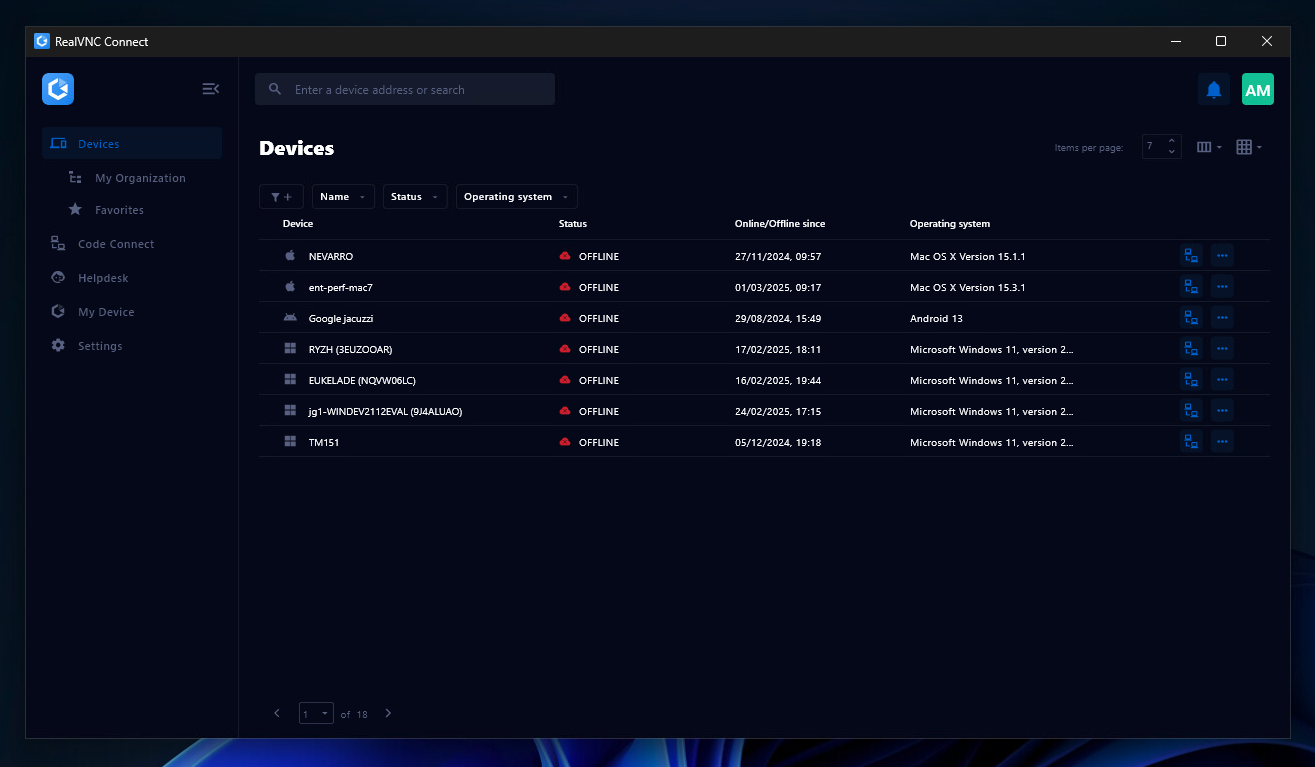
RealVNC Connect Screenshots

Screenshot of the Device List in the Connect v8 desktop appScreenshot of On-Demand Assist, which can be used to start a remote support session using a single-use code.