
Datto Autotask PSA vs. TeamDynamix IT Service Management (ITSM)
| Product | Rating | Most Used By | Product Summary | Starting Price |
|---|---|---|---|---|
 Autotask PSA | Score8.9 out of 10 | N/A | Autotask PSA is designed as a complete IT Business Management Platform for MSPs, now from Datto (resulting from the Autotask merger with Datto in 2017). | N/A |
 TeamDynamix IT Service Management (ITSM) | Score8.8 out of 10 | N/A | TeamDynamix offers a combined Service & Project Management platform: ticketing, incidents, problems, asset / configuration, change management and project portfolio management – all in one. The vendor describes the solution as highly flexible and configurable – configured to the user's level of ITIL adoption – with a WCAG 2.0 AA compliant portal branded to the user's company. Project Portfolio Management supports waterfall, agile, card wall or task lists, depending on the project type.… | N/A |
| Autotask PSA | TeamDynamix IT Service Management (ITSM) | |||||||||||||||
|---|---|---|---|---|---|---|---|---|---|---|---|---|---|---|---|---|
| Editions & Modules | No answers on this topic | No answers on this topic | ||||||||||||||
| Offerings |
| |||||||||||||||
| Entry-level Setup Fee | No setup fee | No setup fee | ||||||||||||||
| Additional Details | — | — | ||||||||||||||
| More Pricing Information | ||||||||||||||||
| Autotask PSA | TeamDynamix IT Service Management (ITSM) | |
|---|---|---|
| Considered Both Products | No answer on this topic | No answer on this topic |
| Key User Insights | ||
| Would buy again | ||
90% Would buy again 9 Answers | No answers on this topic | |
| Delivers good value for the price | ||
89% Delivers good value for the price 8 Answers | No answers on this topic | |
| Happy with the feature set | ||
90% Happy with the feature set 9 Answers | No answers on this topic | |
| Lived up to sales and marketing promises | ||
75% Lived up to sales and marketing promises 6 Answers | No answers on this topic | |
| Implementation went as expected | ||
75% Implementation went as expected 6 Answers | No answers on this topic | |
| Autotask PSA | TeamDynamix IT Service Management (ITSM) | |||||||||||||||||||||||||
|---|---|---|---|---|---|---|---|---|---|---|---|---|---|---|---|---|---|---|---|---|---|---|---|---|---|---|
| Incident and problem management |
| |||||||||||||||||||||||||
| ITSM asset management |
| |||||||||||||||||||||||||
| Change management |
| |||||||||||||||||||||||||
| Autotask PSA | TeamDynamix IT Service Management (ITSM) | |
|---|---|---|
| Small Businesses |  HaloPSA Score9.3 out of 10 |  Agiloft Service Desk (discontinued) Score9 out of 10 |
| Medium-sized Companies |  Planview AdaptiveWork Score7.4 out of 10 |  ManageEngine ServiceDesk Plus Score9.2 out of 10 |
| Enterprises | Planview AdaptiveWork Score7.4 out of 10 |  Ivanti Neurons for ITSM Score4.5 out of 10 |
| All Alternatives | View all alternatives | View all alternatives |
| Autotask PSA | TeamDynamix IT Service Management (ITSM) | |
|---|---|---|
| Likelihood to Recommend | 10.0 | 9.5 |
| Likelihood to Renew | 9.0 | - |
| Usability | 9.0 | - |
| Support Rating | 8.4 | - |
| Autotask PSA | TeamDynamix IT Service Management (ITSM) | |
|---|---|---|
| Likelihood to Recommend |
|
|
| Pros |
|
|
| Cons |
|
|
| Likelihood to Renew |
| No answers on this topic |
| Usability |
| No answers on this topic |
| Support Rating |
| No answers on this topic |
| Alternatives Considered |
|
|
| Return on Investment |
|
|
| ScreenShots | TeamDynamix IT Service Management (ITSM) Screenshots 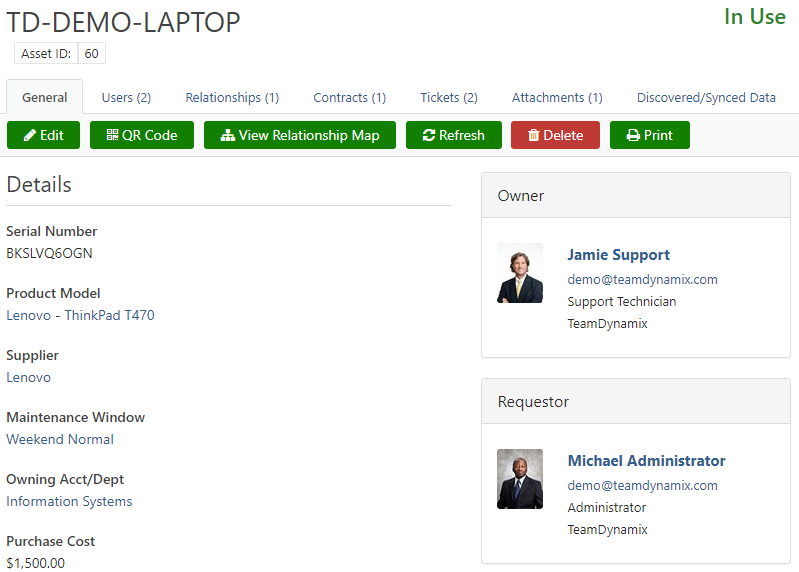     |





