Autotask PSA is designed as a complete IT Business Management Platform for MSPs, now from Datto (resulting from the Autotask merger with Datto in 2017).
N/A
HaloITSM
Score9 out of 10
Enterprise companies (1,001+ employees)
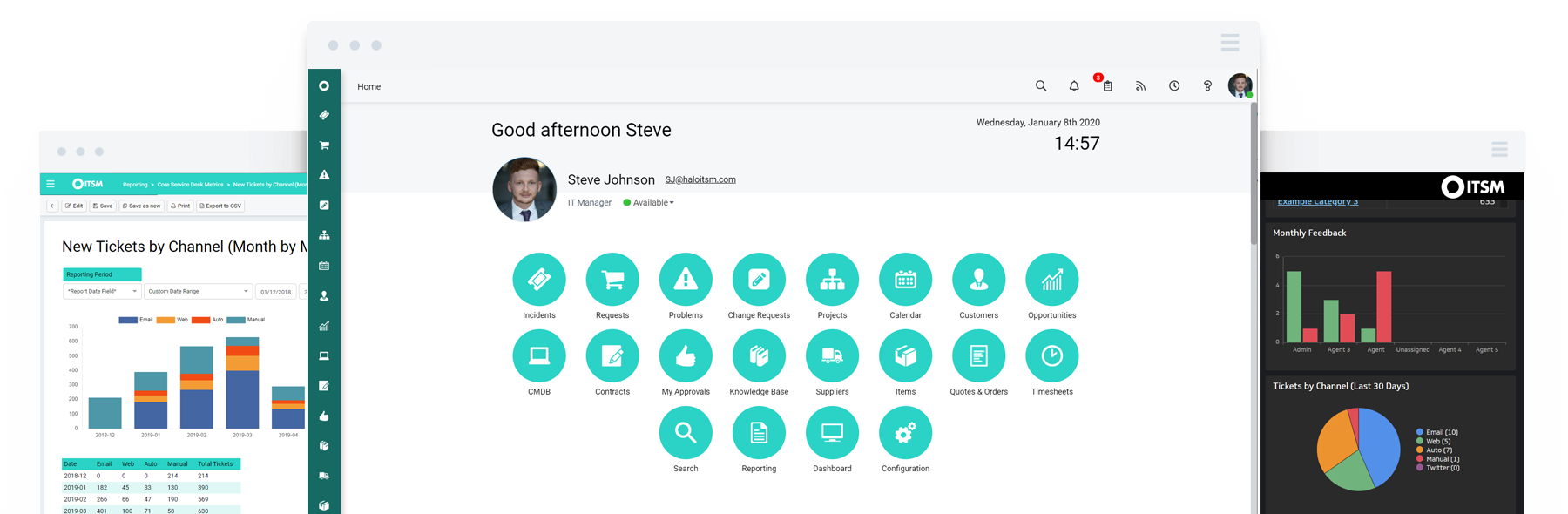
HaloITSM provides ITIL aligned help desk software that can be installed on premise or in the cloud. Boasting over 25 years of experience, HaloITSM has been developed to offer a feature rich application whilst maintaining a simple to use interface. Features include: Incident Management, Problem Management, Change Management, Asset Management, Service Catalogue, Telephony Integration, as well as the best of breed mobile apps. The vendor describes the following five differentiators: 1.…
$49
per month per user
Pricing
Autotask PSA
HaloITSM
Editions & Modules
No answers on this topic
On Premise
$49
per month per user
Cloud
$49
per month per user
Offerings
Pricing Offerings
Autotask PSA
HaloITSM
Free Trial
No
Yes
Free/Freemium Version
No
No
Premium Consulting/Integration Services
No
Yes
Entry-level Setup Fee
No setup fee
Optional
Additional Details
—
There is 15% discount for all charities, educational institutions and non-profit organisations.
In my opinion, Datto Autotask is exceptionally complicated to set up, manage, and use on a daily basis. I would think the target market for this product would be someone managing a team of 20 - 50 people, possibly more. In my experience, for it to run properly you will need to dedicate at least half an FTE to running this product in an organization of that size per month. I would not recommend it for companies with less than 10 people or for companies that value quick communication with their clients. I would not recommend it for companies using Datto's RMM product. The integration exists, but it is clearly a bolt-on. They were not developed together and they are slow to talk to each other. Frequently you cannot add details from RMM sessions into the PSA without manually copying the ticket number, and if the ticket is more than a week old, then you can't even find it with the ticket number.
A de minimis incentive was given to thank the reviewer for their time. The incentive was not used to bias or drive a particular response, nor was the incentive contingent on a positive endorsement. More Info
If you want a value for money full system, which you could use out of the box then this is the one for you. If you want a system that can take care of tasks then this is the one for you. [HaloITSM] is easily scalable with very competitive pricing. New features are added regularly based on best practices and customer requirements.
A de minimis incentive was given to thank the reviewer for their time. The incentive was not used to bias or drive a particular response, nor was the incentive contingent on a positive endorsement. TR verified that a representative sample of customers was invited. More Info
The graphical calculations on time spent on requests, how long they were open for, who worked on a ticket last.
Grouping by priority so you can determine easier what needs to be addressed sooner rather then later. This also helps if Account Management has conversations a technician is not aware of so they can prioritize efficiently.
The email updates that are sent out to the technicians so they are aware of upcoming or stale tickets.
A de minimis incentive was given to thank the reviewer for their time. The incentive was not used to bias or drive a particular response, nor was the incentive contingent on a positive endorsement. More Info
The Self Service Portal is very easy to configure and the end-users have commented on how easy it is to log and manage their own calls.
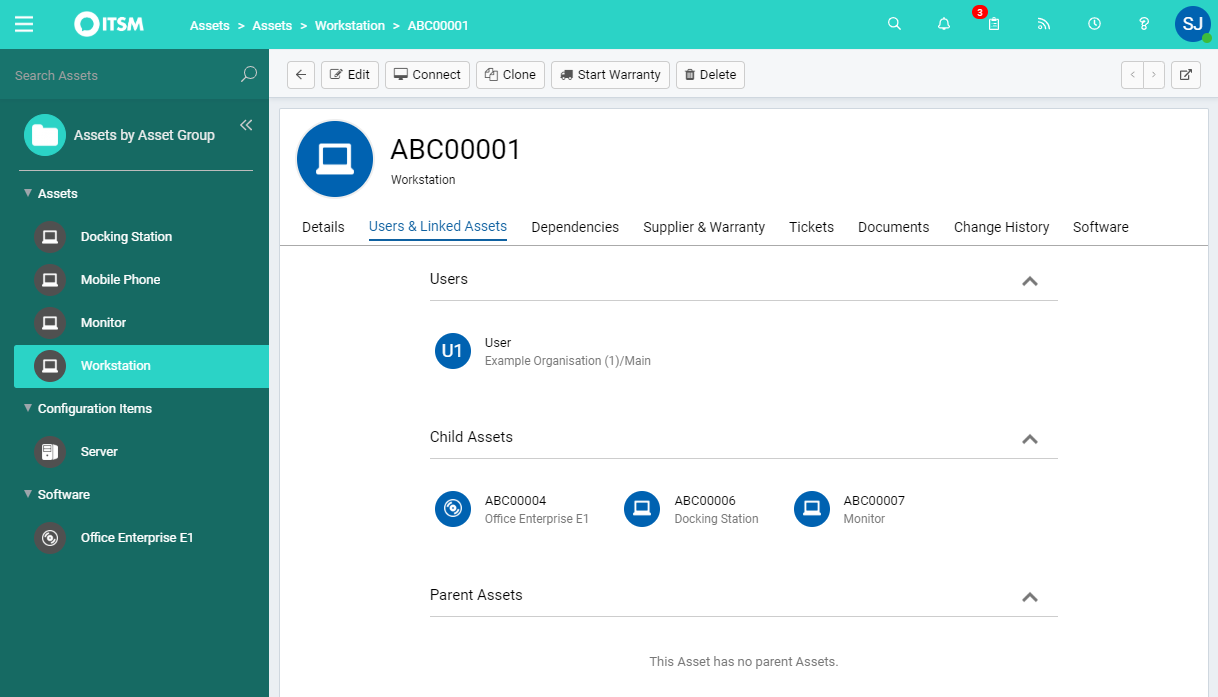
Asset and User Management works very well and it is simple to link them to tickets. Looking up ticket history for particular Users or Assets is also very useful.
The ability [to] use different ticket types and templates is fantastic. The added ability to merge and clone tickets is also a great benefit.
A de minimis incentive was given to thank the reviewer for their time. The incentive was not used to bias or drive a particular response, nor was the incentive contingent on a positive endorsement. More Info
A de minimis incentive was given to thank the reviewer for their time. The incentive was not used to bias or drive a particular response, nor was the incentive contingent on a positive endorsement. More Info
Datto Autotask PSA is a full featured product that can do almost anything you need. There is a significant learning curve to get started which requires several hours spent in product training. Additionally, several hours / days are needed to get clients imported, contracts configured, and integrations implemented. Once the setup and user training is complete, the product is very functional, but it's imperative to not get overwhelmed when starting out.
A de minimis incentive was given to thank the reviewer for their time. The incentive was not used to bias or drive a particular response, nor was the incentive contingent on a positive endorsement. More Info
A de minimis incentive was given to thank the reviewer for their time. The incentive was not used to bias or drive a particular response, nor was the incentive contingent on a positive endorsement. More Info
I've made overall positive experiences with the Halo support. The only thing to increase would be some follow ups on feature requests. If someone would reach out to me, telling me wheter or not my feature request will be considered in future updates or not.
A de minimis incentive was given to thank the reviewer for their time. The incentive was not used to bias or drive a particular response, nor was the incentive contingent on a positive endorsement. More Info
The portion of Autotask that we've used other companies for prior to using Autotask is the Endpoint Management. The Autotask Endpoint Management (AEM) portal integrates perfectly with their PSA/CRM tools. It's alerting features are much better than the above software as there aren't a bunch of superfluous and unneeded alerts. Instead, it only alerts for things that you specify that you want. Alerts aside, for the PSA/CRM, I don't have much to compare it to as Autotask was the first PSA we tried. It's hard to imagine a PSA having more features or doing a better job than Autotask.
A de minimis incentive was given to thank the reviewer for their time. The incentive was not used to bias or drive a particular response, nor was the incentive contingent on a positive endorsement. More Info
HaloITSM offered the highest level of functionality, available as standard, at our price level. Halo support during our trial period was second to none and unrestricted. We had a list of deciding factors covering the most important areas of functionality and HaloITSM covered all of these.
A de minimis incentive was given to thank the reviewer for their time. The incentive was not used to bias or drive a particular response, nor was the incentive contingent on a positive endorsement. More Info
It enabled us to allow our Service Desk Staff to work from home during COVID and this has continued ever since.
We have halved our average resolution time.
Some of the automation processes, when implemented alongside the MS Power Platform, have saved approximately 30 hours a month. This includes times when customers were unable to access the system until they had been trained. This is now automated via Halo and they get sent to on-demand training, instead of waiting up to 3 weeks for the next scheduled session.
A de minimis incentive was given to thank the reviewer for their time. The incentive was not used to bias or drive a particular response, nor was the incentive contingent on a positive endorsement. TR verified that a representative sample of customers was invited. More Info