
Datadog vs. Data Center Real-User Monitoring (DCRUM), discontinued
| Product | Rating | Most Used By | Product Summary | Starting Price |
|---|---|---|---|---|
 Datadog | Score8.4 out of 10 | N/A | Datadog is a monitoring service for IT, Dev and Ops teams who write and run applications at scale, and want to turn the massive amounts of data produced by their apps, tools and services into actionable insight. | $18 per month per host |
 Data Center Real-User Monitoring (DCRUM), discontinued | Score7.2 out of 10 | N/A | Data Center Real-User Monitoring (DCRUM), also known as Dynatrace Network Application Monitoring (NAM), was an application monitoring solution focusing on user experience, with an emphasis on how the network – especially the WAN – influences user experience. It is a legacy product from Dynatrace, and is no longer sold or supported. | N/A |
| Datadog | Data Center Real-User Monitoring (DCRUM), discontinued | |||||||||||||||
|---|---|---|---|---|---|---|---|---|---|---|---|---|---|---|---|---|
| Editions & Modules |
| No answers on this topic | ||||||||||||||
| Offerings |
| |||||||||||||||
| Entry-level Setup Fee | Optional | No setup fee | ||||||||||||||
| Additional Details | Discount available for annual pricing. Multi-Year/Volume discounts available (500+ hosts/mo). | — | ||||||||||||||
| More Pricing Information | ||||||||||||||||
| Datadog | Data Center Real-User Monitoring (DCRUM), discontinued | |
|---|---|---|
| Considered Both Products | No answer on this topic | No answer on this topic |
| Key User Insights | ||
| Would buy again | ||
95% Would buy again 21 Answers | No answers on this topic | |
| Delivers good value for the price | ||
95% Delivers good value for the price 19 Answers | No answers on this topic | |
| Happy with the feature set | ||
100% Happy with the feature set 22 Answers | No answers on this topic | |
| Lived up to sales and marketing promises | ||
100% Lived up to sales and marketing promises 14 Answers | No answers on this topic | |
| Implementation went as expected | ||
100% Implementation went as expected 14 Answers | No answers on this topic | |
| Datadog | Data Center Real-User Monitoring (DCRUM), discontinued | ||||||||||||||||||||||||||||||||||||||||
|---|---|---|---|---|---|---|---|---|---|---|---|---|---|---|---|---|---|---|---|---|---|---|---|---|---|---|---|---|---|---|---|---|---|---|---|---|---|---|---|---|---|
| Application Performance Management |
| ||||||||||||||||||||||||||||||||||||||||
| Datadog | Data Center Real-User Monitoring (DCRUM), discontinued | |
|---|---|---|
| Small Businesses |  Amazon CloudWatch Score8.2 out of 10 | No answers on this topic |
| Medium-sized Companies |  Sumo Logic Score9.4 out of 10 |  SolarWinds AppOptics Score8.1 out of 10 |
| Enterprises |  NetBrain Technologies Score9.2 out of 10 |  SolarWinds Server & Application Monitor Score6.9 out of 10 |
| All Alternatives | View all alternatives | View all alternatives |
| Datadog | Data Center Real-User Monitoring (DCRUM), discontinued | |
|---|---|---|
| Likelihood to Recommend | 9.0 | 7.0 |
| Usability | 10.0 | 10.0 |
| Support Rating | 8.9 | 9.0 |
| Datadog | Data Center Real-User Monitoring (DCRUM), discontinued | |
|---|---|---|
| Likelihood to Recommend |
|
|
| Pros |
|
|
| Cons |
|
|
| Usability |
|
|
| Support Rating |
|
|
| Alternatives Considered |
| |
| Return on Investment |
|
|
| ScreenShots | Datadog Screenshots 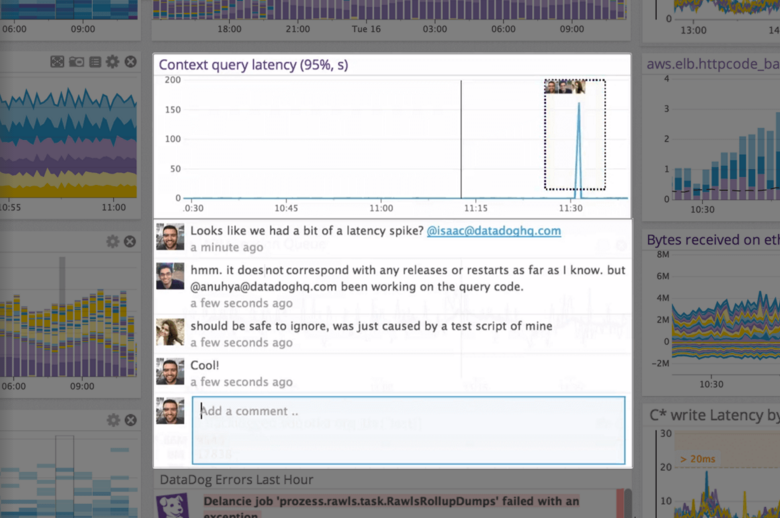 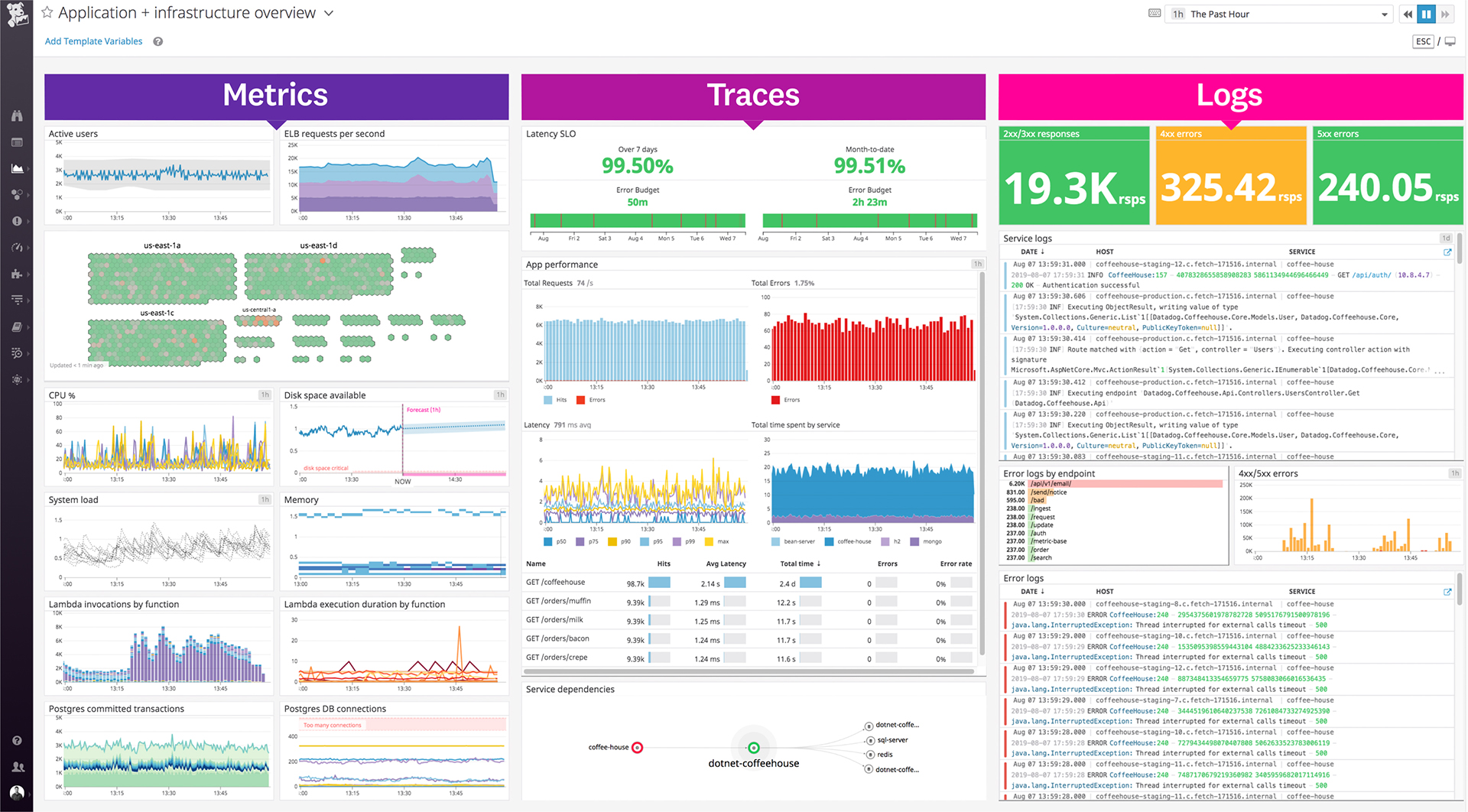    |



