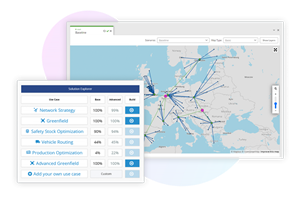
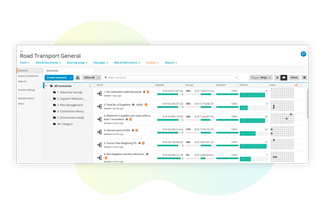
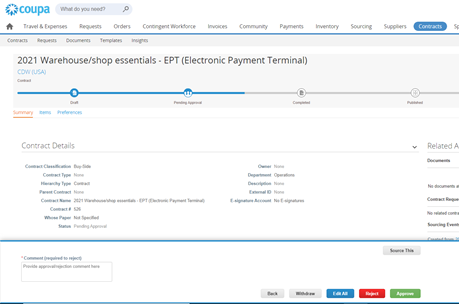
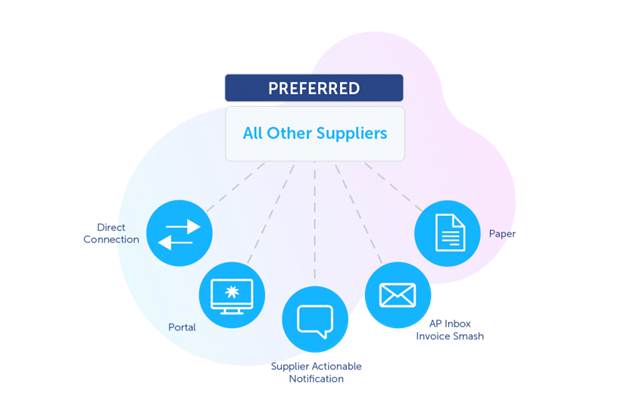
Coupa’s cloud-native Business Spend Management
(BSM) platform provides end-to-end processes
that helps drive collaboration
across for every business leader from supply chain, procurement,
finance, treasury, compliance, and IT and supply chain
leaders to help their companies to get the visibility and control they need to
spend smarter, mitigate risk, and improve
resilience. A
unified platform approach frees up IT from complex integrations to help
leaders deliver on these goals.
$549
per year
Webexpenses
Score9.2 out of 10
N/A
Webexpenses is a global provider of spend management solutions, combining integrated Expense Cards with cloud-based software for businesses of all sizes across 70+ countries. Serving industries such as retail, finance, technology, construction, and not-for-profit, Webexpenses gives businesses control over company spending by automating processes, proactively enforcing policies, and controlling costs. Features The Webexpenses…
$54
per month (up to 15 users on the small business plan)
UK Head of Talent & Development in Human Resources at Kloeckner Metals UK (Mining & Metals, 501-1000 employees)
Chose Webexpenses
Many companies have had their own internal systems created by their own depts, some were very basic. Webexpenses is more efficient and includes a lot more useful features than any system I have used in the past. I would say that Concur is about 'as good' but certainly no better …
A de minimis incentive was given to thank the reviewer for their time. The incentive was not used to bias or drive a particular response, nor was the incentive contingent on a positive endorsement. More Info
Suitable: Simple indirect procurement. Low cost; short cycle implementation. Less Suitable: Complex procurement scenario requiring serious vendor collaboration. End-to-end integration. Direct Material Procurement, especially when planning, quality inspection, and other miscellaneous activities are involved, requires handling various special statuses and updates to meet industry- or country-specific requirements.
A de minimis incentive was given to thank the reviewer for their time. The incentive was not used to bias or drive a particular response, nor was the incentive contingent on a positive endorsement. More Info
Really suits me well for making mileage claims, the map works well and it has an accurate log of addresses. Very handy and easy to be able to add any necessary receipts. Could be a good idea to include live road closures? but I understand that's quite tricky to do. Really easy to be able to move routes when you have gone a different way than recommended.
A de minimis incentive was given to thank the reviewer for their time. The incentive was not used to bias or drive a particular response, nor was the incentive contingent on a positive endorsement. TR verified that a representative sample of customers was invited. More Info
Coupa is easy to use, however, we had to teach our end users about procurement. They are not used to conducting an RFP, onboarding a supplier, or preparing a PO. This is the change management that our employees had to be prepared to understand. The Shelby Group helped us with the implementation.
The hardest part was the integration between NetSuite and Coupa. We wanted to have a dynamic tight integration between the two solutions. If we adjusted the chart of accounts or added a new supplier we wanted it to be able to done in both systems and be available immediately in both systems. We used a partner called SuiteSkies to accomplish this dynamic integration.
We’ve been able to manage the implementation and maintenance with a very lean IT group.
A de minimis incentive was given to thank the reviewer for their time. The incentive was not used to bias or drive a particular response, nor was the incentive contingent on a positive endorsement. More Info
A de minimis incentive was given to thank the reviewer for their time. The incentive was not used to bias or drive a particular response, nor was the incentive contingent on a positive endorsement. More Info
Support Team - A little slow in responding. I think the tool is so configurable that they struggle with figuring out what is causing certain issues that are being submitted on the portal.
I'd love for the Sourcing Module to be able to support larger events. There seems to be a limit on the number of lines each event can support and as a growing retailer, our store count dictates we have room to grow and that each store is represented in the bid process.
Would like to see the ability to issue multiple POs for a single item to multiple locations. The tool may do this but I know I can't and it may be due to how we interface with our ERP.
A de minimis incentive was given to thank the reviewer for their time. The incentive was not used to bias or drive a particular response, nor was the incentive contingent on a positive endorsement. More Info
When you click add receipts after putting the details of your expense, you get the impression that you have done something incorrect from the prompt that you receive
Two options for adding receipts can confuse people when training them on how to use
A de minimis incentive was given to thank the reviewer for their time. The incentive was not used to bias or drive a particular response, nor was the incentive contingent on a positive endorsement. TR verified that a representative sample of customers was invited. More Info
A de minimis incentive was given to thank the reviewer for their time. The incentive was not used to bias or drive a particular response, nor was the incentive contingent on a positive endorsement. More Info
There doesn't seem to be anything in the market at the same price point that is better, however if there is an interrupter in the market that provides better value, then we would heavily assess the cost of change to see if we should move on to the alternative offering.
A de minimis incentive was given to thank the reviewer for their time. The incentive was not used to bias or drive a particular response, nor was the incentive contingent on a positive endorsement. TR verified that a representative sample of customers was invited. More Info
-Could be easy or hard to use depending on corporate policies and compliance. At times, errors and cryptical message associated with them could drive users mad.
A de minimis incentive was given to thank the reviewer for their time. The incentive was not used to bias or drive a particular response, nor was the incentive contingent on a positive endorsement. More Info
Based on what I have used it for, it was very easy to use and navigate. The approval process was already setup on the back end so there was no confusion on my end. Notifications were sent to my email based on status which made it helpful to understand where an expense was in the process.
A de minimis incentive was given to thank the reviewer for their time. The incentive was not used to bias or drive a particular response, nor was the incentive contingent on a positive endorsement. TR verified that a representative sample of customers was invited. More Info
A de minimis incentive was given to thank the reviewer for their time. The incentive was not used to bias or drive a particular response, nor was the incentive contingent on a positive endorsement. TR verified that a representative sample of customers was invited. More Info
A de minimis incentive was given to thank the reviewer for their time. The incentive was not used to bias or drive a particular response, nor was the incentive contingent on a positive endorsement. TR verified that a representative sample of customers was invited. More Info
-Support is generally speaking OK (not great). The user community is quite active, and the response time is acceptable. I would certainly hope there's more user-generated content (like in SAP, Oracle, and Linux, etc.), but I suppose Coupa is still not large enough, and the incentives are not yet there.
A de minimis incentive was given to thank the reviewer for their time. The incentive was not used to bias or drive a particular response, nor was the incentive contingent on a positive endorsement. More Info
The support for the initial setup was great, but since then we have only had to contact support once when we had problems uploading credit card files. The help we received at this time was not good and we ended up trying various things until we resolved the problem ourselves. The online support tutorials are good, but searching for a specific issue is difficult.
A de minimis incentive was given to thank the reviewer for their time. The incentive was not used to bias or drive a particular response, nor was the incentive contingent on a positive endorsement. More Info
A de minimis incentive was given to thank the reviewer for their time. The incentive was not used to bias or drive a particular response, nor was the incentive contingent on a positive endorsement. More Info
It was difficult to train multiple people via video, as they learned at different speeds, and most of the user champions were not as capable with systems and finance processes as our dept.
A de minimis incentive was given to thank the reviewer for their time. The incentive was not used to bias or drive a particular response, nor was the incentive contingent on a positive endorsement. TR verified that a representative sample of customers was invited. More Info
A de minimis incentive was given to thank the reviewer for their time. The incentive was not used to bias or drive a particular response, nor was the incentive contingent on a positive endorsement. More Info
Concur was a lot easier and more user friendly for employees doing expense reports on their phone. That is not the case with Coupa. You must use your laptop to do expenses and our managers don't always have enough time to do that while out in the field working. This has caused some issues.
A de minimis incentive was given to thank the reviewer for their time. The incentive was not used to bias or drive a particular response, nor was the incentive contingent on a positive endorsement. More Info
I would have to say that Webexpenses does not stack up well in comparison to Expensify. If given a choice, I would choose Expensify for the best user experience and mobile / desktop being more seamless. It accomplishes the same thing but has a more modern, minimal, and streamlined feel to it.
A de minimis incentive was given to thank the reviewer for their time. The incentive was not used to bias or drive a particular response, nor was the incentive contingent on a positive endorsement. More Info
A de minimis incentive was given to thank the reviewer for their time. The incentive was not used to bias or drive a particular response, nor was the incentive contingent on a positive endorsement. TR verified that a representative sample of customers was invited. More Info
A de minimis incentive was given to thank the reviewer for their time. The incentive was not used to bias or drive a particular response, nor was the incentive contingent on a positive endorsement. More Info
A de minimis incentive was given to thank the reviewer for their time. The incentive was not used to bias or drive a particular response, nor was the incentive contingent on a positive endorsement. More Info