Copywritely is an SEO and grammar checking writing aid, from Ukrainian company Boosta.
N/A
Read&Write
Score9.3 out of 10
N/A
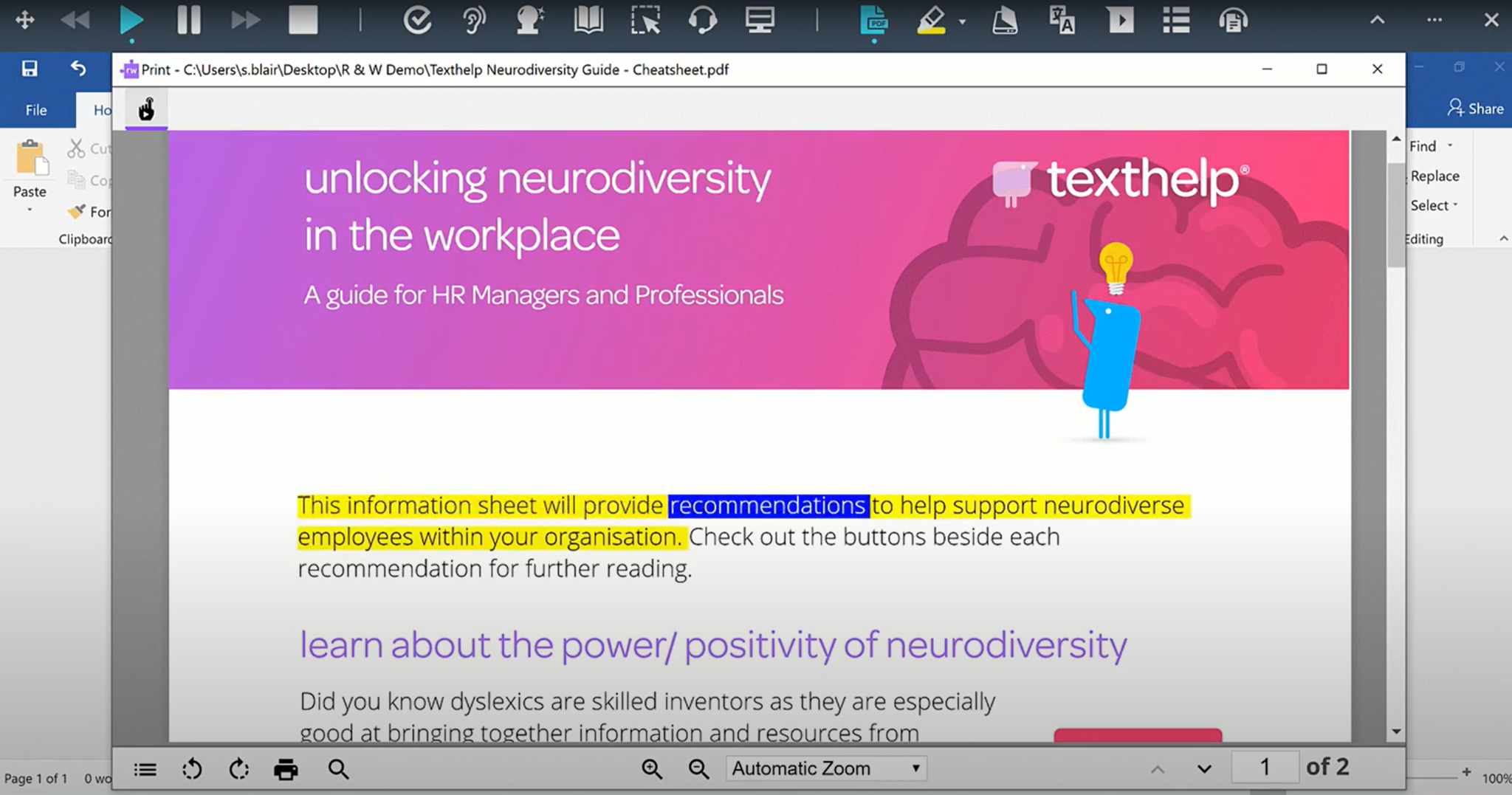
Read&Write is a literacy support tool that helps individuals of all abilities read, write, and express themselves with confidence. For education and the workplace, its assistive features include text-to-speech, word prediction, and research tools for users with diverse learning needs.
N/A
Pricing
Copywritely
Read&Write
Editions & Modules
No answers on this topic
No answers on this topic
Offerings
Pricing Offerings
Copywritely
Read&Write
Free Trial
No
Yes
Free/Freemium Version
No
Yes
Premium Consulting/Integration Services
No
No
Entry-level Setup Fee
No setup fee
No setup fee
Additional Details
—
—
More Pricing Information
Features
Copywritely
Read&Write
Writing and Proofreading
Comparison of Writing and Proofreading features of Copywritely and Read&Write
A de minimis incentive was given to thank the reviewer for their time. The incentive was not used to bias or drive a particular response, nor was the incentive contingent on a positive endorsement. More Info
It works very well at home. For exams and homework the text to speech function is really useful. In lessons is good too. The text to speech is more complicated to use because the candidates/ students need a different room. We also need more training on how to use this function.
A de minimis incentive was given to thank the reviewer for their time. The incentive was not used to bias or drive a particular response, nor was the incentive contingent on a positive endorsement. More Info
A de minimis incentive was given to thank the reviewer for their time. The incentive was not used to bias or drive a particular response, nor was the incentive contingent on a positive endorsement. More Info
A de minimis incentive was given to thank the reviewer for their time. The incentive was not used to bias or drive a particular response, nor was the incentive contingent on a positive endorsement. More Info
Setting the speech to text up on different devices that do not have the internet speed to function smoothly or if it is in Exam mode and the user is not constantly using the speech to text mode.
Grouping the voices on their style such as harsh, clipped or soft would enable to pick their preference quicker rather than going through all of the different countries.
A de minimis incentive was given to thank the reviewer for their time. The incentive was not used to bias or drive a particular response, nor was the incentive contingent on a positive endorsement. More Info
I'm just really impressed with the software and the access it gives to learners who are used to coming up against barriers in education. It's a quick-fix for a learner - something they can access usefully and productively with very little training. I also love that learners can access Read&Write on their devices at home - that really is a game changer.
A de minimis incentive was given to thank the reviewer for their time. The incentive was not used to bias or drive a particular response, nor was the incentive contingent on a positive endorsement. More Info
I am giving this an 9. Not a perfect score because working on PDFs is better but not yet as easy as I need for it to be. Working with many students who have executive function challenges, I need a smooth simplistic access method. We are not quite there yet for writing on PDFs. Overall the toolbar on Read&Write is super easy to access and I love that the suite includes several tools on the toolbar providing a solution to many accessibility challenges.
A de minimis incentive was given to thank the reviewer for their time. The incentive was not used to bias or drive a particular response, nor was the incentive contingent on a positive endorsement. More Info
A de minimis incentive was given to thank the reviewer for their time. The incentive was not used to bias or drive a particular response, nor was the incentive contingent on a positive endorsement. More Info
A de minimis incentive was given to thank the reviewer for their time. The incentive was not used to bias or drive a particular response, nor was the incentive contingent on a positive endorsement. More Info
The support team at Texthelp is excellent. They're all super helpful and open to feedback and new ideas. Still, more importantly, they are ultimately fully committed to aligning with us and ensuring they help us provide the best education possible. Furthermore, they're open to new features and always communicate this incredibly well.
A de minimis incentive was given to thank the reviewer for their time. The incentive was not used to bias or drive a particular response, nor was the incentive contingent on a positive endorsement. More Info
A de minimis incentive was given to thank the reviewer for their time. The incentive was not used to bias or drive a particular response, nor was the incentive contingent on a positive endorsement. More Info
It took a solid 2 weeks for R&W to work on our students chromebooks even after reaching out to tech support. The toolbar was greyed out and not accessible to students. Took a long time before tech support helped us solve this problem.
A de minimis incentive was given to thank the reviewer for their time. The incentive was not used to bias or drive a particular response, nor was the incentive contingent on a positive endorsement. More Info
Includes a grammar check system. But if you are going to compare Copywritely to Grammarly only in terms of grammar checking, you will notice a difference, because Grammarly focuses 100% on grammar.
A de minimis incentive was given to thank the reviewer for their time. The incentive was not used to bias or drive a particular response, nor was the incentive contingent on a positive endorsement. More Info
We still utilize Microsoft Immersive Reader as our Tier2 / UDL support tool. However, the word prediction is barely functional and there are confusing limitations to when certain tools are available (the picture dictionary is available in Word Online but not in Edge). We still utilize the Windows-based speech-to-text (windows+h) because it is available natively in Windows even in desktop applications other than a web browser. It is good for people to know one tool that works everywhere. However, Read&Write offers the most complete set of ELA support features all in one place, without burdening the user with extra software or a confusing interface.
A de minimis incentive was given to thank the reviewer for their time. The incentive was not used to bias or drive a particular response, nor was the incentive contingent on a positive endorsement. More Info
A de minimis incentive was given to thank the reviewer for their time. The incentive was not used to bias or drive a particular response, nor was the incentive contingent on a positive endorsement. More Info
A de minimis incentive was given to thank the reviewer for their time. The incentive was not used to bias or drive a particular response, nor was the incentive contingent on a positive endorsement. More Info
A de minimis incentive was given to thank the reviewer for their time. The incentive was not used to bias or drive a particular response, nor was the incentive contingent on a positive endorsement. More Info
A de minimis incentive was given to thank the reviewer for their time. The incentive was not used to bias or drive a particular response, nor was the incentive contingent on a positive endorsement. More Info