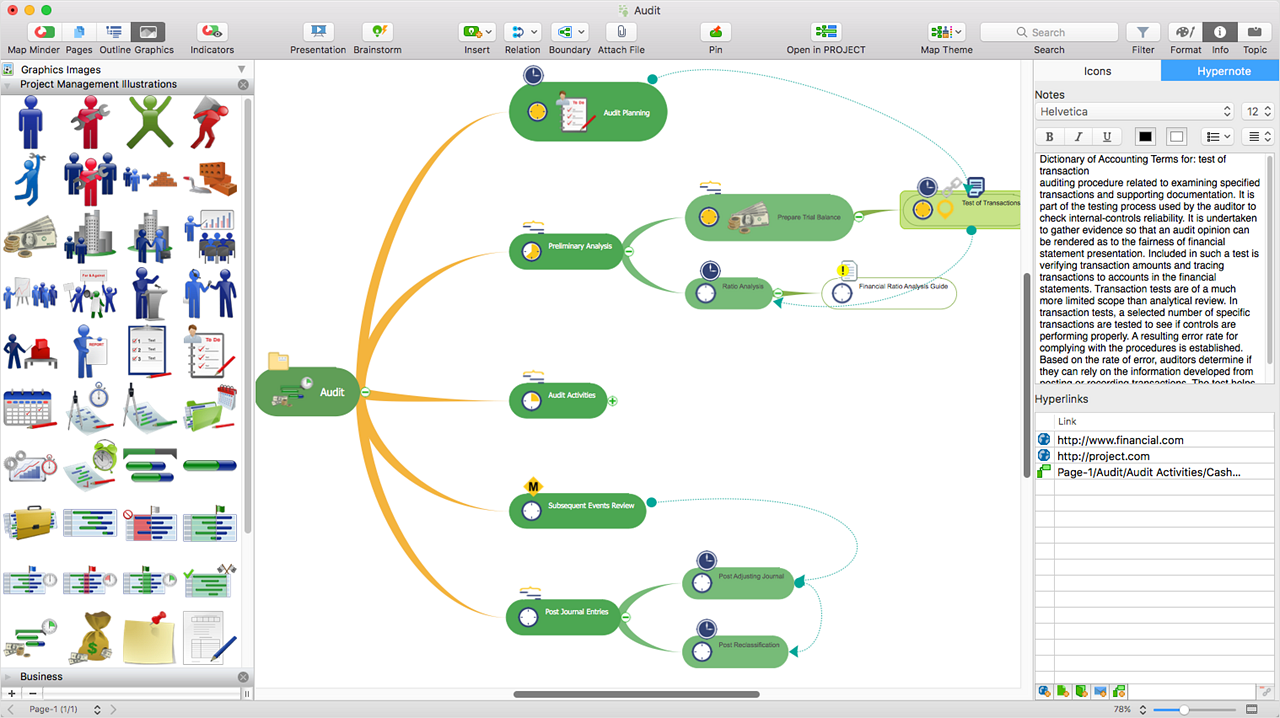
ConceptDraw MINDMAP is l mind mapping software application that can also resolve tasks for project management. According to the vendor, multiple shortcuts help users create new topics, re-arrange
them and highlight important points, and export to various
file formats. Enrich your mind map with in-built visual…
N/A
SmartDraw
Score5.9 out of 10
N/A
SmartDraw is a diagramming and flow chart building tool from SmartDraw Software in San Diego, California.
$131.40
per year (for a single user on an individual plan)
Pricing
ConceptDraw MINDMAP
SmartDraw
Editions & Modules
No answers on this topic
Team
$119.40
per year per user (3 minimum)
Individual
$131.40
per year single user
Enterprise
Contact Sales
Offerings
Pricing Offerings
ConceptDraw MINDMAP
SmartDraw
Free Trial
Yes
Yes
Free/Freemium Version
No
No
Premium Consulting/Integration Services
No
No
Entry-level Setup Fee
$199 per seat
No setup fee
Additional Details
Price varies for Individual, Commercial, Academic, Nonprofit and Government
Organising results of brainstorming session for threat and error management solutions is how we mostly use ConceptDraw MINDMAP. Another common use is for dynamic note taking while attending conferences or classes. It can also be used to prepare notes when giving classes. We also used it sometimes for accident investigation analysis, building diagrams of probable causes leading to the event.
A de minimis incentive was given to thank the reviewer for their time. The incentive was not used to bias or drive a particular response, nor was the incentive contingent on a positive endorsement. More Info
I believe SmartDraw is a great tool for small- to mid-sized organizations for simplifying the production and management of org charts. We've also had the PMO experiment with the use of some of their flow charts as well. If an organization has an HCM with the capability of producing (good!) org charts, that is likely the best option... but many that I have used in my 30-year HR career don't. So there is definitely a need for SmartDraw in the market!
A de minimis incentive was given to thank the reviewer for their time. The incentive was not used to bias or drive a particular response, nor was the incentive contingent on a positive endorsement. More Info
A de minimis incentive was given to thank the reviewer for their time. The incentive was not used to bias or drive a particular response, nor was the incentive contingent on a positive endorsement. More Info
A de minimis incentive was given to thank the reviewer for their time. The incentive was not used to bias or drive a particular response, nor was the incentive contingent on a positive endorsement. More Info
A de minimis incentive was given to thank the reviewer for their time. The incentive was not used to bias or drive a particular response, nor was the incentive contingent on a positive endorsement. More Info
Support team is one of the best in ConceptDraw MINDMAP, the response was quick and solution for the problem is clear with best ticketing management. The right customer approach gives you hassle free interaction with support team.
They are always very helpful, we get computers every two years and I have to call them to move the license from one computer to another and they do it with a smile in their voice!
A de minimis incentive was given to thank the reviewer for their time. The incentive was not used to bias or drive a particular response, nor was the incentive contingent on a positive endorsement. More Info
As we were already using PROJECT, it became obvious that ConceptDraw MINDMAP was the product to use. The integration between those two products is very convenient and useful. The fact that ConceptDraw MINDMAP solutions was usable on Mac OS was also a pre requisite for us. We did not use any other Mind Map software.
A de minimis incentive was given to thank the reviewer for their time. The incentive was not used to bias or drive a particular response, nor was the incentive contingent on a positive endorsement. More Info
We have used Corel Draw and Adobe Acrobat. Both of those tools were good when they came out but the abilities of SmartDraw far outweigh both those tools. Corel Draw was also more complex to operate and do tasks, as was Adobe Acrobat in which some basic tasks took additional steps to complete.
A de minimis incentive was given to thank the reviewer for their time. The incentive was not used to bias or drive a particular response, nor was the incentive contingent on a positive endorsement. More Info
A de minimis incentive was given to thank the reviewer for their time. The incentive was not used to bias or drive a particular response, nor was the incentive contingent on a positive endorsement. More Info
SmartDraw has provided good return for our internal purposes. Using it to understand an organization's structure and inner workings has been valuable. On the client side, creating steps and businesses processes has also been a big plus. It has helped decrease confusing reporting structures and has provided a detailed map for individuals to understand where they fit within their organization.
Unfortunately, SmartDraw has been somewhat inefficient with some of the more complex projects on our plate and has really deterred certain employees from even wanting to use it.
A de minimis incentive was given to thank the reviewer for their time. The incentive was not used to bias or drive a particular response, nor was the incentive contingent on a positive endorsement. More Info