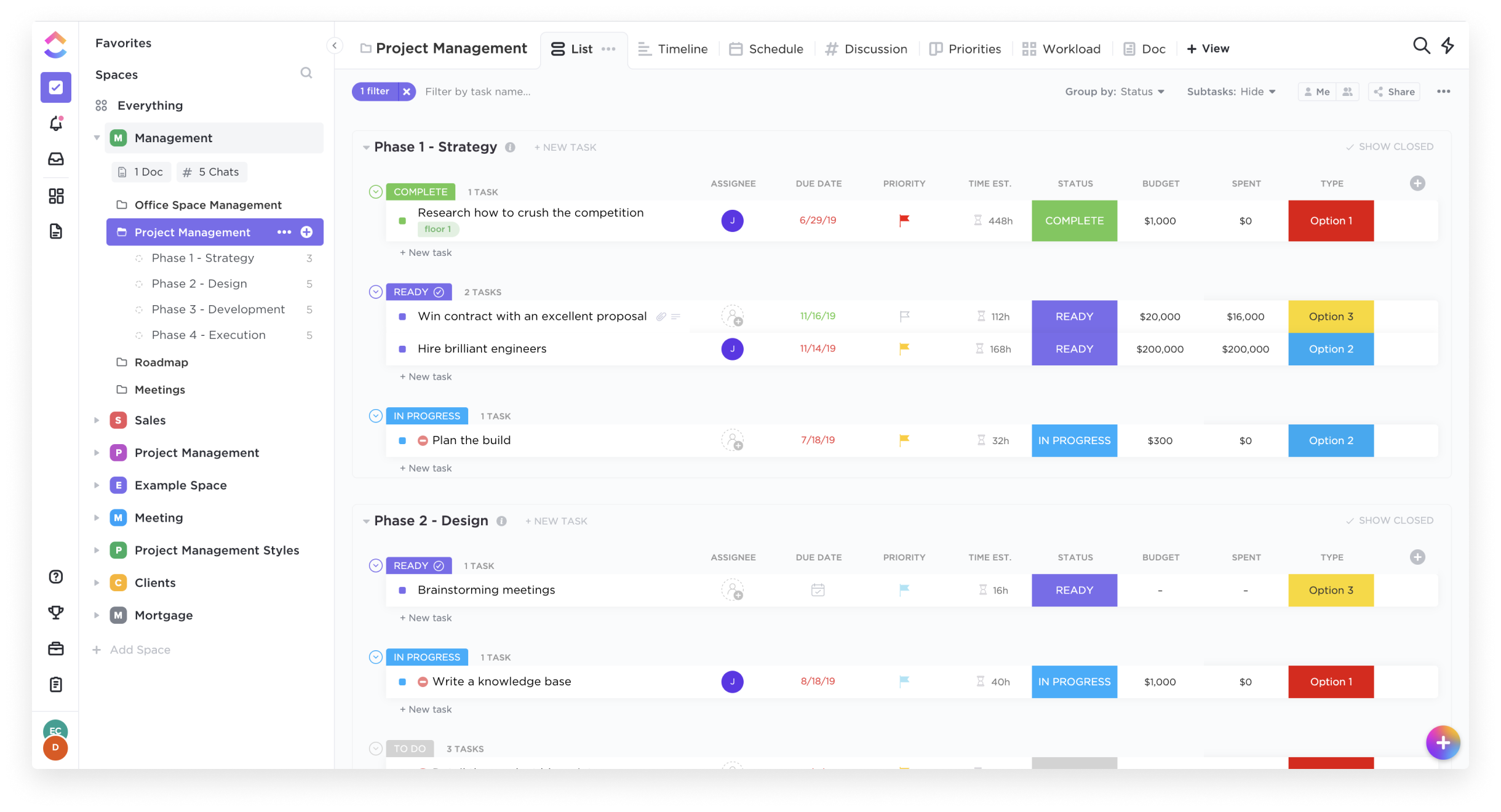
ClickUp is an all-in-one productivity platform. It’s a hub where teams can come together to plan, organize, and collaborate on work using tasks, Docs, Chat, Goals, and Whiteboard. Customized with just a few clicks, ClickUp helps teams of all types and sizes deliver work more effectively, to boost productivity to new heights. ClickUp aims to make the world more productive by removing friction caused by using many different applications. The platform boasts millions…
$0
Planview AgilePlace
Score 9.9 out of 10
N/A
AgilePlace is a project management solution built around flexibility, data-driven analytics, and workflow automation. The software was acquired by Planview in December 2017 to expand that company's capabilities.
$19
per user, per month
Pricing
ClickUp
Planview AgilePlace
Editions & Modules
Free
$0.00
Unlimited
$9.00 ($5.00)
per member per month (annual contract pricing)
Business
$19.00 ($12.00)
per member per month (annual contract pricing)
Business Plus
$29.00 ($19.00)
per member per month (annual contract pricing)
Enterprise
Contact Sales
Teams
$19
per user, per month
Scaled Teams
$29
per user, per month
Custom
Contact Sales for Quote
per user, per month
Offerings
Pricing Offerings
ClickUp
Planview AgilePlace
Free Trial
Yes
Yes
Free/Freemium Version
Yes
No
Premium Consulting/Integration Services
No
No
Entry-level Setup Fee
No setup fee
No setup fee
Additional Details
—
All editions include unlimited boards.
More Pricing Information
Community Pulse
ClickUp
Planview AgilePlace
Features
ClickUp
Planview AgilePlace
Project Management
Comparison of Project Management features of Product A and Product B
ClickUp
8.0
Ratings
4% above category average
Planview AgilePlace
7.4
Ratings
3% below category average
Task Management
8.90 Ratings
10.00 Ratings
Resource Management
7.90 Ratings
9.90 Ratings
Gantt Charts
7.80 Ratings
10.00 Ratings
Scheduling
7.80 Ratings
9.90 Ratings
Workflow Automation
7.90 Ratings
00 Ratings
Team Collaboration
8.80 Ratings
00 Ratings
Support for Agile Methodology
8.40 Ratings
9.30 Ratings
Support for Waterfall Methodology
8.30 Ratings
4.00 Ratings
Document Management
7.90 Ratings
6.50 Ratings
Email integration
7.80 Ratings
7.30 Ratings
Mobile Access
6.80 Ratings
2.10 Ratings
Timesheet Tracking
7.50 Ratings
6.40 Ratings
Change request and Case Management
00 Ratings
7.20 Ratings
Visual planning tools
00 Ratings
7.30 Ratings
Professional Services Automation
Comparison of Professional Services Automation features of Product A and Product B
ClickUp
7.7
Ratings
2% above category average
Planview AgilePlace
-
Ratings
Project & financial reporting
7.70 Ratings
00 Ratings
Agile Development
Comparison of Agile Development features of Product A and Product B
Great for project management, reoccurring task management, building trackers and keeping track of what everyone is up to. Like all software that has great functionality, having solid governance and control over access is essential. I recommend ensuring that your admins/owners have a close eye on what is going on across the space or it can turn into an unmanageable nightmare.
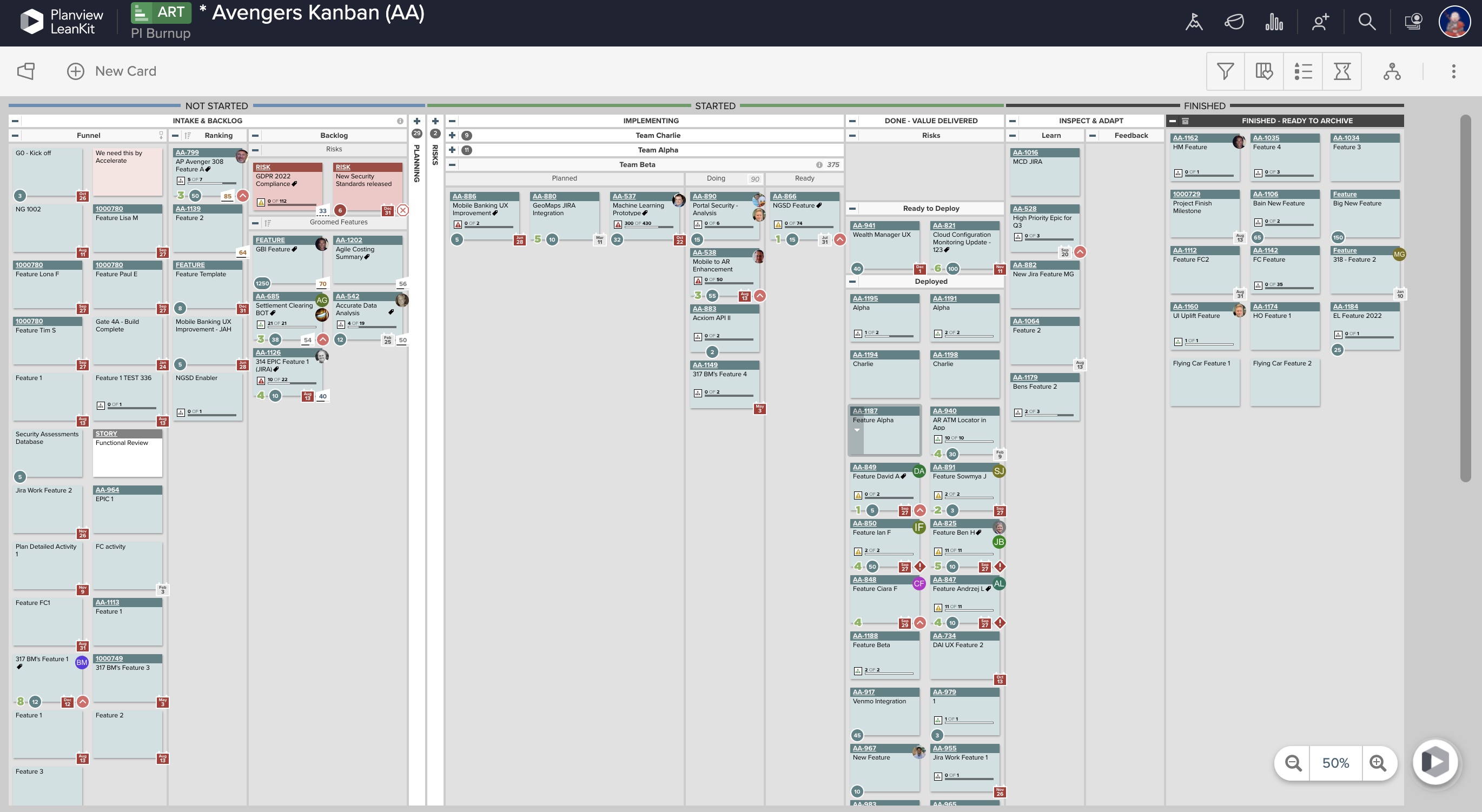
AgilePlace is a great way for teams, or individuals, to bring visibility to the work in process and in their backlog. The color coding and icon use helps to quickly analyze the type of work or status of the work. The product team is doing a good job at listening to their user's feedback and implementing improvements. Where it falls short is when reporting needs to occur.
Okta Integration: We love using SSO for all our SaaS apps, and as new team members join, they can be automatically joined to the appropriate LeanKit boards.
Filtering and viewing: Can filter and refine by several fields as well as custom fields. Assigned Users, Tagged, Card Type, Date, etc
Their analytics and reporting can be helpful for PMs, especially if they have several teams they oversee.
We're very pleased with how the system works in general. For over a year we've barely ever had any problems with ClickUp and there might have only been one or two times when it wasn't operational for us due to a global emergency. Moreover, when we had a problem once with renewing our licenses we've been contacted directly by our account manager and taken care of in a very professional way (with a due refund as well). The exceptional customer service makes us firmly believe that ClickUp is just the right tool for us.
Far easier to use than any other PM tool. ClickUp is incredibly intuitive and had us saving time and energy within the first week of implementation. In my opinion, PM software should make it easier to focus on the deliverables - it shouldn't take all your time and energy to learn how to use the tool in the first place. ClickUp is a user-friendly tool that actually helps us focus on what's important.
LeanKit isn't the best designed Kanban system I've seen, but overall it's pretty usable. The boards I've used are pretty complex, so it can be difficult to find things. I found that searching and filtering for specific cards was somewhat of a challenge. Dragging a card from one lane to another is kind of a fun way to get things done though.
For over a year ClickUp was unavailable to us just twice for a couple of hours. I would say for a system this big and working globally that was a minor issue. They managed to fix all the issues within a couple hours and then it was back up and running perfectly fine.
The speed of ClickUp is average to be honest. This is one of the biggest flaws of the system, sometimes it's also lagging a little bit but we also have a lot of documents, lists etc. on our workspace. However, with the next version of ClickUp I've seen they are planning to increase the speed by almost 500%, probably by changing the technology, so I am more than looking forward to it.
Support are genuinely helpful and really nice to deal with. I had a bug on my workspace that I’d been experiencing for a while. They looked into it for me and asked some questions. Once they found the issue and resolved it, they even filmed a video detailing how they’d fixed it. That level of support is fantastic.
Every time I have reached out to the AgilePlace support team I have received a timely response in addition to professional & personal feedback. Their consultants are knowledgeable and the management team is happy to jump in and help when needed.
There are multiple guides on literally all of the functions you can find within the system, therefore it's easy to learn anything you'd really like to use, starting from project and people management, down to Gantts, mind maps, time tracking, inviting Clients as guests to work with you on the projects and so much more.
Start small. Don’t try to build the most elaborate plans first. Resist the urge to get into Gantt charts if no one is used to them. Just get work written, add dates and assignees, and start getting used to it. If you did not use a work management tool before, you need to be gracious with yourself about the fact that you likely do not have the muscle memory for working this way yet. But you will get there.
And leverage people who know it if possible. Look for ClickUp experts and vendors. They can really supercharge your effectiveness at building the tool out and speed up the process.
Every other tool I have used has been for organizing tasks and work only. There were some of the other features, but none of them had the ability to do everything we need to manage a project from start to finish
Originally, we had evaluated two other tools next to Planview LeanKit: Kanbantool and Kanbanflow. The latter was a close contestant for productive use, as it was also very customizable and a joy to work with and look at. It also had lower user fees and a mobile integration. In the end, we picked Planview LeanKit because of several reasons: Aesthetics: The look was much more clean and professional. Reporting: It was obvious from the start that we could use Planview LeanKit as a tool for improvement. API: We needed to integrate the Kanban into our central systems and Planview LeanKit API was (and still is) a way to do it. Card Headers: This sounds like a simple thing, but the headers above the titles fit our work perfectly and looked perfect, which helped the decision.
Scaling with ClickUp is superb. If you create a workflow best suited for your organization then it's all about creating new accounts and teaching the new employees the workflow you're using. It's that simple. There is no black magic when it comes to Clickup.