ClickUp vs. Miro

Overview
ProductRatingMost Used ByProduct SummaryStarting Price
ClickUp
Score 8.5 out of 10
Small Businesses (1-50 employees)
ClickUp is an all-in-one productivity platform. It’s a hub where teams can come together to plan, organize, and collaborate on work using tasks, Docs, Chat, Goals, and Whiteboard. Customized with just a few clicks, ClickUp helps teams of all types and sizes deliver work more effectively, to boost productivity to new heights. ClickUp aims to make the world more productive by removing friction caused by using many different applications. The platform boasts millions…
$0
per month per seat
Miro
Score 9.2 out of 10
N/A
Miro empowers cross-functional teams to flow from early discovery through final delivery on a shared, AI-first canvas. With the canvas as the prompt, Miro’s AI capabilities keep teams in the flow of work, and scale shifts in ways of working.
$10
per month per user
Pricing
ClickUpMiro
Editions & Modules
Free
$0.00
Unlimited
$9.00 ($5.00)
per member per month (annual contract pricing)
Business
$19.00 ($12.00)
per member per month (annual contract pricing)
Business Plus
$29.00 ($19.00)
per member per month (annual contract pricing)
Enterprise
Contact Sales
1. Free - To discover what Miro can do. Always free
$0
2. Starter - Unlimited and private boards with essential features
$8
per month (billed annually) per user
3. Business - Scales collaboration with advanced features and security
$16
per month (billed annually) per user
4. Enterprise - For work across the entire organization, with support, security and control, to scale
contact sales
annual billing per user
Offerings
Pricing Offerings
ClickUpMiro
Free Trial
YesYes
Free/Freemium Version
YesYes
Premium Consulting/Integration Services
YesNo
Entry-level Setup FeeNo setup feeOptional
Additional DetailsMonthly billing also available at $10 per month for the Starter plan, or $20 for the Business plan.
More Pricing Information
Community Pulse
ClickUpMiro
Considered Both Products
ClickUp
Chose ClickUp
ClickUp is more complete than most of the other competitors on the list and is more focused on being awesome in providing the tools necessary for project management, including Agile methodologies, timetracking, and many more. For a software development company like mine, …
Chose ClickUp
ClickUp is quickly moving up the ranks to surpass other project management software options that aren't readily available to whole teams. For the past two years, I've witnessed close competition between ClickUp and monday.com for the top spot as the foremost emerging project …
Chose ClickUp
We ended up going with another so for us it was #2 on the final decision. We found the automations easier with one of the other systems.
Chose ClickUp
Throughout my career, I have used at least a dozen different project management platforms and tools for keeping projects moving along. While I have used project management tools from some impressive names, I found that most of them weren't very impressive at all. In so many …
Chose ClickUp
Jira: More robust, feels like a dinosaur. It's a lot harder to configure; it's more stable, but it feels VERY painful to use for less tech-savvy developers. Artists HATED it with passion. Producers and scrum masters always like Jira better, but devs hated it. Clickup: Polished, …
Chose ClickUp
From the above 2 applications ClickUp fared better because its free to use, has a design that stimulates task management and collaboration, but majorly our team liked using ClickUp instead of Notion or Asana. It is important that our team is comfortable using a software that's …
Chose ClickUp
ClickUp is a lot more customizable, user friendly and comprehensive.
While Trello might be a bit more minimalistic, i would choose a comprehensive tool over minimalism any day because it suits my needs specifically as opposed to a smaller org's needs. Trello has limited options …
Chose ClickUp
We have compared different parameters such as usability, functionalities, cost, learning curve. And in the ended opted in for ClickUp due to a higher match with our requests.
Chose ClickUp
The other tools are much more static in nature and not very use friendly when it comes to customisation. ClickUp offers a suite of customisation tools and Clickapps which help with whatever needs getting done in terms of forms,fields,etc. Therefore, ClickUp can be customised to …
Chose ClickUp
When it comes to project management software, ClickUp and Asana are two popular options. After evaluating both, we selected ClickUp for our team's needs.In terms of features, the free version of ClickUp provides better features than the free version of Asana. ClickUp offers a …
Chose ClickUp
With each of the other platforms I've used, there was no one-stop-shop. We always had to use outside platforms or add-on processes to supplement what was missing. Sure they had good enough features but good enough wasn't good enough. We are an innovative company that operates …
Chose ClickUp
ClickUp literally came on the scene and in my mind instantly WON the project management game with the ease of use and flexibility delivered in the app. Best-in-class support and engineering a world-class experience is a massive piece of this and they continue to innovate every …
Chose ClickUp
Jira was more expensive, but ClickUp competed directly with core functionality. However, in comparing them side by side, Jira felt to be more "mature." Meaning, Atlassian seems to know and anticipate use cases more thoroughly that ClickUp.
Chose ClickUp
It offers a lot more; cut's down on the need to visit other websites. All the information is under a single website/desktop application. For example, Atlassian owns multiple software, but each is separate. ClickUp reduces the need to switch and sign into multiple …
Chose ClickUp
They all work well, but for some reason I always end up coming back to ClickUp, for the ease of use and the features it has.
Chose ClickUp
ClickUp stacks up against others because it's a software much more complect than the other competitors, with more functions e usability. We selected ClickUp for a recommendation of one of the team players, and it really was an improvement for all of the company.
Chose ClickUp
It can do everything those competitors do, except in one app. And in a (much) more simple way to onboard people and engage them.
Chose ClickUp
Fantastic, but it lacked on its free version the visualization I can have for free in ClickUp, meaning: I needed to work with deadlines and dates and ClickUp gave me the chance with all the features I needed, that's why I left it in main.
Chose ClickUp
It's more suitable to our needs.
Chose ClickUp
ClickUp has given us everything these other apps have offered and then some. Overall we like how it is packaged and continuously updated and enhanced at a good cadence.
Miro
Chose Miro
I have not used anything like Miro, only Power Point, which is the only one that is similar. There is a tool like Miro within ClickUp, but it is not as intuitive and easy to use as Miro.
Chose Miro
ClickUp is our go to project management system that also has in-build whiteboards. But they do not work as fast and seamless as Miro. So we still use miro for that part and ClickUp as project management system. We also believe that if every SaaS focusses on there own super …
Chose Miro
We assessed these tools to gain a better understanding because they are excellent and have certain unique features. But in the end, we chose Miro since it offers all the features that ClickUp, Stormboard, and Conceptboard do. Additionally, it has a special feature that lets you …
Chose Miro
click up is known for its visual product, project management and collaboration features it integrates task projects and communication all in one platform but overall I think Miro is a more efficient tool plus more and Mural is ideal for visual collaboration and creative …
Chose Miro
Miro is a whiteboarding tool for real time collaboration and workshops, while TheyDo is only specifically meant for journey management practices and use of automated performance metrics integrated into TheyDo helps to visualize the upward and downward trends. TheyDo also helps …
Chose Miro
Has a unique way of being a combo of a lot of different platforms.
Chose Miro
The issue of flexibility was what impacted me most in my decision to choose Miro. The Miro whiteboard has been very useful in my routine, I can enter all the tasks I need to carry out, all the schedule and it is easy to view.
Chose Miro
I only had experience with LucidChart before Miro but the interface was not flexible enough to allow me to do everything that I can do with Miro. The interface was also not as friendly or intuitive.
Chose Miro
We generally found cross-functional collaboration and client input to be easier within Miro than with Figma. This related somewhat to the ability ti invite "guests" into the space to participate, and its ease-of-use in-browser.
Chose Miro
Miro is purposely designed for collaborative ideation whereas the others are more all encompassing tools.
Chose Miro
The ease of use and ability to adapt the board to whatever you want, + online access from everywhere and the realtime collaboration is great.
Chose Miro
To be honest the simplicity makes it the go to. It is user friendly and aesthetically pleasing - what's not to like?
Chose Miro
Much better for collaboration and ideation than any of the others. Mural has a few superior presentation features (last time I used it a long time ago) and Notion is perhaps easier for business stakeholders to get their heads around, but miro comes out on top for me.
Chose Miro
Before Miro, I would sometimes build something like a board in PowerPoint. Upgrading to Miro was like going from a horse-and-buggy to a Ferrari.
Chose Miro
it fils some of the functions of those tools way better, but it's not exactly the same use. I wouldn't use Miro to have a task management system.
Chose Miro
We decided to go with Miro (even having visio installed as part of our microsoft suite) due to the easy-to-use environment and user friendly UX/UI, the was it easier than any other tool to share content, boards or anything it's simply a win-win situation for us, no matter your …
Chose Miro
There are certain things that Miro can do that these other platforms simply cannot. Bottom line. Miro is the most elite visualization software for program and product management. While other products offer Miro-like services or features, they do not measure up. Miro has the …
Chose Miro
These tools are ok, but they are basic compared to what Miro offers. Miro is easier to use and does alot more.
Features
ClickUpMiro
Project Management
Comparison of Project Management features of Product A and Product B
ClickUp
8.0
620 Ratings
5% above category average
Miro
-
Ratings
Task Management8.9620 Ratings00 Ratings
Resource Management7.9478 Ratings00 Ratings
Gantt Charts7.8436 Ratings00 Ratings
Scheduling7.8505 Ratings00 Ratings
Workflow Automation7.8475 Ratings00 Ratings
Team Collaboration8.8591 Ratings00 Ratings
Support for Agile Methodology8.4405 Ratings00 Ratings
Support for Waterfall Methodology8.3332 Ratings00 Ratings
Document Management7.8523 Ratings00 Ratings
Email integration7.8421 Ratings00 Ratings
Mobile Access6.8490 Ratings00 Ratings
Timesheet Tracking7.5406 Ratings00 Ratings
Professional Services Automation
Comparison of Professional Services Automation features of Product A and Product B
ClickUp
7.7
299 Ratings
2% above category average
Miro
-
Ratings
Project & financial reporting7.7299 Ratings00 Ratings
Best Alternatives
ClickUpMiro
Small Businesses
Stackby
Stackby
Score 9.0 out of 10
Lucid Visual Collaboration Suite
Score 8.6 out of 10
Medium-sized Companies
InEight
InEight
Score 8.3 out of 10
Lucid Visual Collaboration Suite
Score 8.6 out of 10
Enterprises
InEight
InEight
Score 8.3 out of 10
Lucid Visual Collaboration Suite
Score 8.6 out of 10
All AlternativesView all alternativesView all alternatives
User Ratings
ClickUpMiro
Likelihood to Recommend
8.6
(620 ratings)
9.2
(5571 ratings)
Likelihood to Renew
7.3
(31 ratings)
9.5
(149 ratings)
Usability
7.8
(29 ratings)
9.1
(104 ratings)
Availability
9.5
(6 ratings)
9.7
(16 ratings)
Performance
8.0
(5 ratings)
9.0
(15 ratings)
Support Rating
9.3
(46 ratings)
7.5
(46 ratings)
Online Training
10.0
(2 ratings)
10.0
(4 ratings)
Implementation Rating
7.9
(7 ratings)
9.0
(3586 ratings)
Configurability
8.0
(2 ratings)
7.8
(9 ratings)
Contract Terms and Pricing Model
5.0
(1 ratings)
-
(0 ratings)
Ease of integration
7.0
(2 ratings)
8.3
(3934 ratings)
Product Scalability
8.9
(6 ratings)
8.0
(15 ratings)
Professional Services
5.0
(1 ratings)
-
(0 ratings)
Vendor post-sale
5.0
(2 ratings)
7.3
(5 ratings)
Vendor pre-sale
5.0
(2 ratings)
5.9
(5 ratings)
User Testimonials
ClickUpMiro
Likelihood to Recommend
ClickUp
Great for project management, reoccurring task management, building trackers and keeping track of what everyone is up to. Like all software that has great functionality, having solid governance and control over access is essential. I recommend ensuring that your admins/owners have a close eye on what is going on across the space or it can turn into an unmanageable nightmare.
Read full review
Miro
Miro is the ideal tool where a highly collaborative environment is needed in order to be productive. Projects or ideas that are complex and require input from many people all at once are where Miro really shines. Where Miro is not ideal is when it becomes the 'source of truth' for information. Because it is very collaborative and editable by all, it's not the right tool for maintaining comprehensive information, or 'south of truth' IE project plan commitments etc.
Read full review
Pros
ClickUp
  • Customizable setup and views for any personal preference (works for EVERYONE)
  • The communication tools inside of ClickUp help reduce emails
  • The ability to share ClickUp forms and documents with people outside of ClickUp is powerful
  • Unlimited file size for form attachments is amazing
Read full review
Miro
  • Especially useful project planning with functions like whiteboard and great collaboration features.
  • Miros presentation mode is great for walking people through and explaining a concept.
  • If someone can’t join a meeting, we record a Talktrack. Its like a mini-presentation that people can watch later. Can be extremely useful at times.
Read full review
Cons
ClickUp
  • Add new people to meetings that are already in progress
  • Adicionar pessoas novas em reunioes que já estao em andamento
  • Record meetings within ClickUp
  • Gravar as reunioes dentro do clickup
  • connection with whatsapp to manage leads within the CRM in ClickUp
  • conexão com whatsapp para gerenciar leads dentro do CRM no ClickUp
Read full review
Miro
  • When using the find functionality to locate an item in a Miro board, I do not like that it keeps my previous searched term. Other programs, like Excel, do this but they have it so that you can easily overwrite the previously-searched term.
  • It would be helpful if you could search by a particular frame, instead of the entire board. For our quarterly backlog review, we often have items that carry over, so there are duplicates on the board. Being able to search by a frame would make this easier.
  • Understanding who can access a board is not always clear to me.
Read full review
Likelihood to Renew
ClickUp
It has been a game-changer in terms of project tracking, as animation is a demanding product that requires multiple layers of analysis, revisions, tracking, scheduling, etc. ClickUp simplifies many approvals as anyone can easily add items, and you can tag the people who need to look at them.
Read full review
Miro
I have advocate for the renew of Miro quite few times, however, it is not under my control as the decision is made in another team with their own budget. I would buy for my own entrepreneur projects (1-2 members) as I do know the value and work there 100%. So, I would pay out of my own pocket to get the value. However, If I wouldn't know the value it provides, it would be hard to decide with the current freemium features
Read full review
Usability
ClickUp
Far easier to use than any other PM tool. ClickUp is incredibly intuitive and had us saving time and energy within the first week of implementation. In my opinion, PM software should make it easier to focus on the deliverables - it shouldn't take all your time and energy to learn how to use the tool in the first place. ClickUp is a user-friendly tool that actually helps us focus on what's important.
Read full review
Miro
My rating for Miro is 10 because it has delivered excellent outcomes for my team. We can now plan in real time before taking any action, and anyone can participate in the plans we are creating to boost our company's sales. We all have good plans and strategies for the target audience, so most team members are able to create a good incentive
Read full review
Reliability and Availability
ClickUp
For over a year ClickUp was unavailable to us just twice for a couple of hours. I would say for a system this big and working globally that was a minor issue. They managed to fix all the issues within a couple hours and then it was back up and running perfectly fine.
Read full review
Miro
I only give a 9/10 because of the speed at which it loads. I have never experienced issues with Miro logging me out early, or some other technical issue causing the program to crash, or even it just loading in perpetuity without ever actually coming up (unlike other programs such as SFDC). It take a minute for all of my boards to come up after I click on it in my favorites, but besides that, it's all good.
Read full review
Performance
ClickUp
The speed of ClickUp is average to be honest. This is one of the biggest flaws of the system, sometimes it's also lagging a little bit but we also have a lot of documents, lists etc. on our workspace. However, with the next version of ClickUp I've seen they are planning to increase the speed by almost 500%, probably by changing the technology, so I am more than looking forward to it.
Read full review
Miro
Sometimes it gets quite slow and there is a correlation between this and the size of the board. Hence we are trying to segment the boards based on product stages or projects so that the size doesn't go big. When you go from discovery to delivery on a simple board, it will get large and difficult to load, even crash or go white screen
Read full review
Support Rating
ClickUp
I started using ClickUp when it was what most would consider a baby company. There were the occasional bugs that made working in ClickUp a little bit of a headache, but the support feature allowed me to chat with a real persona and communicate my issues. I would always get prompt support and someone willing to really help me, not just point me to FAQ pages. Not feeling like a number really makes a difference.
Read full review
Miro
We have never reached out to or contacted support because Miro's platform has been incredibly intuitive and user-friendly. The comprehensive resources available, such as tutorials, documentation, and community forums, have provided all the guidance we needed. The seamless integration with our existing tools and the reliability of the platform have ensured that we rarely encounter issues that require external assistance. This self-sufficiency has allowed us to focus more on our projects and collaboration without interruptions. Overall, our experience with Miro has been smooth and efficient, eliminating the need for additional support
Read full review
Online Training
ClickUp
There are multiple guides on literally all of the functions you can find within the system, therefore it's easy to learn anything you'd really like to use, starting from project and people management, down to Gantts, mind maps, time tracking, inviting Clients as guests to work with you on the projects and so much more.
Read full review
Miro
There was a series of webinars which Miro hosted with our organization that went over the basics, then progressively became more advanced with additional sections. The instructors were knowledgeable, and provided examples throughout the sessions, as well as answered peoples' questions. There was ample time and experience on the calls to cover a range of topics. The instructors were also very friendly and sociable, as well as honest. Of course Miro isn't a "God-tool" that does absolutely everything, but the instructors were aware and emphasized the strengths where Miro had them and sincerely accepted feedback.
Read full review
Implementation Rating
ClickUp
Start small. Don’t try to build the most elaborate plans first. Resist the urge to get into Gantt charts if no one is used to them. Just get work written, add dates and assignees, and start getting used to it. If you did not use a work management tool before, you need to be gracious with yourself about the fact that you likely do not have the muscle memory for working this way yet. But you will get there.
And leverage people who know it if possible. Look for ClickUp experts and vendors. They can really supercharge your effectiveness at building the tool out and speed up the process.
Read full review
Miro
Easy to learn, Miro has a series of videos on YouTube that effectively taught this program to my team members and me. The program is drag-and-drop and works excellently. People pick up on how to use it efficiently, and it's great for organizing ideas more freely. This product is more challenging for some older audiences who are not accustomed to using a touchpad, but for most, it was very easy to use.
Read full review
Alternatives Considered
ClickUp
I did not make the decision to move to ClickUp, but I did provide feedback and hear feedback from our internal team about how ClickUp centralizes a lot of the company wides resources into one space. I feel that ClickUp provides more dynamic workflow building beyond Jira and Karbon, and tasks and questions are more searchable cross team, causing more time saved and less time reaching out to ask for an update. All Apps have their individual strengths, but ClickUp has it all live together in one space, making it easier overall for searching and updating items internally as a team.
Read full review
Miro
We tested every product, but the biggest problem we encountered was that most of them required plugins in order to centralize all of our work. Other problems included the products' excessive price, which was higher than Miro's. Last but not least, Miro offered us an all-in-one solution.
Read full review
Scalability
ClickUp
Scaling with ClickUp is superb. If you create a workflow best suited for your organization then it's all about creating new accounts and teaching the new employees the workflow you're using. It's that simple. There is no black magic when it comes to Clickup.
Read full review
Miro
Maybe is possible now so... Could be useful to manage in some way source code for the projects? not to edit so when we make solutions with different components in MIro, maybe each component could redirect to the source code of this component
Read full review
Return on Investment
ClickUp
  • Before ClickUp, my team would have multiple different project trackers, all in different locations, formatted in different ways. ClickUp has allowed us to move all those trackers into one location with a specified template and the ability to directly link tasks to tickets. This has greatly impacted project deliveries in a very positive way.
  • The time tracking feature of ClickUp has been amazing for our development team. Instead of them having to track in a separate document or at the end of every day, try to remember what they worked on and when, they instead can just hit a timer button on the ticket and go off to work. This alone has saved time and improved the accuracy of tracked time to projects.
Read full review
Miro
  • Helped to minimise the use of multiple softwares and applications for several different workflows.
  • Miro has enhanced overall productivity and project quality through intensive discussions and brainstorming sessions.
  • A great choice in terms of ROI as Miro offers a wide range of capabilities and features.
Read full review
ScreenShots

ClickUp Screenshots

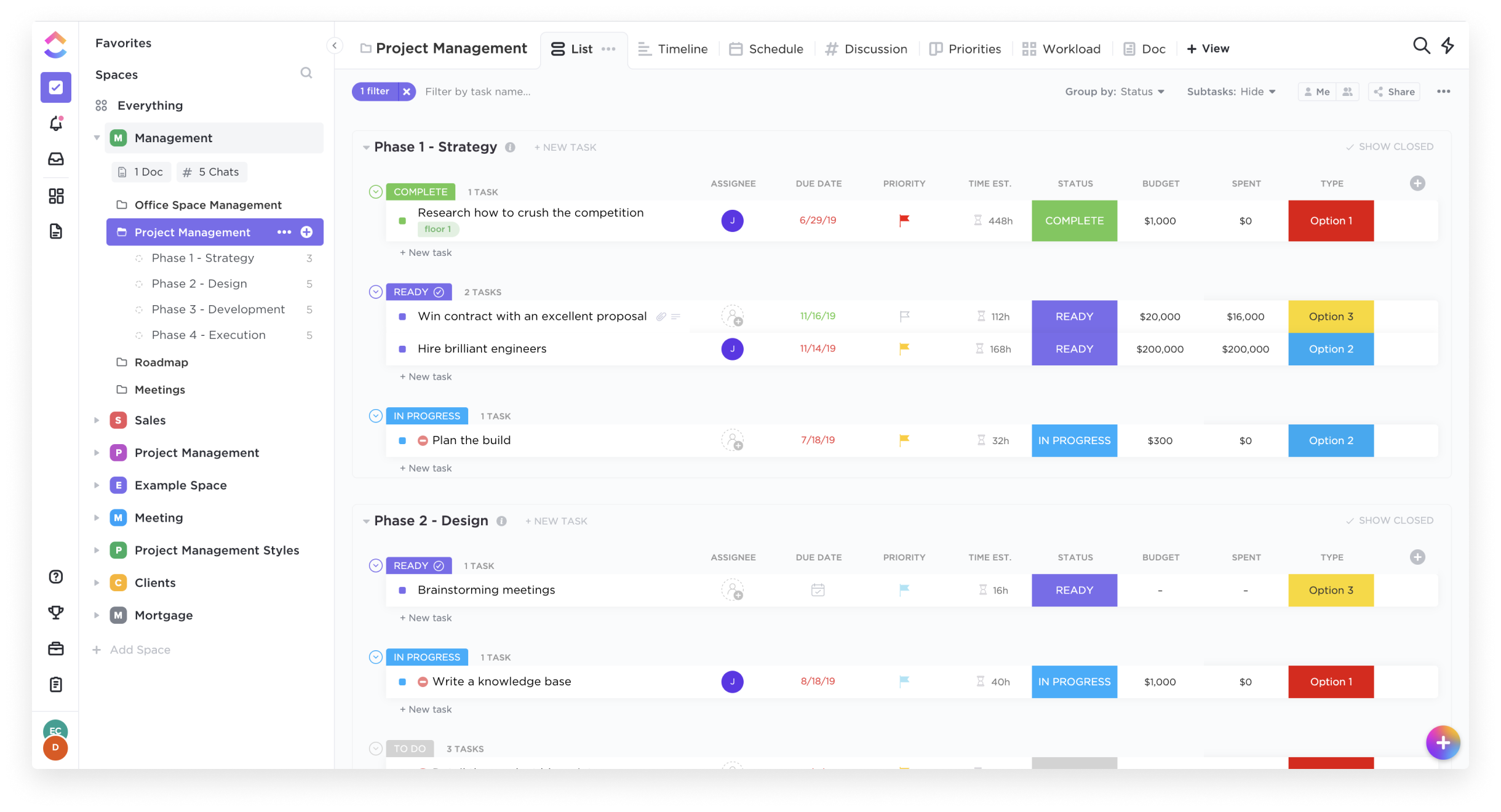
Screenshot of List ViewScreenshot of Box ViewScreenshot of Board ViewScreenshot of Calendar View

Miro Screenshots

Screenshot of Miro's design sprint templates, used to solve big challenges, create new products or improve existing ones.Screenshot of the Sprint Planning features in Miro, that assists Development Teams in creating a transparent understanding of what can be built and how. Users can run sprints and turn a team into creative and active participants. Today, many organizations use Agile tools to manage software development and other non-IT projects.Screenshot of the PI Planning Template that brings teams toward one vision of what stories to develop. Used to manage a backlog, increase productivity, and build the foundation for a successful PI Planning event. Miro’s PI Planning Template helps to get an overview of any PI Planning event, with step-by-step frames to guide the process.Screenshot of diagrams, concept maps, and system mapping templates used to communicate complex flows and create a shared understanding. Users can check off all the essential steps of the diagramming process and gain a complete overview of operations with Miro's diagramming templates collection.