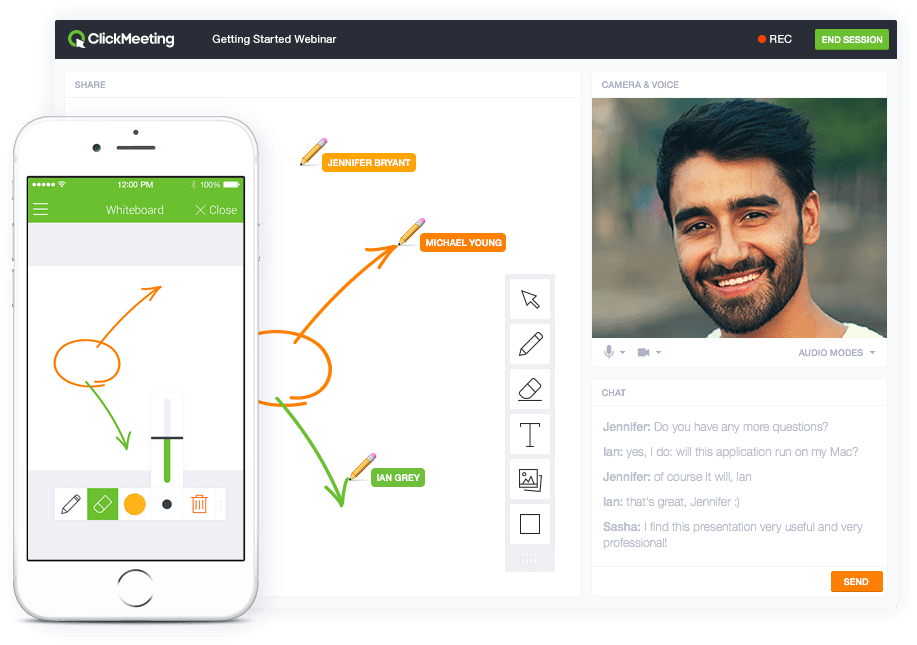
ClickMeeting is a webinar solution formerly owned by GetResponse, an email marketing software company. ClickMeeting's online meeting and collaboration tools are designed to support the sales, marketing, e-learning, and training needs of business of all sizes.
$25
up to 25 attendees
Lark
Score 10.0 out of 10
N/A
Lark, or Larksuite, is a take on office suite software that supports workplace collaboration. Founded in 2016, Lark combines messaging, schedule management and online collaborative documents in a single platform. Lark is available now on macOS, Windows, iOS and Android.
$0
up to 20 users
Pricing
ClickMeeting
Larksuite
Editions & Modules
Live 25
$25
up to 25 attendees
Live 50
$35
up to 50 attendees
Automated 25
$40
up to 25 attendees
Automated 50
$45
up to 50 attendees
Live 100
$60
up to 100 attendees
Automated 100
$75
up to 100 attendees
Live 200
$119
up to 200 attendees
Live 500
$139
up to 500 attendees
Automated 200
$145
up to 200 attendees
Enterprise
$165
500 - 5000
Automated 500
$179
up to 500 attendees
Live 1000
$239
up to 1000 attendees
Automated 1000
$279
up to 1000 attendees
Starter
$0
up to 20 users
Pro
$12
per month per user (up to 500 users)
Enterprise
Custom
Offerings
Pricing Offerings
ClickMeeting
Lark
Free Trial
Yes
No
Free/Freemium Version
No
Yes
Premium Consulting/Integration Services
No
No
Entry-level Setup Fee
No setup fee
No setup fee
Additional Details
Detailed enterprise pricing on demand.
Discount offered for annual billing.
More Pricing Information
Community Pulse
ClickMeeting
Larksuite
Features
ClickMeeting
Larksuite
Performance & Compatibility of Online Events Software
Comparison of Performance & Compatibility of Online Events Software features of Product A and Product B
ClickMeeting
9.5
Ratings
18% above category average
Larksuite
-
Ratings
High quality audio
9.80 Ratings
00 Ratings
High quality video
9.40 Ratings
00 Ratings
Low bandwidth requirements
9.10 Ratings
00 Ratings
Mobile support
9.90 Ratings
00 Ratings
Screen Sharing
Comparison of Screen Sharing features of Product A and Product B
ClickMeeting
9.9
Ratings
22% above category average
Larksuite
-
Ratings
Desktop sharing
9.90 Ratings
00 Ratings
Whiteboards
9.80 Ratings
00 Ratings
Online Meetings / Events
Comparison of Online Meetings / Events features of Product A and Product B
ClickMeeting
9.8
Ratings
17% above category average
Larksuite
-
Ratings
Calendar integration
9.90 Ratings
00 Ratings
Meeting initiation
9.80 Ratings
00 Ratings
Integrates with social media
9.90 Ratings
00 Ratings
Record meetings / events
9.90 Ratings
00 Ratings
Slideshows
9.40 Ratings
00 Ratings
Online Events Collaboration
Comparison of Online Events Collaboration features of Product A and Product B
ClickMeeting
9.3
Ratings
13% above category average
Larksuite
-
Ratings
Live chat
9.40 Ratings
00 Ratings
Audience polling
9.10 Ratings
00 Ratings
Q&A
9.40 Ratings
00 Ratings
Online Events Security
Comparison of Online Events Security features of Product A and Product B
ClickMeeting
9.5
Ratings
16% above category average
Larksuite
-
Ratings
User authentication
9.60 Ratings
00 Ratings
Participant roles & permissions
9.10 Ratings
00 Ratings
Confidential attendee list
9.90 Ratings
00 Ratings
Project Management
Comparison of Project Management features of Product A and Product B
ClickMeeting
-
Ratings
Larksuite
10.0
Ratings
26% above category average
Task Management
00 Ratings
10.00 Ratings
Gantt Charts
00 Ratings
10.00 Ratings
Scheduling
00 Ratings
10.00 Ratings
Workflow Automation
00 Ratings
10.00 Ratings
Mobile Access
00 Ratings
10.00 Ratings
Search
00 Ratings
10.00 Ratings
Visual planning tools
00 Ratings
10.00 Ratings
Communication
Comparison of Communication features of Product A and Product B
ClickMeeting
-
Ratings
Larksuite
10.0
Ratings
23% above category average
Chat
00 Ratings
10.00 Ratings
Notifications
00 Ratings
10.00 Ratings
Discussions
00 Ratings
10.00 Ratings
Surveys
00 Ratings
10.00 Ratings
Internal knowledgebase
00 Ratings
10.00 Ratings
File Sharing & Management
Comparison of File Sharing & Management features of Product A and Product B
ClickMeeting is highly suitable for large-scale webinars, remote training sessions, team meetings, and non-profit outreach events due to its robust features and user-friendly interface. However, for small team meetings or highly interactive workshops, a simpler or more specialized platform might be preferable. Also, its performance could be impacted in areas with limited or unstable internet connections. Overall, it's an excellent tool for remote communication and collaboration, but its suitability may depend on the specific needs and circumstances.
Since I work from home, Larksuite is quite helpful to me because we need a way to communicate even when we are working from home. I'm glad that Larksuite is available to us because we constantly need assistance from our supervisor and quality assurance staff. You can also let others know you won't be available at that time by using interface like "Do not disturb," "In Meeting," or "Taking a Break" in Larksuite. Larksuite's ability to let us attach crucial files, pin crucial communications, and build calendars for scheduled meetings and events is by far its most interesting feature. Larksuite can be used in meetings. I remember when we first started using Larksuite Video Meetings for our discussions, I was astounded to see an interface that allowed you to view on your own the file the speaker had provided. I believe that using Larksuite for our video conference makes things more simpler because everything you need is already there.
Branding. Most platforms don't allow you the same flexibility in branding the webinar room as ClickMeeting. This makes your visitors enjoy a seamless experience from your website to your webcasts.
Lightweight. There are no downloads required from the viewer's end at all (unlike other major platforms). This allows for a quick, easy experience for everyone logging in for the first time. It also eliminates many firewall issues that may exist on workplace computers.
Customizable. You can literally reshape the way the presentation screen appears for your webcasts, with the ability to save different layouts and reuse them based on your needs. This makes it easy to execute several different types of web-based events without trying to fit your presentation model into a specific mold.
Export Quality - Isn't the best, we upgraded our plan and still didn't see a difference
No sound bugs in the last presentation - Still haven't gotten to the bottom of this but at 3 separate times, our webinar lost sound for what seemed to be no reason.
ClickMeeting solves many problems related to the organization of online meetings. Thanks to this platform, you can easily connect with other people from anywhere in the world without leaving your home. This saves time and travel costs. ClickMeeting also enables interactive exchange of information, presentations and documents, which allows for more effective teamwork. Additionally, the platform offers features such as meeting recording, allowing you to easily store and share information. ClickMeeting also provides high quality audio and video, which allows for smooth and effective online communication. All these benefits translate into time savings and increased work efficiency.
I rate this perfect simply because we use this everyday and this is very helpful. Without this tool I can't imagine how we can communicate to each other and how we can resolve every concern/issue that we cater everyday on our job. This is the tool we use to communicate and endorse specific concern.
ClickMeeting has never disappointed. This platform made us organize webinars and trainings for our target groups more often. Our internal communication has also improved thanks to the use of this tool. ClickMeeting responds to all our need and we are very glad that we decided to use it. It is a cost-effective tool which is quite important for NGO.
In addition to its benefits for staff meetings and online courses, ClickMeeting offers a range of teaching tools that enhance the learning experience. These tools allow for interactive presentations, real-time collaboration, and engaging multimedia content. Furthermore, ClickMeeting's optimized video streaming capabilities minimize delays, ensuring a smooth and uninterrupted learning environment for students.
I selected Larksuite simply because even you don't have laptop or desktop you can simply install this app through google or apple store and you just need to log in using your working email. You will now access and use every feature on this app. You can also watch and play videos.
At the webinars I organize, I have between 50% and 70% of the attendees from the list of all those signed up! This is a very high conversion rate, which I achieve by automatically sending out reminders about the upcoming webinar. Yesterday the success rate was 20% attendance.