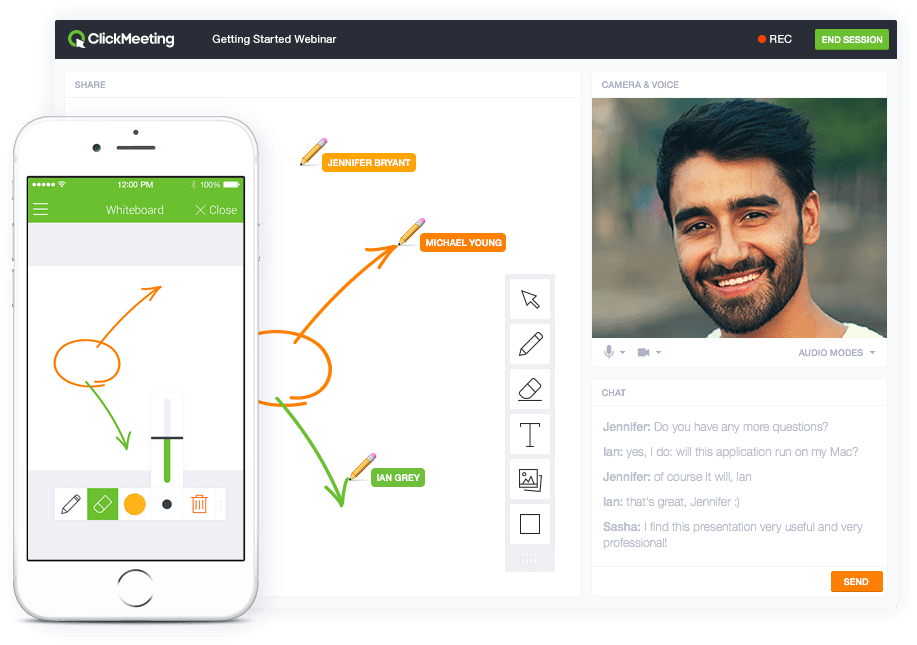
ClickMeeting is a webinar solution formerly owned by GetResponse, an email marketing software company. ClickMeeting's online meeting and collaboration tools are designed to support the sales, marketing, e-learning, and training needs of business of all sizes.
$25
up to 25 attendees
iMind
Score 10.0 out of 10
N/A
Mind allows its users to set up video conferences with up to 200 speakers (video+audio) or up to 1000 speakers (audio). Mind’s option of customization video quality is tailored for launching conferences during periods of network overload.
Meanwhile, Mind also implements a variety of instruments for workspace organization. For instance, Mind released an opportunity for sharing the boards that allows all participants to edit them together during meetings and brainstorms.
Mind has its own file…
N/A
Pricing
ClickMeeting
iMind
Editions & Modules
Live 25
$25
up to 25 attendees
Live 50
$35
up to 50 attendees
Automated 25
$40
up to 25 attendees
Automated 50
$45
up to 50 attendees
Live 100
$60
up to 100 attendees
Automated 100
$75
up to 100 attendees
Live 200
$119
up to 200 attendees
Live 500
$139
up to 500 attendees
Automated 200
$145
up to 200 attendees
Enterprise
$165
500 - 5000
Automated 500
$179
up to 500 attendees
Live 1000
$239
up to 1000 attendees
Automated 1000
$279
up to 1000 attendees
No answers on this topic
Offerings
Pricing Offerings
ClickMeeting
iMind
Free Trial
Yes
No
Free/Freemium Version
No
Yes
Premium Consulting/Integration Services
No
No
Entry-level Setup Fee
No setup fee
No setup fee
Additional Details
Detailed enterprise pricing on demand.
—
More Pricing Information
Community Pulse
ClickMeeting
iMind
Features
ClickMeeting
iMind
Performance & Compatibility of Online Events Software
Comparison of Performance & Compatibility of Online Events Software features of Product A and Product B
ClickMeeting
9.5
Ratings
18% above category average
iMind
9.4
Ratings
17% above category average
High quality audio
9.80 Ratings
10.00 Ratings
High quality video
9.40 Ratings
10.00 Ratings
Low bandwidth requirements
9.10 Ratings
9.00 Ratings
Mobile support
9.90 Ratings
8.70 Ratings
Screen Sharing
Comparison of Screen Sharing features of Product A and Product B
ClickMeeting
9.9
Ratings
22% above category average
iMind
10.0
Ratings
23% above category average
Desktop sharing
9.90 Ratings
10.00 Ratings
Whiteboards
9.80 Ratings
10.00 Ratings
Online Meetings / Events
Comparison of Online Meetings / Events features of Product A and Product B
ClickMeeting
9.8
Ratings
17% above category average
iMind
10.0
Ratings
19% above category average
Calendar integration
9.90 Ratings
10.00 Ratings
Meeting initiation
9.80 Ratings
10.00 Ratings
Integrates with social media
9.90 Ratings
00 Ratings
Record meetings / events
9.90 Ratings
10.00 Ratings
Slideshows
9.40 Ratings
10.00 Ratings
Online Events Collaboration
Comparison of Online Events Collaboration features of Product A and Product B
ClickMeeting
9.3
Ratings
13% above category average
iMind
10.0
Ratings
20% above category average
Live chat
9.40 Ratings
10.00 Ratings
Audience polling
9.10 Ratings
10.00 Ratings
Q&A
9.40 Ratings
10.00 Ratings
Online Events Security
Comparison of Online Events Security features of Product A and Product B
ClickMeeting is highly suitable for large-scale webinars, remote training sessions, team meetings, and non-profit outreach events due to its robust features and user-friendly interface. However, for small team meetings or highly interactive workshops, a simpler or more specialized platform might be preferable. Also, its performance could be impacted in areas with limited or unstable internet connections. Overall, it's an excellent tool for remote communication and collaboration, but its suitability may depend on the specific needs and circumstances.
iMind is well suited when we need to conduct a conference and most of our team members are at home so we just make a conference and invite all of them and conduct a successful video conference with them easily. Less appropriate when we are outside of the office and have only smartphones and need to join meetings but we can not.
Branding. Most platforms don't allow you the same flexibility in branding the webinar room as ClickMeeting. This makes your visitors enjoy a seamless experience from your website to your webcasts.
Lightweight. There are no downloads required from the viewer's end at all (unlike other major platforms). This allows for a quick, easy experience for everyone logging in for the first time. It also eliminates many firewall issues that may exist on workplace computers.
Customizable. You can literally reshape the way the presentation screen appears for your webcasts, with the ability to save different layouts and reuse them based on your needs. This makes it easy to execute several different types of web-based events without trying to fit your presentation model into a specific mold.
Export Quality - Isn't the best, we upgraded our plan and still didn't see a difference
No sound bugs in the last presentation - Still haven't gotten to the bottom of this but at 3 separate times, our webinar lost sound for what seemed to be no reason.
Regarding iMind, I have nothing unfavorable to say. However, issues might arise when joining via a smartphone since you cannot join the conference using a phone number.
ClickMeeting solves many problems related to the organization of online meetings. Thanks to this platform, you can easily connect with other people from anywhere in the world without leaving your home. This saves time and travel costs. ClickMeeting also enables interactive exchange of information, presentations and documents, which allows for more effective teamwork. Additionally, the platform offers features such as meeting recording, allowing you to easily store and share information. ClickMeeting also provides high quality audio and video, which allows for smooth and effective online communication. All these benefits translate into time savings and increased work efficiency.
ClickMeeting has never disappointed. This platform made us organize webinars and trainings for our target groups more often. Our internal communication has also improved thanks to the use of this tool. ClickMeeting responds to all our need and we are very glad that we decided to use it. It is a cost-effective tool which is quite important for NGO.
In addition to its benefits for staff meetings and online courses, ClickMeeting offers a range of teaching tools that enhance the learning experience. These tools allow for interactive presentations, real-time collaboration, and engaging multimedia content. Furthermore, ClickMeeting's optimized video streaming capabilities minimize delays, ensuring a smooth and uninterrupted learning environment for students.
At the webinars I organize, I have between 50% and 70% of the attendees from the list of all those signed up! This is a very high conversion rate, which I achieve by automatically sending out reminders about the upcoming webinar. Yesterday the success rate was 20% attendance.