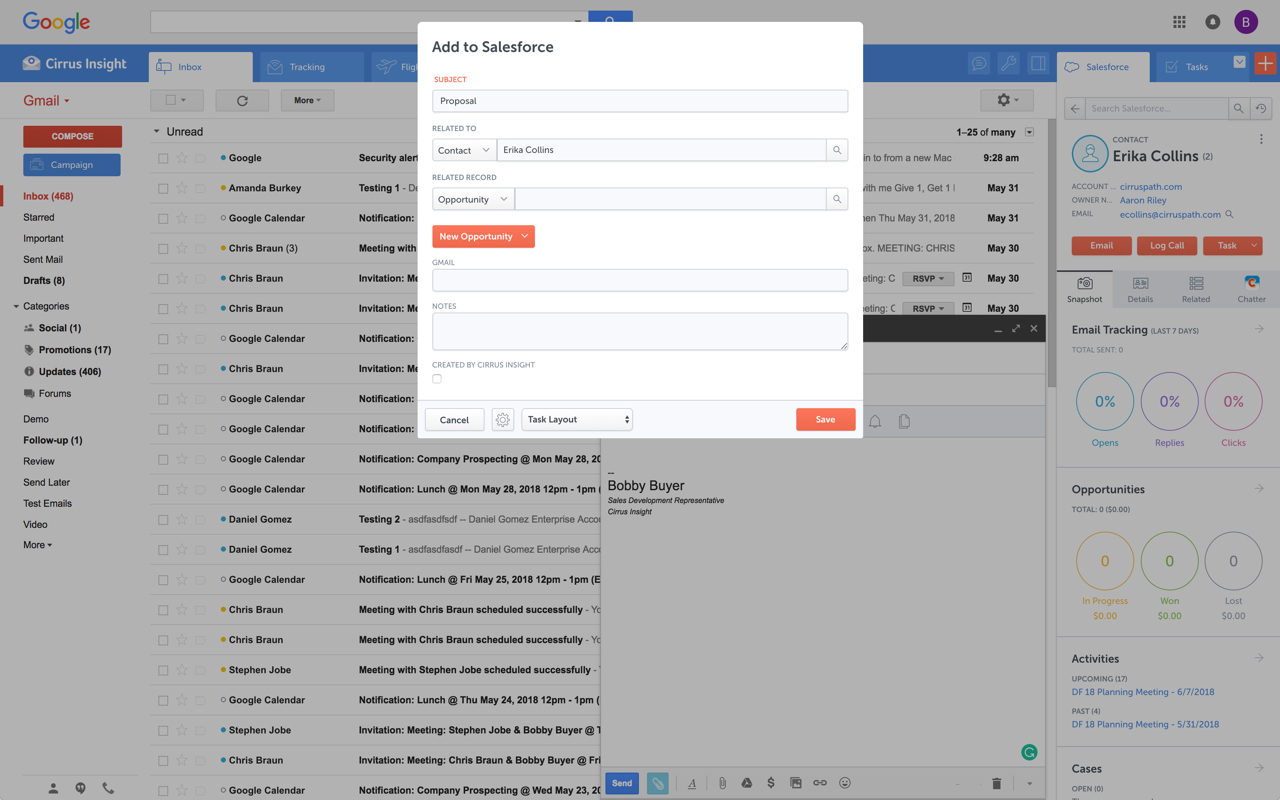
Cirrus Insight integrates Salesforce with Gmail, Google Calendar, and Google Contacts. Instantly View Contextual Salesforce Information in Your Inbox. Save Emails & Attachments to Salesforce with a Click. Sync Your Google & Salesforce Calendars. Create & Edit Salesforce Records on the Fly. Customize Your Salesforce Workflow in Gmail. Add Google Contacts to Salesforce. Salesforce Tasks Integration. Salesforce Templates Integrated with Gmail.
$27
per user/month
ClearSlide
Score 6.3 out of 10
N/A
ClearSlide enables sales and marketing teams to find content, communicate it whether in-person, on the phone or through email, and get insights into how customers engage, with the goal of helping sales and marketing teams make every interaction count and create amazing customer experiences. ClearSlide is a system of engagement for sales, marketing & services teams. For managers and leaders, ClearSlide provides engagement dashboards to improve deal visibility, coaching, and stronger…
For someone who uses both Gmail and Salesforce as part of their main role, this software is an invaluable connector for them both. Some of the features are also not Salesforce specific - such as the Meeting Scheduler, which has proved invaluable to me, and I would recommend to any Gmail user who frequently set up meetings (either internally or externally).
ClearSlide is quite easy to use and effective when presenting information and sharing screen. It's also easy for the prospect to access your site; they just click on a link. If an inside sales manager was looking to find out where his/her team might be losing prospects, Clearslide would be a great choice because the analytics show exactly how engaged a prospect is and at what point they start to lose interest. There is a monthly cost/annual contract involved to Clearslide, so for a startup that is very cost-conscious it might be best to investigate free conference/screenshare options, but the case could be made that the analytics will earn back the fee.
Log email to Salesforce. You click one button and it logs for you. This is easier than adding the BCC email address that Salesforce provides as a way to log email.
Track views and engagement on these emails. It's nice to know if the email was opened and if links were clicked.
Update quick fields in Salesforce directly from their inbox using Cirrus. This prevented reps from needing to click into Salesforce, wait for it to load, then update fields like the phone number or name.
If the rep did need to open Salesforce, Cirrus provides a quick button to navigate to the Lead/Contact/Opportunity page quickly.
Email Functionality - Creation of general templates to be constantly used as well as allowing the team to gain insight as to who is opening and viewing the material. That makes the follow up much easier to have.
Presentations - Very easy to provide customers with a source link of where to view our presentation and also very easy to provide them with the ability to show their screen if needed. The fact that we can have several people on the presentation is helpful as well.
Salesforce Integration - Very important in our organization as we like to have any and all activity pertaining to customers housed in our CRM.
It is the best google to salesforce integration on the market. support is incredibly responsive and very helpful. They are constantly adding new features, and the current feature set is well beyond anything else that is currently offered in the market
This has become a vital tool for our sales process and as we grow as an organization, the ability to deliver content efficiently and effectively will become a key performance indicator in measuring our business goals for the coming fiscal year.
Very easy to use. Everything opens in a familiar interface right inside the google apps sidebar. It brings in salesforce records, so as long as you know google apps / gmail and salesforce you'll be all set. It's point and click.
Its easy to use from a presenter's perspective. Its web based so anyone who can navigate Facebook can open a live pitch or shared file. This makes it easy to give live demos, share files, and share screens with out downloading any software or installing java patches
I was mostly involved in the implementation process and syncing ClearSlide with Salesforce, and I would say the support was mostly average. It took a few times to get everything scheduled, and a lot of the process was left up to me. I was reading through the documents that they supplied. It wasn't complicated, but more direct support would have been appreciated.
The plugin is installed inside your internet browser as an extension/add-on. It can be found in most add on stores and is easy to install. Usually just a few clicks. It handles authorization for you once you sign in, and then takes care of all the rest. It couldn't be easier to get working right out of the box. You're up in running in less than 5 minutes.
Yesware regularly sent me alerts that my emails had been opened by someone who I hadn't sent them to, from locations they couldn't possibly have been. I also don't recall its Salesforce activity logging working as smoothly, though I last used Yesware more than 12 months ago so my memory isn't as fresh as it could be
It is easier to see the full spate of files with Clearslide vs. Dropbox, and each slide shows individually in Clearslide vs. other products that just provide a file in name only. In addition, Clearslide provides direct intel on how customers view and interact with the content you send them, which other products don't provide.
This product ROCKS!!!! ClearSlide shortened my sales cycle by over 50% by enabling to jump right into a LIVE demo on an initial client call so I don't have to waste time scheduling a demo at later date. People are busy and finding a time to schedule a call can take days or weeks
Reduced the amount of time that our sales staff have to spend searching for content or collateral. Everything is available in one area and can be surfaced as long as you know the keywords of the collateral you would like.
CS doubles as a conference line and online presentation platform, which is incredibly helpful. Rather than having to use multiple systems or launch an application that requires a plugin, CS launches right from my browser. Prospects that are viewing our presentations have the same ease of use with CS as well.
The integrations with Outlook, Gmail, and web browsers are a dual-edged sword sometimes. They do make it easier to link documents to emails, but they also tend to crash or cause issues with other software. I would say that overall the savings in terms of efficiency are greater than what has been caused by glitches, but not by much.
The tracking details on collateral sent to prospects are incredibly insightful and help us improve our future communication strategy. This has made us smarter about our future engagements by providing targeted information that the client cares about.