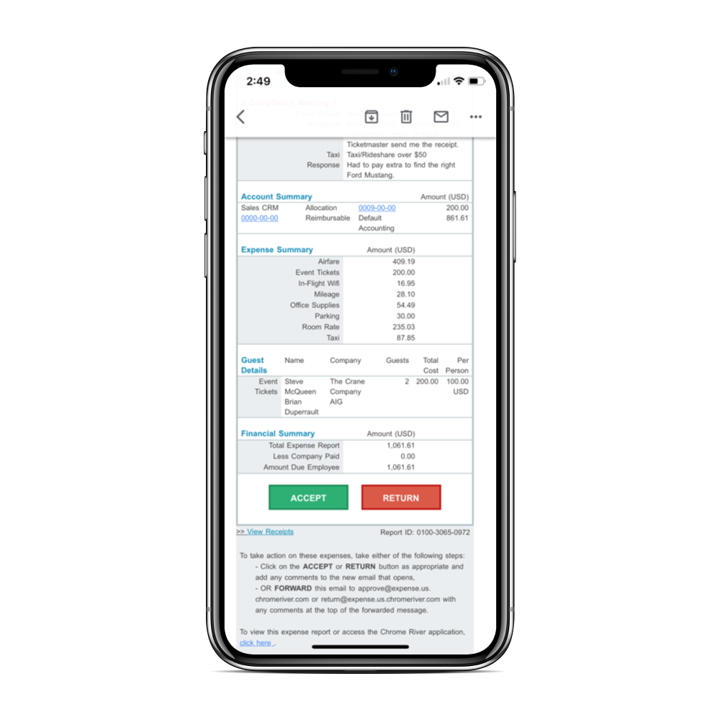
Chrome River EXPENSE is expense management software, from Chrome River Technologies in Los Angeles, California.
N/A
Emburse Tallie
Score5.8 out of 10
N/A
Tallie is an expense reporting tool that integrates with other billing or accounting platforms (e.g. bill.com, Quickbooks, etc.) to present an expense management solution. It was supported by Certify since the 2017 merger with that company and Nexonia under the new company Certify Travel and Expense, and is now from Emburse, the company formed from the merger of Certify and Chrome River Technologies in March 2019.
N/A
Pricing
Emburse Chrome River
Emburse Tallie
Editions & Modules
No answers on this topic
No answers on this topic
Offerings
Pricing Offerings
Emburse Chrome River
Emburse Tallie
Free Trial
No
No
Free/Freemium Version
No
No
Premium Consulting/Integration Services
No
No
Entry-level Setup Fee
No setup fee
No setup fee
Additional Details
We offer three cost-effective, subscription-based pricing models:
A transaction-based model, priced according to expense report volume
A submitter-based model, priced according to an average number of monthly submitters
An enterprise-level model that includes unlimited expense reports. Pricing for this model is based on total employee headcount
Feel free to contact us to discuss the best one for your organization.
The Emburse Chrome River is well suited for tracking expenses and reimbursement. The compliance part of the software makes the task very easy to ensure all the reports that are being used within the company are updated and easy to verify. The Automating invoice processing makes some redundant task easy to execute.
A de minimis incentive was given to thank the reviewer for their time. The incentive was not used to bias or drive a particular response, nor was the incentive contingent on a positive endorsement. TR verified that a representative sample of customers was invited. More Info
Tallie is great for companies or outsourced accounting teams who are heavily involved with helping users upload receipts or code changes to the correct G/L Account groups or dimensions. Tallie allows for you to set up specific Expense options that are easier for users to chose what charges are for that are mapped to G/L Account groups in the background which allows for more accurate accounting. However, if your accounting books are using other dimensions like departments or projects the more complex the set up the more help a user might need, so it's nice how easy it is to drop into an account to help finish the more complex coding for users prior to them being submitted for approval.
A de minimis incentive was given to thank the reviewer for their time. The incentive was not used to bias or drive a particular response, nor was the incentive contingent on a positive endorsement. More Info
[Emburse] Chrome River listens to its customer's needs and does its best to match current products to those needs, or collaborate internally to determine if an enhancement can be made available that will not only benefit that customer, but will be a good use case for all Chrome River customers.
The [Emburse] Chrome River customer service team is great. Unlike most companies, you can speak to a liver person!
[Emburse] Chrome River's training offerings are relevant and pertinent to the day to day operations of the software.
A de minimis incentive was given to thank the reviewer for their time. The incentive was not used to bias or drive a particular response, nor was the incentive contingent on a positive endorsement. More Info
Seamless integration with Bill.com. While this will not specifically benefit every user, our organization was able to quickly marry the two tools and provide timely reimbursements to employees.
Customer support -- they're available via so many mediums: user training, email, phone, support case reference numbers. If you need assistance, whether an end-user or administrator, you can get it.
In-app camera with intelligent image analysis to extrapolate the vendor name, date of the transaction, amount. It also offers the ability to import a photo from your mobile gallery, and then perform the analysis.
A de minimis incentive was given to thank the reviewer for their time. The incentive was not used to bias or drive a particular response, nor was the incentive contingent on a positive endorsement. More Info
Would be great to have pre-saved templates available to apply to line items at the expense report header level rather than having to go into each line.
Would be nice to have a mass upload functionality for things like cost codes, allocations, and credit card users.
A de minimis incentive was given to thank the reviewer for their time. The incentive was not used to bias or drive a particular response, nor was the incentive contingent on a positive endorsement. More Info
A de minimis incentive was given to thank the reviewer for their time. The incentive was not used to bias or drive a particular response, nor was the incentive contingent on a positive endorsement. More Info
Chrome River is easy to use. We needed little training for our users and instead pointed them to Chrome River's Help Guides which are clearly written and easy to understand. With tools SNAP and the ability to email receipts means we can be completely remote when submitting reports.
I would rate Chrome River Expense a 10 because, as I mentioned before, it is very simple and easy to use. This is important from an administrative point-of-view as well as for the field employee. Being a general contractor, it makes it all the better for our employees to use a program that is easy to understand and requires little time and effort. It has made tracking expenses very simple and has been well received by the entire company.
A de minimis incentive was given to thank the reviewer for their time. The incentive was not used to bias or drive a particular response, nor was the incentive contingent on a positive endorsement. More Info
Certainly not as robust as bigger products/names on the market, but the features/solution it offers do extremely well, with a good mobile app experience and a nice, clean interface. It helped our organization (7 locations) go paperless, which rapidly improved our expense capture and timeliness in reporting and also gave our staff a better, user-friendly expense report and reimbursement process.
A de minimis incentive was given to thank the reviewer for their time. The incentive was not used to bias or drive a particular response, nor was the incentive contingent on a positive endorsement. More Info
A de minimis incentive was given to thank the reviewer for their time. The incentive was not used to bias or drive a particular response, nor was the incentive contingent on a positive endorsement. More Info
A de minimis incentive was given to thank the reviewer for their time. The incentive was not used to bias or drive a particular response, nor was the incentive contingent on a positive endorsement. More Info
This has been easy for me because we have a rep that contacts the supporters for this product to correct any issues we may have with the software or changes needed to help out employees use Chrome River easier. This from my understanding has been a hit or miss kind of interaction with our rep and Chrome River.
A de minimis incentive was given to thank the reviewer for their time. The incentive was not used to bias or drive a particular response, nor was the incentive contingent on a positive endorsement. More Info
As a user of Tallie, I have never needed any support to use it. It is simple, logical and needs no training to use. As a company, I don't think we need any ongoing support but I believe the setup process, which they guided us through a year ago went well.
A de minimis incentive was given to thank the reviewer for their time. The incentive was not used to bias or drive a particular response, nor was the incentive contingent on a positive endorsement. More Info
A de minimis incentive was given to thank the reviewer for their time. The incentive was not used to bias or drive a particular response, nor was the incentive contingent on a positive endorsement. More Info
Before implementation begins, make sure you have a plan on how you would like your workflow and platform setup for a system like Chrome River. It will speed the process and eliminate the need to make changes when you go live.
A de minimis incentive was given to thank the reviewer for their time. The incentive was not used to bias or drive a particular response, nor was the incentive contingent on a positive endorsement. More Info
It's the [industry-leading] software for Enterprise level organizations with [large-scale] teams and financial responsibilities. The software has the most robust set of tools and pays for itself with the amount of time it saves. Many newer alternatives have sprouted up but I don't know that we would ever trust another software to do our Expense Tracking and Management.
A de minimis incentive was given to thank the reviewer for their time. The incentive was not used to bias or drive a particular response, nor was the incentive contingent on a positive endorsement. More Info
Tallie stacks up well to Concur. In terms of ease of use, Tallie wins by a landslide. However, when it comes to deeper functionality and integrations into other systems within the business, Concur definitely wins there. So, Tallie is easier for more simple purposes, while Tallie works for more complex organizations.
A de minimis incentive was given to thank the reviewer for their time. The incentive was not used to bias or drive a particular response, nor was the incentive contingent on a positive endorsement. More Info
A de minimis incentive was given to thank the reviewer for their time. The incentive was not used to bias or drive a particular response, nor was the incentive contingent on a positive endorsement. More Info
A de minimis incentive was given to thank the reviewer for their time. The incentive was not used to bias or drive a particular response, nor was the incentive contingent on a positive endorsement. More Info
Tallie allows my finance team to spend so much less time on expense reports. After a large event, we would have 20 employees submitting reimbursements taking many hours of their time. This has cut out that time.
Tallie allows me to spend a total of fifteen minutes updating records in a report for reimbursement compared to the two hours I used to spend on our archaic system.
Tallie allows direct deposit into your account 2-3 days after your report is approved compared to the weeks it used to take to receive reimbursement.
A de minimis incentive was given to thank the reviewer for their time. The incentive was not used to bias or drive a particular response, nor was the incentive contingent on a positive endorsement. More Info