Checkmarx vs. esChecker

Overview
ProductRatingMost Used ByProduct SummaryStarting Price
Checkmarx
Score 9.2 out of 10
N/A
Checkmarx, an Israeli headquartered company with US offices, provides a suite of application security software delivered via the Checkmarx Software Security Platform. Individual modules and capabilities include Checkmarx Static Application Security Testing, Checkmarx Software Composition Analysis, Checkmarx Interactive Application Security Testing (CxIAST)N/A
esChecker
Score 0.0 out of 10
N/A
esChecker: a MAST by eShard esChecker combines years of penetration testing experience with a dynamic engine simulating attack techniques. No source code is needed, only the app binary (Android apk or iOS ipa). It takes 30 minutes to find out how an app reacts against many hacking techniques, so that the user can now reserve pentest budget to in-depth vulnerability analyses. What is a MAST? Mobile Application Security Testing solutions implement security…N/A
Pricing
CheckmarxesChecker
Editions & Modules
No answers on this topic
Offerings
Pricing Offerings
CheckmarxesChecker
Free Trial
NoYes
Free/Freemium Version
NoNo
Premium Consulting/Integration Services
NoNo
Entry-level Setup FeeNo setup feeNo setup fee
Additional Details
More Pricing Information
Community Pulse
CheckmarxesChecker
Best Alternatives
CheckmarxesChecker
Small Businesses
GitLab
GitLab
Score 8.7 out of 10
GitLab
GitLab
Score 8.7 out of 10
Medium-sized Companies
Veracode
Veracode
Score 8.7 out of 10
Veracode
Veracode
Score 8.7 out of 10
Enterprises
Veracode
Veracode
Score 8.7 out of 10
Veracode
Veracode
Score 8.7 out of 10
All AlternativesView all alternativesView all alternatives
User Ratings
CheckmarxesChecker
Likelihood to Recommend
9.0
(0 ratings)
-
(0 ratings)
Usability
7.0
(0 ratings)
-
(0 ratings)
User Testimonials
CheckmarxesChecker
Likelihood to Recommend
If you are going with SAST process or want to improve overall security posture then go for it like integrating it with post deployment steps. If you are more concerned about proactive controls better choose other options such as pee-commit hooks and CI security. Also choose other tools for DAST and API scans.
Read full review
No answers on this topic
Pros
  • Supports a large number of languages
  • Finds a large variety of potential risks
Read full review
No answers on this topic
Cons
  • DAST capability can be the one where it does not support native use case of using OTP based arch
  • API Scanning is something that lacks a bit due to not much customizations
  • Branch wise reports for SAST is not available
Read full review
No answers on this topic
Usability
Checkmarx's usability is generally good, but it can be a bit complex for new users. The interface may take some time to get used to, especially for those unfamiliar with security tools. Once you become familiar with it, it’s effective and integrates well into development workflows.
Read full review
No answers on this topic
Alternatives Considered
Checkmarx is easier to integrate with development tools and gives quick feedback during coding, which is helpful for developers. Veracode is more focused on scanning and reporting for compliance, but it’s more complex to set up. We chose Checkmarx because it fits better into our development process, offering faster scans and more useful suggestions for fixing problems
Read full review
No answers on this topic
Return on Investment
  • Great diversity of vulnerabilities covered.
  • Quicker scans
  • They are feature rich compared to other tools I used in the past.
  • Dashboards are not customizable enough.
  • High number of false positives take up time and sometimes make our report look bad.
Read full review
No answers on this topic
ScreenShots

esChecker Screenshots

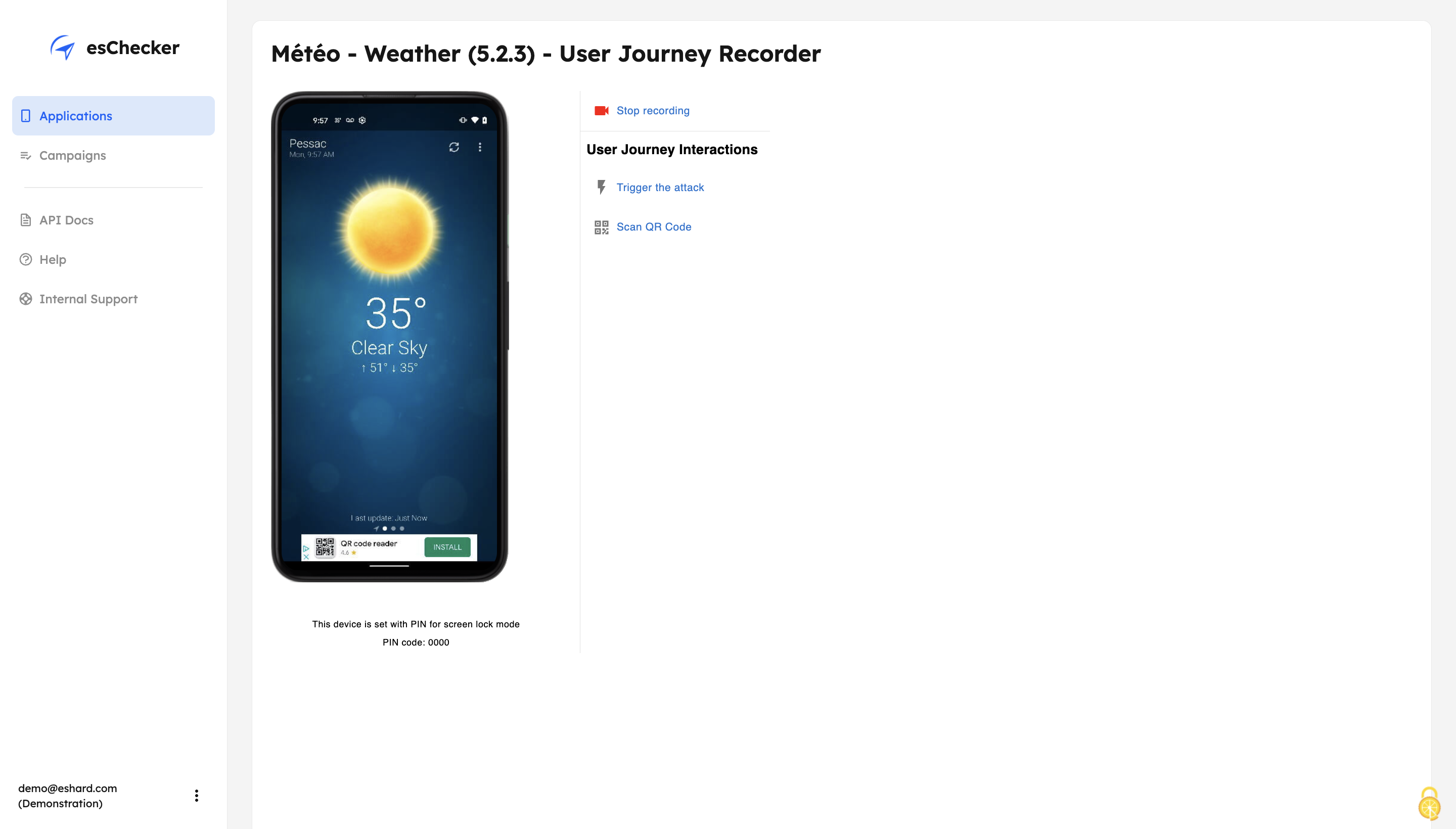
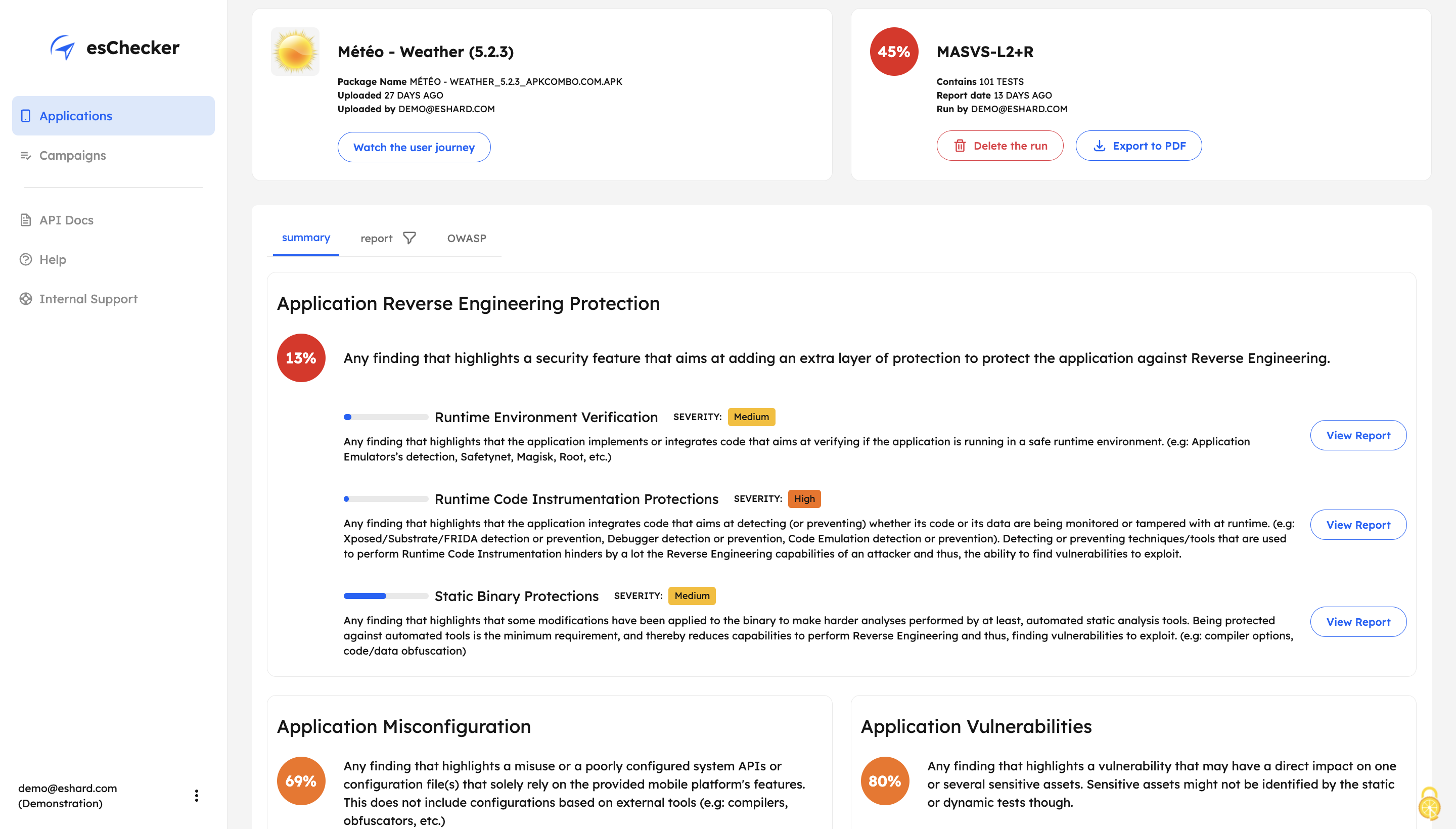
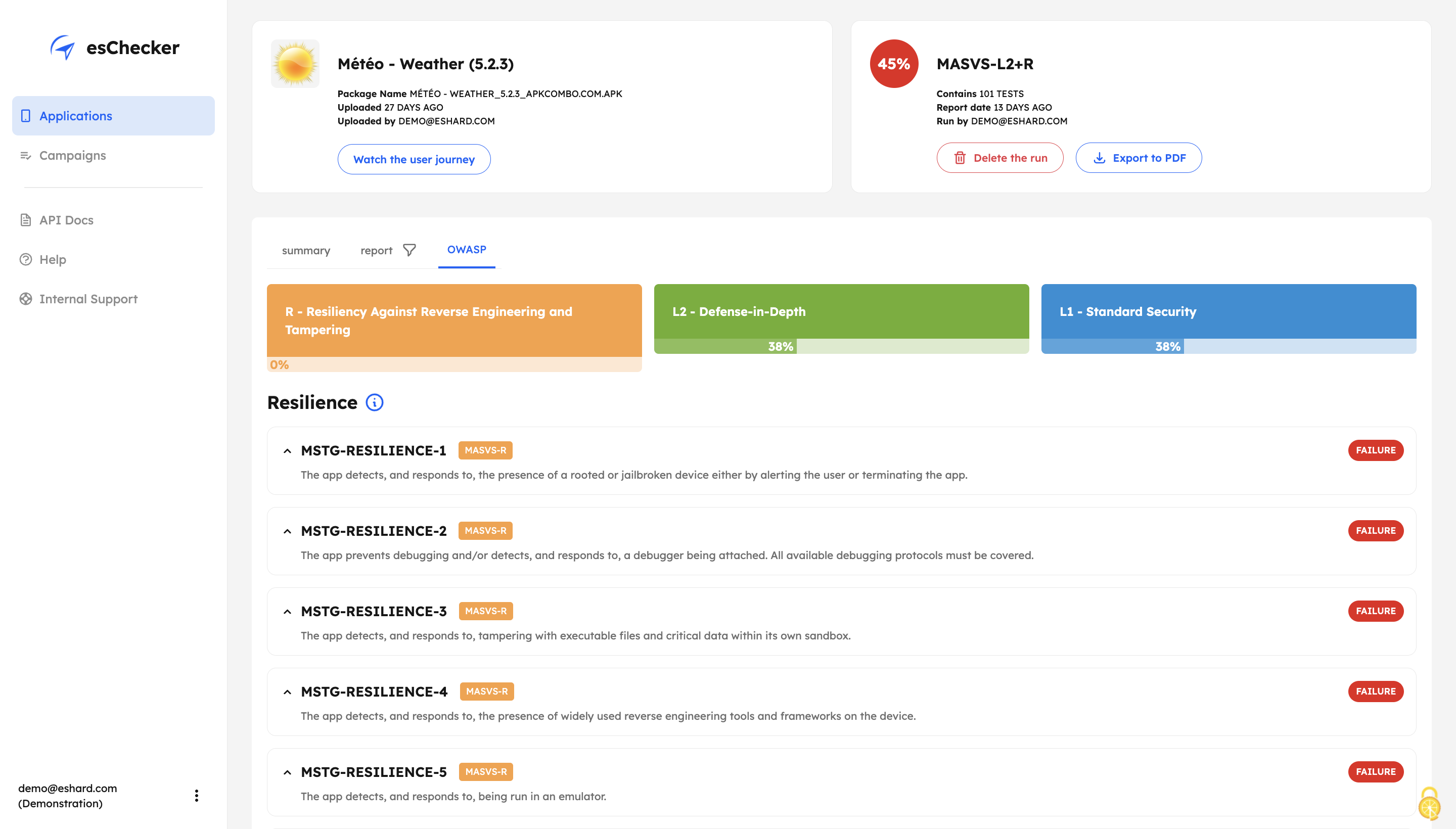
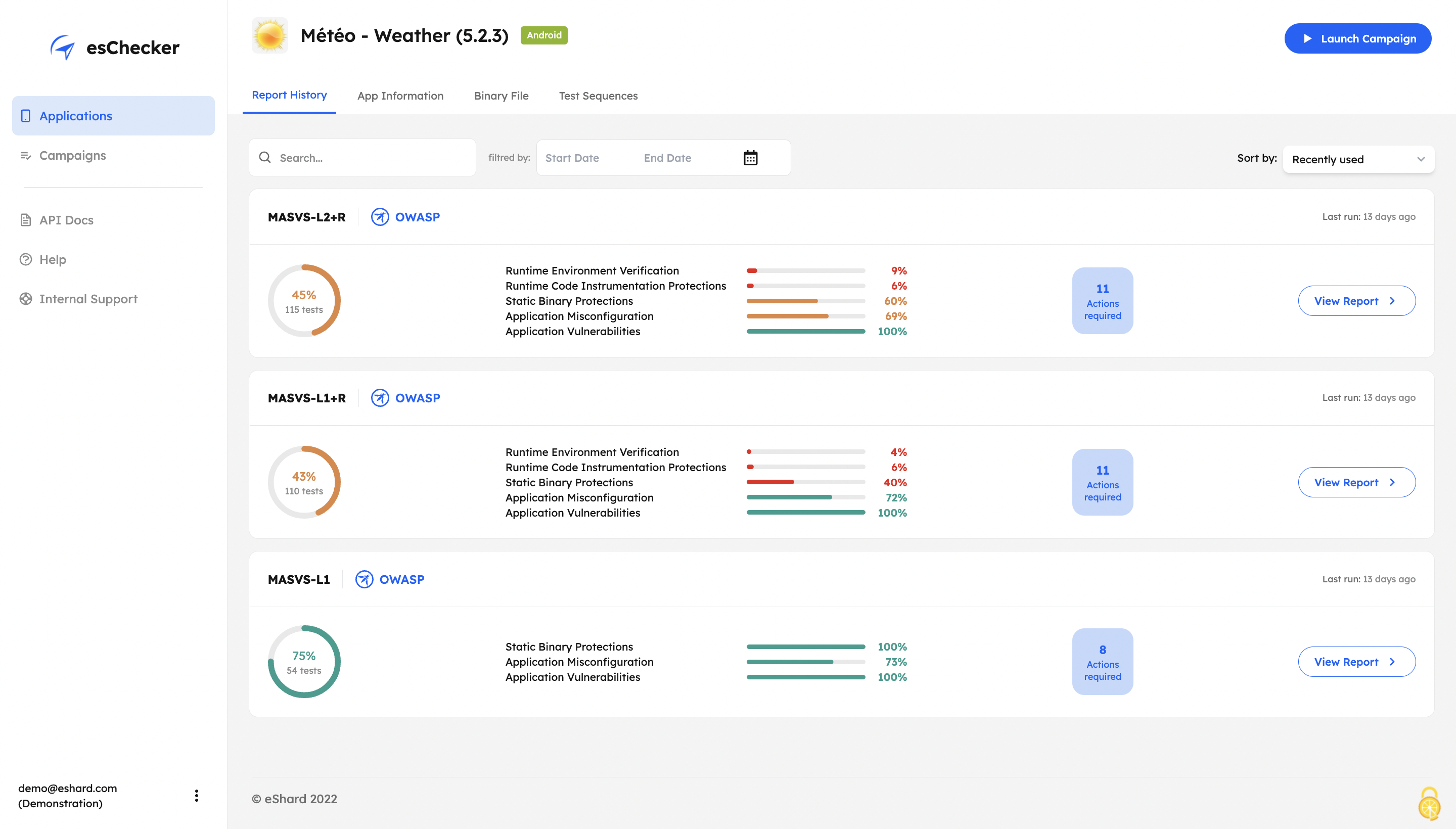
Screenshot of esChecker offers default preset campaigns, according to OWASP standards: MASVS L2+R, MASVS L2, MASVS L1+R and MASVS L1. Users can also choose to create custom campaign to match internal security policies.Screenshot of With its Record and Replay feature, esChecker allows users to browse deep in app screens to target critical user journeys. This ensures that the performed attacks are triggered on the right screens. After a testing session, users can play the video recording of a given test and see how the app reacted.Screenshot of After a full app test session, users are able to understand how strong an application is in: Application Reverse Engineering Protection, Application Misconfiguration and Application Vulnerabilities.Screenshot of The testing report guides the user through the OWASP MASVS to help understand where an application requires more work to be properly protected. This report can be used internally, or externally to show evidence of compliance.Screenshot of The app Defense Score can be used to and compare an app’ results. To help monitor the application’s security protections evolution, esChecker provides a centralized, and graphic overview of the test results.