ChatBot vs. Zoom Contact Center

Overview
ProductRatingMost Used ByProduct SummaryStarting Price
ChatBot
Score 9.0 out of 10
Enterprise companies (1,001+ employees)
ChatBot is an all-in-one platform to create, deploy, and track chatbots across channels. With it the vendor states users can create chatbots in minutes with diverse templates and automate key tasks right away, or easily drag-and-drop new elements to adapt any template to your needs. ChatBot is ready to work out of the box, while AI algorithms help users improve responses over time. Design conversational experiences to build better relationships with customers.…N/A
Zoom Contact Center
Score 8.3 out of 10
N/A
Zoom Contact Center helps businesses deliver prompt, accurate, and highly personalized customer experiences that drive loyalty. It includes intelligent self-service and routing, a unified communications and contact center, and video optimized high-touch engagements.
$69
per month per user
Pricing
ChatBotZoom Contact Center
Editions & Modules
No answers on this topic
Essentials
$69
per month per user
Premium
$99
per month per user
Elite
$149
per month per user
Offerings
Pricing Offerings
ChatBotZoom Contact Center
Free Trial
YesNo
Free/Freemium Version
NoNo
Premium Consulting/Integration Services
NoNo
Entry-level Setup FeeNo setup feeNo setup fee
Additional Details
More Pricing Information
Features
ChatBotZoom Contact Center
Chat Analytics and Reports
Comparison of Chat Analytics and Reports features of Product A and Product B
ChatBot
7.8
Ratings
6% below category average
Zoom Contact Center
-
Ratings
Chat history and transcripts9.00 Ratings00 Ratings
Chat reporting7.00 Ratings00 Ratings
Chat and web analytics7.50 Ratings00 Ratings
Contact Center Software
Comparison of Contact Center Software features of Product A and Product B
ChatBot
-
Ratings
Zoom Contact Center
7.5
Ratings
10% below category average
Agent dashboard00 Ratings7.70 Ratings
Validate callers00 Ratings7.10 Ratings
Outbound response00 Ratings7.80 Ratings
Call forwarding00 Ratings7.00 Ratings
Click-to-call (CTC)00 Ratings7.90 Ratings
Warm transfer00 Ratings8.40 Ratings
Predictive dialing00 Ratings7.40 Ratings
Interactive voice response00 Ratings8.30 Ratings
REST APIs00 Ratings6.90 Ratings
Call scripts00 Ratings7.20 Ratings
Call tracking00 Ratings7.30 Ratings
Multichannel integration00 Ratings8.20 Ratings
CRM software integration00 Ratings6.80 Ratings
Workforce Optimization (WFO)
Comparison of Workforce Optimization (WFO) features of Product A and Product B
ChatBot
-
Ratings
Zoom Contact Center
7.8
Ratings
5% below category average
Inbound call routing00 Ratings8.50 Ratings
Omnichannel inbound routing00 Ratings7.90 Ratings
Recording00 Ratings8.60 Ratings
Quality management00 Ratings8.00 Ratings
Call analytics00 Ratings7.50 Ratings
Historical reporting00 Ratings7.30 Ratings
Live reporting00 Ratings7.30 Ratings
Customer surveys00 Ratings8.20 Ratings
Customer interaction analytics00 Ratings7.00 Ratings
Best Alternatives
ChatBotZoom Contact Center
Small Businesses
Front
Front
Score 7.2 out of 10
CloudTalk
CloudTalk
Score 7.2 out of 10
Medium-sized Companies
Genesys DX (discontinued)
Score 10.0 out of 10
CloudTalk
CloudTalk
Score 7.2 out of 10
Enterprises
Genesys DX (discontinued)
Score 10.0 out of 10
Bright Pattern Contact Center
Score 9.1 out of 10
All AlternativesView all alternativesView all alternatives
User Ratings
ChatBotZoom Contact Center
Likelihood to Recommend
9.0
(0 ratings)
8.0
(0 ratings)
Usability
9.0
(0 ratings)
-
(0 ratings)
Support Rating
8.0
(0 ratings)
-
(0 ratings)
User Testimonials
ChatBotZoom Contact Center
Likelihood to Recommend
If you're an organisation looking to start deploying a ChatBot solution on your website, this product solves your use case. Especially, if you haven't worked with a ChatBot solution before and have little or no prior experience. Their help videos, training section will be sufficient for you to start with the basics of deploying a ChatBot on your website. Use their templates effectively too to start off with.
Read full review
Perfect for companies that have agents all over the place, e.g., different offices or WFH. Also good for companies that aren't big enough to have a "phone guy" as this platform allows IT to do the phone work as it doesn't require esoteric knowledge like other phone systems.
Read full review
Pros
  • Answering most of the FAQs.
  • Sending users in the right direction rather then going from one support staff to other.
  • Reduces unnecessary load from the the team
Read full review
  • Customer service - Whether for sales, setup, or technical assistant, their team is always patient, informed, and helpful.
  • Cutting Edge - Every month there are a plethora of new or enhanced features that are well thought, tested, and ready for implementing.
  • Stability - Our uptime is important to our clients. As a 24/7 365 day/year contact center, having confidence that Zoom's systems are up and running means our clients have trust in our abilities to service their calls.
Read full review
Cons
  • I think the pricing could be a little more competitive
Read full review
  • The Teams dashboard for monitoring agents needs some customization options.
  • Friendly names, I would like to be able to name a number and when it rings you can see the name of the number.
  • Point flows at flows would be nice, instead of flows to queues only.
Read full review
Likelihood to Renew
As long as budget is not an issue - we renewing this solution.
Read full review
No answers on this topic
Usability
Since I deployed this solution end to end for my organisation, I would speak from my experience that since I was a newbie to this platform I took ample support from their team, their training resources. However, the product's UI/UX was simply very intuitive that it helped me to get a lot of hand-on practice on the product well. This helped me with the timely deployment of this solution.
Read full review
First and foremost for our results, the omnichannel approach and ease of use on the internal side (agents, supervisors and administrators) have made adoption very simple, we have managed to reduce response times (SLA) and internal communication has become very fluid. We get good feedback from our clients for having implemented ZCC in the company to serve them.
Read full review
Support Rating
Full end-to-end support is critical to maintain the ongoing service, robustness, training and customer service Chatbot offers.
Read full review
No answers on this topic
Alternatives Considered
ChatBot is more stable and enhanced as compared to other rivals which are new in this segment and also provides a lot of details which is missing in other products like report etc. Also, chatBot is more commonly used so support wise it is also great and you can find multiple examples on the internet and from your peers as well.
Read full review
Microsoft Teams was very difficult. Many third-party providers didn't understand the integration and capabilities of the systems. The Teams app is very clunky, and you can get very different capabilities and compatibility when using it between Mac and PC environments. Zoom had a local team that could help with the transition directly, which is very valuable
Read full review
Return on Investment
  • Good customer engagement levels (positive intent recognition).
  • Positive CSAT.
  • Not enough volume yet to have a cost ROI.
Read full review
  • Intuitive, Easier and almost effortless to maintain.
  • Lesser Operational Expenses that the alternative we also have
  • We wish it has a better integration with Zoom Phone, in terms of channels integration (Voice and Chat) to quick identify callers.
  • It is missing "modular" programming to "reuse" Existing Flows and call them from other flows then return to the main flow.
  • It is missing the capability to compartmentalizing different teams/groups related to reporting, admin, and global parameters.
Read full review
ScreenShots

ChatBot Screenshots

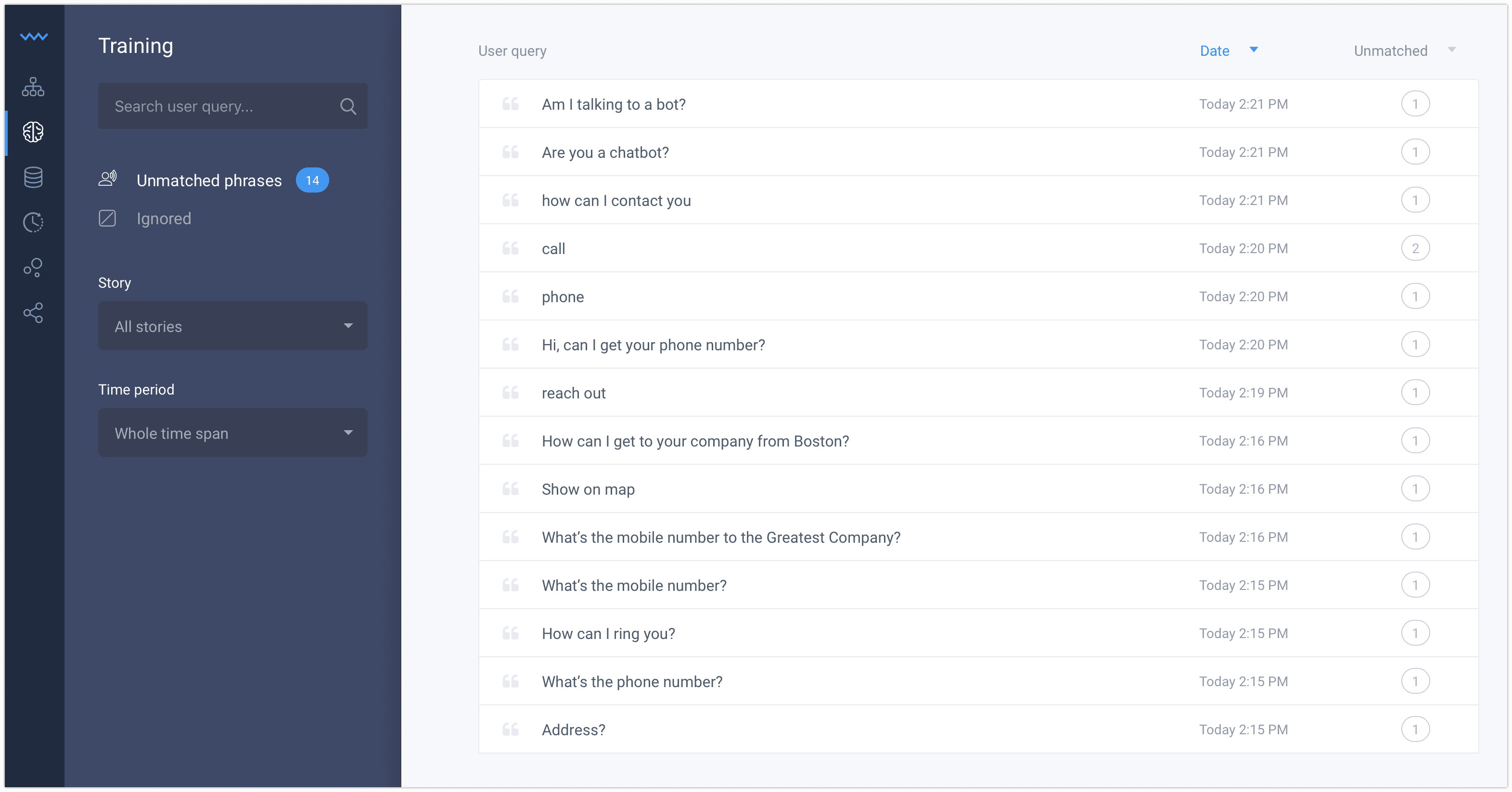
Screenshot of Chatbot conversations are automatically archived, allowing users to analyze and improve their story flows.Screenshot of With ChatBot you can control the entire conversation flow.Screenshot of Improve your chatbot day by day using the training tool.Screenshot of Save your time importing a ready to use template and turn it into your own bot assistant.Screenshot of Stories are an intuitive way to tell the bot how to react to different situations. Create Stories for frequent questions and cases to save more time for the difficult ones.Screenshot of To create a fully operating chatbot you don’t need any other tools or apps. The scenario tree structure and drag and drop interface are very intuitive.

Zoom Contact Center Screenshots

Screenshot of the video-optimized CCaaSScreenshot of the Zoom Workspace video room experienceScreenshot of the analytics used to optimize contact center performance