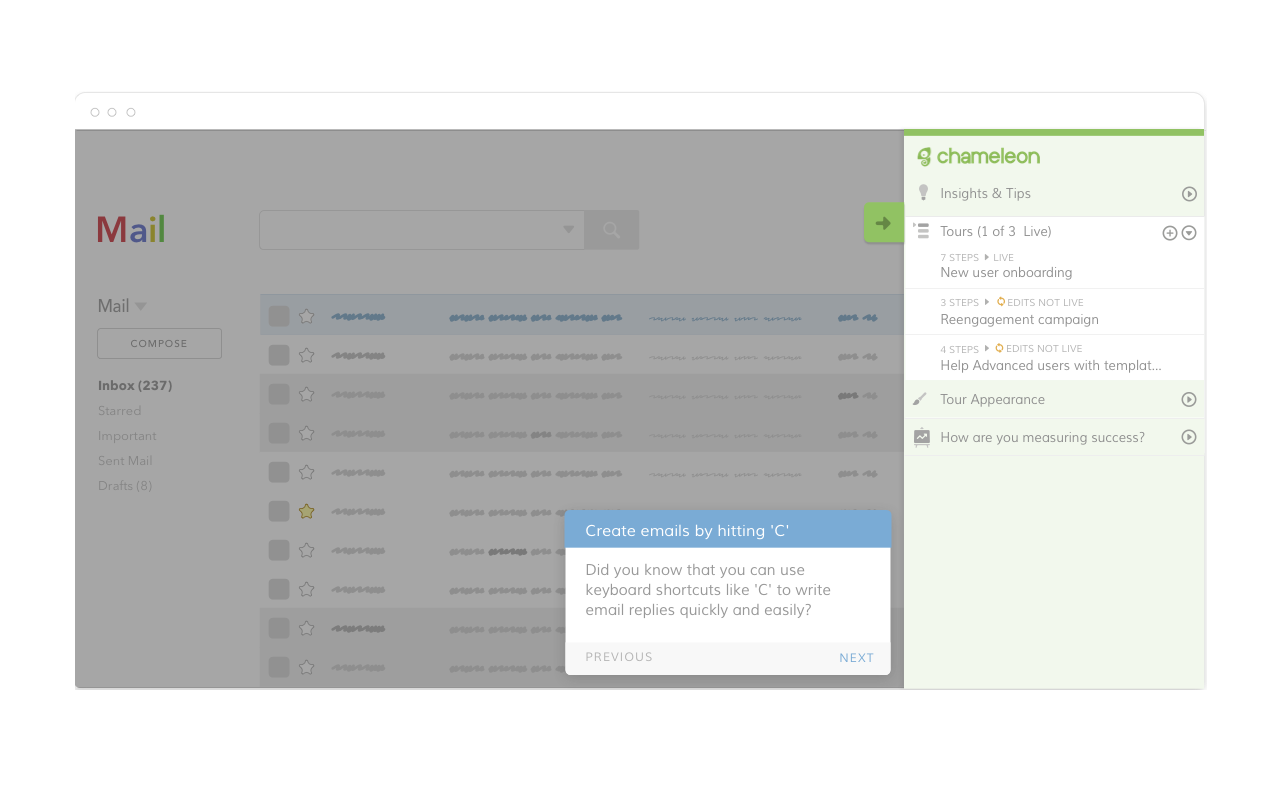
Chameleon offers a platform to build user guidance for web products, without writing code. The product enables users to create product tours to help teach, guide and convert users. Tours are built with a simple WYSIWYG editor with reusable components, customized styling, automated analytics tracking and powerful features such as user segmentation and A/B testing. Chameleon connects with hundreds of tools via Segment.com. The tool can be…
N/A
Sogolytics
Score 9.0 out of 10
N/A
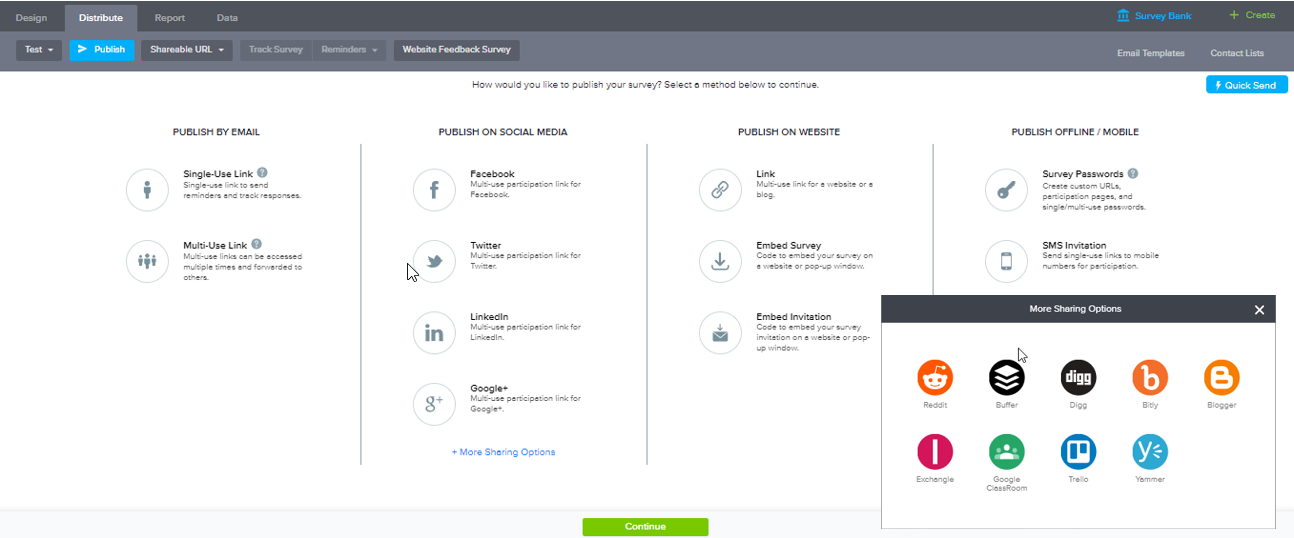
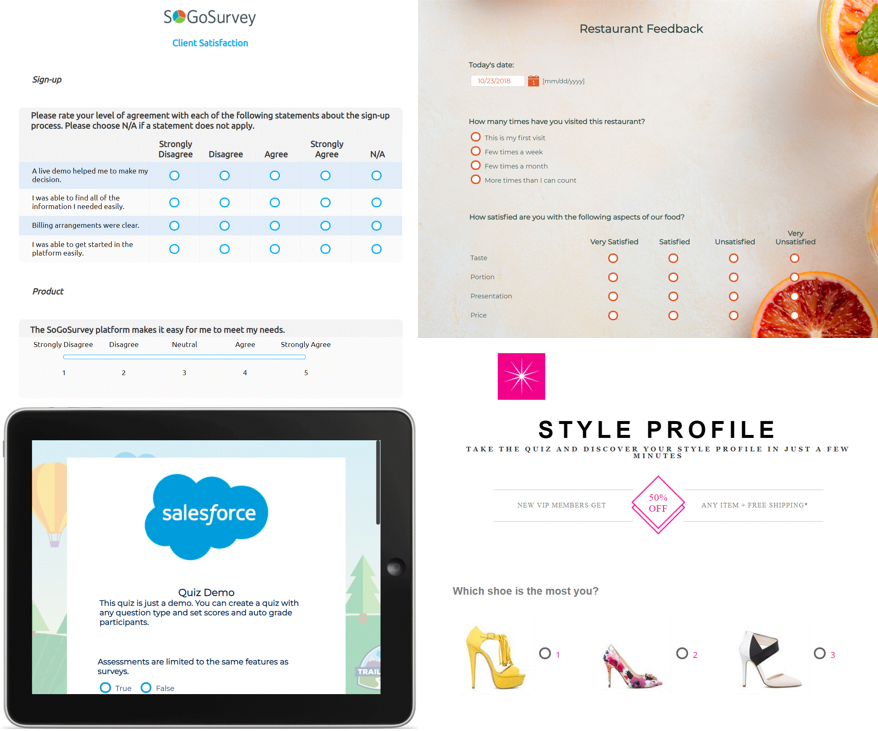
Sogolytics (formerly SoGoSurvey) is an online survey software solution that helps users create surveys quickly. The free package includes basic features for building surveys and the paid package includes advanced features.
Seems like a great solution for web-based apps and sites when you want to communicate with your users in a fairly lightweight way. Users can "escape" from your guided tours relatively easily. Not sure how it would work for a combined web and mobile experience. Also, if you have a responsive layout, the layout of the guide sometimes breaks - you have to be careful
We use Sogosurvey to obtain feedback from course candidates after they have attended a course. This is invaluable to us as the candidates can complete the feedback in their own time after the course is completed rather than them having to do it while attending the course. We also use SoGoSurvey to get feedback from our volunteer instructors who work for other organizations and at different hours so the ability for them to complete the surveys in their own time is invaluable.
SoGoSurvey makes it easy to create a survey even for the novice. I recently gave a spare license to a peer and they were able to easily develop a survey. I offered my help if she had any questions but she said that she'd definitely ask but "... I already love that I can change the answer format with the drop down. It's the best. "
Customer support. I 'chat' with support personnel when I need to use a feature I haven't used. They are always quick to respond and answer my questions thoroughly. I can get the complete chat via email for future reference as well.
Keeping clients up-to-date. SoGoSurvey regularly hosts free training and best practices webinars that keeps the basics at the forefront and shares best practices.
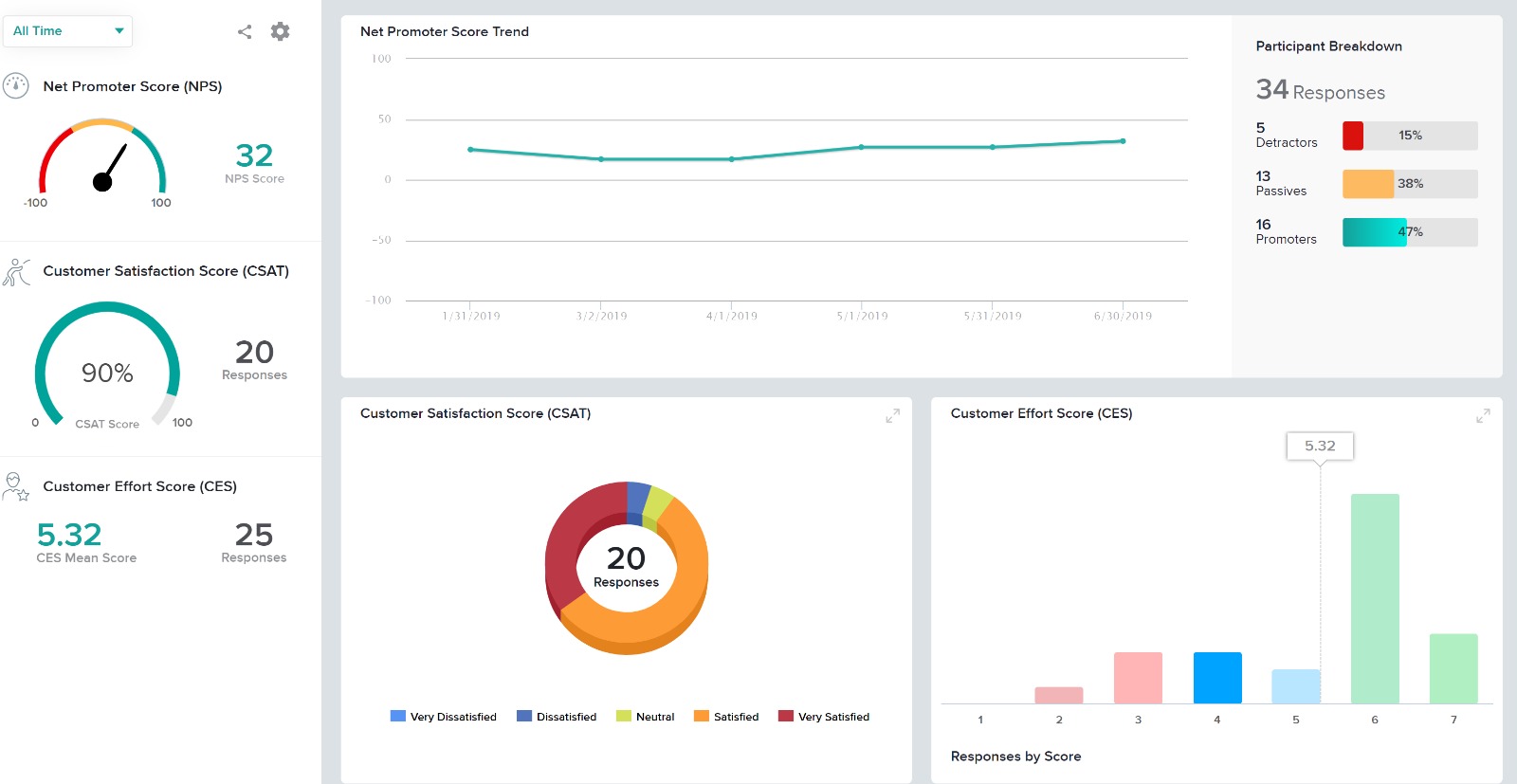
The canvas (survey metrics) is easy to create and very versatile in summarizing the survey results.
Providing users the ability to follow along a specific question example (eg. placeholder text in questions that users can see what the answer might look like)
Better media management and implementation (eg. placing images/videos/gifs/etc. as standalone assets in the survey)
Making the images added into a survey responsive to the screen they are being viewed on (eg. any images added to a survey do not adjust to the size of the screen, consequently showing up very small on mobile/tablet view)
Exporting the survey to Word looks horrible - we'd love if the survey could be exported the way it looks when live into a similar-looking Word document or template
Very easy to use. My only challenge was the features offered in their Plus package didn't offer everything I would have liked (e.g. branching). The other area for improvement would be to allow an easier transition between Tracking and Reports.
I had an issue whereby I used a free trial that ended, locking me out of my account. I contacted their customer service to help with this issue, which they resolved in under half an hour. I was extremely impressed with their speed and quality of service, which led me to filling out this review!
We had some colleagues try to implement WalkMe with their Single page app and it was a disaster getting it to work (it eventually did, mostly). Because we already use Segment, we thought we'd give Chameleon a try and it was very easy. I built my first tour in an hour or two.
In summary, Sogolytics has proven to be the perfect fit for our pre and post-test assessments. Its seamless integration, efficient data collection, and powerful reporting capabilities have significantly improved our ability to track and communicate the impact of our programs. We highly recommend Sogolytics to organizations looking for a reliable and user-friendly data management solution.
Saved us time/money building extensive documentation.
Quicker to implement a few other solutions. We have access to an enterprise product for FREE, but we chose not to use it because implementation was too cumbersome.