Make (formerly Integromat) automates integration between applications. It features data transformation capabilities within a no-code graphic interface.
The former Integromat was acquired by Celonis in 2020, and the current product Make is a Celonis brand.
$0
per month
Zoho Flow
Score 9.3 out of 10
N/A
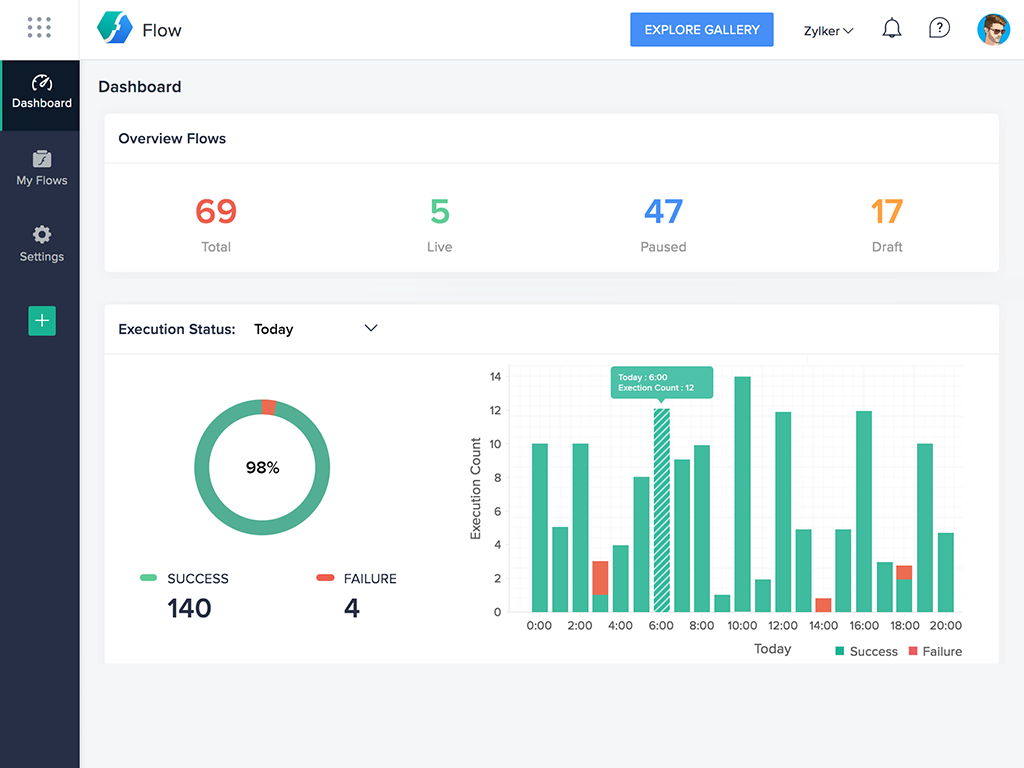
Zoho Flow allows the user to integrate business apps to automate a workflow.
$29
per month starting with 5k tasks per month
Pricing
Make
Zoho Flow
Editions & Modules
Free
$0
per month
Core
$9
per month
Pro
$16
per month
Teams
$29
per month
Enterprise
Contact
Standard
starting at $29
per month starting with 5k tasks per month
Professional
starting at $49
per month starting with 10k tasks per month
Offerings
Pricing Offerings
Make
Zoho Flow
Free Trial
No
Yes
Free/Freemium Version
Yes
Yes
Premium Consulting/Integration Services
No
No
Entry-level Setup Fee
No setup fee
Optional
Additional Details
—
Discount available for annual pricing. Higher monthly task volume available.
More Pricing Information
Community Pulse
Make
Zoho Flow
Features
Make
Zoho Flow
Cloud Data Integration
Comparison of Cloud Data Integration features of Product A and Product B
Integrating your CRM with Marketing Applications for data transmission and unity, GDPR compliance, syncing. Build a scenario for each specific (language or location) action. Managing certain actions and triggers based on links, some of the workflow solutions were not present in marketing tools and we need to create more complex process in Make to meet our needs. Lead and contact tracking from Social Media, updating our inventory based on user actions.
Zoho Flow helps us greatly in connecting other Zoho apps. We use Flow to connect Zoho Creator with Zoho Books so an invoice is created when a record is entered into Zoho Creator. We use Zoho Flow when certain fields containing data in Zoho CRM to send that data over to the Zoho Creator record. We use it to add a contact from the Zoho Creator record to a list in Zoho Campaigns. Zoho Flow has proved very worthwhile.
Better use of AI or prompting for complex things like iterators/aggregators
A "test mode" so that you don't have a ton of runs that are invalid or to be able to populate dummy data without wasting unnecessary operations to create it.
At this point, it is firmly embedded in the DNA of the business and to give up the ability to automate workflows and create integrations on the fly would be a terrible idea.
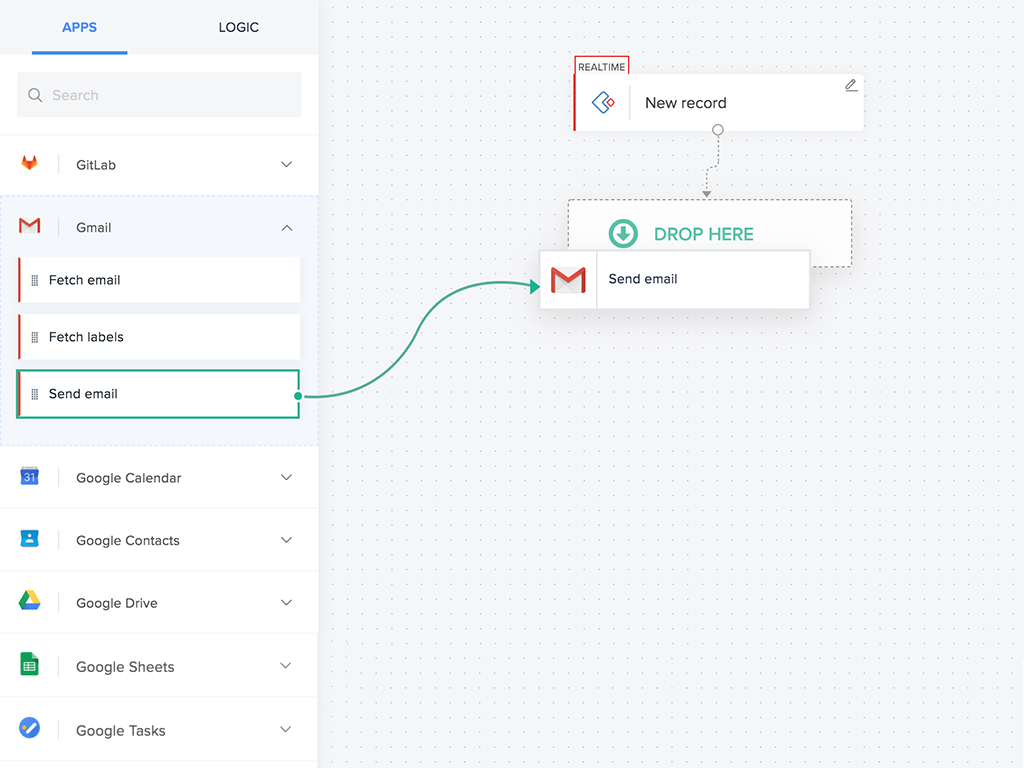
I think it is the easiest workflow tool that I have ever used. Drag and drop works perfectly, helping less computer friendly users to simplify and nest their workflows. Managers without IT experience are now dealing separately with most of issues on their own. Handover of tasks and workflows is also easier as it is possible to comment and explain everything inside one.
Flow can accomplish almost anything you want to do. It's imperfect, but it could be with just a few more features and better error management/visibility. For someone who's not a developer, this is a no-brainer. Having used other products in the past, like Zapier, this is as easy to use, if not even easier.
The pricing schema is very attractive, almost 50% lower than the competition. You could start from free and then grow. It has a pretty big library of connections to other apps and services, which really helps you when everything is a mess. Integromat has a really easy-to-use interface. You could do almost everything with fewer than 5 clicks. Scenarios (automation steps to complete a routine) have graphics so you can configure them more easily.
I've reached out to the support team several times with assistance requests in Zoho Flow. Each time the team has answered my questions promptly and accurately. And because we are mainly integrating other Zoho apps their teams are perfectly positioned to solve our problems.
Integromat allows us to do everything we used to do on Zapier but it doesn't limit us to only the popular apps, with Integromat we're integrating custom APIs and we get data from different servers through GET requests and it's exactly what we needed and Zapier couldn't provide it.
It's as simple as it gets, but it's more powerful, and you can add custom functions if you need them and are ready. If you're already using Zoho products or Zoho One, then this is a no-brainer for enhancing your existing usability and functionality.