TrustRadius: an HG Insights company

Carbonite Cloud-to-Cloud Backup vs. Hornetsecurity 365 Total Protection

Save this comparison

Save this comparison

Add Product

Recommended Comparisons

    Overview
    ProductRatingMost Used ByProduct SummaryStarting Price

    Carbonite Cloud-to-Cloud Backup

    Score8 out of 10
    N/ACarbonite Cloud-to-Cloud Backup includes comprehensive, automatic backup and recovery for Microsoft 365, SharePoint, Google Workspace, Salesforce, Box and Dropbox. It helps businesses quickly recover their SaaS data and reduce the impact of data loss to become more cyber resilient.N/A

    Hornetsecurity 365 Total Protection

    Score9 out of 10
    N/AWith 365 Total Protection, Hornetsecurity offers users enterprise security management in conjunction with Microsoft Office 365. The Enterprise version gives users enhanced functionality and protection, and covers legally compliant email archiving with advanced features such as eDiscovery and 10-year email retention. It also offers protection against advanced persistent threats through the use of AI-based analysis mechanisms.N/A
    Pricing
    Carbonite Cloud-to-Cloud BackupHornetsecurity 365 Total Protection
    Editions & Modules
    No answers on this topic
    No answers on this topic
    Offerings
    Pricing Offerings
    Carbonite Cloud-to-Cloud BackupHornetsecurity 365 Total Protection
    Free Trial
    NoNo
    Free/Freemium Version
    NoNo
    Premium Consulting/Integration Services
    NoNo
    Entry-level Setup FeeNo setup feeOptional
    Additional Details
    More Pricing Information
    Best Alternatives
    Carbonite Cloud-to-Cloud BackupHornetsecurity 365 Total Protection
    Small Businesses
    Backupify
    Score10 out of 10
    Backupify
    Score10 out of 10
    Medium-sized Companies
    Spanning Backup
    Score8.6 out of 10
    Spanning Backup
    Score8.6 out of 10
    Enterprises
    Keepit
    Score9.8 out of 10
    Keepit
    Score9.8 out of 10
    All AlternativesView all alternativesView all alternatives
    User Ratings
    Carbonite Cloud-to-Cloud BackupHornetsecurity 365 Total Protection
    Likelihood to Recommend
    9.9
    (2 ratings)
    -
    (0 ratings)
    User Testimonials
    Carbonite Cloud-to-Cloud BackupHornetsecurity 365 Total Protection
    Likelihood to Recommend
    Carbonite, an OpenText company
    If you need to send information to someone and you don't want others to see in case the wrong person gets it, that you can encrypt it and just make sure the person has the password to open it. This program makes it very easy to send emails to others and inform people when you are away and when you will be available upon return.
    Incentivized
    Read full review
    Hornetsecurity Inc.
    No answers on this topic
    Pros
    Carbonite, an OpenText company
    • User profile data
    • Real time backup of all things
    • Nano speed recovery
    Incentivized
    Read full review
    Hornetsecurity Inc.
    No answers on this topic
    Cons
    Carbonite, an OpenText company
    • More vocabulary to choose from when needing a different word to complete a sentence.
    • For example, when you point the arrow over Review that a list will appear for what is listed under that section as oppose to having to click on it.
    • Have a button that you can click on to demonstration how to use something for example graphs.
    Incentivized
    Read full review
    Hornetsecurity Inc.
    No answers on this topic
    Alternatives Considered
    Carbonite, an OpenText company
    Super slow, often corrupted data, Carbonite is such a better engine and architecture.
    Incentivized
    Read full review
    Hornetsecurity Inc.
    No answers on this topic
    Return on Investment
    Carbonite, an OpenText company
    • Helping busy staff members keep up with dates .
    • The reminders are perfect so you will not miss out on a meeting.
    • Being able to put the Team meeting on the calendar and all the person has to due to click the link to join the meeting. Fantastic!
    Incentivized
    Read full review
    Hornetsecurity Inc.
    No answers on this topic
    ScreenShots

    Hornetsecurity 365 Total Protection Screenshots
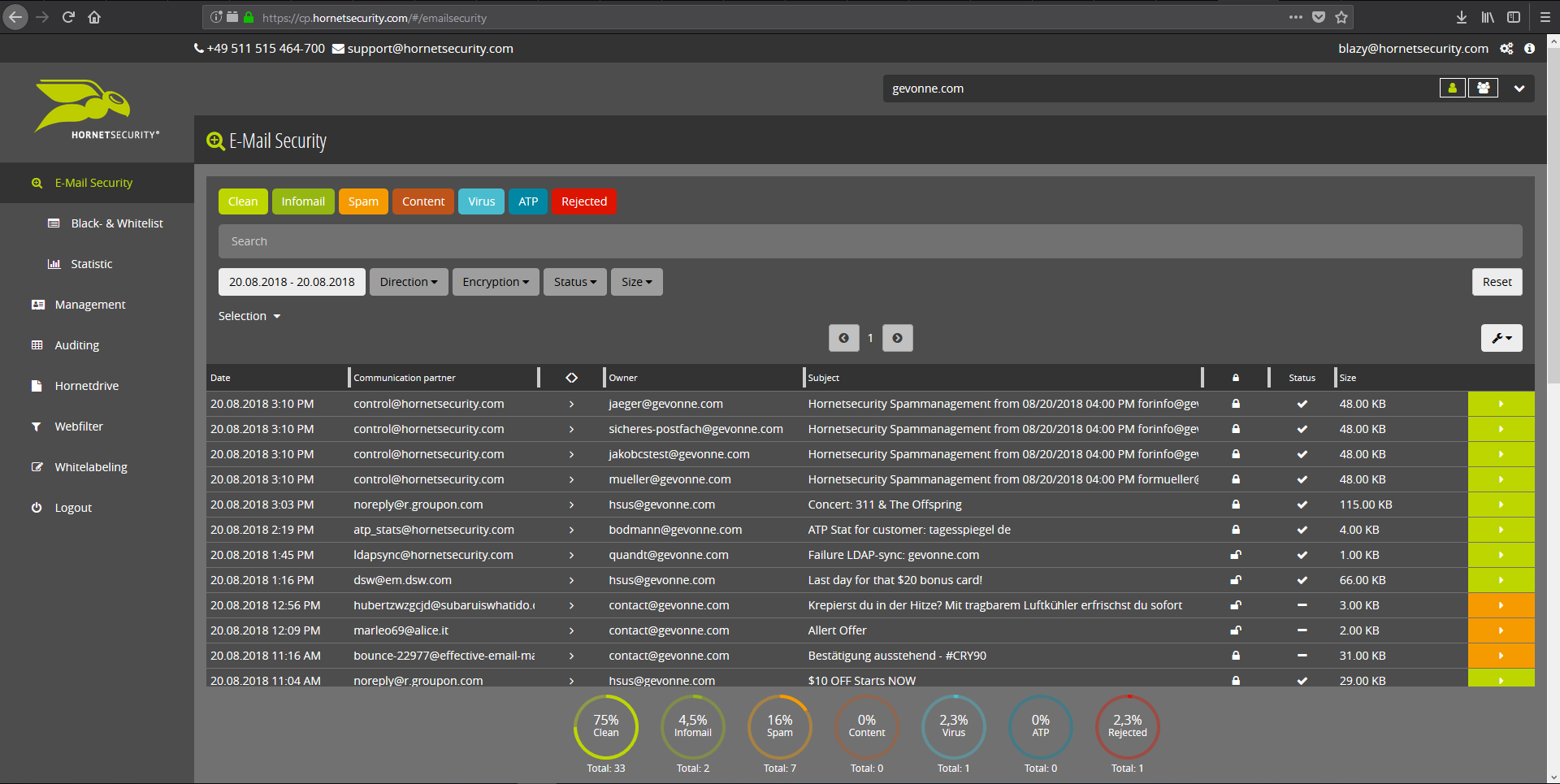
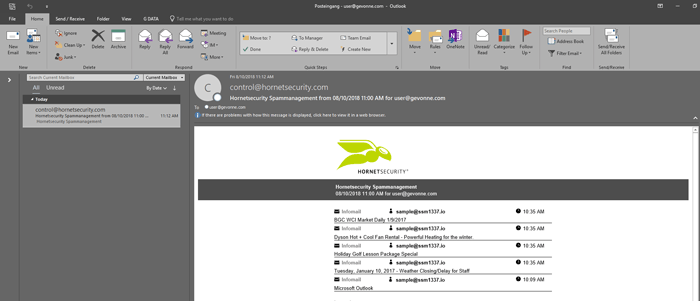
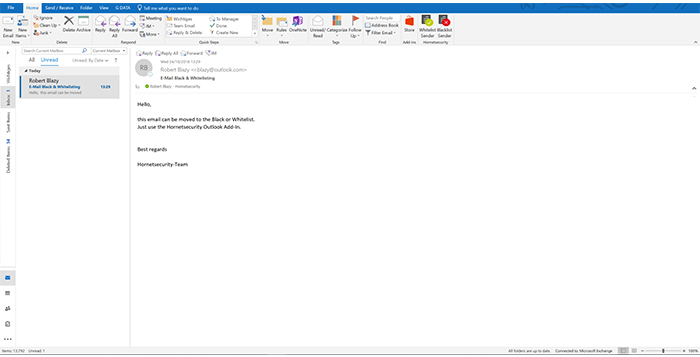
    Screenshot of Email Live Tracking with user-defined settings offers users a complete overview of all Emails addressed to them. If an incoming Email has, for example, been classified as spam, you will receive comprehensive information and can individually determine any further interaction. This means that you can always quickly find any email you are searching for and delivery options can be defined for the future.Screenshot of With the help of Infomail Handlings, the inboxes or smartphones of your users will no longer be flooded with newsletters and ad mails. Users are no longer distracted by the constant arrival of unimportant emails, thus making it easier for them to keep track of relevant business matters.Screenshot of Content Control protects your email communication from receiving or sending unwanted or unauthorized file attachments in keeping with your company policy. When running Content Control, umbrella terms and categories (e.g., .docmacro or .executable) may be blocked, for example in the default group (mailboxes that are not allocated to any particular group). For a department such as Marketing, however, the receipt of media files and macros can, on the other hand, be necessary for daily business: In this respect, one can create, for example, a group for the Marketing department and adjust the settings in Content Control so that only potentially dangerous, e.g. executable, file formats are blocked for this group.Screenshot of If an incoming email (e.g. phishing or spam mail) constitutes a threat, the attack is immediately detected by the multi-stage filter systems of 365 Total Protection. Unwanted emails are directly rejected by the Threat Blocking function or detected in later analyses by Threat Intelligence and sent straight to Quarantine. In both cases, these emails will not be delivered to your mailbox.Screenshot of If you do not want to receive emails from one or several specific senders, you can put these on your personal Blacklist. With just one click directly in your in-box the selected senders can be added to the Blacklist to prevent emails from the same sender from being delivered to you in future. If an email from a generally unobjectionable sender lands in Quarantine by mistake, thus appearing in the spam report, the “Whitelist” function can be used. Emails from senders on your Whitelist will always be delivered to your in-box in future.Screenshot of Every email sent out by a company is not only relevant to the business, but is also your company’s business card. In terms of content, a company-wide standardized structure and the completeness of signature datasets are essential. In this context, all email signatures also have the same visual design and layout. This task can also be allocated to the Marketing department or office management via the “What You See is What You Get” editor.