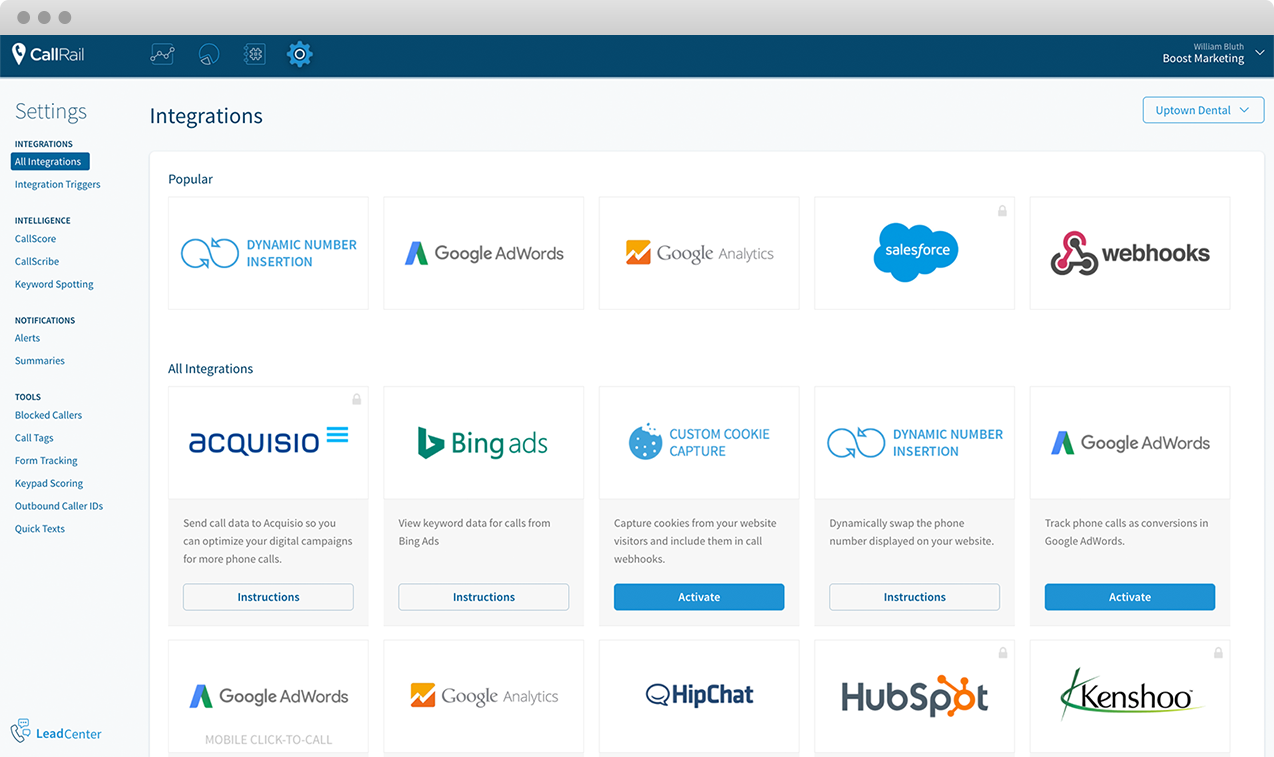
This is great software for differentiating where phone traffic is coming from. Whether it's paid/organic search, you can see exactly where the calls are coming in from. I'd love to see them add text/SMS features in the future, but it does what it claims. I'd also like to see more CRM integrations, but not sure that other users share the same sentiment
A de minimis incentive was given to thank the reviewer for their time. The incentive was not used to bias or drive a particular response, nor was the incentive contingent on a positive endorsement. More Info
Zoom Revenue Accelerator excels at the everyday conversations, clients wanting to understand the market, how to use the product, or just to have a chat with their broker. ZRA eats these up, provides accurate sentiment analysis, and decent enough summaries that we can start to gleam insight from the myriad conversations our client facing team are exposed to each day. Where it doesn't fully align with our business model is how it integrates with our CRM. ZRA is built for the B2B industry, and wants to attach conversations to contacts associated with deals in pipelines etc. It as a product has a poor grasp on the day to day interactions B2C businesses have with their clients, and Zoom have a lot of opportunity ahead at solving those problems.
Tracking phone calls first & foremost! Being able to have a running tally of the phone calls made and listening to the recorded calls throughout the month and providing that information back to our clients is vital!
Their UI is exceptionally easy to use & navigate. This is important when we have many clients running at the same time and we are able to always determine what report is for which client.
The ease of setting up a brand new client & their tracking phone number is fantastic! Saves a lot of time when it walks you through everything you need to know & do step by step.
A de minimis incentive was given to thank the reviewer for their time. The incentive was not used to bias or drive a particular response, nor was the incentive contingent on a positive endorsement. More Info
The integration with Hubspot is not as seemless as I would have liked. We had an issue where a person who was already in Hubspot called in, and their contact information was not matched to the caller ID correctly which created some duplicate entries. A little bit of a bummer, but from what I understand they may have fixed this. We had to stop using them for a little while because our outsourced sales team was more confused by adding CallRail, so we'll be re-implementing this once our new sales team is fully trained. Hopefully the record miss-match issue gets fixed.
A de minimis incentive was given to thank the reviewer for their time. The incentive was not used to bias or drive a particular response, nor was the incentive contingent on a positive endorsement. More Info
A de minimis incentive was given to thank the reviewer for their time. The incentive was not used to bias or drive a particular response, nor was the incentive contingent on a positive endorsement. More Info
A de minimis incentive was given to thank the reviewer for their time. The incentive was not used to bias or drive a particular response, nor was the incentive contingent on a positive endorsement. More Info
The platform is easy to use and we really don't have any complaints with using it so far. The information is invaluable for clients that rely on phone calls to drive more business. Not much negative to say about it at this point. We're actually really happy with it so far and the cost is manageable.
A de minimis incentive was given to thank the reviewer for their time. The incentive was not used to bias or drive a particular response, nor was the incentive contingent on a positive endorsement. More Info
Once you're through the setup it couldn't be easier. For our client facing team members it was very much an experience of. Today you're using "App A" and tomorrow log into Zoom and you're all setup. Zoom Revenue Accelerator is effortless for an end user to pick up and start using. But the setup is where you need help to understand. Various things with where recordings are stored, how calls are routed, and even who can access what phone numbers and recordings can be challenging to setup without help. And a number of docs aren't as up to date as they could be, given the Zoom UI can change so rapidly. Once they solve the sprawling admin side of the product, it'll be a 10 out of 10.
CallRail support normally gets back to us pretty quickly when we submit a ticket and they have a good knowledge base for common questions. I've heard mixed reviews from other local marketing agencies that use this tool, but overall in my experience, support has been knowledgeable and quick working through our problems.
A de minimis incentive was given to thank the reviewer for their time. The incentive was not used to bias or drive a particular response, nor was the incentive contingent on a positive endorsement. More Info
Callrail has a very seamless and easy to use Dynamic Number Swap function. In other call tracking that we looked into the integration was either not as easy to use or required much more work to implement. Setting up CallRail has been so easy even our entry-level employees need very little training to master the platform.
A de minimis incentive was given to thank the reviewer for their time. The incentive was not used to bias or drive a particular response, nor was the incentive contingent on a positive endorsement. More Info
Chorus.ai is very similar to Zoom IQ. I think the sales team should invest in either product. I was not involved in the purchasing process so I am not sure why one company was chosen over the other for us to work with.
A de minimis incentive was given to thank the reviewer for their time. The incentive was not used to bias or drive a particular response, nor was the incentive contingent on a positive endorsement. More Info
It is useful to monitor our calls weekly. We can give our employees feedback on the quality of the calls which helps our overall sales and conversions.
By knowing which campaigns perform best, we can shift our budget to target those campaigns specifically which saves us revenue and increases sales.
A de minimis incentive was given to thank the reviewer for their time. The incentive was not used to bias or drive a particular response, nor was the incentive contingent on a positive endorsement. More Info
Allows me to be Building repeatable scalable processes! Being authentic and creating more humility amongst the locker room.
Provides stark contrast to those reps in the middle of the pack vs high activity top performers. I don’t always “see” the winning behaviors of the top reps, the win through effort, but many have a lot to learn about themselves and have even more opportunity to win more!
Provides self awareness and coaching opportunities for the individual producers on their own