Buildsoft Global vs. On-Screen Takeoff®

Overview
ProductRatingMost Used ByProduct SummaryStarting Price
Buildsoft Global
Score 7.0 out of 10
N/A
Buildsoft headquartered in Sydney offers Global, a construction estimating and job analysis software tool. Buildsoft is a MiTek Australia company.N/A
On-Screen Takeoff®
Score 7.3 out of 10
N/A
On-Screen Takeoff is a construction takeoff and estimating solution. It is intended to streamline takeoff, RFI, and bidding processes.N/A
Pricing
Buildsoft GlobalOn-Screen Takeoff®
Editions & Modules
No answers on this topic
Offerings
Pricing Offerings
Buildsoft GlobalOn-Screen Takeoff®
Free Trial
NoYes
Free/Freemium Version
NoNo
Premium Consulting/Integration Services
NoNo
Entry-level Setup FeeNo setup feeNo setup fee
Additional DetailsOn-Screen Takeoff® pricing varies based on licensing options and specific business needs. The annual subscription plans are designed to scale with project and team size. Available Subscription Options: •On-Screen Takeoff •On-Screen Takeoff with Takeoff Boost™ •On-Screen Takeoff and Quick Bid® •On-Screen Takeoff with Takeoff Boost and Quick Bid Each subscription is customized to match the subscriber's workflow requirements. A 14-day free trial is available.
More Pricing Information
Community Pulse
Buildsoft GlobalOn-Screen Takeoff®
Features
Buildsoft GlobalOn-Screen Takeoff®
Human Resource Management
Comparison of Human Resource Management features of Product A and Product B
Buildsoft Global
10.0
Ratings
27% above category average
On-Screen Takeoff®
-
Ratings
Employee demographic data10.00 Ratings00 Ratings
Employment history10.00 Ratings00 Ratings
Job profiles and administration10.00 Ratings00 Ratings
Workflow for transfers, promotions, pay raises, etc.10.00 Ratings00 Ratings
Organizational charting10.00 Ratings00 Ratings
Organization and location management10.00 Ratings00 Ratings
Compliance data (COBRA, OSHA, etc.)10.00 Ratings00 Ratings
Payroll Management
Comparison of Payroll Management features of Product A and Product B
Buildsoft Global
10.0
Ratings
27% above category average
On-Screen Takeoff®
-
Ratings
Pay calculation10.00 Ratings00 Ratings
Support for external payroll vendors10.00 Ratings00 Ratings
Off-cycle/On-Demand payment10.00 Ratings00 Ratings
Benefit plan administration10.00 Ratings00 Ratings
Direct deposit files10.00 Ratings00 Ratings
Salary revision and increment management10.00 Ratings00 Ratings
Reimbursement management10.00 Ratings00 Ratings
Asset Management
Comparison of Asset Management features of Product A and Product B
Buildsoft Global
10.0
Ratings
33% above category average
On-Screen Takeoff®
-
Ratings
Tracking of all physical assets10.00 Ratings00 Ratings
Reporting & Analytics
Comparison of Reporting & Analytics features of Product A and Product B
Buildsoft Global
10.0
Ratings
27% above category average
On-Screen Takeoff®
-
Ratings
Dashboards10.00 Ratings00 Ratings
Standard reports10.00 Ratings00 Ratings
Custom reports10.00 Ratings00 Ratings
Data exportability10.00 Ratings00 Ratings
Construction Project & Field Management
Comparison of Construction Project & Field Management features of Product A and Product B
Buildsoft Global
10.0
Ratings
28% above category average
On-Screen Takeoff®
-
Ratings
Plan distribution & viewing10.00 Ratings00 Ratings
Plan markups & sharing10.00 Ratings00 Ratings
Issue tracking & punchlists10.00 Ratings00 Ratings
Photo documentation10.00 Ratings00 Ratings
Jobsite reports10.00 Ratings00 Ratings
Document sharing10.00 Ratings00 Ratings
RFI tools10.00 Ratings00 Ratings
Collaboration & approvals10.00 Ratings00 Ratings
As-built drawings10.00 Ratings00 Ratings
Mobile app10.00 Ratings00 Ratings
Submittal design and management10.00 Ratings00 Ratings
Checklists10.00 Ratings00 Ratings
Meeting Minutes10.00 Ratings00 Ratings
Specifications10.00 Ratings00 Ratings
Change orders10.00 Ratings00 Ratings
Estimating
Comparison of Estimating features of Product A and Product B
Buildsoft Global
10.0
Ratings
22% above category average
On-Screen Takeoff®
-
Ratings
Takeoff tools10.00 Ratings00 Ratings
Job costing10.00 Ratings00 Ratings
Cost databases10.00 Ratings00 Ratings
Cost calculator10.00 Ratings00 Ratings
Bid creation10.00 Ratings00 Ratings
Best Alternatives
Buildsoft GlobalOn-Screen Takeoff®
Small Businesses
FollowUp CRM
FollowUp CRM
Score 10.0 out of 10
Bluebeam
Bluebeam
Score 9.1 out of 10
Medium-sized Companies
InEight
InEight
Score 8.3 out of 10
InEight
InEight
Score 8.3 out of 10
Enterprises
InEight
InEight
Score 8.3 out of 10
InEight
InEight
Score 8.3 out of 10
All AlternativesView all alternativesView all alternatives
User Ratings
Buildsoft GlobalOn-Screen Takeoff®
Likelihood to Recommend
10.0
(0 ratings)
9.0
(0 ratings)
Likelihood to Renew
-
(0 ratings)
10.0
(0 ratings)
Usability
-
(0 ratings)
6.0
(0 ratings)
Support Rating
-
(0 ratings)
8.2
(0 ratings)
Implementation Rating
-
(0 ratings)
7.0
(0 ratings)
User Testimonials
Buildsoft GlobalOn-Screen Takeoff®
Likelihood to Recommend
Customer service is the main target for organisations where Buildsoft global is the perfect software. I am totally amused by this software. Cost accounting of the organisation can be easily done which is helping most. Sometimes it is lacking some criteria. With this software, we can not enter the total journal entries which are making some problems. However, it is great software.
Read full review
  • I would recommend On-Screen Takeoff to any contractor that is not using it for estimating purposes. It helps the process in so many ways.
  • I guess if it was something straightforward, it might not be the most cost-effective solution. For what we do, it is indispensable.
Read full review
Pros
  • Cost accounting
  • Customer service
  • Displays the job at a glance
Read full review
  • User-friendly and easy to learn. You can sit down and figure out how to do simple takeoffs and counts with minimal training.
  • It is very accurate and it is great that you can do several calculations for each condition you make.
  • The colors and shapes provide a great visible audit trail.
  • The layering feature helps from keeping the screen too busy if you are doing several conditions on one page.
  • The worksheet tab keeps tallies of all the takeoffs from each page nicely.
Read full review
Cons
  • Dates using is having some lackings
  • Can not enter multiple invoices
  • Can not enter journal entries
Read full review
  • How documents are uploaded to the program. On-Screen Takeoff will locate the files from whatever path you originally save it to. Therefore, if you move the location of the document, OST will not be able to open your project until the path is redirected.
  • Taking off curved shapes.
  • If you could apply a unit cost to a quantity, it would eliminate the need to export takeoff to Excel.
  • It would be nice to be able to apply a different scale to the same page i.e. if there are two different details on a drawing at two different scales, I have to duplicate the sheet and make sure I make each sheet scale to the specific detail on the sheet.
Read full review
Likelihood to Renew
No answers on this topic
It provides invaluable communication, organization, and flexibility to generate a project overview both visually and by the numbers. In addition to the overview it makes getting into the project details easy and quick, so our takeoff is accurate and correct every time
Read full review
Usability
No answers on this topic
On Screen Takeoff is a valuable tool for what it does. Across the board it can keep track of the critical data and corresponding values without extra legwork. While powerful, it is prone to user error, and the problem can compound quickly if not realized up front. Overall a great project tool, but not without limitations
Read full review
Support Rating
No answers on this topic
I have had very few issues with the software which is probably the first sign that there is a good customer support team, since I am sure they are working and fixing problems for everyone when they get a report from somewhere. The few times I have had to reach out to support they have been knowledgeable and on top of helping me quickly get my issues resolved.
Read full review
Implementation Rating
No answers on this topic
Implementation was as simple as setting up the program and creating databases. Everything else was already in use and this was a supplement to the final organization of the system
Read full review
Alternatives Considered
First, I want to share my feelings about this software. I am totally amused by this software because I can do my job in a perfect way. Cost accounting can be done easily by this software. The software can done its works very smoothly better than any software. It is a great software to me.
Read full review
OST is still the most efficient and quick way of doing 2D takeoff. The software mentioned above all have their positives and negatives and they all have things which are far superior to OST. But OST really takes the cake when it comes to usability and a simple and useful interface. It's just so easy to create a condition on the fly and start taking something off. When it comes to actual 2D takeoff, OST is by far the easiest and most efficient way of getting the work done.
Read full review
Return on Investment
  • Best customers service
  • Perfect cost accounting
  • Imperfect match
Read full review
  • The main benefit for using this software is that our estimating takeoff productivity has gone way up from where it was before allowing us to compile bids and estimates in a quicker and more accurate way.
  • The ease of use has allowed us to reduce the time and investment we have had to put into training new hires on the software.
Read full review
ScreenShots

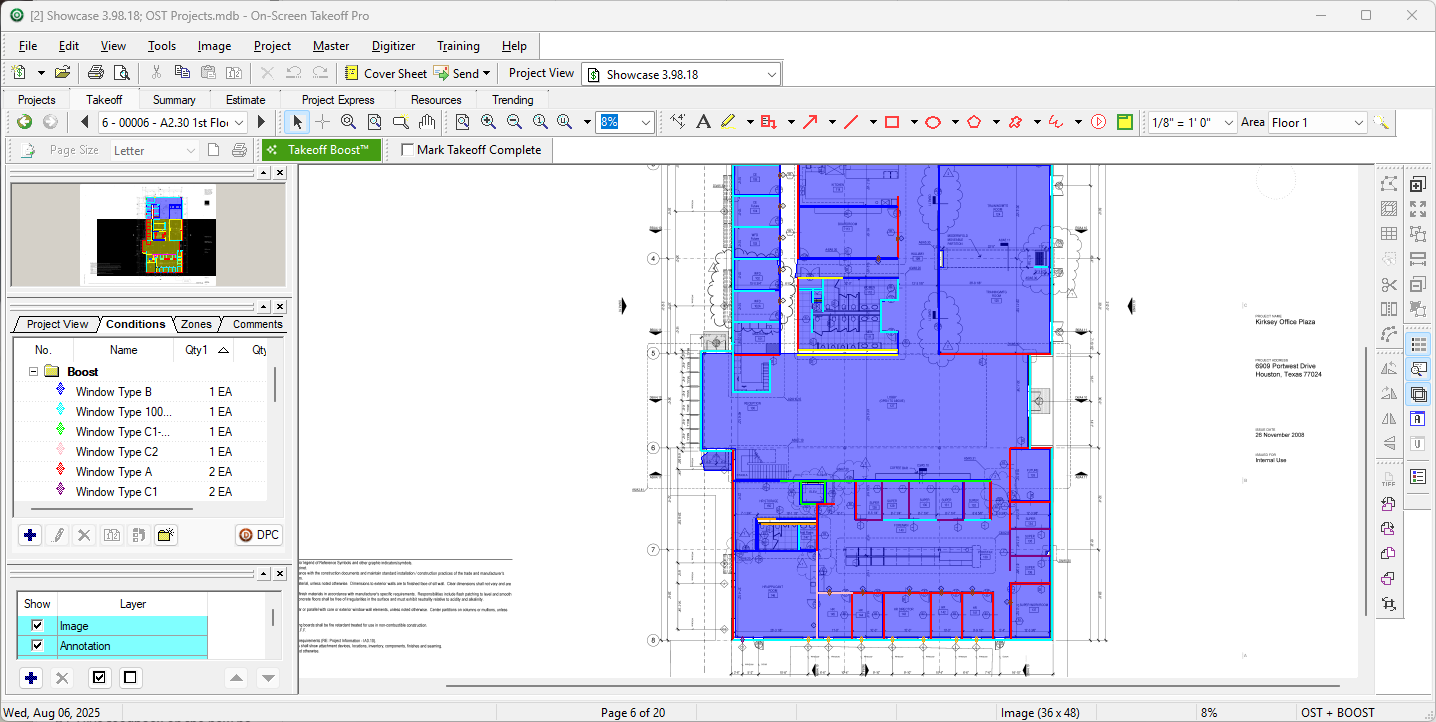
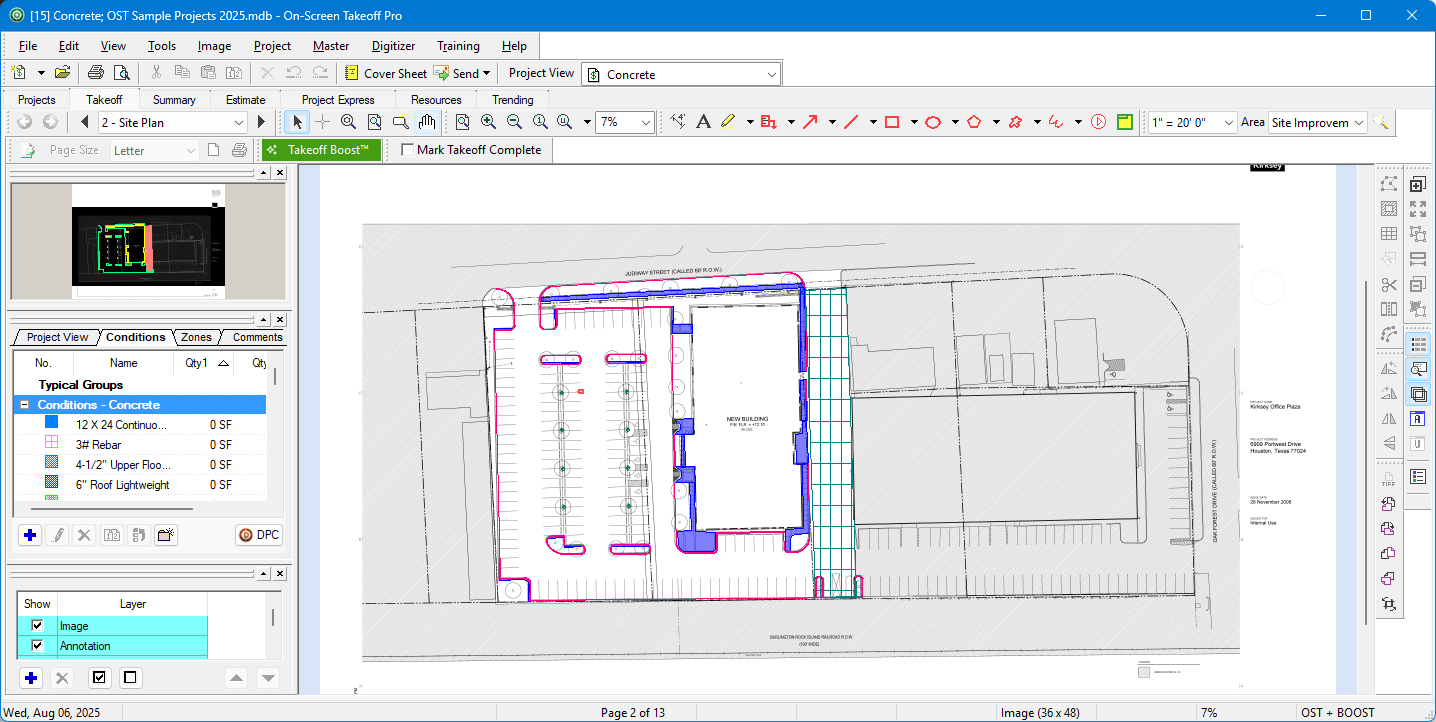
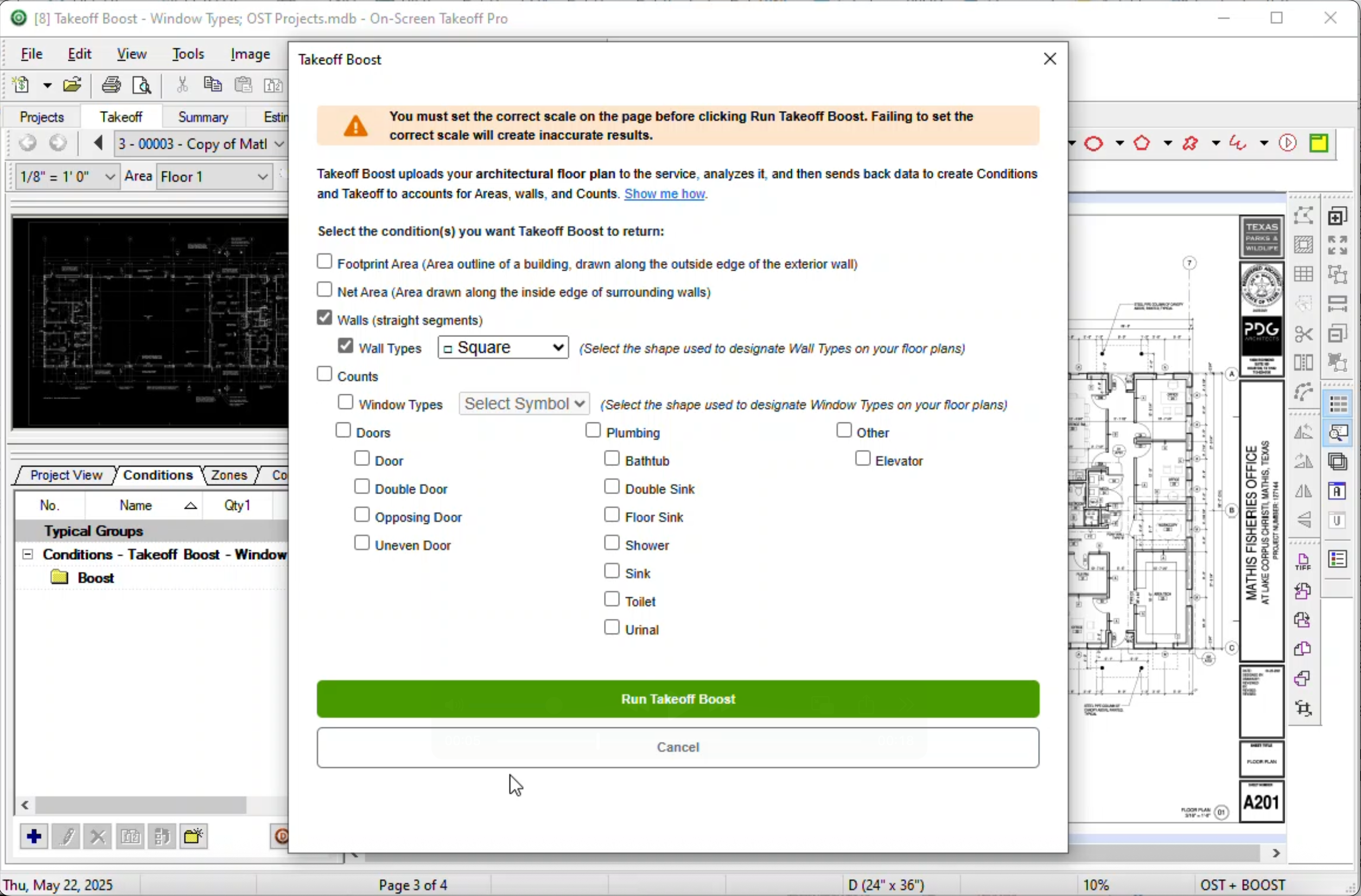
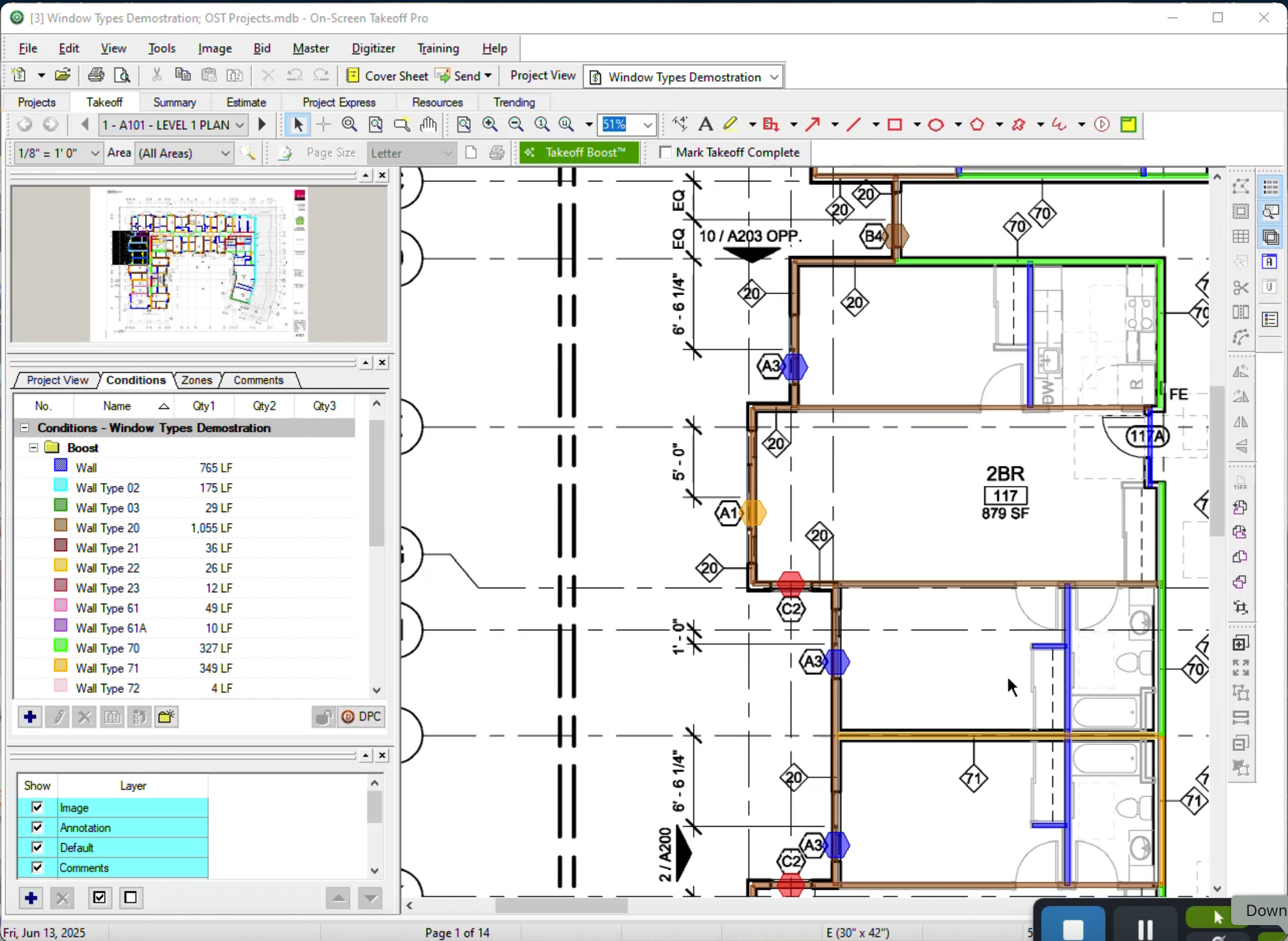
On-Screen Takeoff® Screenshots

Screenshot of Screenshot of Screenshot of Screenshot of