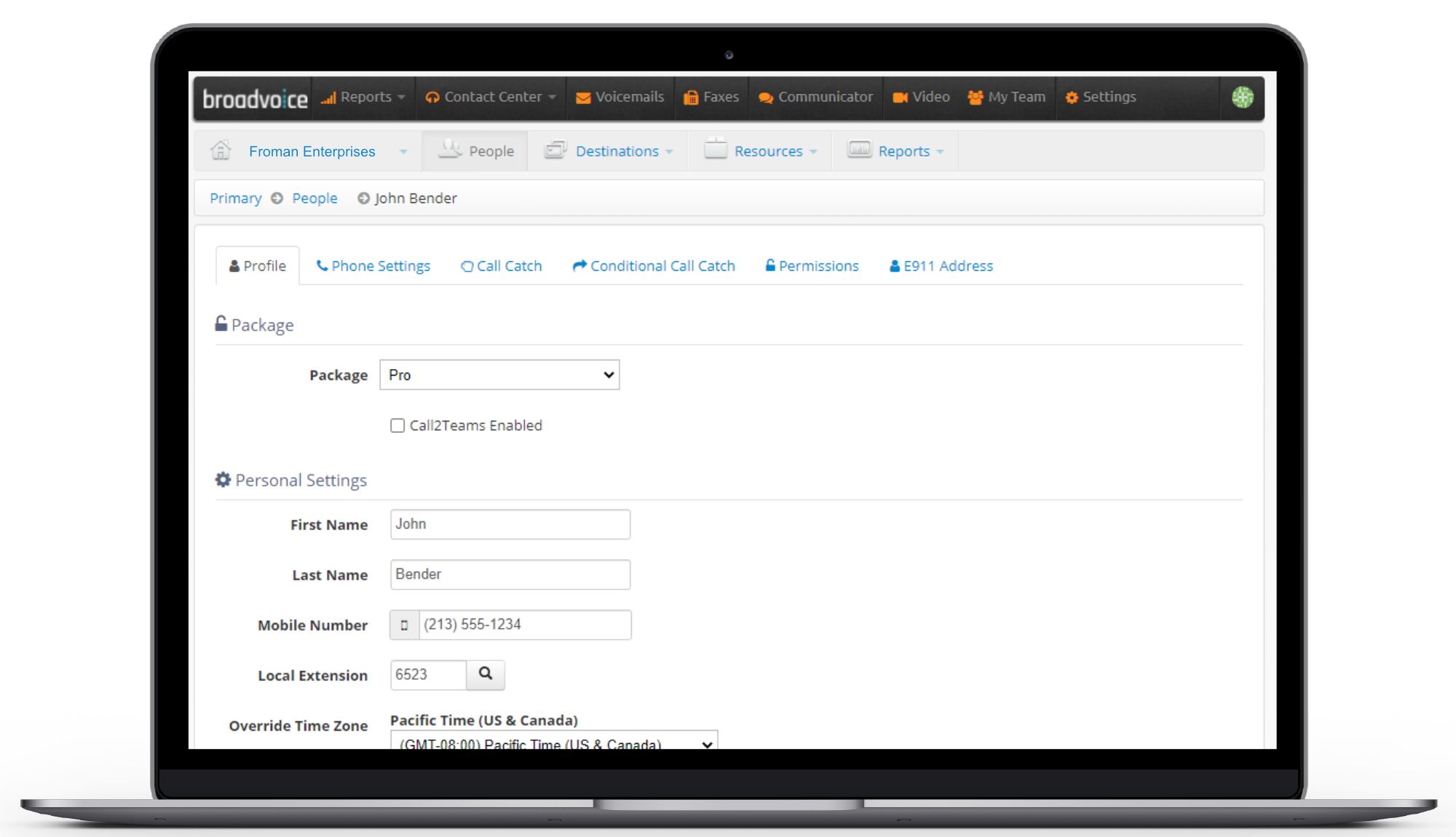
Broadvoice is a provider of hosted voice, UCaaS, CCaaS, and CX solutions for small and mid-market enterprises and BPOs. Broadvoice solutions offer enterprise-class features to simplify communications and streamline operations.
$10
per month per seat
Microsoft Teams
Score7.7 out of 10
N/A
Microsoft Teams combines video conferencing software with team collaboration tools. The communications platform allows MS Office users to conduct conference calls and share files via SharePoint, and join or initiate a group chat.
$4.80
per month per user
Pricing
Broadvoice | GoContact
Microsoft Teams
Editions & Modules
b-hive Standard Seat - Call Paths
$7
per month
b-hive Metered Seat Cloud PBX
$10
per month per user
b-hive Pro Seat - Call Paths
$10
per month
SIP Trunking - Metered
$11
per month per user
SIP Trunking - Unlimited
$17
per month per user
b-hive Standard Seat Cloud PBX
$18
per month per user
b-hive Pro Seat Cloud PBX
$23
per month per user
Contact Center
Contact Sales
Microsoft Teams Essentials
$4.80
per month per user
Microsoft Teams Enterprise
$5.25
per month (paid yearly) per user
Microsoft Teams Enterprise
$5.25
per month per user
Microsoft 365 Business Basic
$7.20
per month per user
Microsoft 365 Business Standard
$15
per month per user
Offerings
Pricing Offerings
Broadvoice | GoContact
Microsoft Teams
Free Trial
Yes
Yes
Free/Freemium Version
No
Yes
Premium Consulting/Integration Services
No
No
Entry-level Setup Fee
Optional
No setup fee
Additional Details
Pricing Based on 3 Year Terms
Discounts are available for non profit organizations.
More Pricing Information
Community Pulse
Broadvoice | GoContact
Microsoft Teams
Considered Both Products
Broadvoice
Verified User
Chose Broadvoice | GoContact
When I used Microsoft Teams telephony service, I didn't have the ability to send a text message to a cell phone, nor could I send faxes. As far as I can see, this gives Broadvoice's b-hive a distinct advantage over Teams telephony.
A de minimis incentive was given to thank the reviewer for their time. The incentive was not used to bias or drive a particular response, nor was the incentive contingent on a positive endorsement. More Info
President in Information Technology at Multiple (Financial Services, 1-10 employees)
Chose Broadvoice | GoContact
I evaluated multiple providers and checked for quality and feedback from providers. Net2Phone also stacked up well but Broadvoice was easier to go through the process and was rated as good or better in the feedback I looked at. I also looked at Zoom, Oooma, etc. but wanted a …
A de minimis incentive was given to thank the reviewer for their time. The incentive was not used to bias or drive a particular response, nor was the incentive contingent on a positive endorsement. More Info
A de minimis incentive was given to thank the reviewer for their time. The incentive was not used to bias or drive a particular response, nor was the incentive contingent on a positive endorsement. More Info
Verified User
Chose Broadvoice | GoContact
By far, the onboarding and support are hands down the difference. Onboarding staff is on top of all details, from setup to training to cutover. You always know where it all stands and that your requests will get answers on the first call. Don't forget those unique solutions to …
A de minimis incentive was given to thank the reviewer for their time. The incentive was not used to bias or drive a particular response, nor was the incentive contingent on a positive endorsement. More Info
Senior Pastor in Information Technology at Ascend Church (Religious Institutions, 11-50 employees)
Chose Broadvoice | GoContact
Both of these solutions with which I have experience were direct line dependent. I found Broadvoice to have as much, if not more stability along with Creator scope for outage function for today’s mobile and remote users.
A de minimis incentive was given to thank the reviewer for their time. The incentive was not used to bias or drive a particular response, nor was the incentive contingent on a positive endorsement. More Info
A de minimis incentive was given to thank the reviewer for their time. The incentive was not used to bias or drive a particular response, nor was the incentive contingent on a positive endorsement. More Info
Director in Corporate at Focal Point Radio Ministries (Broadcast Media, 1-10 employees)
Chose Broadvoice | GoContact
While there were many features that these other competitors had, Broadvoice had exactly what we needed without being too onerous. Ease of use was a key factor for us and we found Broadvoice was fit that bill better than the others we evaluated.
A de minimis incentive was given to thank the reviewer for their time. The incentive was not used to bias or drive a particular response, nor was the incentive contingent on a positive endorsement. More Info
Executive Assistant in Corporate at BCF PARTNERS CAPITAL LLC (Oil & Energy, 11-50 employees)
Chose Broadvoice | GoContact
Nextiva was our old provider, and their customer service went downhill over the years. I was constantly contacting tech support to resolve the same issues over and over again, and no one could explain why they kept happening. We were constantly losing our connection and unable …
A de minimis incentive was given to thank the reviewer for their time. The incentive was not used to bias or drive a particular response, nor was the incentive contingent on a positive endorsement. More Info
Verified User
Chose Broadvoice | GoContact
We utilized another VOIP service (not listed above) and our service was constantly interrupted due to issues with internet stability. Broadvoice has provided uninterrupted service regardless of the stability of our internet provider.
A de minimis incentive was given to thank the reviewer for their time. The incentive was not used to bias or drive a particular response, nor was the incentive contingent on a positive endorsement. More Info
A de minimis incentive was given to thank the reviewer for their time. The incentive was not used to bias or drive a particular response, nor was the incentive contingent on a positive endorsement. More Info
Verified User
Chose Broadvoice | GoContact
Saved money - $150 per month; integrated with Teams; better service and support.
A de minimis incentive was given to thank the reviewer for their time. The incentive was not used to bias or drive a particular response, nor was the incentive contingent on a positive endorsement. More Info
Verified User
Chose Broadvoice | GoContact
With Broadvoice, I have been able to speak to a live customer service/support representative in under two minutes when calling. I really appreciate the amount of time this saves for our company.
A de minimis incentive was given to thank the reviewer for their time. The incentive was not used to bias or drive a particular response, nor was the incentive contingent on a positive endorsement. More Info
CFO/Treasurer in Finance and Accounting at Air Equipment Company, Inc (Mechanical Or Industrial Engineering, 11-50 employees)
Chose Broadvoice | GoContact
We used an independent consultant when we moved to our current location 3 1/2 years ago and Broadvoice was the best choice for our needs at that time and has been able to grow with us along the way. We currently renewed our contract for three years.
A de minimis incentive was given to thank the reviewer for their time. The incentive was not used to bias or drive a particular response, nor was the incentive contingent on a positive endorsement. More Info
I think it depends on the services you enroll in. Broadvoice could be used for basic business perfectly, but allowing for tracking calls and recordings makes it great for businesses where legalities come into play. Were I to leave the firm I am with, I would hope to either utilize a service that offers everything Broadvoice does, or just continue with Broadvoice itself.
Positive: The virtual workspace created for a work team within the same company, for the resemblance of information and communications in one place.Negative: The access for members of a non-profit organization who have external emails from the host but need the same access as an internal person since their volunteer work is part of the very core of the federation.
A de minimis incentive was given to thank the reviewer for their time. The incentive was not used to bias or drive a particular response, nor was the incentive contingent on a positive endorsement. More Info
A de minimis incentive was given to thank the reviewer for their time. The incentive was not used to bias or drive a particular response, nor was the incentive contingent on a positive endorsement. TR verified that a representative sample of customers was invited. More Info
The terminology used in the self-service drop-down options for outbound greetings is akin to reading a foreign language; it's hard to tell which drop-down option will yield the appropriate results for the appropriate time periods (during or after hours). I'm also still not sure whether I should set all outbound messages using my b-hive account, or if it will work if I do that from my phone handset.
The TCR brand registration process is difficult. I followed the instructions to register my brand, and after months of checking to see if it was verified, I was told I needed to provide a 147C letter, which certifies my EIN number. I am a sole proprietor, with no employees, so I am not required to have an EIN. If I file taxes using my SSN, I would think a W9 would suffice. This has held up my ability to use the texting platform. It would have been good to know upfront that an EIN would be needed in order for the registration verification to process -- like maybe getting an error message of some sort instead of just a "status."
Overall, there seems to be way too many sub-sections within the b-hive screens. To go back from the call log to what I view as the main dashboard, you have to click on "portal," which is okay once you know that it takes you back to the page that has all the tabs for "reports, voicemails, communicator," etc.
A de minimis incentive was given to thank the reviewer for their time. The incentive was not used to bias or drive a particular response, nor was the incentive contingent on a positive endorsement. More Info
The feature of notifications in the mobile application could be improved. Sometimes notifications of different teams are not visible and are only visible when the application is opened.
It uses lots of computational resources while running and thus, slows down the system sometimes.
It allows a few channels per team. The number of channels could be increased for better productivity.
A de minimis incentive was given to thank the reviewer for their time. The incentive was not used to bias or drive a particular response, nor was the incentive contingent on a positive endorsement. More Info
Our last phone system was very outdated and we were left not getting calls that we needed nor having a seamless way to change voicemail or to get voicemail if we were out of the office for longer periods of time. Broadvoice has erased these issues and has really made our agency more responsive.
Microsoft Teams is included with our Office 365 subscription and we have no intention of migrating off of Office 365 and Microsoft products. Since Microsoft Teams is included for free with our Office 365 subscription, and since we enjoy all the features, benefits, and functionality, there is no question that our team will continue to use the product
A de minimis incentive was given to thank the reviewer for their time. The incentive was not used to bias or drive a particular response, nor was the incentive contingent on a positive endorsement. More Info
Broadvoice has been a great investment so far! Its system allows you to easily handle multiple lines & provides you with many useful, easy-to-use, features. It delivers faxes right to your email inbox, how much easier can it get? Through their app, it enables you to easily determine if the call is business or personal related. And you are able to answer calls no matter where you are
A de minimis incentive was given to thank the reviewer for their time. The incentive was not used to bias or drive a particular response, nor was the incentive contingent on a positive endorsement. More Info
User experience has been much better than the previous Skype for Business app. It has an easy-to-use interface with persistent chats. The search feature is very fast and useful. MS Teams has mostly focused on Collaboration and team building features which are very useful for organizational communications. Since Teams is accessible from multiple platforms like Laptop, Desktop, Mobile phones, etc it has been very convenient from a Mobility perspective.
A de minimis incentive was given to thank the reviewer for their time. The incentive was not used to bias or drive a particular response, nor was the incentive contingent on a positive endorsement. More Info
A de minimis incentive was given to thank the reviewer for their time. The incentive was not used to bias or drive a particular response, nor was the incentive contingent on a positive endorsement. More Info
A de minimis incentive was given to thank the reviewer for their time. The incentive was not used to bias or drive a particular response, nor was the incentive contingent on a positive endorsement. More Info
Any issues are usually overcome fairly quickly. We don't utilize reports offered by the system - we are a small company and the monitoring that would provide is just not something we would utilize.
A de minimis incentive was given to thank the reviewer for their time. The incentive was not used to bias or drive a particular response, nor was the incentive contingent on a positive endorsement. More Info
A de minimis incentive was given to thank the reviewer for their time. The incentive was not used to bias or drive a particular response, nor was the incentive contingent on a positive endorsement. More Info
Laura H. our Service Coordinator was exceptionally helpful when the inevitable hiccups occurred along the way. She calmly sought out solutions that kept the project moving so that we could meet our move-out/move-in deadlines. Also, their 24/7 Business Support line is staffed with knowledgeable people that answer my questions quickly and accurately.
A de minimis incentive was given to thank the reviewer for their time. The incentive was not used to bias or drive a particular response, nor was the incentive contingent on a positive endorsement. More Info
Using Microsoft Teams has resulted in much faster business communications with both co-workers and consultants. There has been little need for support with this software as the interface is very intuitive and the product is overall very well designed. We did encounter an issue with the built-in phone service, however, this was quickly resolved by the support team.
A de minimis incentive was given to thank the reviewer for their time. The incentive was not used to bias or drive a particular response, nor was the incentive contingent on a positive endorsement. More Info
Overcame obstacles of everyone being in different places. Trainer was excellent (do not remember her name!). Open to all questions no matter how technical. The feedback from my colleagues were they were happy
A de minimis incentive was given to thank the reviewer for their time. The incentive was not used to bias or drive a particular response, nor was the incentive contingent on a positive endorsement. More Info
It was straightforward to set up. The phone was delivered prior to installation. The script and routing of calls were established prior to installation as well. The on-site technician installed each phone and offered training to anyone who asked. The main setup for hours, calls, and extensions was already set up via online meeting, making the phone install on-site a seamless experience.
A de minimis incentive was given to thank the reviewer for their time. The incentive was not used to bias or drive a particular response, nor was the incentive contingent on a positive endorsement. More Info
A de minimis incentive was given to thank the reviewer for their time. The incentive was not used to bias or drive a particular response, nor was the incentive contingent on a positive endorsement. TR verified that a representative sample of customers was invited. More Info
We've had a few phone vendors over the years and their main item, the phone, usually worked. Now past that, all other features or needs were hardly ever met. With Broadvoice, our experience has been amazing. The call quality, the ease of use on the admin portal and b-hive app, the flexibility of implementing new users. And if something ever seems to stump us, we can quickly reach out to support via email or phone and they are amazingly fast to respond and resolve the issue.
A de minimis incentive was given to thank the reviewer for their time. The incentive was not used to bias or drive a particular response, nor was the incentive contingent on a positive endorsement. More Info
Our company and IT department previously used Skype for our communication needs. Skype was not dependable in my opinion, because it seems each time I used it during a call and/or a meeting, I and several other team members would get disconnected more than once. This caused a great interruption of our meeting, caused team members to have to ask others to repeat themselves and caused a general lack of interest in employee attendance during meetings.
Honestly, this tool is worth every penny. Yes, it's not free and you pay for the quality of services and the license. But the ROI and the benefits are all there. Also, the renewal, negotiation, and contract terms are all very well explained by our Microsoft account manager, and she's a charm.
A de minimis incentive was given to thank the reviewer for their time. The incentive was not used to bias or drive a particular response, nor was the incentive contingent on a positive endorsement. More Info
I used Skype for Business to take calls, hold conferences, and provide remote assistance to users. Microsoft Teams, on the other hand, is superior to Skype for Business in my opinion. My job entails a lot of screen sharing.
Sadly I can't quite gather any hard numbers since my use of the product don't extend into the admin level where I can see everything. I can say that since installing the phone at my desk though, I've been more reachable by other staff and therefore more present with current happenings in the workplace.
It took a while to get a line for my desk, so I can compare the before and after very clearly. Communication is like night and day, and any questions or problems other coworkers had that in the past they may have had to deal with themselves, they can now reliably reach me and have a convenient option to. This has improved the relationships between me and others at the workplace.
A de minimis incentive was given to thank the reviewer for their time. The incentive was not used to bias or drive a particular response, nor was the incentive contingent on a positive endorsement. More Info