BQE CORE is a business management solution built specifically for professional service firms. BQE CORE is a combination of a billing assistant, project management, and accounting solution. CORE is designed to do the hard work of delivering actionable insights directly to the user's dashboards or inbox. BQE CORE replaces the products Engineeroffice, Archioffice, and BillQuick; the functionality of these applications is now found in BQE CORE.
N/A
Emburse Chrome River
Score9.1 out of 10
N/A
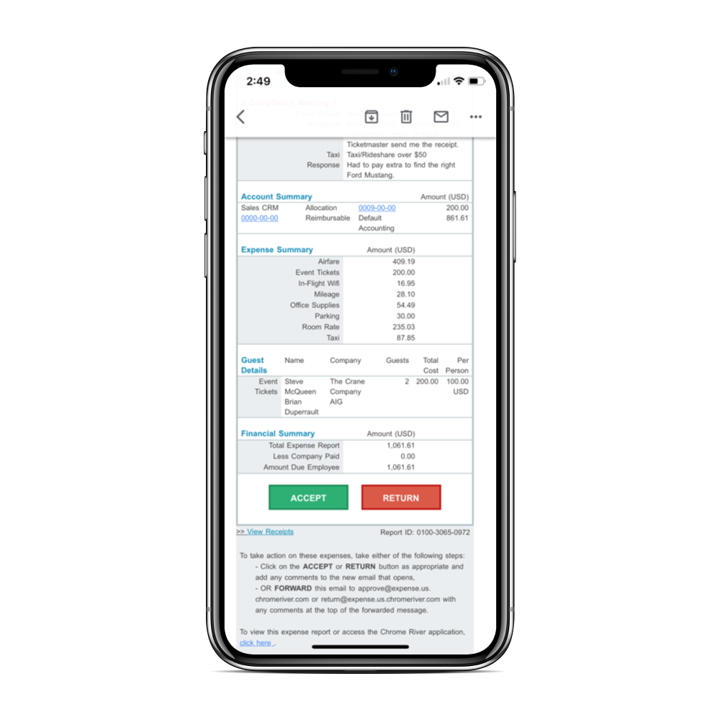
Chrome River EXPENSE is expense management software, from Chrome River Technologies in Los Angeles, California.
N/A
Pricing
BQE CORE
Emburse Chrome River
Editions & Modules
No answers on this topic
No answers on this topic
Offerings
Pricing Offerings
BQE CORE
Emburse Chrome River
Free Trial
Yes
No
Free/Freemium Version
No
No
Premium Consulting/Integration Services
Yes
No
Entry-level Setup Fee
No setup fee
No setup fee
Additional Details
—
We offer three cost-effective, subscription-based pricing models:
A transaction-based model, priced according to expense report volume
A submitter-based model, priced according to an average number of monthly submitters
An enterprise-level model that includes unlimited expense reports. Pricing for this model is based on total employee headcount
Feel free to contact us to discuss the best one for your organization.
I would recommend this for our industry: architecture, engineering, or construction. I would recommend this for any larger firm with many employees or high number of projects. I would particularly recommend this for a company with projects that have budget constraints and where time tracking and expense tracking is very important. I would not recommend this complicated software for a small firm with a small amount of income or number of projects.
The Emburse Chrome River is well suited for tracking expenses and reimbursement. The compliance part of the software makes the task very easy to ensure all the reports that are being used within the company are updated and easy to verify. The Automating invoice processing makes some redundant task easy to execute.
A de minimis incentive was given to thank the reviewer for their time. The incentive was not used to bias or drive a particular response, nor was the incentive contingent on a positive endorsement. TR verified that a representative sample of customers was invited. More Info
Invoice Collections within Billing is a great tool because of the ability to take notes and track contact.
Invoices are professional looking and easy for our clients to understand the overall progress within each phase of their project.
Dashboards are the best tool EVER!
The Contact List feature within Clients setup is the perfect way to track multiple project managers within a large company that also has multiple contracts with us.
A de minimis incentive was given to thank the reviewer for their time. The incentive was not used to bias or drive a particular response, nor was the incentive contingent on a positive endorsement. More Info
[Emburse] Chrome River listens to its customer's needs and does its best to match current products to those needs, or collaborate internally to determine if an enhancement can be made available that will not only benefit that customer, but will be a good use case for all Chrome River customers.
The [Emburse] Chrome River customer service team is great. Unlike most companies, you can speak to a liver person!
[Emburse] Chrome River's training offerings are relevant and pertinent to the day to day operations of the software.
A de minimis incentive was given to thank the reviewer for their time. The incentive was not used to bias or drive a particular response, nor was the incentive contingent on a positive endorsement. More Info
Assigning contacts to particular roles - such as Invoicing, Contracts, etc.
Accounting Functionality - they are basically a project management accounting software, so in my opinion, they could learn some things from other accounting software such as QuickBooks etc.
A de minimis incentive was given to thank the reviewer for their time. The incentive was not used to bias or drive a particular response, nor was the incentive contingent on a positive endorsement. More Info
Would be great to have pre-saved templates available to apply to line items at the expense report header level rather than having to go into each line.
Would be nice to have a mass upload functionality for things like cost codes, allocations, and credit card users.
A de minimis incentive was given to thank the reviewer for their time. The incentive was not used to bias or drive a particular response, nor was the incentive contingent on a positive endorsement. More Info
We have been using Core for a few years now, and honestly started to look at other software systems to see what was out there. What we chose was a nightmare for migration so we never left Core. Now we have added invoicing and payments from Core instead of double entry with QBO. Still only a few cycles in but looks like it will be up to speed soon and working smoothly.
A de minimis incentive was given to thank the reviewer for their time. The incentive was not used to bias or drive a particular response, nor was the incentive contingent on a positive endorsement. More Info
Chrome River is easy to use. We needed little training for our users and instead pointed them to Chrome River's Help Guides which are clearly written and easy to understand. With tools SNAP and the ability to email receipts means we can be completely remote when submitting reports.
The foundation is awesome, like I have said before, however the house being built on it, the educational resources being provided to us (more of sales pitches that don't work), and flexible workflow opportunities, is making us look elsewhere for how much we will be spending on per user. It's crazy to think how flexible they are not when it comes to user settings. Lack of integration with other sources is awful.
A de minimis incentive was given to thank the reviewer for their time. The incentive was not used to bias or drive a particular response, nor was the incentive contingent on a positive endorsement. More Info
I would rate Chrome River Expense a 10 because, as I mentioned before, it is very simple and easy to use. This is important from an administrative point-of-view as well as for the field employee. Being a general contractor, it makes it all the better for our employees to use a program that is easy to understand and requires little time and effort. It has made tracking expenses very simple and has been well received by the entire company.
A de minimis incentive was given to thank the reviewer for their time. The incentive was not used to bias or drive a particular response, nor was the incentive contingent on a positive endorsement. More Info
A de minimis incentive was given to thank the reviewer for their time. The incentive was not used to bias or drive a particular response, nor was the incentive contingent on a positive endorsement. More Info
This is one area that does need some improvement. It can be slow at time, so we had our IT look at it from our side and we had no issues, so it has to be some slowness on their side.
A de minimis incentive was given to thank the reviewer for their time. The incentive was not used to bias or drive a particular response, nor was the incentive contingent on a positive endorsement. More Info
As a new employee and CORE user, I talk to support on a weekly basis. I have never had to wait for more than 3 min to get connect with a support rep, and all my questions have been answered. The support representatives are polite and eager to help no matter how simple your question is.
A de minimis incentive was given to thank the reviewer for their time. The incentive was not used to bias or drive a particular response, nor was the incentive contingent on a positive endorsement. More Info
This has been easy for me because we have a rep that contacts the supporters for this product to correct any issues we may have with the software or changes needed to help out employees use Chrome River easier. This from my understanding has been a hit or miss kind of interaction with our rep and Chrome River.
A de minimis incentive was given to thank the reviewer for their time. The incentive was not used to bias or drive a particular response, nor was the incentive contingent on a positive endorsement. More Info
A de minimis incentive was given to thank the reviewer for their time. The incentive was not used to bias or drive a particular response, nor was the incentive contingent on a positive endorsement. More Info
A de minimis incentive was given to thank the reviewer for their time. The incentive was not used to bias or drive a particular response, nor was the incentive contingent on a positive endorsement. More Info
Before implementation begins, make sure you have a plan on how you would like your workflow and platform setup for a system like Chrome River. It will speed the process and eliminate the need to make changes when you go live.
A de minimis incentive was given to thank the reviewer for their time. The incentive was not used to bias or drive a particular response, nor was the incentive contingent on a positive endorsement. More Info
Deltek Vision is far more advanced, more encompassing and offers more flexibility with what you want to do. However, it's also quite difficult to use, whereas BQE CORE is intuitive and user friendly. The trade off is worth it in some arenas but overall it's not suited for a larger fast paced company. Great for smaller companies.
A de minimis incentive was given to thank the reviewer for their time. The incentive was not used to bias or drive a particular response, nor was the incentive contingent on a positive endorsement. More Info
It's the [industry-leading] software for Enterprise level organizations with [large-scale] teams and financial responsibilities. The software has the most robust set of tools and pays for itself with the amount of time it saves. Many newer alternatives have sprouted up but I don't know that we would ever trust another software to do our Expense Tracking and Management.
A de minimis incentive was given to thank the reviewer for their time. The incentive was not used to bias or drive a particular response, nor was the incentive contingent on a positive endorsement. More Info
A de minimis incentive was given to thank the reviewer for their time. The incentive was not used to bias or drive a particular response, nor was the incentive contingent on a positive endorsement. More Info
A de minimis incentive was given to thank the reviewer for their time. The incentive was not used to bias or drive a particular response, nor was the incentive contingent on a positive endorsement. More Info